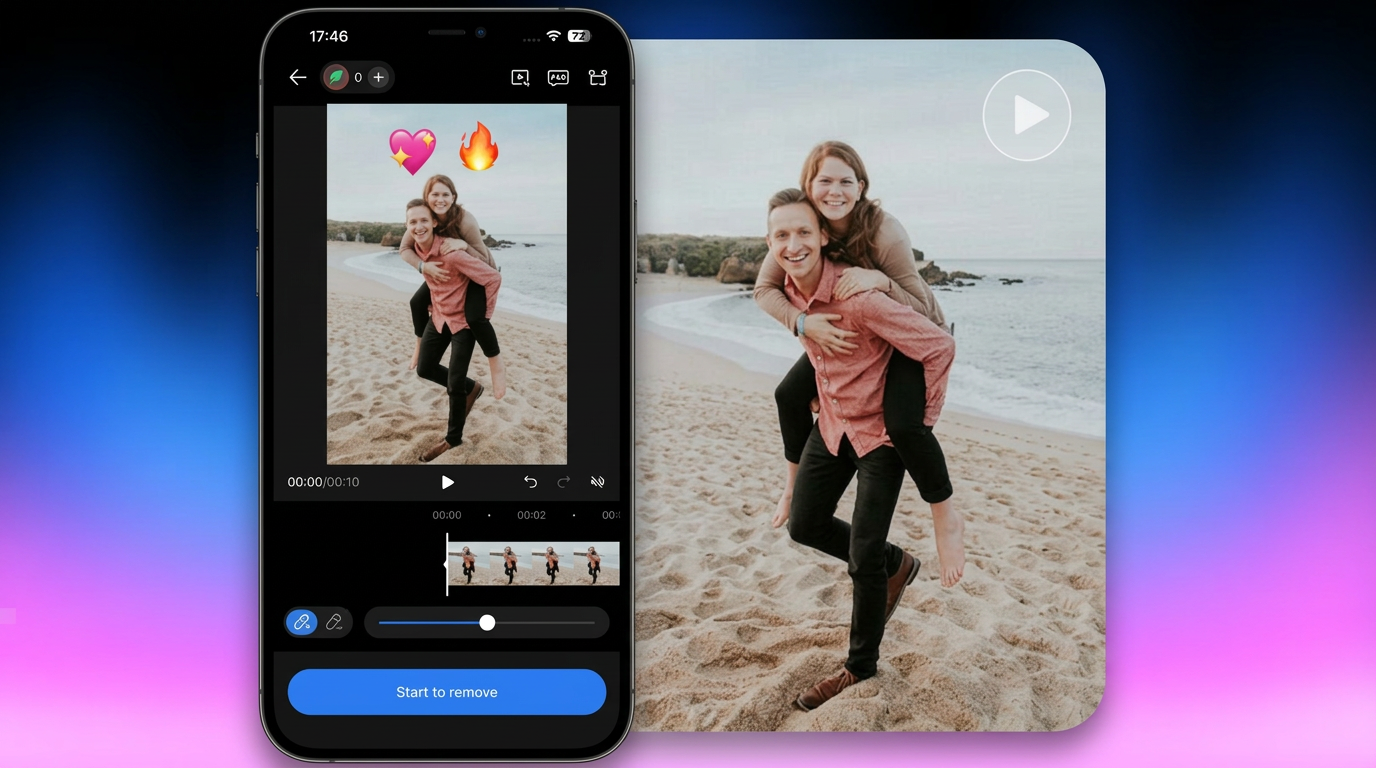
How to Remove Watermark from Video: Easy Methods Anyone Can Use
 Ken DawsonMarch 19, 2026
You finish the edit. The clip looks good. You export it, open the file, and there it is: a logo in the corner of the frame that you never put there. Either it’s TikTok branding on a video, a CapCut badge because you’re on the free plan, or a stock footage mark on a preview you forgot to license. Now you want to remove it and move forward. But how? If you are wondering how to remove a watermark from a video, the process isn’t complicated. However, there is a right way and a wrong way to do it. Using the proper method helps maintain video quality and prevents damage to the original footage. Let’s identify the best way to do it.

What Is a Video Watermark and Why Does It Appear?
A watermark is a visible mark, such as a logo, text, or symbol, on video content. It isn’t a hidden tag.
Different sources add them for different reasons, and understanding the reason matters before you remove anything.
App branding: TikTok and CapCut stamp their name on your video. Every clip you export carries its logo because the platform wants the credit when the video travels elsewhere.
Copyright protection: Stock video sites add watermarks to preview footage so you can see what the clip looks like before buying, but cannot use the clean version without paying for a license.
Free plan restrictions: Many editing tools treat the watermark as a feature wall. Remove it by upgrading. Keep it by staying on the free tier.
The source tells you what you’re actually dealing with. A TikTok watermark on your own video is just branding, easy to justify removing. A watermark on footage you do not own is a question entirely different.
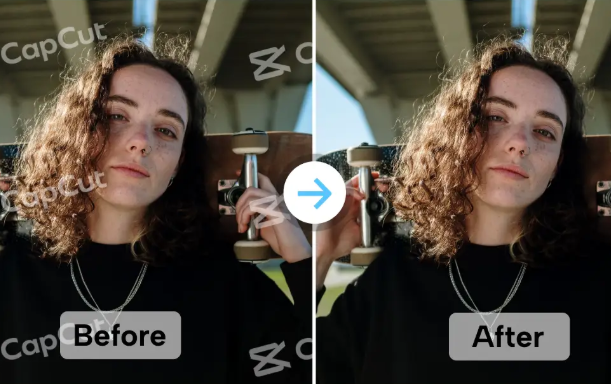
Common Types of Video Watermarks
Not all watermarks behave the same way. The type determines how easy or difficult removal actually is.
Static watermarks
Remains fixed in one position throughout the video. A logo locked to the bottom-right corner is the standard example. Because the position never changes, it is the most straightforward type to remove or crop out.
Moving or animated watermarks
Shifts around the frame over time. Some alternate between corners on a timer. Others appear and disappear unpredictably. Cropping will not work here—you would need to reframe the entire video constantly. AI removal is the only clean solution for these.

How to Remove Watermark from Video (Step-by-step Method)
There are three real options. Each has a different use case.
Method 1: Crop or Mask the Watermark
A watermark at the edge of the frame does not matter; it can be cropped. Most free video editors let you trim the edges of the frame to remove the watermark.
How it works:
Open the video in any basic editor.
Find the crop or resize option.
Adjust the frame edges until the watermark falls completely outside the visible area.
Export and check that the mark is fully gone before you share the clip.
The trade-off is real. You permanently lose part of the original frame. If the watermark is centered on the footage, cropping won’t work. Therefore, use Method 3.
Works best: Edge watermarks where the surrounding area is not critical.
Does not work: Center watermarks, animated watermarks, or any case where frame integrity matters.
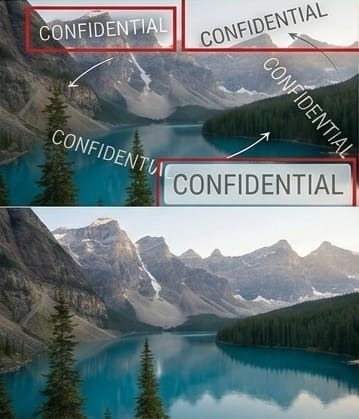
Method 2: Remove TikTok Watermark from Video
TikTok adds its logo and username to every video. It’s fine until the video is live on TikTok. But the same video won’t work on Instagram Reels or YouTube Shorts. The watermark shows the content is repurposed.
Don’t know how to remove a video watermark online? Follow these two options:
Option A – Save without a watermark directly from TikTok:
Open the TikTok video you created
Tap the three dots (share menu)
Select “Save video” — this only works for your own videos and may still include the watermark depending on your account settings.
Option B – Use an AI watermark remover:
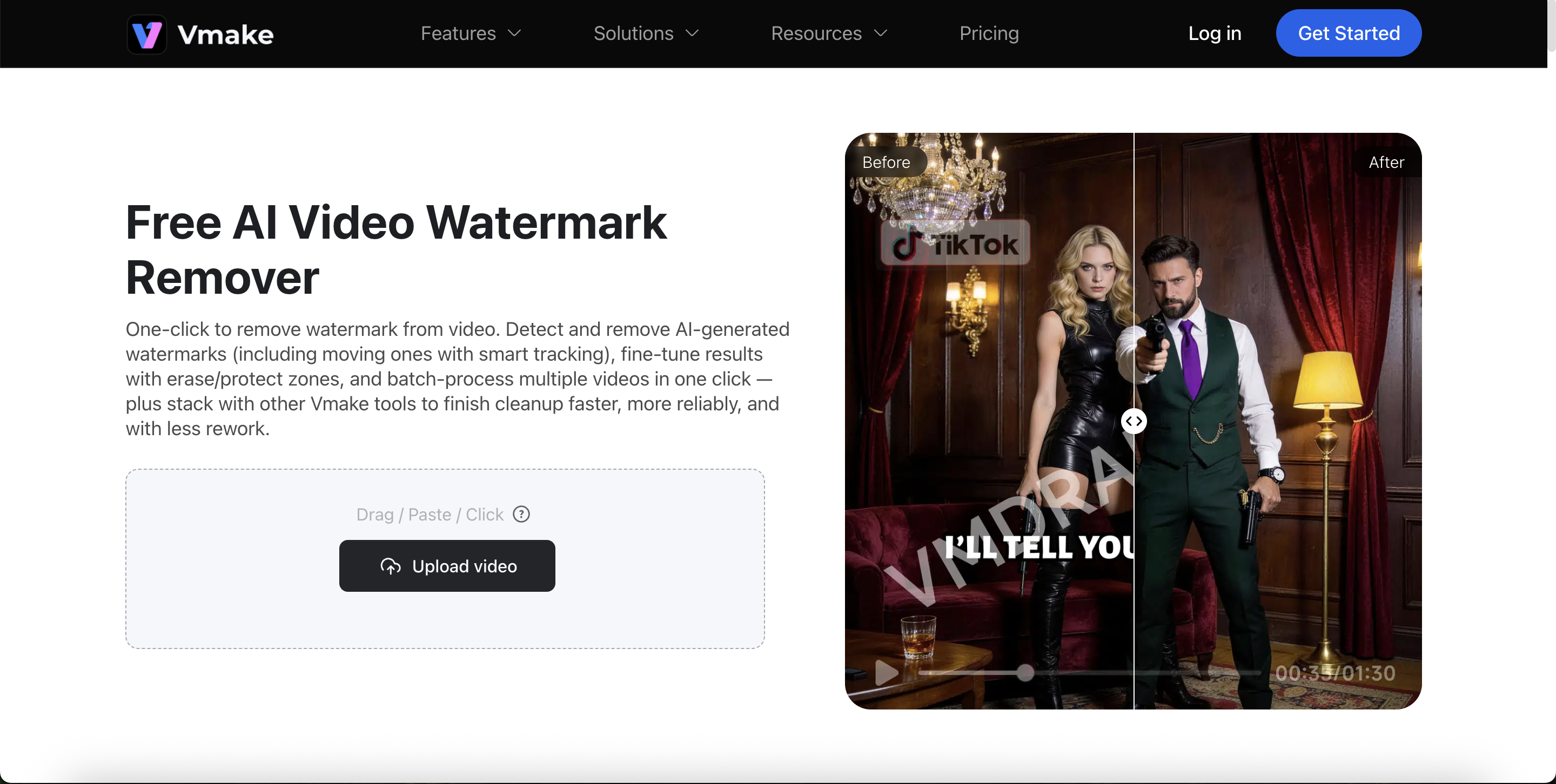
If Option A does not work or gives you a watermarked file, an online AI tool is your best bet. Tools like Vmake AI Video Watermark Remover automatically detect and remove the TikTok watermark — no cropping needed.
How to remove TikTok watermark from video using Vmake:
Go to Vmake video watermark remover
Upload your TikTok video file
Let the AI detect and remove the watermark
Download your clean, watermark-free video
This same method works on how to remove watermark from a video in CapCut. CapCut places its logo in a similar position, and AI tools handle it just as easily.

Method 3: Remove Video Watermark Online with AI
AI-powered tools are the most effective way to remove video watermarks, especially ones that sit in the middle of the frame or cover important content. These tools analyze the video frame by frame and intelligently fill in the area under the watermark.
Vmake AI handles this entirely in the browser. No software to install. No account required to start. It processes watermarks from TikTok, CapCut, Sora 2, stock sites, and most other common sources.
How to remove a watermark from a video online for free using Vmake:
Open VmakeAI in any browser.
Upload your video file.
Wait for the AI to process the clip. Most short videos are done in under a minute.
Preview the result to confirm the watermark is fully gone.
Download the clean video in its original resolution.
If you need to remove a watermark from the Sora 2 video specifically, the same process applies. Sora 2 is OpenAI’s video generation tool, and its free-tier outputs are clearly marked. The AI does not distinguish between sources. It finds the watermark and removes it.
Works best: Center watermarks, animated logos, any case where frame quality matters.
Things to Know Before Removing a Watermark
Watermark removal is a technical capability. Whether it is appropriate to use it is a separate question, and one that matters more than most guides acknowledge.
Copyright Considerations
A watermark on stock footage, professionally produced content, or someone else’s creative work typically means the rights have not been transferred. Removing that mark and using the video commercially is not a grey area in most countries. It is a violation.
The cases where removal is clearly appropriate:
You created the video yourself and are removing the platform’s branding from your own content
You paid for a license, and the preview watermark was not automatically cleared
You are working with personal footage for non-commercial use
Personal vs. commercial use
For personal projects, travel clips, home videos, and creative content for your own channels, the stakes are low, and removal is generally reasonable. For anything that runs as an ad, gets sold, or represents a brand commercially, you need to confirm the rights before removing any marks.
Removing a watermark from content you did not create is not a workflow problem. It is a rights problem. The tool does not know the difference. You do.

FAQs
1. How to remove a watermark from a video for free?
Vmake AI removes watermarks online for free. Upload the video, let the system process it, and download it for free.
2. How to remove a TikTok watermark without losing video quality?
Use AI removal. Cropping permanently removes part of the frame. Vmake’s AI removes the watermark while maintaining resolution, color, and detail.
3. How to remove the watermark from the Sora 2 video?
Same process. Upload the Sora 2 video to Vmake AI. The AI locates and removes the mark. It processes short cips in minutes.
Final Thoughts
Most watermark problems are simple. The mark appeared due to a platform rule or a plan tier, and removing it takes under a minute with the right tool. Crop if the watermark is on the edge, and the frame loss does not matter. Use AI if quality and frame integrity are the priority.
For everything that qualifies — your own TikTok clips, CapCut exports, Sora 2 outputs, or any other watermarked file you own, Vmake Video Watermark Remover handles it in the browser, for free, without installing anything.
The question worth asking is not how to remove the watermark. It is whether you should. Once that is settled, the rest is just a few clicks.

You May Be Interested
[2025] Top 5 FREE Video Downloader without Watermark

5 Best Free Green Screen Video Backgrounds for Creators

AI Video Enhancement And Upscaling: Pros, Cons, Alternatives, and Future Trends
Best TikTok Watermark Remover Apps in 2025