
Luma AI Dream Machine Reviewed: 2026 Video Generator Guide
 Ken DawsonMay 30, 2026
Text-to-video can be quite inconsistent. You type a perfect prompt, but the spatial tracking fails and leaves you with distorted, unusable artifacts. Hitting true commercial quality requires a stable workflow. This guide breaks down the Luma AI Dream Machine, compares it against current market alternatives, and explores how editors are integrating enhancement tools like Vmake AI into their pipelines to clean up raw exports.
What is the Luma AI Dream Machine?
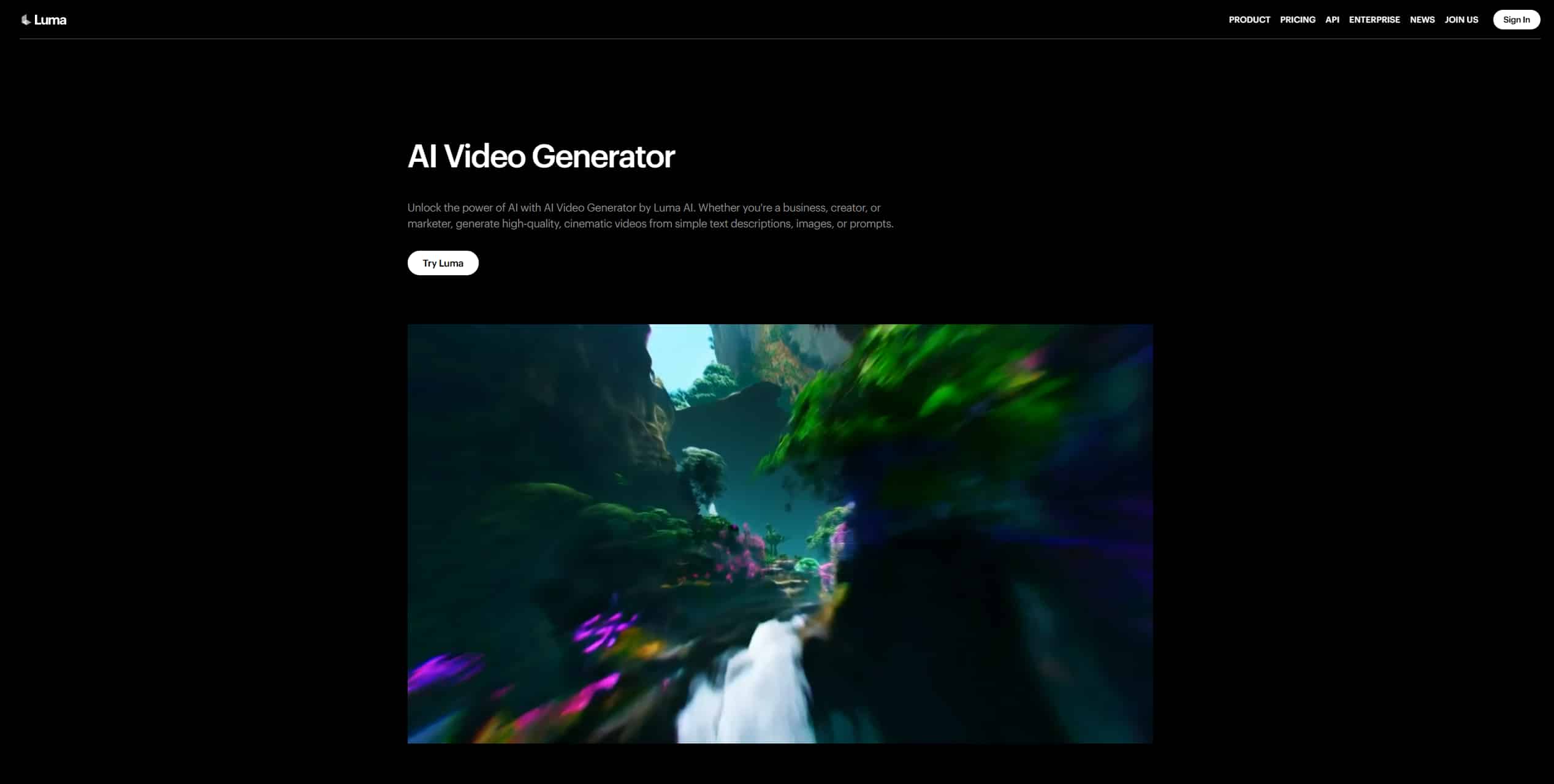
Generative media fundamentally alters how production teams handle raw asset creation. The Luma AI Dream Machine functions as a text-to-video and image-to-video neural network. It interprets textual descriptions and maps those concepts into a multidimensional latent space. From there, the algorithm synthesizes actual pixel data frame by frame.
Establishing a baseline for modern tools involves examining prompt adherence and motion dynamics. If you need a reliable AI video generator, the system must read your input, lock in the initial composition, and maintain structural integrity across a timeline.
Key features of Luma AI Dream Machine:
Looking closely at the platform reveals why it gained traction so rapidly. Luma focuses heavily on solving the physical problems that break other generative models.
-
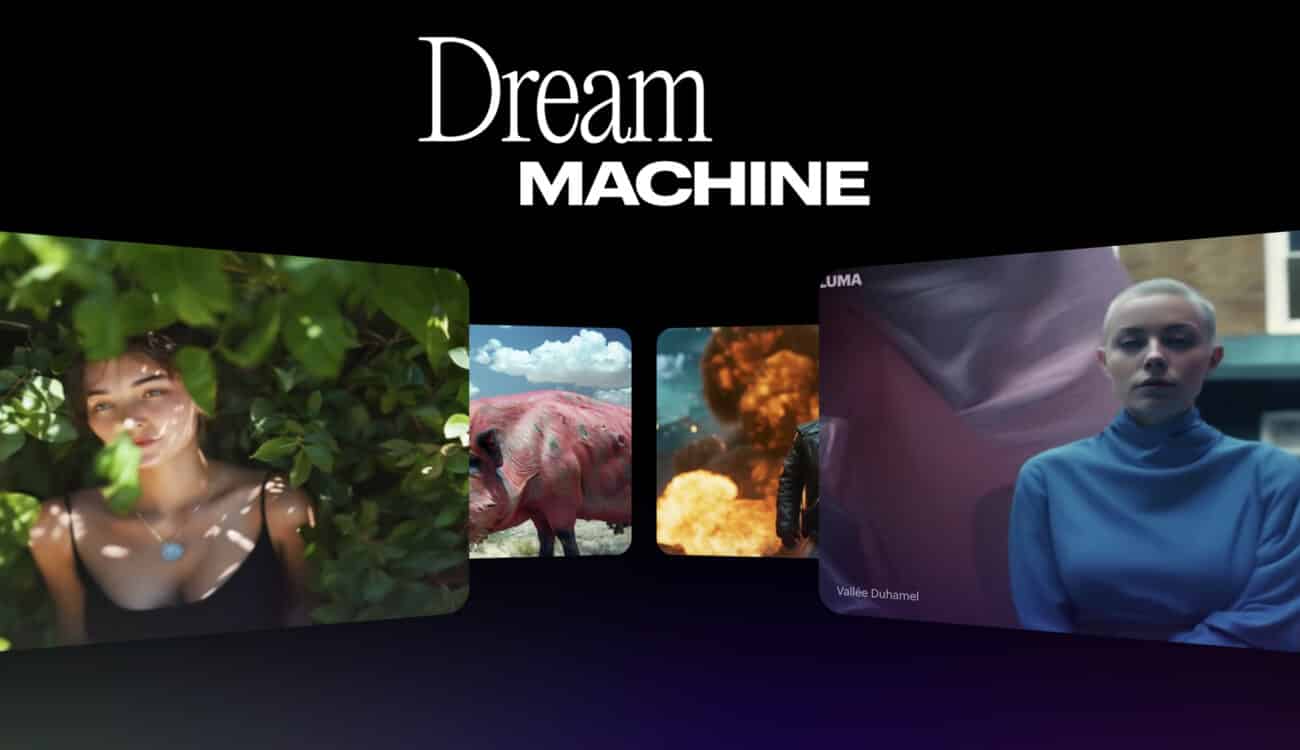
High-Speed Rendering: The engine generates high-quality 120-frame clips in just 120 seconds. Waiting for renders kills your creative flow. This speed acts as a massive relief for active editors.
-
Cinematic Camera Controls: You get a native understanding of complex camera movements. Dolly shots, drone sweeps, and smooth pans actually track the subject logically.
-
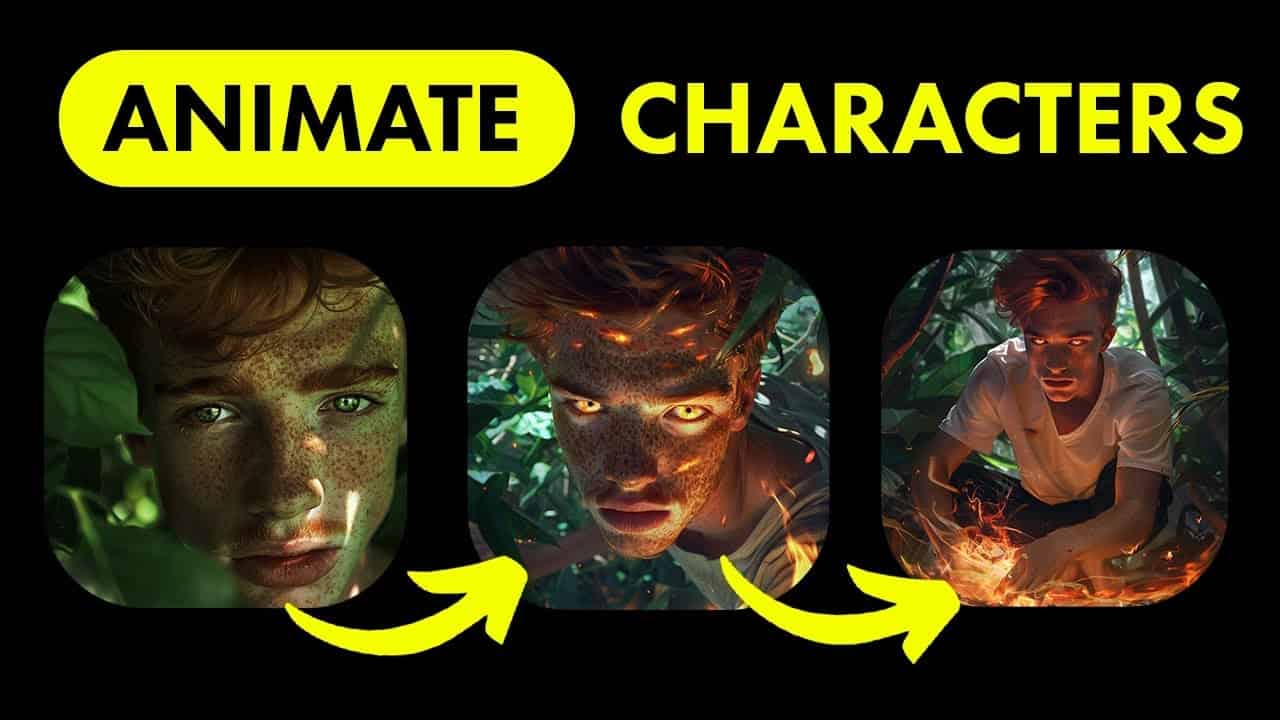
Character Consistency: The system retains specific character details across different camera angles. It still struggles occasionally with pitch-black shadows ruining facial features, though.
-
Natural Physics Simulation: Gravity and object collision look believable. Liquids pour realistically instead of morphing into solid plastic halfway through the animation.
Luma AI Dream Machine Pricing Tiers
Monetizing your generative media requires understanding the Luma AI Dream Machine pricing structure. Budgeting for heavy production means analyzing these distinct tiers carefully before you commit to a subscription.
|
Plan |
Monthly Price |
Annual Price |
Monthly Credits |
Key Features & Limitations |
|---|---|---|---|---|
|
Free (iOS) |
$0 |
— |
250 credits |
Draft resolution, lower priority, watermarks, non-commercial use only. |
|
Lite |
$9.99 |
$7.99/mo |
3,200 credits |
Full Ray3 access, 4K with up-res, high priority, watermarks, non-commercial use only. |
|
Plus |
$29.99 |
$23.99/mo |
10,000 credits |
Full Ray3 access, 4K with up-res & HDR, high priority, commercial use allowed, no watermarks. |
|
Unlimited |
$94.99 |
$75.99/mo |
10,000 Fast + Unlimited Relaxed |
Full Ray3 access, 4K with up-res & HDR, high priority, commercial use allowed, no watermarks. |
|
Pro (iOS) |
$119.99 |
$95.99/mo |
10,000 Fast + Unlimited Relaxed |
Full Ray3 access, 4K with up-res & HDR, commercial use allowed, no watermarks. |
The Core Strengths of Luma AI Dream Machine

Most foundational models collapse when you ask them to calculate heavy motion. You request a car driving down a street, and the car's wheels melt into the asphalt in the third second. Luma AI built its infrastructure to specifically counteract this exact phenomenon.
|
Focus Area |
Legacy Workflow / Manual Methods |
Luma Engine Approach |
|---|---|---|
|
Motion & Tracking |
Clears noise from static frames and guesses the next sequence; prone to erratic background warping. |
Uses native object tracking and accurately plots temporal depth; keeps backgrounds stable behind stationary subjects. |
|
Prompt Fidelity |
Visual output tends to drift or lose coherence as the timeline progresses. |
Maintains a tight grip on the initial prompt throughout the timeline. |
|
Post-Production |
Exhaustive manual correction (e.g., spending 4 hours masking out artifacts in Premiere Pro). |
Spatial architecture drastically reduces the need for heavy post-production fixes. |
|
Enhancement Base |
Relies heavily on external enhancers to fix weak structural foundations. |
Provides a clean base generation and structural foundation, maximizing the effectiveness of video quality enhancers. |
Limitations of Standard Luma Dream Machine AI Solutions
Relying entirely on standard generation platforms introduces significant friction into daily workflows. We must break down the specific limitations holding back commercial scale.
|
Constraint Category |
Technical Reality & Workflow Impact |
|---|---|
|
High Latency & Server Queues |
Cloud-based rendering platforms frequently experience peak-hour throttling. This delays asset delivery for time-sensitive marketing campaigns. Waiting forty minutes for a single draft clip kills creative momentum. |
|
Restrictive Licensing Models |
The Luma AI Dream Machine free tier imposes strict commercial use restrictions and permanent watermarks. You will immediately need an AI video watermark remover if you plan on testing these drafts for client pitches without paying upfront. |
|
Prompt Engineering Friction |
Hitting a specific visual style requires complex, hyper-specific text inputs. Iterative adjustments become a time-consuming manual process. You spend more time typing microscopic lighting variations than actually editing video. |
|
Pricing Scaling |
The Luma AI Dream Machine pricing structure escalates rapidly for heavy users. Paying per generation quickly depletes monthly budgets when factoring in the high failure rate of complex text prompts. |
These limitations force production teams to rethink their tech stacks. You need assets quickly. You cannot afford to wait in a virtual line while a server prioritizes premium enterprise clients over your daily render requests. The economics of paying per flawed generation simply do not work for high-volume content creators.
Comparing the Best AI Video Generator Tools in 2026
Selecting the right generative infrastructure requires analyzing rendering latency, output fidelity, and commercial licensing models. We evaluated the current market leaders against the Luma AI Dream Machine to determine which platforms best support high-volume, professional production pipelines without imposing restrictive watermarks or aggressive throttling.
|
Platform |
Key Features |
Best Use Cases |
Pricing (Monthly/Annual) |
Free Plan Details |
|---|---|---|---|---|
|
Luma AI Dream Machine |
Text/Image-to-video, rapid looping, 5-second generations |
Concept visualization, social media shorts |
$29.99/$287.90 |
Limited daily generations, watermarked, non-commercial |
|
Runway Gen-3 Alpha |
Advanced camera controls, motion brush, and custom model training |
Cinematic storytelling, commercial VFX |
$35.00/$336.00 |
Strict credit limits, low-resolution export restrictions |
|
Vmake AI |
Batch video generation, multi-format export, API integration |
Scalable creator workflows, e-commerce assets |
Custom Tiered Pricing (Standard at $9.99/month and $69.99/year) |
Full feature trial, unwatermarked draft exports |
|
Kling AI |
Extended clip duration, advanced spatial tracking |
Realistic human motion, long-form content |
$10.00/$79.20 |
Basic daily credits, heavily queued rendering |
Navigating strict credit systems and fighting through long server queues kills production momentum. When foundational models produce inconsistent tracking and heavily artifacted frames, creators are forced to spend hours on manual post-production correction. Transitioning to a dedicated, high-capacity generation architecture removes these rendering bottlenecks. Creators often combine AI video generators with enhancement tools like Vmake AI.
Scaling High-Fidelity Output via Vmake AI's Generation Engine
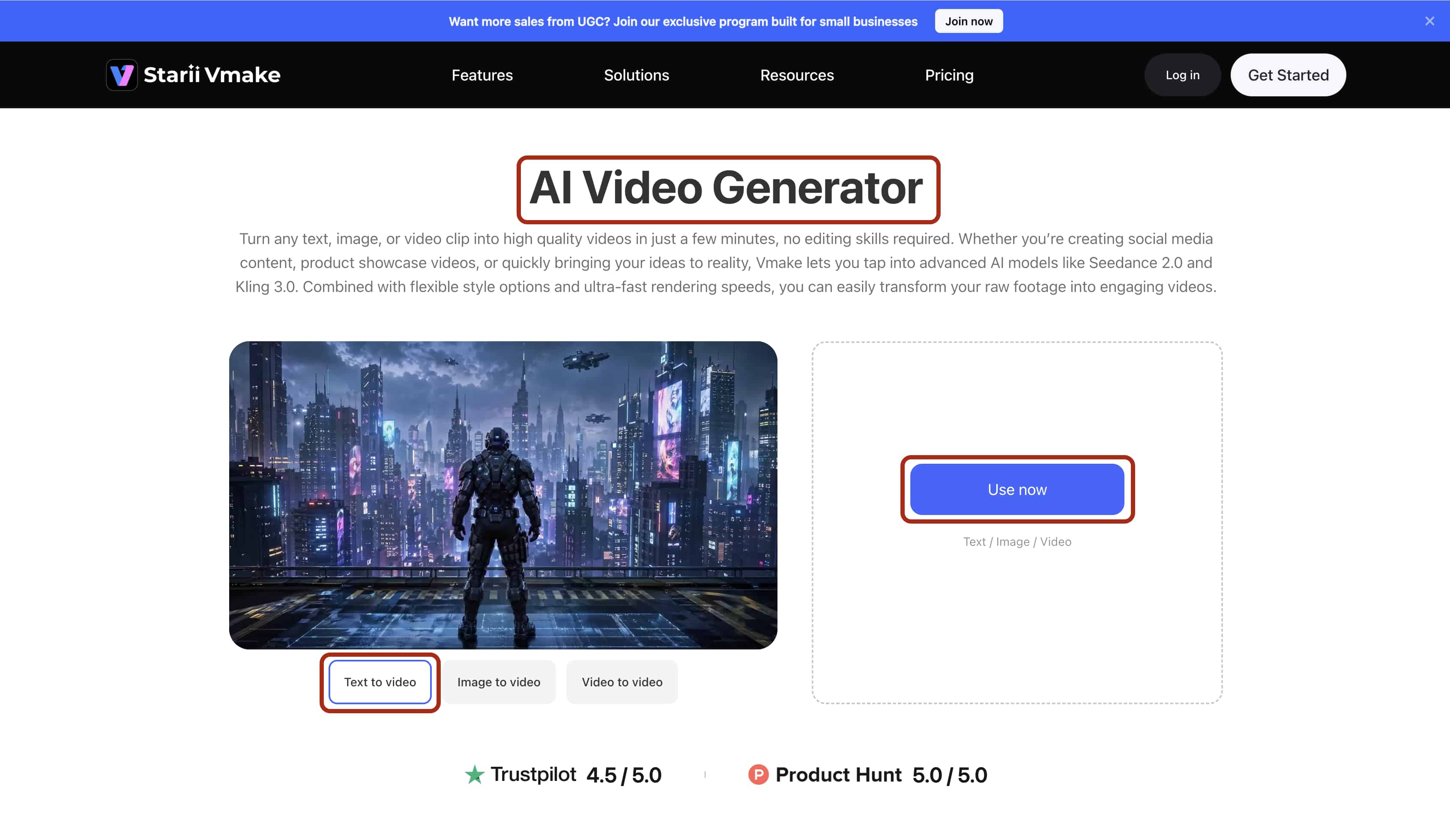
Leaving behind consumer beta models requires a serious infrastructure upgrade. Vmake AI tackles the core rendering issues directly through optimized processing layers: It boasts a highly flexible general configuration supporting multi-resolution outputs with variable durations from 2 to 15 seconds.
-
Algorithmic Motion Tracking: Secures object boundaries prior to vector mapping, eliminating the severe limb distortion and "melting" effects common in standard text-to-video tools.
-
Semantic Prompt Translation: Converts basic user inputs into optimized backend rendering parameters, reducing the trial-and-error phase of complex prompt engineering.
-
Native High-Bitrate Processing: Renders raw, compression-free frames suitable for immediate paid media distribution. Using a dedicated video upscaler, it completely bypasses standard low-resolution free-tier caps.
-
Concurrent Rendering Pipelines: Executes multiple video generation requests in tandem, clearing the backlog of individual server queues and accelerating deployment timelines.
-
Automated Multi-Format Sync: Adapts generative outputs across diverse aspect ratios (16:9, 9:16, 1:1). It acts as an automated social media resizer, retaining subject focus and timeline parity to guarantee immediate campaign deployment without manual re-cropping.
Executing Your Workflow through Vmake AI: 4 Steps to Final Export
Follow these exact steps to push a rendering job through the Vmake AI dashboard.
Try AI Video Generator for free now!
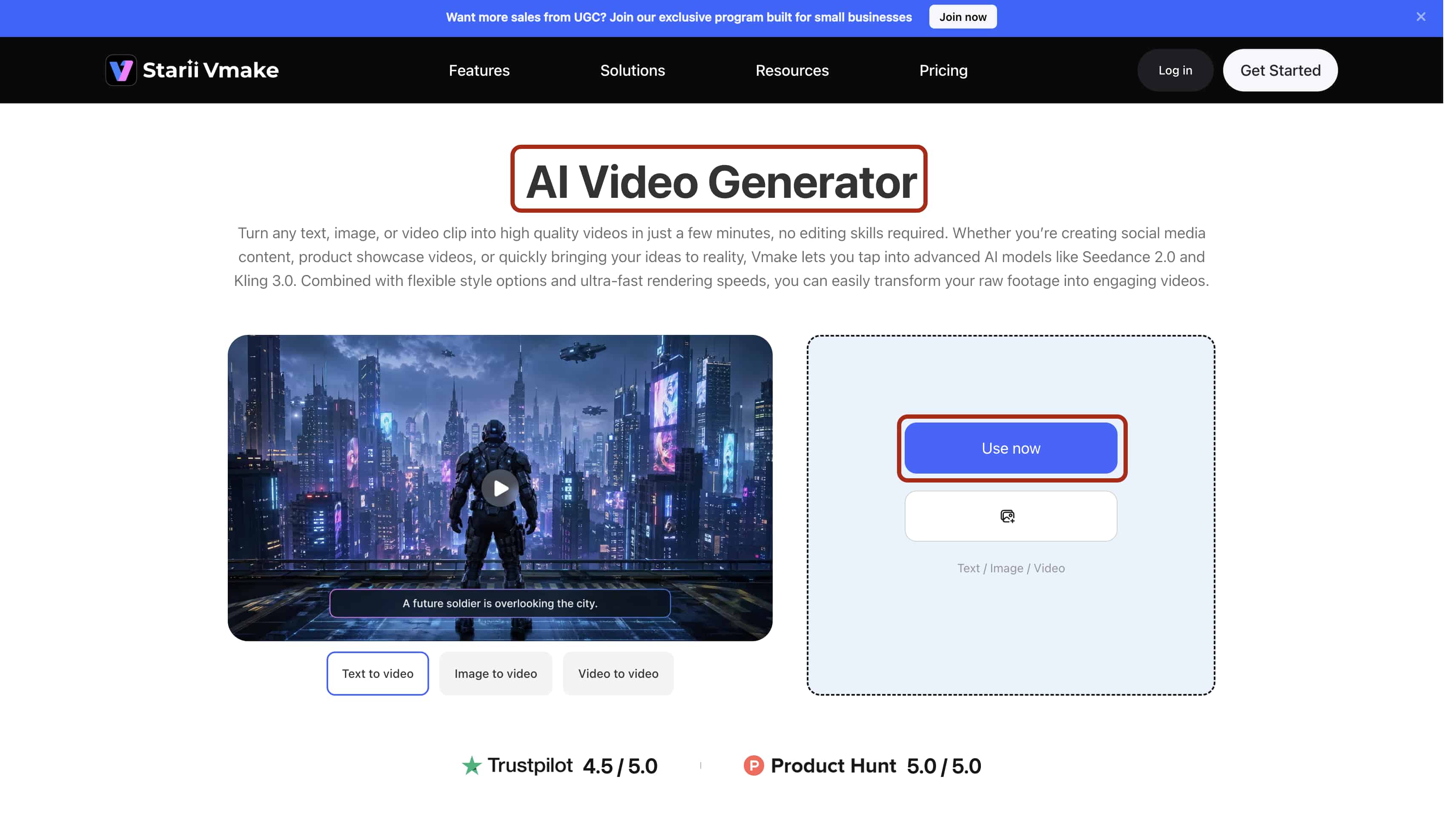
Step 1: Upload your reference text/image/video
Open your web browser and navigate directly to the Vmake AI studio interface. Click the large blue 'Use Now' button located on the right corner of the dashboard. Drag your static source imagery straight into the drop zone. Alternatively, type your baseline text concept into the main command terminal.
Step 2: Configure Parameters
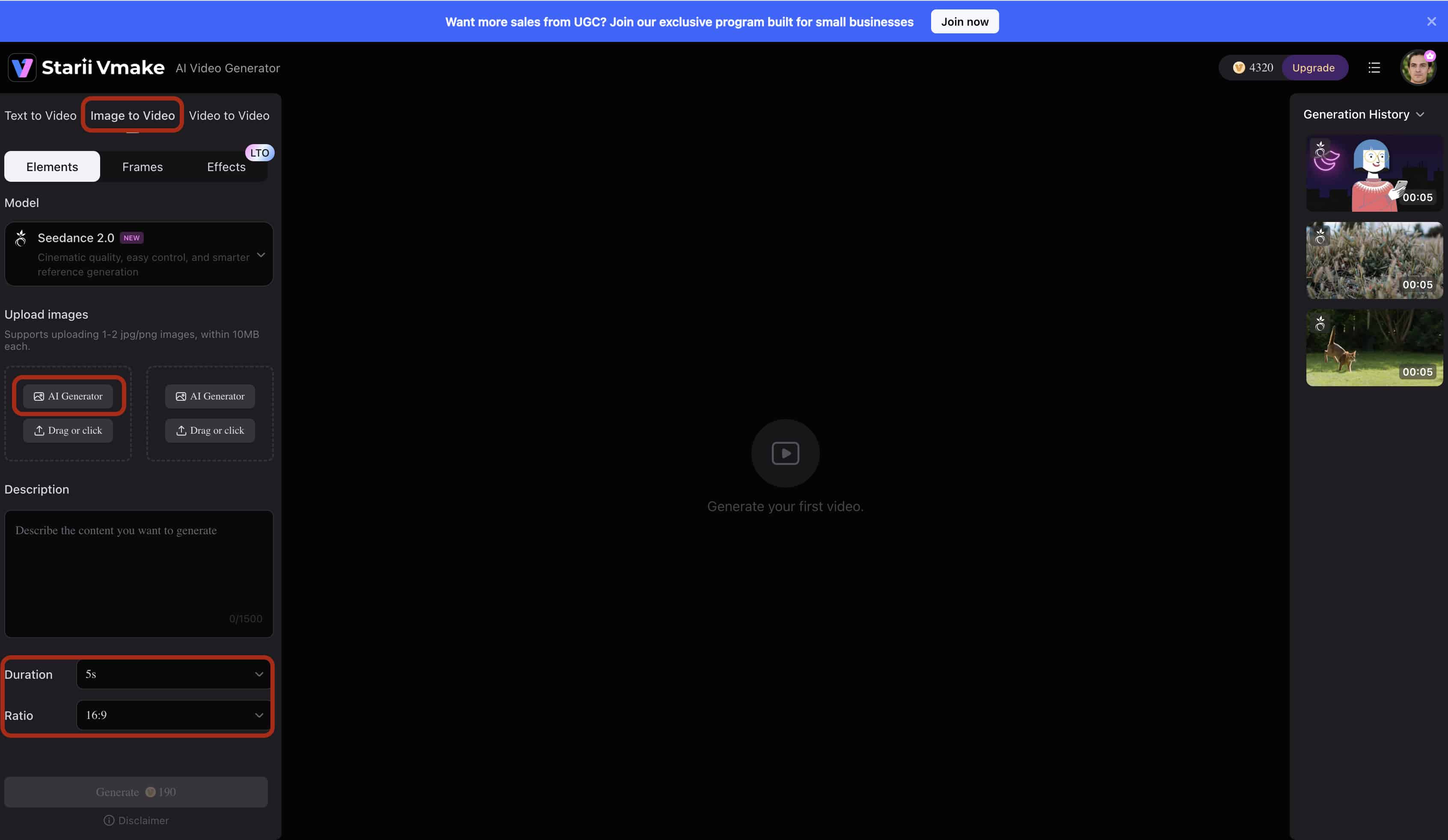
Define your specific motion parameters, enter your explicit text prompts, and lock in your target aspect ratio (16:9, 9:16). Instead of typing vague ideas, use strict directional and weight-based commands — such as "an animated creation walking in the woods"— to accurately guide the physics engine and dictate the exact movement vector.
Step 3: Verify Composition
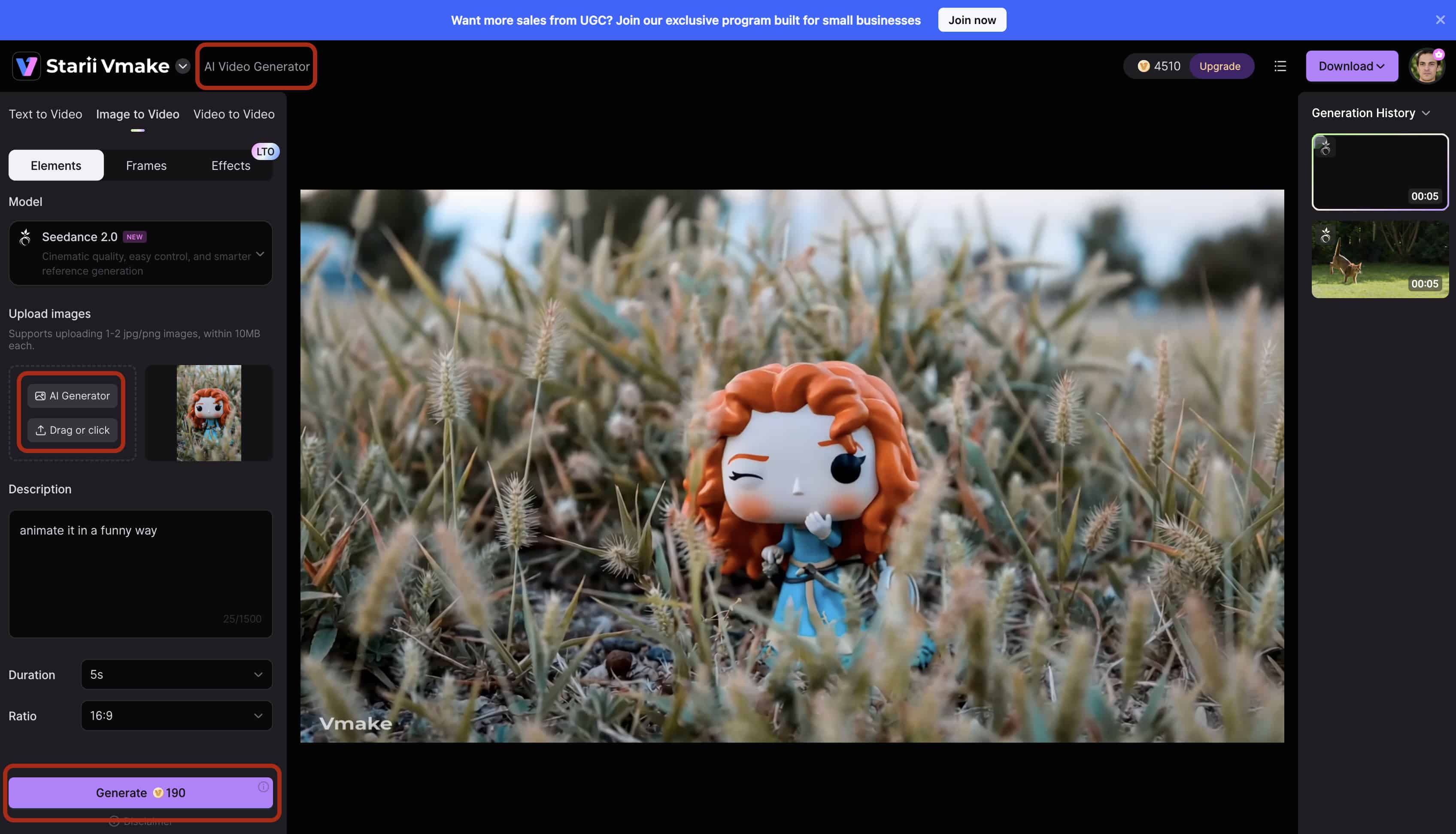
Analyze the initial low-resolution proxy generated by the platform to verify spatial accuracy and track the basic movement path. This crucial step prevents wasted computing credits by allowing you to catch tracking errors and adjust your parameters before committing to a heavy, full-resolution render.
Step 4: Export High-Resolution Output
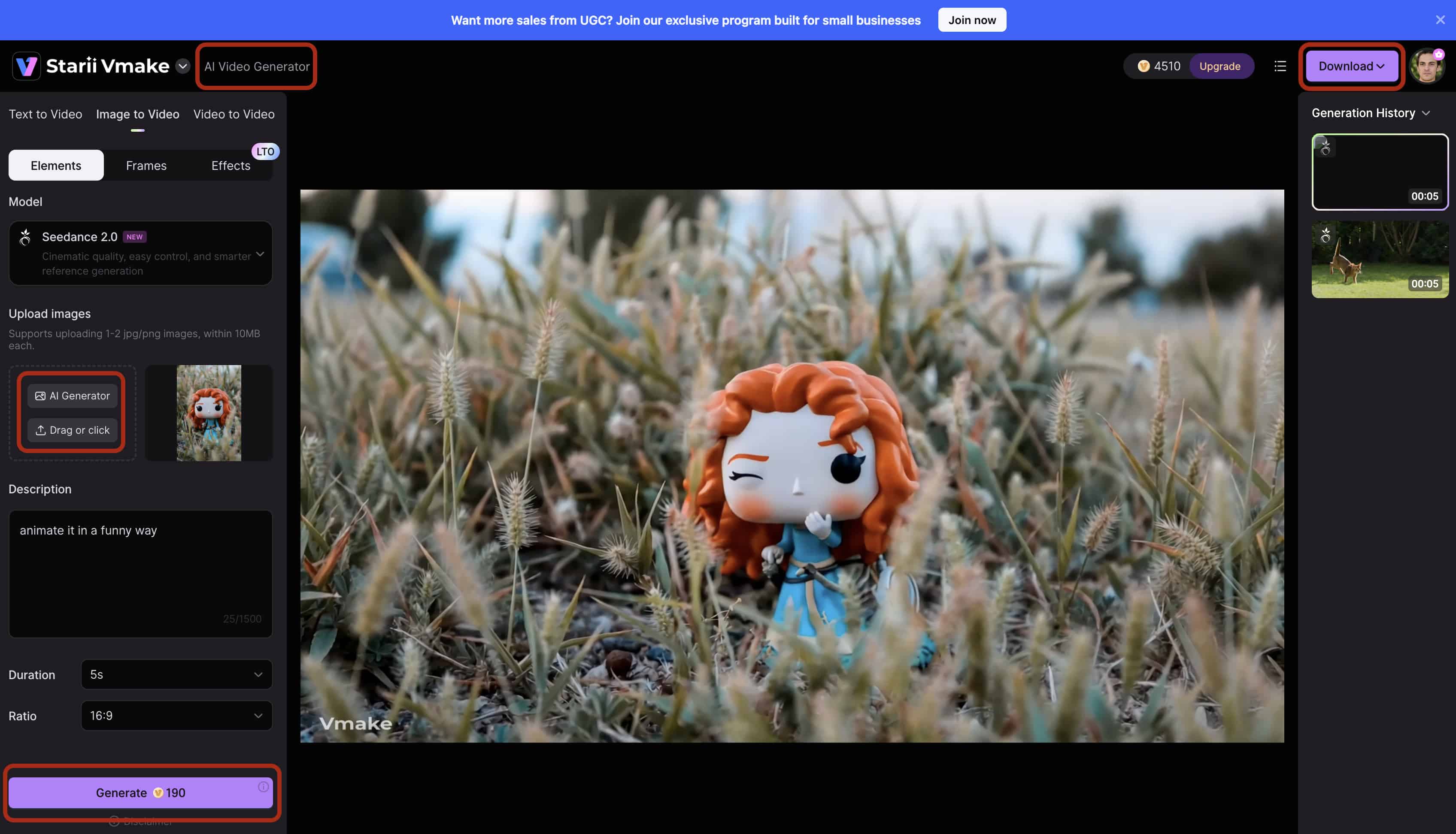
Once the motion proxy is approved, initiate the final render process. After the engine finalizes the physical textures, lighting, and upscaling, download the completed MP4 directly to your local drive for immediate multi-channel distribution or seamless import into your post-production timeline.
Conclusion
The industry is aggressively shifting from unpredictable beta models to reliable, commercial-ready AI video infrastructures. Creators can no longer afford to babysit basic generation queues. Transitioning away from heavily throttled consumer plans protects your production schedule. Adopt professional platforms like Vmake AI to secure a massive competitive advantage in both production speed and final output quality. You need a stabilized workflow to survive in high-volume digital media.
FAQs
Is the Luma AI Dream Machine free to use for commercial projects?
No, the standard free tier restricts usage strictly to non-commercial, personal projects and applies a permanent watermark. Commercial distribution requires upgrading to one of their paid subscription tiers. The Luma AI Dream Machine price acts as a hard barrier for independent creators trying to monetize early drafts.
Are there truly free alternatives that provide high-quality, unwatermarked generative video?
While many platforms offer introductory trials, computing server costs restrict genuine, unlimited free video generation in the current market. Users should expect to pay for rendering complex, professional-grade media without restrictions. Free plans universally sacrifice bitrate to save server overhead.
How does Vmake AI handle spatial consistency compared to standard models?
Vmake AI utilizes an advanced tracking architecture that maps object boundaries prior to applying motion vectors. This substantially reduces the melting artifacts and limb distortions common in basic text-to-video outputs. It stabilizes the geometry before applying motion.
Why is my AI-generated video pixelated or blurry?
Blurriness typically results from server-side compression designed to speed up processing times for non-premium users. Upgrading your account or utilizing dedicated upscale processing restores the necessary bitrate for clear viewing. You cannot bypass hardware compression limits on a free server tier.
How long does it take to render a 5-second clip?
Depending on the platform's current server load and your subscription tier, generation can take anywhere from two minutes to over an hour. Priority queue access is standard across most premium professional plans. Free users get pushed to the back of the line automatically.
Can I generate videos longer than 5 seconds using the Luma AI Dream Machine?
While the base Luma model outputs standard 5-second clips, users can utilize the platform's video extension feature to sequentially chain additional seconds together. However, relying on manual extensions often introduces cumulative prompt drift and visual degradation over time. Professional-grade platforms bypass this limitation by employing advanced batch processing to stitch high-fidelity segments seamlessly for full-length commercial campaigns.
