How to Download TikTok Videos Without a Watermark: Save Like a Pro
 Ken DawsonApril 28, 2026
TikTok videos are quite interesting, but the watermarks that come with them can make them harder to edit or utilize on other platforms. There are easy and effective ways to download TikTok videos without a watermark if that's what you're looking for. This tutorial shows you the best ways to preserve TikTok videos without getting in the way and use them in more flexible ways.
Download TikTok videos without a watermark using online AI tools
-
Vmake
AI-powered solutions like Vmake make it easier to remove TikTok watermarks. With its own Vmake TikTok watermark remover, you can swiftly process videos and get clean, professional results without editing them by hand. The platform employs advanced AI to detect and remove moving watermarks without compromising video quality. Just upload your video or paste the TikTok link, and the program will take care of the rest quickly.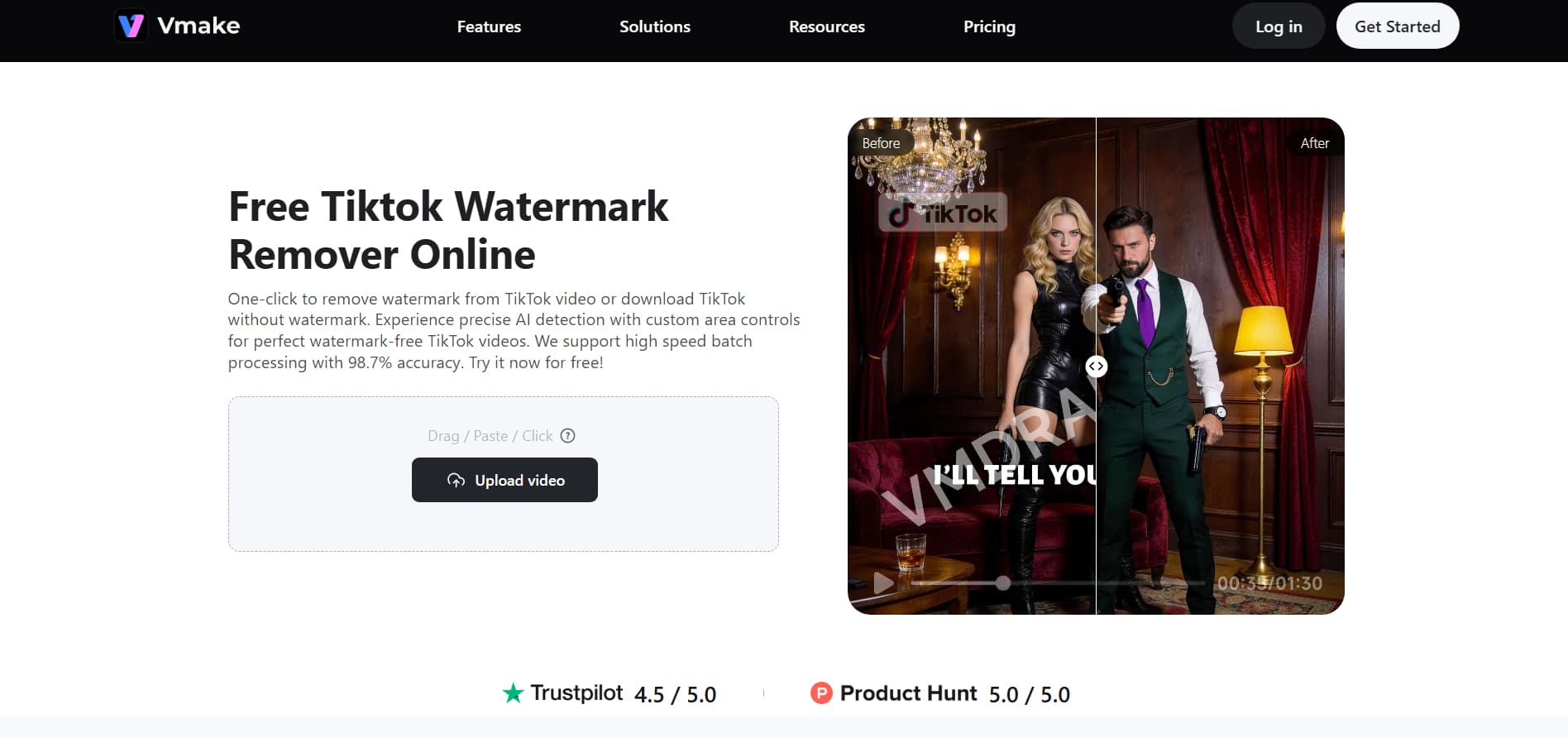
Download TikTok without Watermark Now
Step-by-step guide:
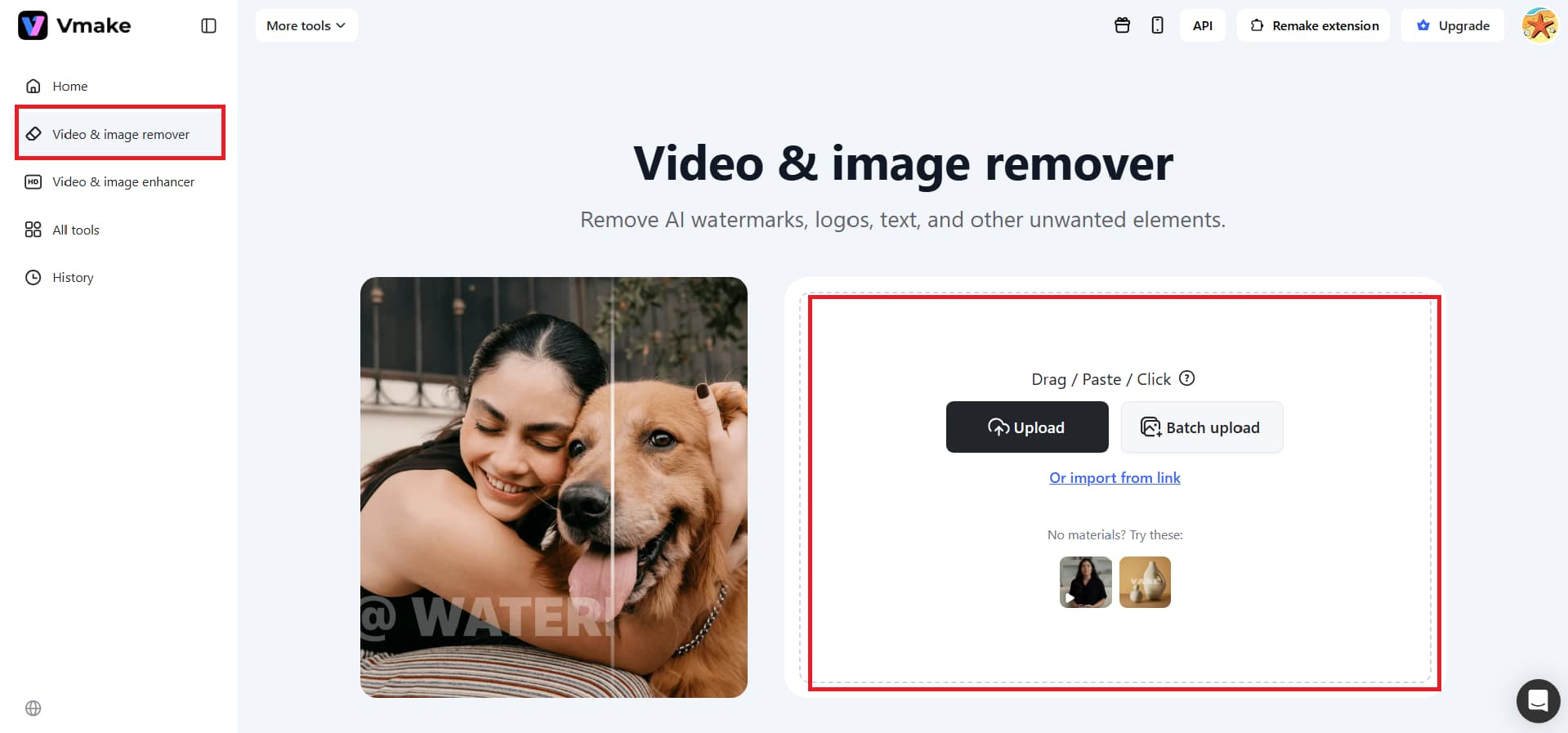
Step 1: Upload video or paste TikTok link
You can add your TikTok video by dragging and dropping files (MP4, MOV, etc.) or by copying and pasting the video URL. Vmake also lets you upload numerous videos at once for processing.
Step 2: Let AI remove the watermark automatically
The tool detects the TikTok watermark in the video and removes it automatically. You may see the result right away to make sure the watermark is gone.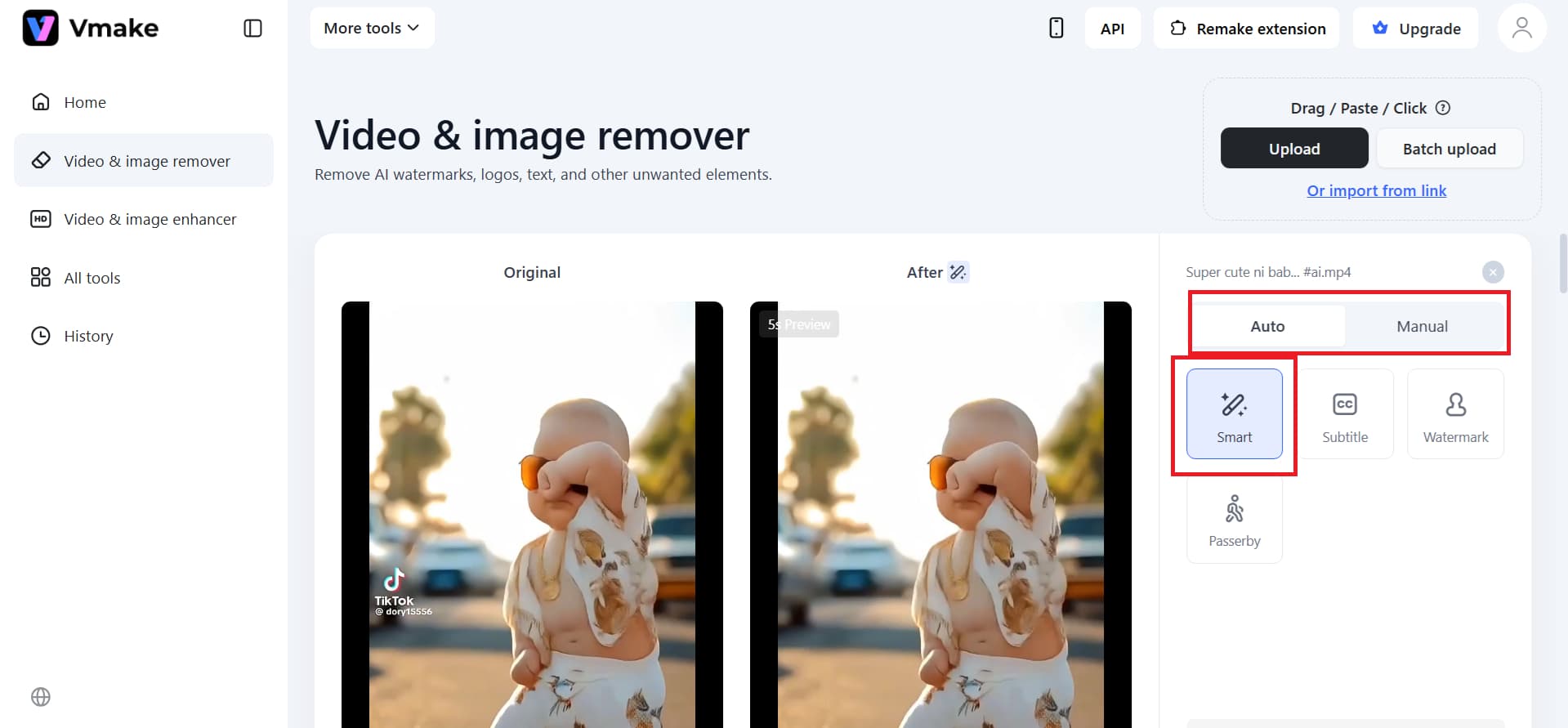
Step 3: Download the watermark-free video
You can either get a 5-second preview or export the whole video to HD once you're happy with it. Vmake gives you quick and easy access to clean, watermark-free videos.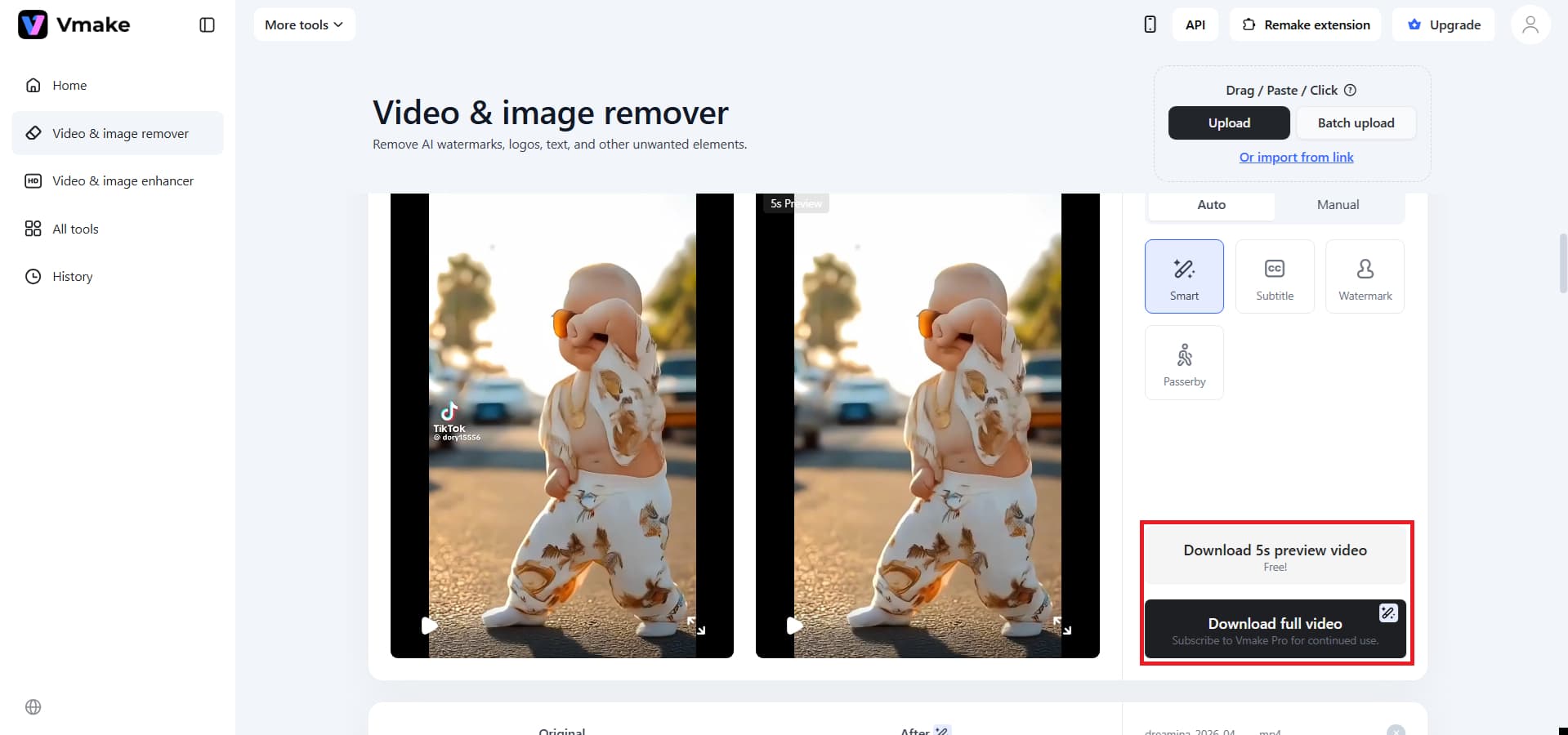
Start removing TikTok watermarks from video for free
Key features:
-
Direct link upload with AI-powered removal: Just copy the TikTok video link into Vmake, and its AI will automatically detect and remove the watermark with great accuracy. You can download the clean, watermark-free video in high definition directly from the Vmake workspace once it has been processed.
-
Preserves original video quality: This AI tool takes out watermarks without cutting or changing the way the frame looks. It keeps the colors, textures, and arrangement of the subjects the same throughout, making sure the finished film looks clean and ready.
-
Simple and consistent user experience: Vmake works right in your browser. You just upload, preview, and download. There is no need to install anything or perform complex editing, making it perfect for quickly removing watermarks on any device.
Pros:
-
Seamless cloud access: You don't need to install any heavy software or have high-end gear to use it.
-
All-in-one workspace editing: You can not only remove watermarks but also edit, enhance, and refine videos directly within Vmake's workspace without switching tools.
-
Multi-format support: Easily works with professional file types such as MP4, MOV, and AVI.
Cons:
-
Internet dependency: The speed of your connection and the quality of your videos depend on your connection's stability and the server's load.
-
VideoWatermarkRemover
VideoWatermarkRemover is a cutting-edge, AI-powered tool that removes annoying watermarks and logos from TikTok videos with professional accuracy. This service uses smart "filling" algorithms to reassemble the background behind the watermark, ensuring the picture looks perfect. This is different from ordinary cropping tools that clip away areas of the frame. It is an important tool for editors and social media managers who need to clean up videos for presentations or for branding across multiple platforms. The platform runs entirely in the cloud and has a fast processing engine that can handle complex video files without requiring any local hardware or technical knowledge.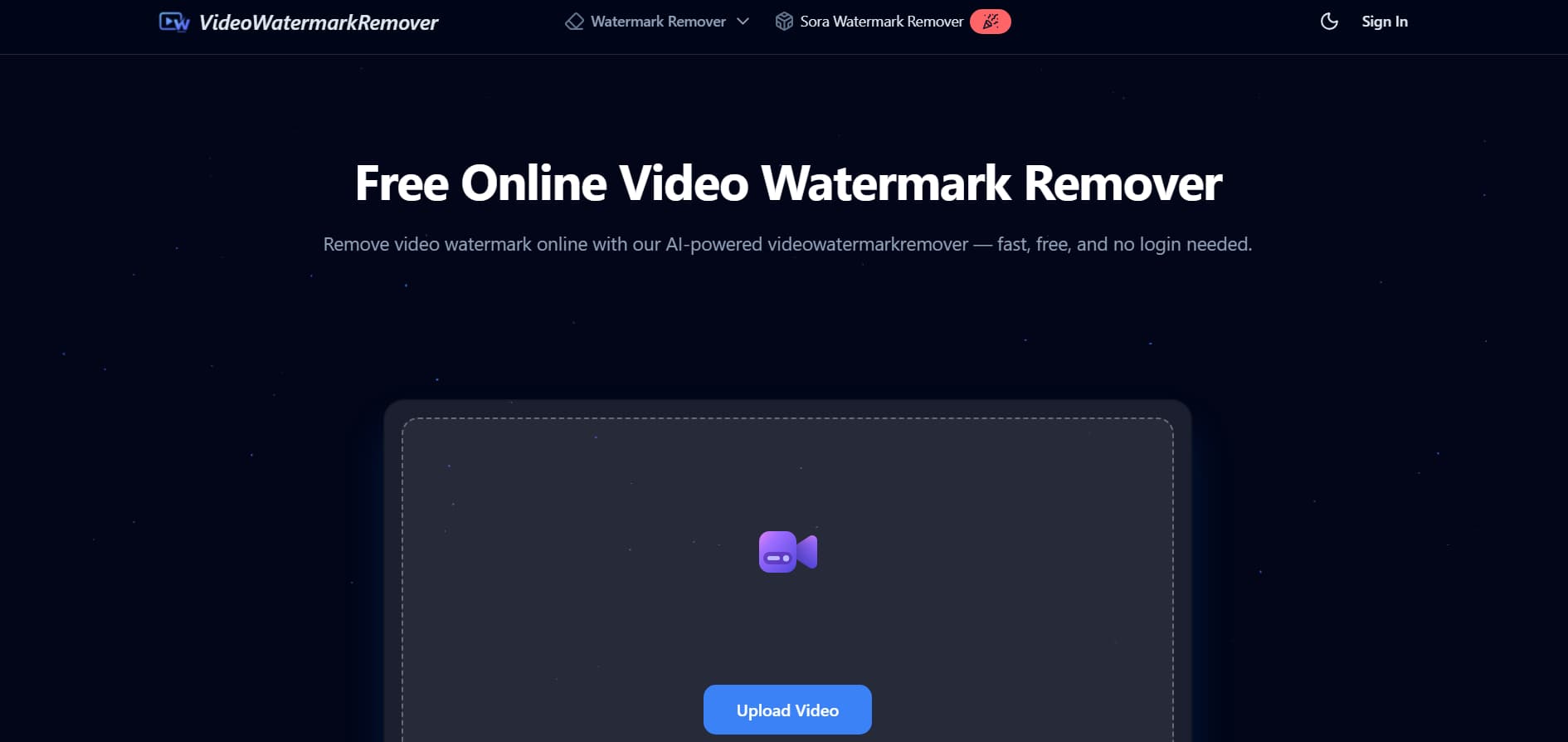
Step-by-step guide:
Step 1: Upload video:
Go to the VideoWatermarkRemover homepage and click the "Upload Video" option. Then upload the TikTok clip you saved on your device.
Step 2: Configure and select:
First, decide whether the watermark is moving. After that, click "Remove Now" after selecting the exact frame region where the watermark is with the rectangle or free tool.
Step 3: Preview and save:
After processing is complete, check the output to ensure the watermark is gone. Then, click the "Download" button to save the clean, high-definition video to your device.
Key features:
-
Dynamic and static removal: This tool is quite flexible and can automatically remove both moving (dynamic) and still (static) watermarks, resulting in a completely clean finish.
-
Support for batch processing: The platform offers batch watermark removal, allowing you to process multiple videos at once to save time and streamline the process.
-
Wide-format compatibility: The service supports all major video formats, including MP4, MOV, and AVI, so you shouldn't have any problems with practically any source file.
Pros:
-
AI-based detection: Automatically finds and removes watermarks with little to no manual input, making it great for quick adjustments.
-
Multi-video support: Works with more than just TikTok videos, so you may use it for a wide range of content demands.
-
Access through a browser: Runs entirely online without installation, making it easy to access from any device.
Cons:
-
Two-step process: Since you have to download the video first and then upload it here manually, it definitely takes a bit more time than the tools that just use a direct link.
-
Minor visual changes: You might notice the video looks slightly softer in the areas where the watermark used to be, as the removal process can sometimes affect fine details.
Download a TikTok video without a watermark using online downloaders
-
TT Downloaders
TT Downloaders is a top-notch online tool made just for people who want to save TikTok videos with the most options. This program is unique since it lets you download videos in many formats, such as MP4s without watermarks or MP3s with high-quality audio. It solves technical issues with saving material by giving you a simple "copy-paste" interface that doesn't follow TikTok's rules. TT Downloaders guarantees a quick, safe, and high-quality experience without requiring any third-party software or account registration, whether you're a content creator looking to save your work or a fan creating an offline collection.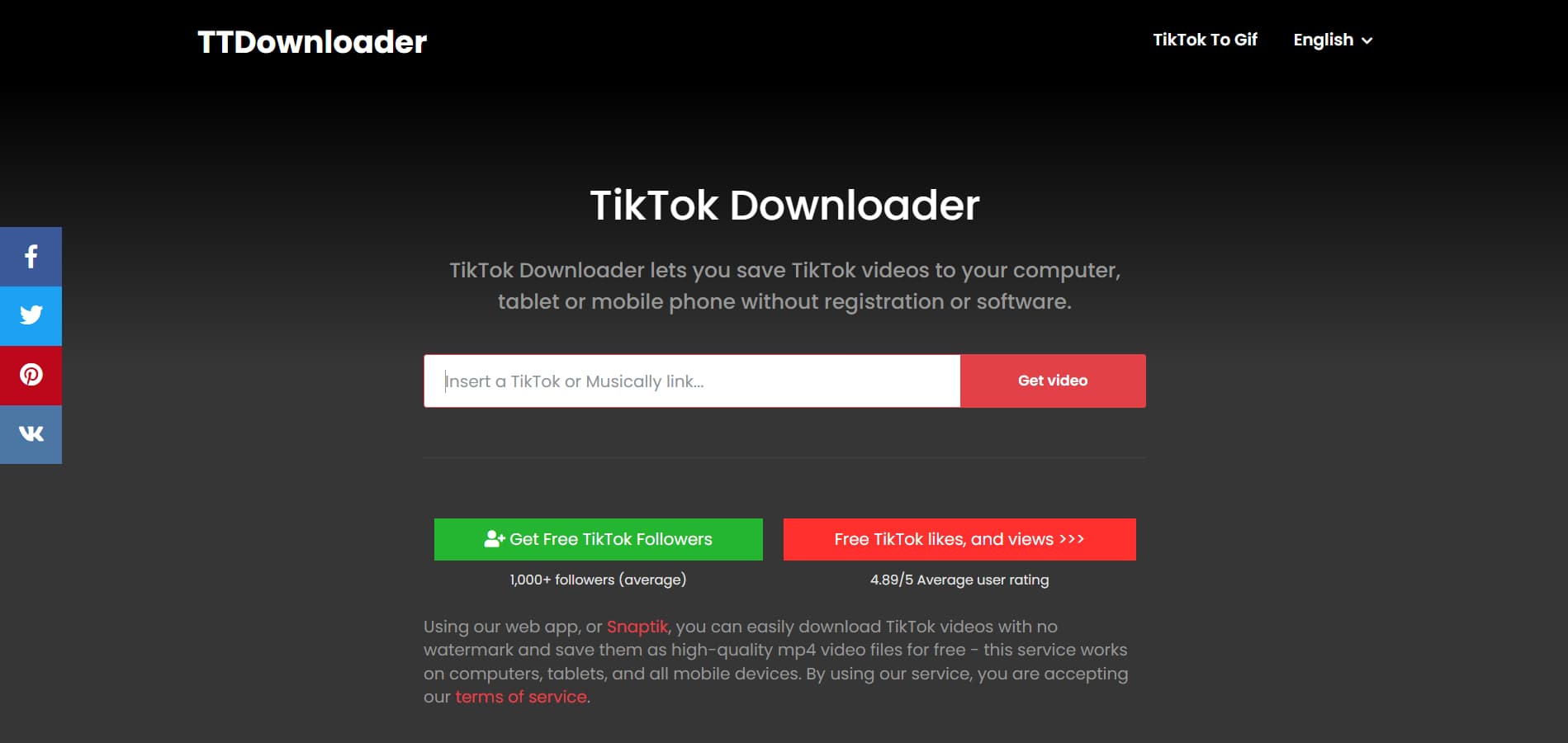
Step-by-step guide:
Step 1: Copy the link:
To save a TikTok, open it, click "Share," and then touch "Copy Link."
Step 2: Paste and load:
Go to the TT Downloader site, put the link in the search bar, and click the "Get video" button to see it.
Step 3: Choose and download:
You'll see options for a version with the watermark, one without it, or just the audio—pick the one you need and hit "Download" to save it straight to your device.
Key features:
-
Multiple output options: This program lets you choose among regular MP4, no-watermark MP4, or pure MP3 audio files, unlike basic downloaders.
-
No app required: The service is completely browser-based, so it works on any device (iOS, Android, PC, or Mac) without installing any potentially suspicious apps or taking up a lot of space.
-
Unlimited free usage: There are no daily limits or hidden subscription fees, so viewers can download as many high-definition videos as they like.
Pros:
-
Quick link-based downloads: You can easily download TikTok videos without a watermark by only pasting the link.
-
No need to log in: It works right away and doesn't require you to join up, so it's great for rapid, one-time use.
-
Fast processing speed: Gives you quick results with little to no wait time, making it great for people who need to download things right away.
Cons:
-
Limited functionality: This tool is strictly for downloading, it doesn't come with any built-in editing features or ways to touch up your clips afterward.
-
Only public content: You won't be able to grab anything from private or restricted accounts, which definitely limits what you can actually save.
-
TikTok Downloader
TikTok Downloader is a fast, web-based program that lets you save TikTok videos without the platform's moving watermark. This program works like a "digital sleuth," retrieving the original, unwatermarked file directly from TikTok's servers, unlike other screen-recording methods that degrade quality. It works well for people who need clean clips for repurposing, watching offline, or sharing with high quality on other social media sites like Instagram or X. You don't have to install any software or sign up for an account to use the service, and it works perfectly on all devices, including iPhones, Androids, and desktop browsers.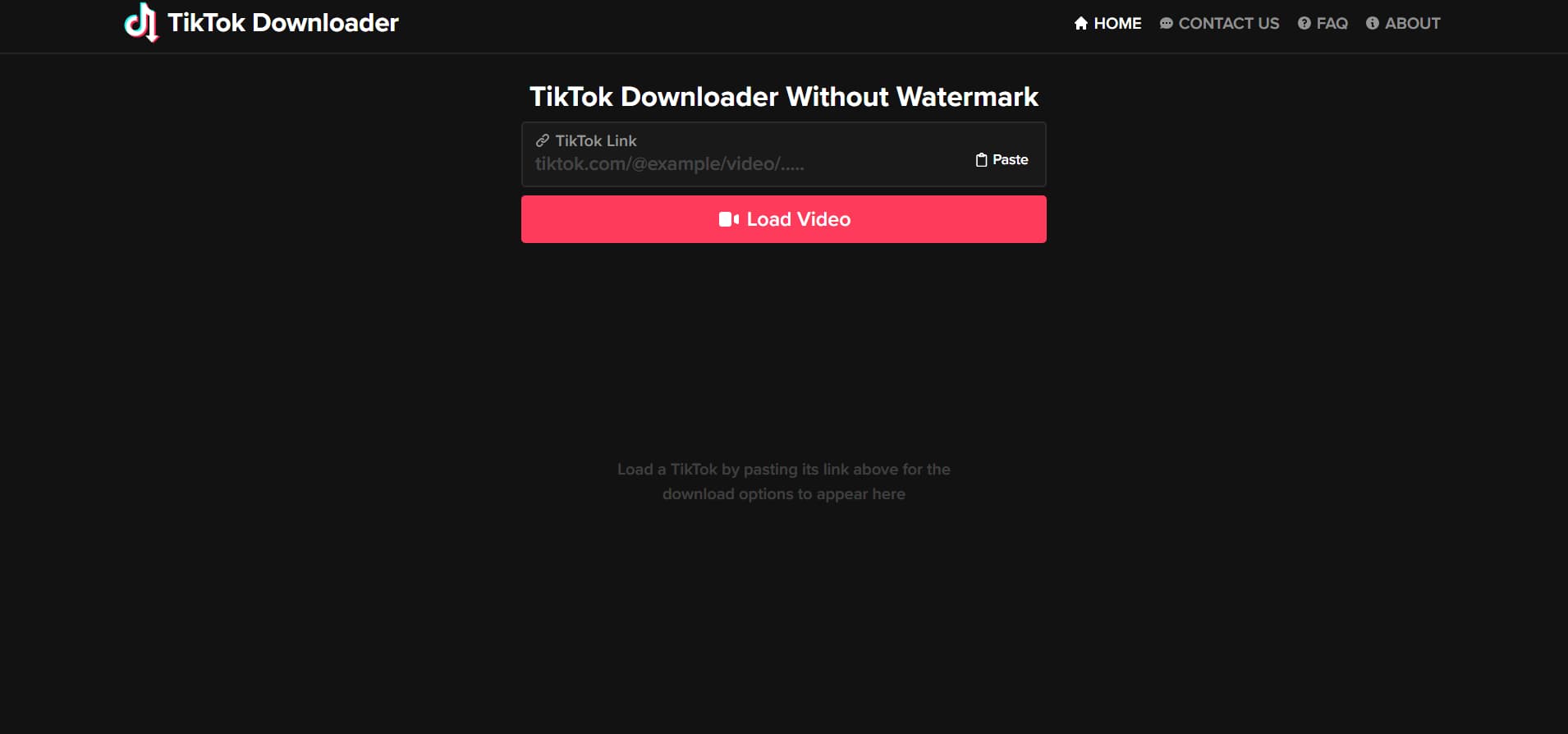
Step-by-step guide:
Step 1: Copy the link:
To copy the link, open the TikTok app or website, choose the video you want to save, and tap the "Share" option. Then, choose "Copy Link."
Step 2: Paste and load:
Visit the TikTok Downloader homepage, paste the copied TikTok URL into the box that appears, then click the "Load video" button below the box.
Step 3: Preview and save:
After the program processes the link, you may watch the video to make sure it's correct. Then, select "Without Watermark" and click the "Download" button to save the high-definition MP4 file directly to your device.
Key features:
-
Original HD quality: We don't mess with your resolution. By pulling directly from the source file, we make sure your videos stay crisp and clear, no weird blurring, no forced cropping, just the original quality you expect.
-
Zero installation & registration: You don't need to install anything or fill out a registration form to get started. Just open your favorite browser, whether it's Chrome, Safari, or Firefox, and get to work. We keep things private, so you don't have to worry about creating yet another account.
-
Cross-platform versatility: Mobile users can save movies to their "Files" or "Gallery" folders, while desktop users can pick where to save them right away.
Pros:
-
Simple user interface: We've made the process incredibly simple so you can grab high-quality TikToks without any watermarks in just a few quick clicks.
-
Cross-device compatibility: The tool runs perfectly in any mobile or desktop browser, meaning you get a smooth experience without ever needing to install extra software.
-
No login required: You can start downloading right away without the hassle of creating an account, filling out forms, or sharing any of your personal details.
Cons:
-
Inconsistent performance: Some links may not work or may take longer to load, depending on server load.
-
Ad-heavy experience: Lots of pop-ups and redirection might get in the way of your work and make things harder to utilize.
Other ways to download TikTok videos
-
Chrome extensions for quick downloads:
You can download TikTok videos without a watermark directly from your browser with a single click using Chrome extensions. They make things easier by eliminating the need to copy links or switch tabs.
-
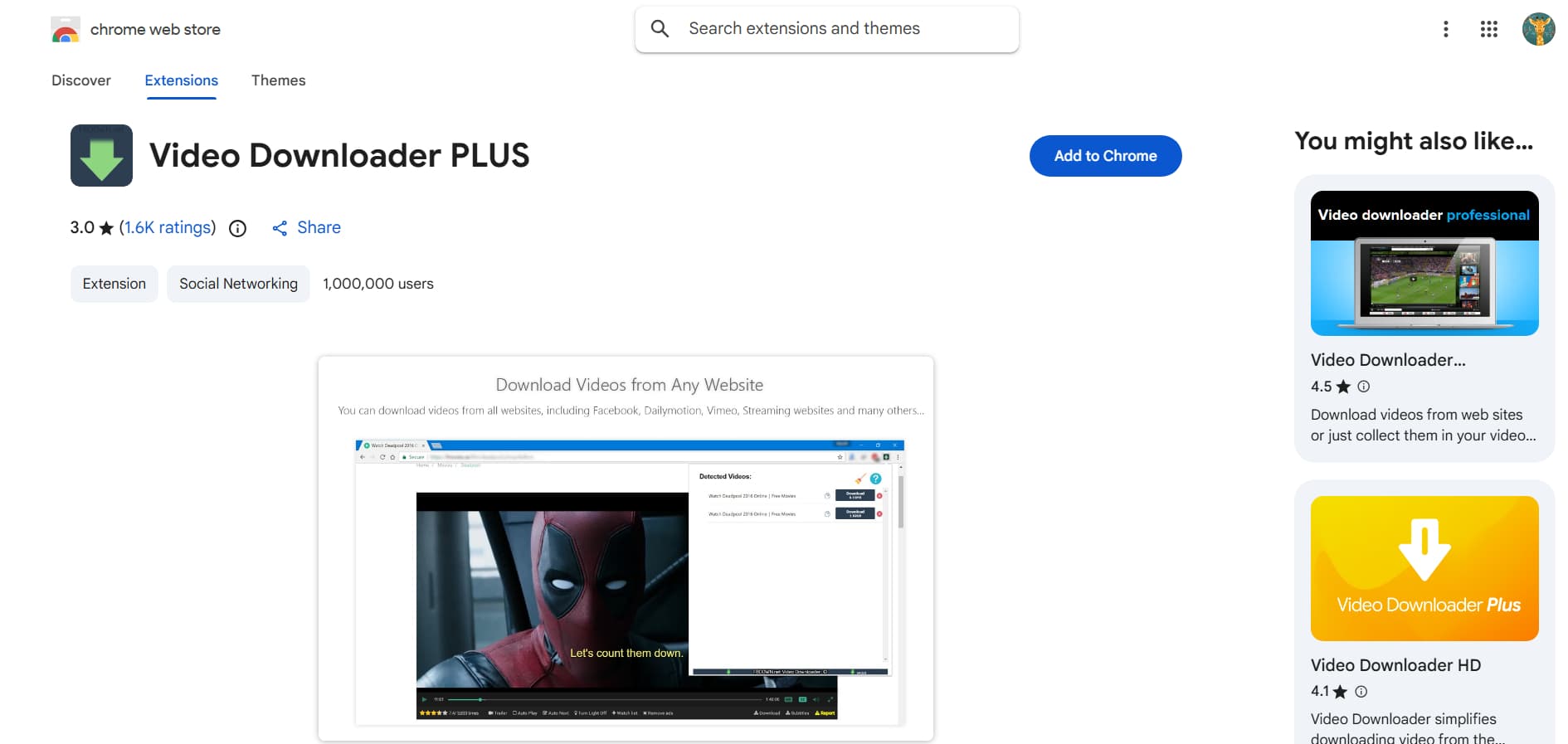
Video Downloader PLUS:
A trustworthy add-on that finds movies on web pages and lets you download them quickly in a variety of codecs and resolutions. It works well on a variety of systems and is great for people who often download things. It has a simple interface and processes quickly, so you can save TikTok videos without a watermark.
-
Mobile apps for on-the-go saving:
With mobile apps, you can easily download and save TikTok videos without a watermark right to your device whenever you want. They are great for getting to things quickly and downloading them often on cellphones.
-
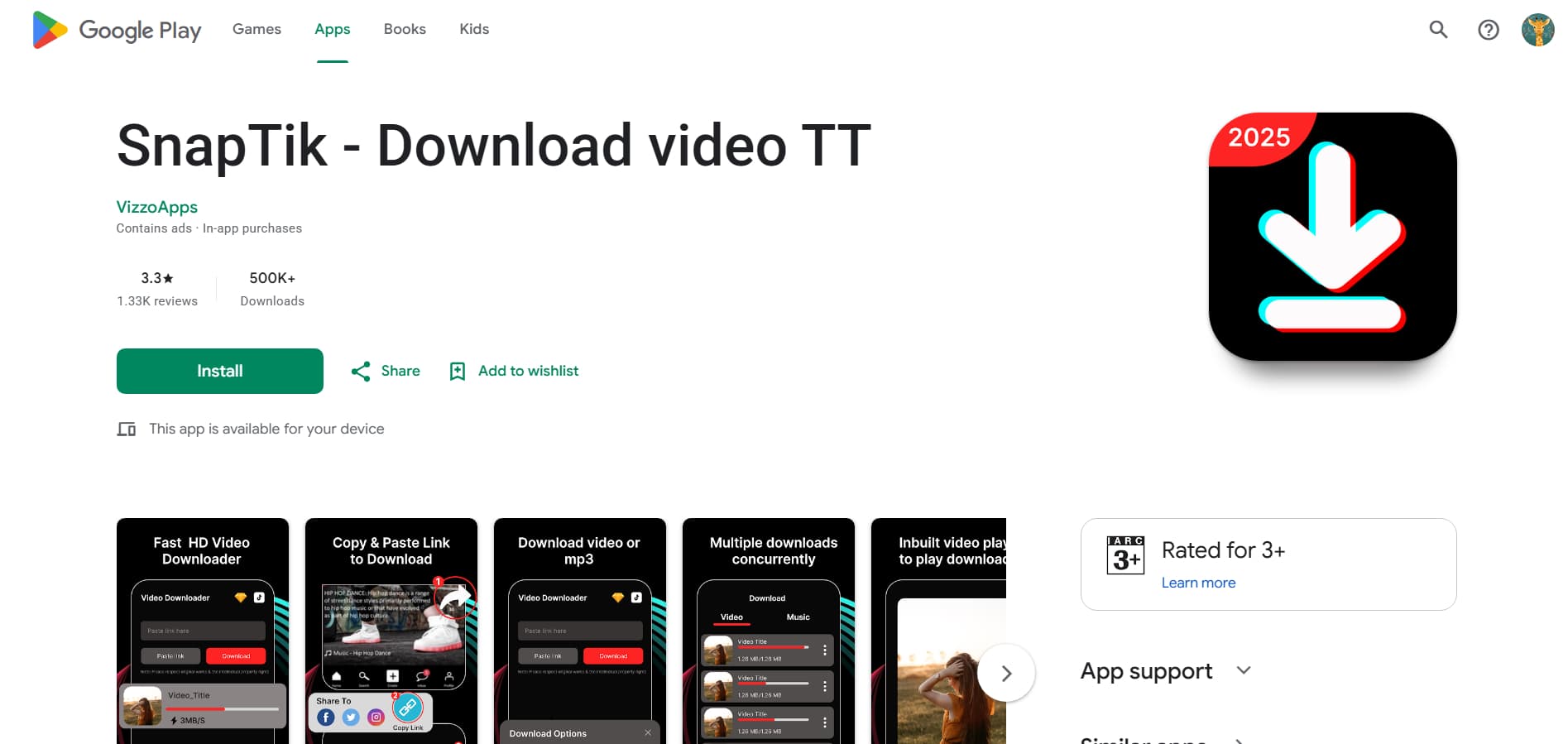
SnapTik:
A well-known program that lets you quickly and easily download TikTok videos without a watermark with only a link. It works well on both Android and iOS devices with very few steps. The program also ensures that the output is clear, the speed is solid, and the experience is easy to use, making it the best way to quickly save TikTok videos.
Why do TikTok videos come with watermarks?
-
Brand promotion: TikTok uses its watermark to keep the brand visible whenever content is shared on other platforms, which serves as a constant advertisement to help them attract more users and grow their global footprint.
-
Creator attribution: The watermark includes the creator's username, so viewers will know who made it. It also makes it easy for people to find the original source and talk to the creator directly.
-
Content ownership protection: By adding a watermark, TikTok makes it clear who owns the content and where it originated. This stops people from abusing it and helps keep things real in a digital world where things can be easily shared.
-
Platform visibility growth: Every shared video promotes TikTok and brings people back to the site. This gets people more involved, attracts more visitors, and automatically puts TikTok's content in front of more people.
-
Anti-content-theft measure: TikTok employs moving watermarks that move across the video, making it hard to edit them out. This is a way to stop people from stealing content. This reduces the risk of unauthorized reuse and protects authors from having their work stolen.
Bonus: Can you legally download TikTok videos without a watermark?
-
Depending on the purpose of use: It is generally okay to download TikTok videos for personal use, such as watching them offline or getting ideas. But you might need to get permission from the originator to use them for business or public reasons.
-
Creator rights still apply: Just because a video doesn't have a watermark doesn't mean it's free to use. Creator rights still apply. No matter how the file is preserved, copyright law protects the work of the person who created it.
-
Reposting can be risky: If you share downloaded videos on other sites without authorization, you could be breaking the law or having the content taken down. This is really crucial, whether the video makes money or is used to promote something.
-
TikTok's terms matter: It's important to follow TikTok's rules. If you share downloaded movies on other sites without permission, you could be breaching the law or having the videos taken down. This is really important, whether the video makes money or is used to market something.
-
Best practice is to give credit: If you're going to distribute or reuse a clip, give credit to the person who made it. It's not only about avoiding trouble; it's also about being a good member of the creative community and ensuring everyone is treated fairly.
Tips to keep in mind while choosing the best source
-
Check for video quality support: You'll want to choose a tool that pulls the original HD file so your videos stay sharp and professional-looking, especially if you plan on editing them later.
-
Avoid sites with excessive ads or redirects: Sites cluttered with ads and pop-ups; a reliable tool should be simple to use and feel completely safe.
-
Ensure no watermark appears in the final output: Some tools claim to remove watermarks, but they still leave faint logos or overlays in the video. To make sure you get a file that is fully clean and devoid of watermarks, always check the output quality.
-
Look for fast & stable processing: A decent downloader should process your request quickly and correctly without making you wait long. For a seamless experience, especially when downloading multiple videos, performance must remain stable.
-
Verify device compatibility: Make sure the tool works smoothly on your phone, tablet, or computer, so you can download videos whenever you need them without any restrictions.
-
No login requirement preferred: Stay away from tools that ask for personal information or account logins since they could put your privacy at risk. Most of the time, reliable sites let you download right away without having to sign up.
Conclusion
If you want to save high-quality videos for offline viewing or professional use, learning how to download a TikTok video without a watermark is a game-changer. You can get past platform constraints with online AI tools like Vmake and VideoWatermarkRemover.ai, or with simple web apps like TT Downloaders and TikTok Downloader. These tools ensure that the movies you save stay clear, sharp, and free of logos that get in the way. You can also use programs and Chrome extensions to download TikTok videos without watermarks. A good downloader may help you build your digital library like a pro, whether you need a basic MP4 file or a high-quality MP3.
FAQs
How to easily download a video from TikTok without a watermark?
Using an advanced AI tool like Vmake is the best way to remove logos from videos, since it automatically detects and removes them for you. You can also utilize fast web-based solutions like TT Downloaders. Just copy the video link and choose the "No Watermark" export option to get a clean file right away.
Can I download TikTok videos without a watermark on my mobile?
Definitely! You can get professional results on your smartphone by using your mobile browser to access Vmake and process videos directly from your gallery. For quick link-based saves, platforms like TikTok Downloader and downloadable apps like SnapTik and TT Saver work perfectly on both iOS and Android, letting you save high-definition content to your device with just a few taps.
Are TikTok video online downloaders safe to use?
Yes, trustworthy online downloaders and AI editors like Vmake are safe because they only work in your browser and don't need you to log in to sensitive accounts. These programs put user privacy first by processing movies in the cloud. This means you can clean and preserve content without putting your personal information at risk or installing software you don't trust.
Can I download private TikTok videos without a watermark?
Because of TikTok's strict security and permission rules, regular downloaders usually can't access private videos. To remove a watermark from a private film, you need to either own the video or have a copy stored. You may then upload the clip to a professional AI application like Vmake to remove the branding and fix the background.
Do I need to install an app to download TikTok videos without a watermark?
You don't need to fill your phone with superfluous apps because sophisticated web-based platforms like Vmake provide all the professional editing tools you need right there. These web-based programs have the same high-end features as desktop applications. They let you preview, edit, and download clear HD videos while freeing up space on your device.

You May Be Interested

The Easiest Way to Save TikToks Without Watermark

Step-by-Step: How to Edit Captions on TikTok Like a Pro

Best Trending UGC Video Examples Across TikTok, Instagram, and YouTube