
How to Create an AI Avatar
 Vmake Labs TeamMay 26, 2026
Have you noticed the rise of flawless avatars that make you wonder if they’re real humans? They have become essential across various fields, such as marketing, social media, content creation, and customer service.
But how to create an AI avatar? This guide will show you how to create avatar using AI, whether for professional use, personal projects, or marketing campaigns.
What Is an AI Avatar?
An AI avatar is a digital persona created using artificial intelligence that mimics human emotions and gestures.
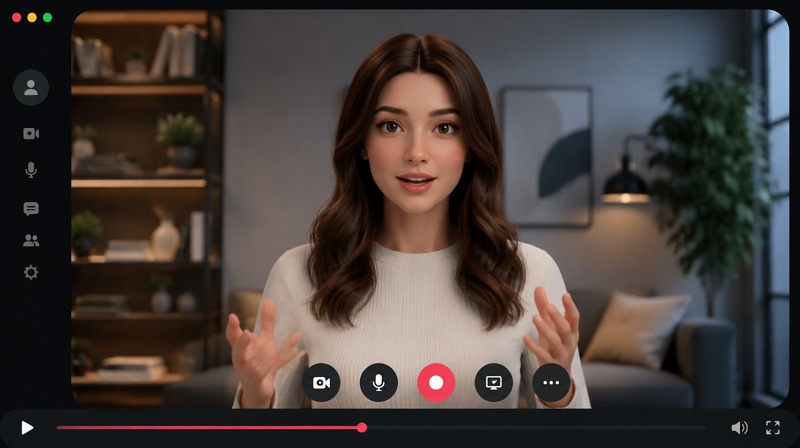
It can resemble a human or take on a more stylized or animated form, depending on the platform or tool used. These avatars can be used across various applications, including virtual meetings, marketing videos, social media, gaming, and customer service.
With the help of AI avatar creators, users can easily design personalized avatars by uploading a photo, a video, or a description. This allows for unique digital self-expression, making interactions in virtual environments more engaging and lifelike.
Types of AI Avatars You Can Create
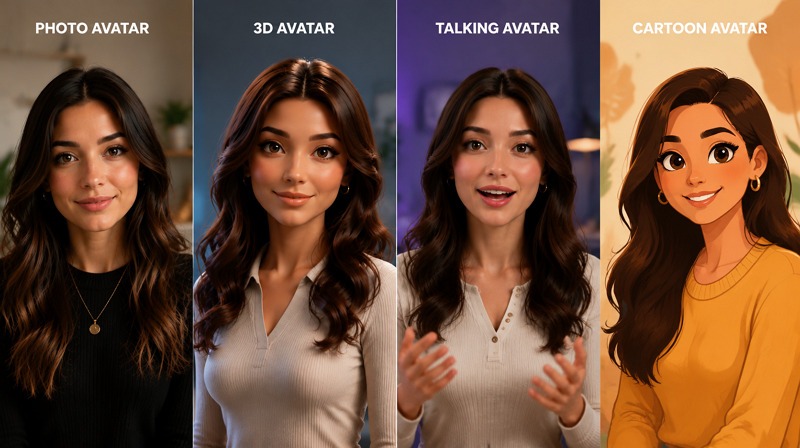
AI generated avatar comes in several types, each suited to different applications. Here are the main types:
Photo Avatars
A photo avatar is a digital representation of a real person, generated from their photograph. An AI avatar generator from photo helps create such avatars for professional settings or personal branding, as they maintain a level of realism in a virtual world.
3D Avatars
3D avatars are more dynamic and versatile. They can be animated in three dimensions, allowing them to move and interact with other digital elements. These avatars are commonly used in gaming, virtual reality, and more immersive digital experiences.
Talking Avatars
Talking avatars are animated versions of your avatar that can speak and express using AI-driven voice synthesis. They are widely used for customer support, training videos, and product demonstrations, where human-like interaction is beneficial.
Cartoon Avatars
Cartoon avatars take a more stylized approach, often rendering a person or character as a fun, exaggerated representation. These are popular in advertising, entertainment, and on social media, where a more playful or informal tone is needed.
What You Need Before Creating an AI Avatar
Before you create AI avatar, there are a few essential tools and resources you’ll need:
Photo or Video
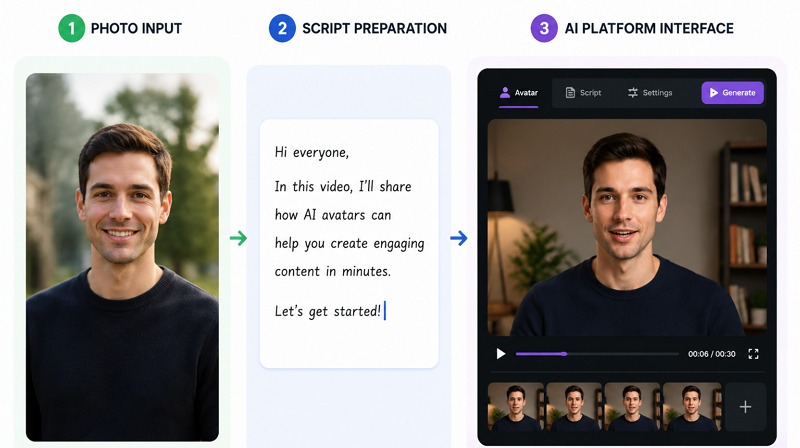
You need an input, such as a clear photo or video, to create your avatar. The quality of the image impacts the final result, so choose high-resolution images with good lighting and clear facial features.
Script or Voice
If you’re creating a talking avatar, you’ll need a script or voice recording. This will allow your avatar to speak and interact with your audience in a more personalized way.
AI Avatar Platform
Having an AI avatar creator is crucial for generating AI avatar using my photo or video. Many platforms help you do so with customizable features like voice and animation settings.
Step-by-Step: Create an AI Avatar with Vmake
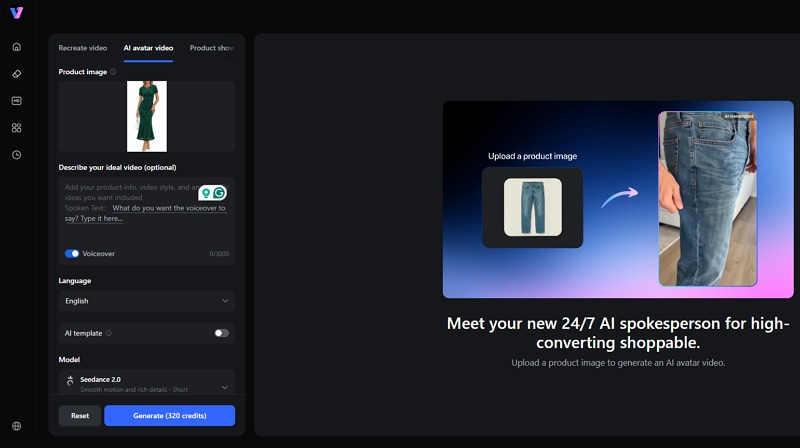
With the right AI avatar maker, such as Vmake, creating realistic AI avatar videos becomes easier. Vmake is a remarkable platform that not only provides a library of avatars but also helps generate custom ones from text or photos. With the latest AI models and support for multiple languages, you can create engaging UGC and product videos with the desired parameters. Let’s learn how to make an AI avatar:
Upload Photo
First of all, access the Vmake AI Avatar platform in your browser, and click the “Use Now” button. Tap “Upload” or “Import from link” to upload the photo.
Choose Avatar Style
It’s time to scroll down and pick the AI model. For an avatar style, upload a photo or paste text to create a custom avatar, or select from a “Preset.”
Add Script or Voice
Next, you can describe your video idea, enable the “Voiceover” option, and type the script you want the avatar to say.
Generate Avatar Video
Here, select the language, caption template, video duration, aspect ratio, and resolution. Then, click “Generate.”
Export Video
Once the AI finishes its processing, you can preview and export the video to your device. That’s all!
Other Tools You Can Use
While Vmake is an excellent platform for generating AI avatars, other tools may suit your needs. Below are a few AI avatar generator tools:
HeyGen
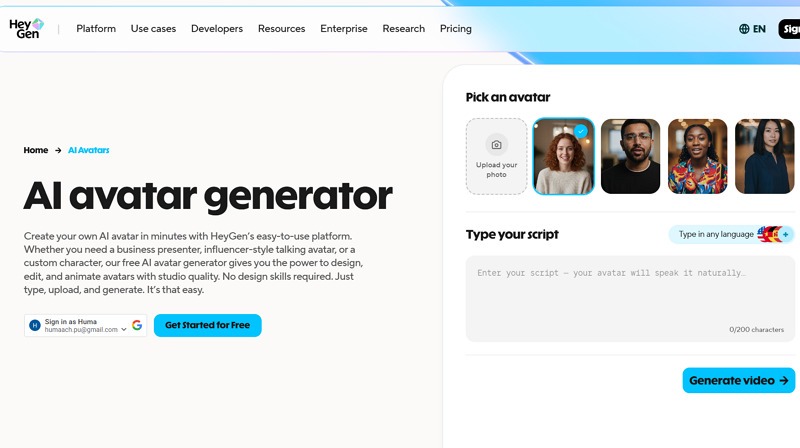
HeyGen is another popular AI avatar maker that helps create realistic avatars in minutes. With a library of 500+ presets, support for 175+ languages, and realistic lip-sync technology, it’s perfect for making professional avatar videos for marketing, social media, and educational content. Its simplicity, speed, and integration features are the biggest strengths.
Synthesia
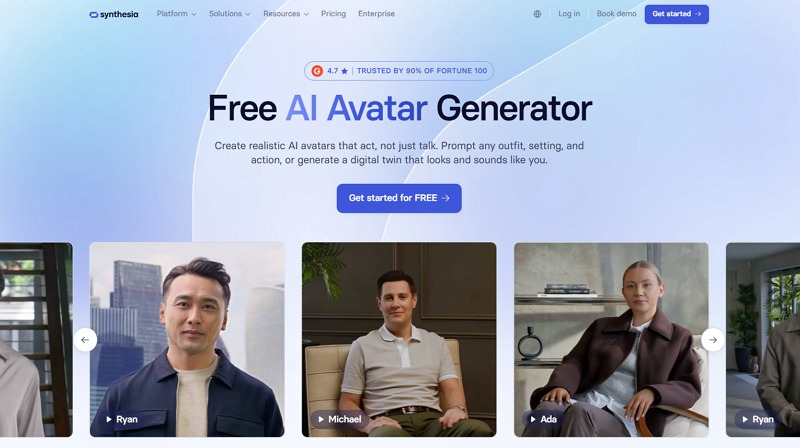
Synthesia is an enterprise AI avatar solution that is capable of creating studio-quality talking avatars. You can also create customizable avatar videos in 160+ languages. Besides, it offers ready-made 240+ avatars with SCORM export and deep compliance, specialized for large businesses. It’s a great option for corporate training videos, onboarding content, and compliance videos.
Canva
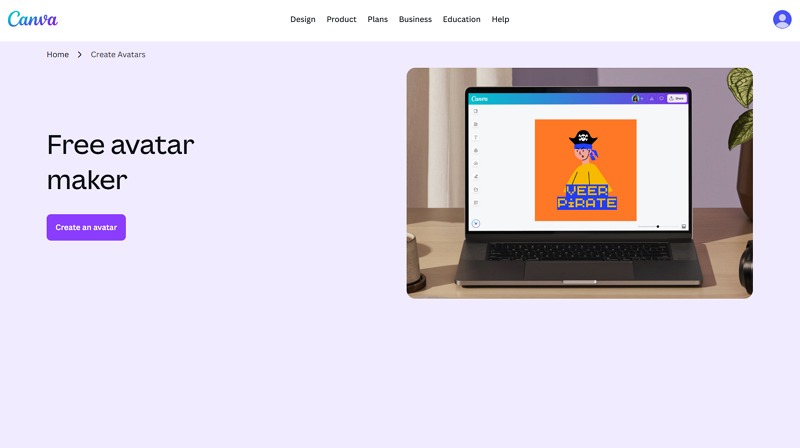
Canva, known for graphic design, also offers an AI avatar creator. It lets you create personal talking avatars that represent your persona. You can also customize and animate characters, as well as combine them with your own designs. This is suitable for creating branded avatars, profile pictures, presentations, and ad or onboarding content.
Best Use Cases for AI Avatars
AI avatars are versatile and can be useful in many ways. Here are some of the best use cases:
Marketing and Promotional Videos: AI avatars are ideal for creating engaging videos. They act as your virtual spokesperson, presenting your product in a personalized way, enhancing brand interaction and boosting sales.
Product Demonstrations: Whether you’re selling a gadget, software, or a service, AI avatars can showcase how your product works. It can help potential customers visualize its benefits without speaking with a live person.
Online Courses and Training Videos: AI avatars can be used in eLearning environments to teach or train users. They can deliver lessons and tutorials in a dynamic way, making learning more fun and interactive.
Social Media Content Creation: Influencers and businesses can use AI avatars to consistently create interactive posts, stories, or videos, and to host live-streamed events that resonate with their audiences.
Customer Support and Tutorials: AI avatars can act as virtual customer service representatives, answering queries and providing product or service guidance through interactive tutorials.
Common Mistakes to Avoid
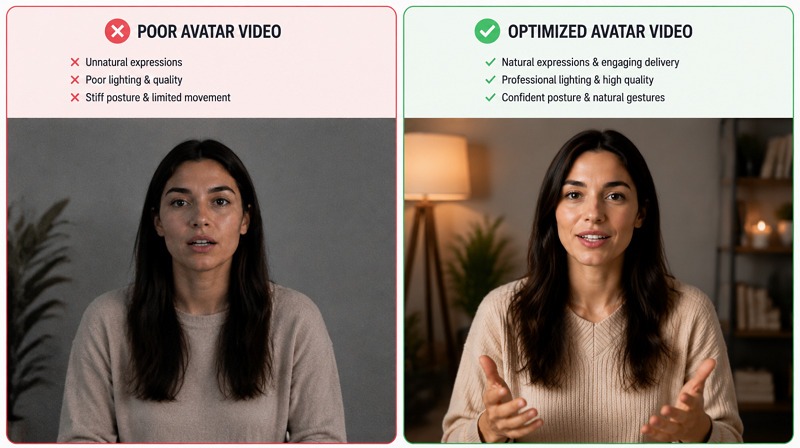
When creating an AI avatar, a few mistakes can undermine the quality of your avatar and video. Let’s consider:
Ensure the photo you upload is clear and high-resolution. Using low-quality images can result in blurry, unrecognizable avatars.
Avoid writing scripts that are too long or complex. Keep them to the point. Overly complex or lengthy scripts can lead to robotic-sounding avatars and confuse your audience.
Choose a voice that matches the avatar’s personality. Choosing unrealistic voice settings can lead to a poor experience for your viewers.
For a global audience, ensure that you select the appropriate language and accent. Localized avatars make your content accessible and improve customer engagement.
FAQ
What is the easiest way to create an AI avatar?
The easiest way to create an AI avatar is by using a web platform like Vmake. It offers a simple interface for creating avatars from photos and text with no skills required.
Can I create an AI avatar for free?
Yes, many platforms, including Vmake, HeyGen, Synthesia, and Canva, offer free versions with limited features. For more advanced options, a paid subscription is required.
Do AI avatars work for marketing videos?
Absolutely. AI avatars are widely used in marketing videos, such as product explainers and social media ads. They allow businesses to quickly and affordably create engaging, professional-looking content at scale.
What platforms support talking AI avatars?
Several platforms, such as Vmake, Synthesia, HeyGen, and Canva, allow you to create talking AI avatars for videos. You can select the one that suits your preferences.
How realistic can AI avatars look?
In 2026, AI avatars can look very realistic, especially when using high-quality photos and advanced voice synthesis. However, the realism also depends on the platform and customization options available.
Final Thoughts
Going through this post, you must have learned how to create an AI avatar. These AI avatar generator tools enable beginners and professionals alike to craft avatars for a range of applications, from marketing to customer service. Although all the recommended options are viable, Vmake is the most user-friendly platform for creating engaging AI avatar videos to enhance your digital presence. Try it today.

You May Be Interested
How to Create a YouTube Thumbnail? Create YouTube Thumbnails Using AI
Best AI Avatar Tools for Business Growth (2026 Guide)

Best AI Avatar Generators in 2026 (Compared & Reviewed)

Best AI Animation Generators for Creating Images and Videos

How to Get Sora 2 Invite Code: 6 Methods that Actually Work