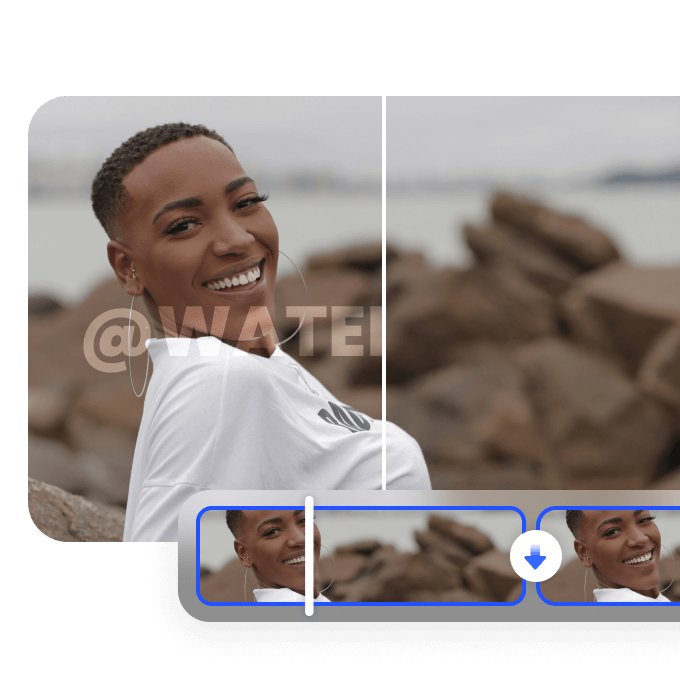
HD vs SD Video Comparison: Everything You Need to Know in 2026
 Ken DawsonMay 19, 2026
The process of selecting an appropriate video quality level can be challenging for users with difficulty. When comparing HD vs SD video, many users struggle with blurry playback, buffering issues, or excessive data consumption. Your videos will appear pixelated on a large screen; at the same time, they will consume your internet connection in HD. This companion provides you with the knowledge to make an informed choice based on your specific conditions.
What is HD video vs SD video?
HD video vs. SD video refers to differences in video resolution and overall visual quality. The maximum resolution of SD is 480p, whereas HD starts at 720p. The latter provides clearer, more detailed visual content. The widespread use of streaming services and the popularity of short-form videos and AI-driven video production tools have established HD as the current standard for most observers' viewing.
The SD format maintains its essential function as a backup option, which people use when they experience slow internet speeds or face data usage plan restrictions. Users still experience resolution issues today, as they affect video quality, loading times, and how videos are displayed across various screens and devices.

The core difference in SD vs HD video
The difference between SD and HD video formats lies in their resolutions, which produce varying degrees of visual sharpness.
|
Feature |
SD Video |
HD Video |
|---|---|---|
|
Resolution |
Lower resolution, typically 480p or below |
Higher resolution, typically 720p or 1080p |
|
Pixel Clarity |
Less sharp with limited detail |
Sharper images with clearer details |
|
Visual Quality |
Softer image quality and less depth |
Better clarity, depth, and overall picture quality |
|
Edge Definition |
Boundaries and fine details appear less defined |
Cleaner edges and more defined visuals |
|
Best Screen Size |
Suitable for smaller screens like smartphones |
Ideal for TVs, monitors, and laptops |
|
Viewing Experience |
Basic viewing quality for casual use |
More immersive and visually engaging |
|
Data Usage |
Lower bandwidth consumption |
Higher bandwidth consumption |
Enhance HD video vs SD video quality instantly with Vmake AI
Vmake AI uses artificial intelligence technology to make video improvements that require very little user effort. Users can use the platform to transform standard-definition videos into high-definition, and the system automatically improves picture and sound quality. Its video enhancer employs intelligent algorithms to restore details, improve visual clarity, and enhance complete video performance.

Step-by-step guide:
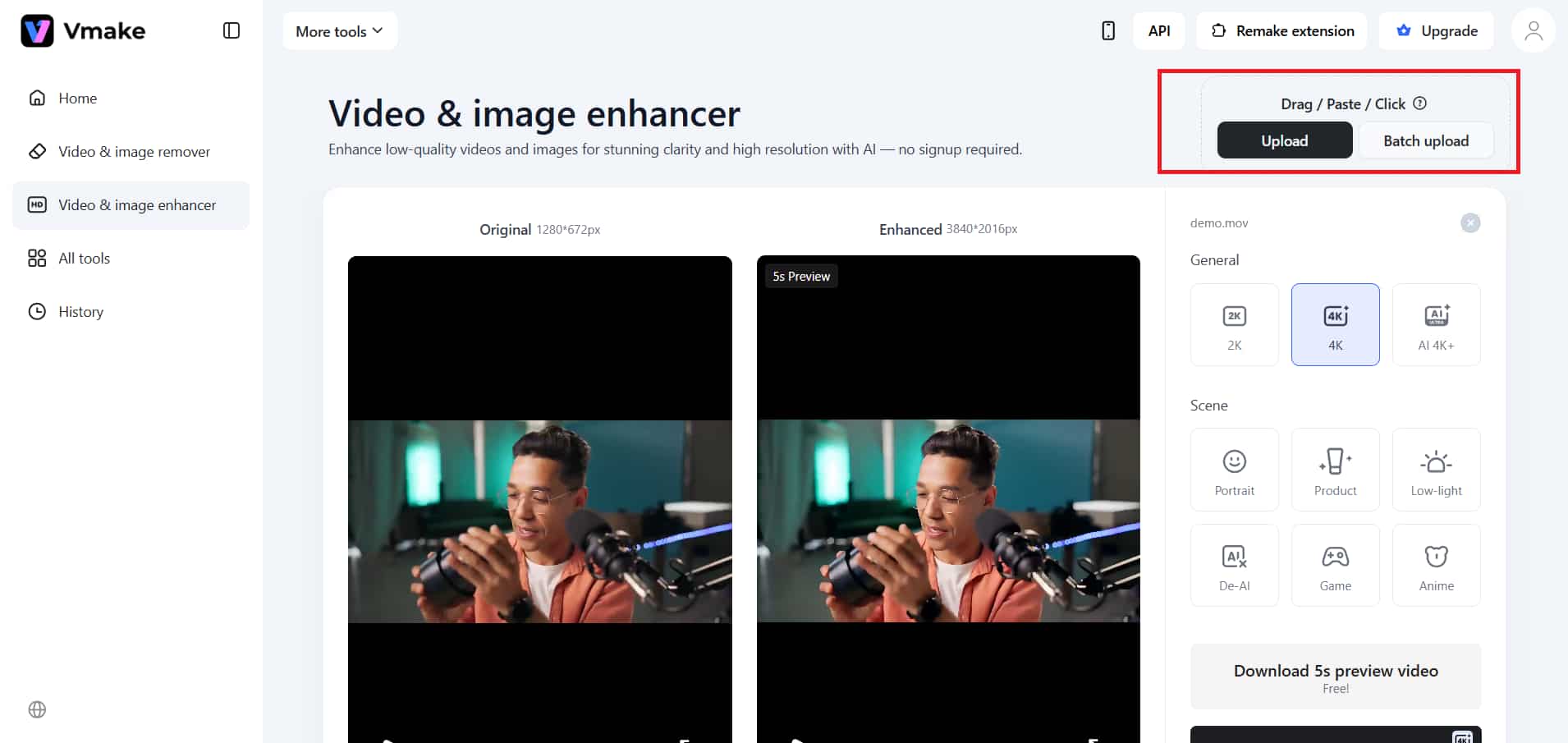
Step 1: Upload your video
Select the upload option, then choose the video file you want to edit. Vmake supports multiple formats. It enables users to complete their tasks quickly and without difficulty.
Enhance your videos instantly with Vmake today.
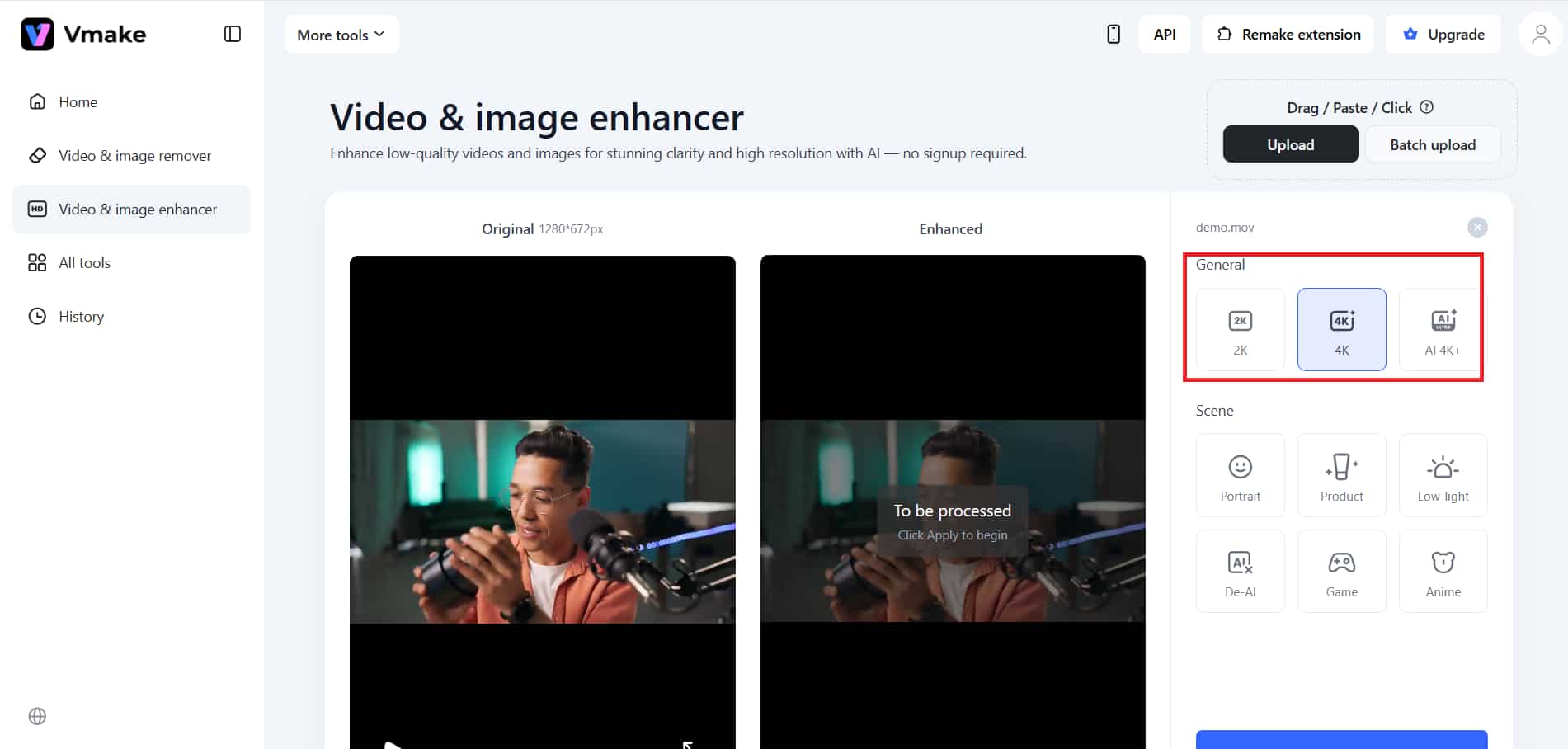
Step 2: Choose the desired edits
You can choose from three available resolutions. The video should be enhanced using the available lighting and editing options, based on your selected resolution. You can make edits while keeping all elements of the content clear and detailed.
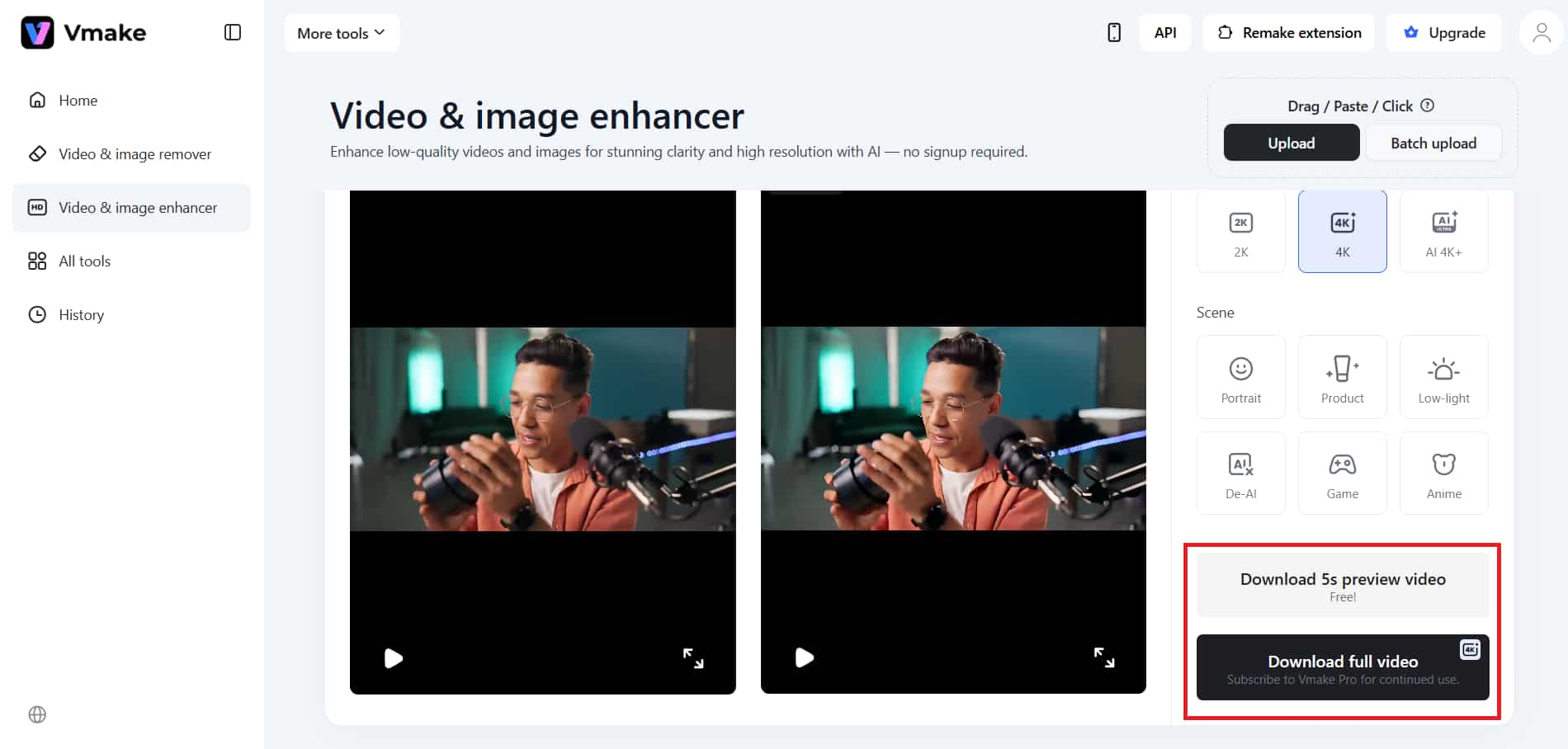
Step 3: Process and download
You should apply the changes to your video, and the Vmake enhancer will process them. The process will finish when you download the complete file, which contains high-quality output.
Key features:
-
AI upscaling: It improves video quality by recreating missing details in the picture using advanced algorithms. It enables the automatic conversion of standard-definition footage to high-definition resolution, such as 4K or 4K+.
-
Noise reduction: The process eliminates grain, distortion, and other unwanted artifacts in low-quality video footage. The result produces clearer, more fluid video content, with improved quality in dark scenes and during compression.
-
Resolution enhancement: It improves image quality by sharpening edges and enhancing fine details. Technology ensures that all video content displays at a higher quality across different screen sizes.
HD vs SD video: A practical decision framework for everyday users
Quick checklist:
-
Internet speed: The HD video format delivers better quality when users have a fast, stable internet connection. The SD format prevents buffering and interruptions for users who experience slow or unstable network connections.
-
Device type: HD performs best on large displays, such as TVs and laptops, because these screens require greater visual clarity. Users with smaller devices, such as smartphones, will find that SD resolution delivers suitable visual quality while reducing their data usage.
-
Purpose of viewing: You should select HD when watching movies, doing editing work, or when watching content that requires high detail and quality. You should select SD for casual watching, background streaming, and situations when you need to save data.
That decision between HD and SD video is really a balance between the two competing factors of visual quality and practical use. HD is the best option for viewing on large screens with a fast internet connection, as it gives better picture quality. The SD format is designed to use data efficiently, providing good performance and allowing users to watch content on small displays.
Conclusion
The HD versus SD video debate ends with a simple conclusion. The comparison shows that HD has better visual quality. Don't just evaluate based on resolution. Your internet speed, device capabilities, and viewing requirements will determine which option you should select. HD is the highest quality for modern displays, and SD still has value for users who need low-bandwidth or basic viewing options.
HD will remain the norm, but 4K and AI-enhanced video will become more popular. As current technology has reached its full potential, users need to choose the technology that best suits their preferred viewing experience.
FAQs
Is HD video vs SD video always a noticeable difference?
The difference between SD and HD video formats is evident under specific conditions. It involves evaluating screen size, resolution, and viewing distance. On smaller screens like smartphones, SD and HD may look quite similar.
Why does SD vs HD video look worse on bigger screens?
SD video contains fewer pixels. It results in a loss of image quality when stretched onto larger screens. The result exhibits blurriness and visible pixelation. On the other hand, HD displays better detail preservation, which makes it ideal for viewing on larger screens.
Does HD video vs. SD video significantly affect internet usage?
HD video needs more data than SD video because it displays content at a higher resolution. HD streaming uses the bandwidth of SD streaming for every hour of viewing. SD video works better for users who need to conserve data and who experience slower internet speeds.
Can I convert SD video to HD video using AI tools?
The AI tools enable users to convert SD videos to HD. The system enhances visual quality through detail enhancement, noise reduction, and overall picture clarity.
Which is better: SD vs HD video for saving storage?
SD video uses less storage space because its file size is smaller than other formats. The greater space requirements of HD videos stem from their higher resolution and greater visual detail. The better option for storage space restrictions is to use SD because it takes up less space.

You May Be Interested

Seedance 2.0 vs Kling 3.0: 2026 AI Video Model Comparison