Transcription Audio to Text Example: Complete Guide & Samples
Discover practical transcription audio to text example formats for interviews, meetings, lectures, podcasts, and videos. Learn transcription styles, formatting tips, and how AI tools like Vmake make audio-to-text conversion faster and more accurate.

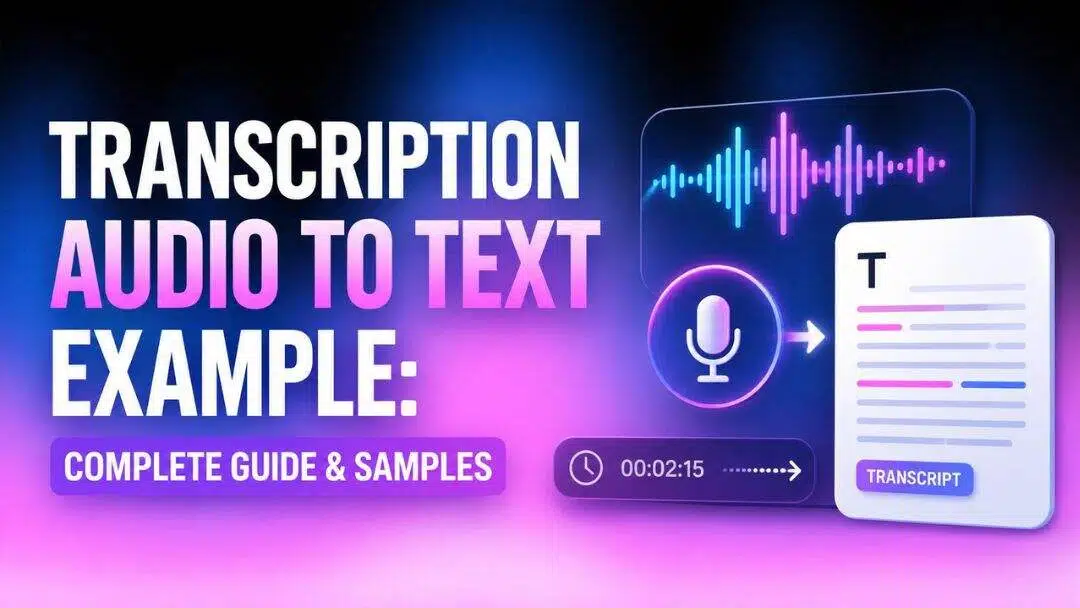
Transcription turns spoken words into searchable text, whether you're documenting interviews, creating podcast show notes, or making videos more accessible. This guide covers different transcription styles, offers practical transcription audio-to-text example formats, and shows how AI tools like Vmake Labs make fast, accurate audio-to-text conversion easy.
What is audio transcription and why does it matter?
Audio transcription refers to the process of converting audio or video files into text. It can be manual, professional, or automated with AI tools that transcribe speech to text.
Modern AI software scans audio waveforms, uses advanced speech recognition algorithms, identifies speakers, finds timestamps and creates an accurate first draft. Users review and edit for context, names or technical jargon and then export.

Why it matters
-
Accessibility: Transcripts make audio and video content accessible to people who are deaf or hard of hearing. They also help users read content in quiet environments where listening isn't possible.
-
Documentation: A transcript protects against misremembered details and gives everyone a shared reference point after the conversation ends.
-
SEO benefits: Transcripts make multimedia content searchable, improving visibility and helping more people discover your content online.
-
Content repurposing: A single recorded interview or webinar can become a blog post, a set of social media captions, an email newsletter, or a short video clip. Transcribing the audio first makes all of that repurposing far easier.
-
Productivity: Instead of replaying long recordings, users can quickly search transcripts for keywords, saving time during editing, reporting, or research.
Types of audio transcription
Choosing the right format depends entirely on how you intend to use the final document. The three primary styles include:
Verbatim transcription
Verbatim transcription captures every spoken word exactly as it appears in the recording. This includes filler words like "um" and "uh," repeated words, pauses, stutters, false starts, laughter, and even background sounds when they are relevant.
Best for: Legal proceedings, court hearings, academic research, focus groups, or any scenario where exact wording and tone matter.
Example:
Speaker: Um... I think we should, uh, postpone the meeting until next week because, well, everyone isn't available.
Intelligent verbatim (Clean)
Intelligent verbatim, also called clean verbatim, removes unnecessary filler words, repeated phrases, and minor speech errors while preserving the speaker's original meaning. The transcript becomes easier to read without changing the message.
Best for: Business meetings, interviews, podcasts, and general documentation.
Example:
Speaker: I think we should postpone the meeting until next week because everyone isn't available.
Edited transcription
Edited transcription goes one step further by correcting grammar, punctuation, sentence structure, and minor speech mistakes. The goal is to create polished, publication-ready text while maintaining the speaker's intended meaning.
Best for: Articles, blog posts, marketing materials, reports, or published content.
Example:
Original speech:
"We're probably gonna finish everything by Friday if nothing unexpected happens."
Edited transcript:
"We will likely finish everything by Friday if nothing unexpected occurs."
Transcription audio to text example
The following transcribe audio to text examples demonstrate how transcripts are used across different industries.
Interview transcription example
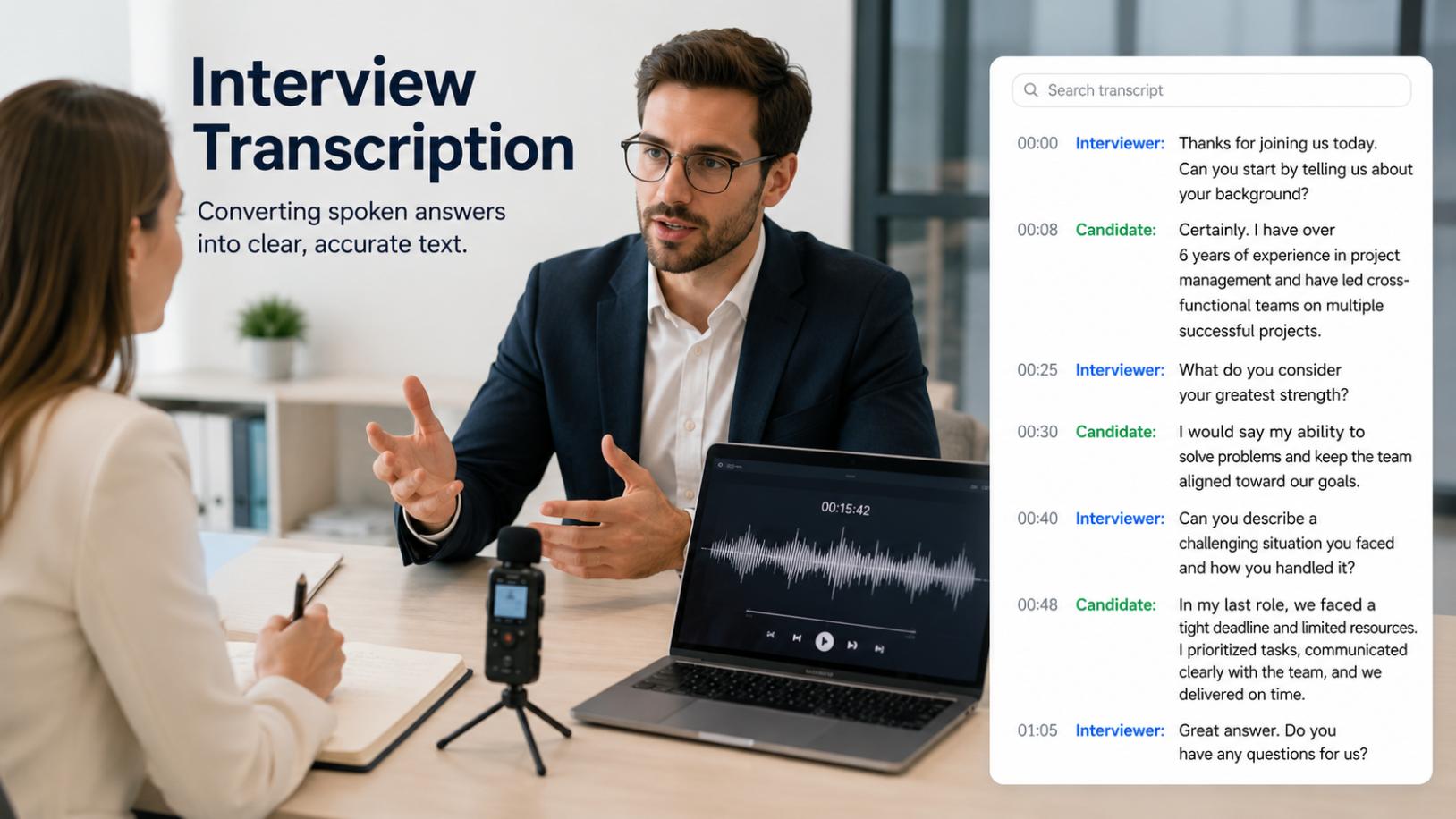
Interviewer: Can you walk us through your experience with the project?
Candidate: Absolutely. I led the development team for six months and we delivered the app two weeks ahead of schedule.
Interviewer: What challenges did you face?
Candidate: The main issue was integrating the legacy system, but we solved it by implementing a middleware layer.
Scenario: A hiring manager reviews candidates after back-to-back interviews. Instead of relying on memory or rough notes, they pull up the transcript to compare answers side by side.
Interview transcripts usually keep speaker labels clear and use a clean or edited style, so the finished piece reads well in an article or report.
Why this format works: Interview transcripts use clear speaker labels and a clean or edited style so the finished piece reads well in an article, report, or hiring review document.
Meeting transcription example
Manager: Let's review this week's progress.
Priya: The website redesign is complete, and the landing pages are ready for approval.
Kumar: The new features will be deployed on Thursday after final testing.
Manager: Great. We'll schedule the public launch for Friday morning.
Scenario: A project manager transcribes a weekly team sync so remote team members who missed it can quickly catch up on decisions and assigned tasks.
Meeting transcripts focus on decisions and action items. A clean or edited style keeps the notes scannable for anyone who missed the call.
Why this format works: Meeting transcripts use a clean or edited style to highlight decisions and action items, making them scannable for anyone who was absent from the call.
Podcast transcription example
Host: Welcome to Tech Talk. Today we're discussing AI in everyday business.
Guest: Thanks for having me. The biggest impact we've seen is in automating repetitive tasks, which frees up teams for creative work.
Host: Can small businesses benefit too?
Guest: Absolutely. Affordable AI transcription tools are a great starting point.
Scenario: A podcast creator wants to repurpose a guest interview as a blog post and show notes, and needs a text version of the episode without re-listening from start to finish.
Podcast transcripts often stay close to a clean verbatim style, so the natural, conversational tone of the episode carries through, since many creators repurpose this text into blog posts and show notes.
Why this format works: Podcast transcripts stay close to clean verbatim so the natural conversational tone carries through. Many creators then repurpose this text directly into blog posts, newsletters, or show notes.
Lecture transcription example

Professor: Today we're covering the basic principles of supply and demand. When supply increases while demand stays constant, prices tend to fall.
Professor: Let's look at a real example. Imagine a new factory opens and doubles the local supply of a product.
Scenario: Students in an online course need a searchable record of a recorded lecture so they can review specific concepts without rewatching the full video.
Lecture transcripts tend to use intelligent verbatim, keeping the instructor's explanations intact while trimming filler words so students can review the material efficiently.
Why this format works: Lecture transcripts use intelligent verbatim to keep explanations intact while trimming filler words, letting students scan and study efficiently.
Video transcription example
Narrator: Welcome back to the channel. Today we're unboxing the latest release and walking through its key features.
Narrator: First up, let's talk about the design. It's noticeably lighter than the previous model.
Scenario: A content creator needs accurate captions for a tutorial video to improve accessibility and SEO, and wants to turn the script into a written blog post.
Video transcripts support captions and subtitles, and they also give creators searchable text they can turn into blog descriptions or show notes.
Why this format works: Video transcripts power captions and subtitles while also giving creators searchable text they can repurpose into descriptions, blog posts, or show notes.
Legal transcription example
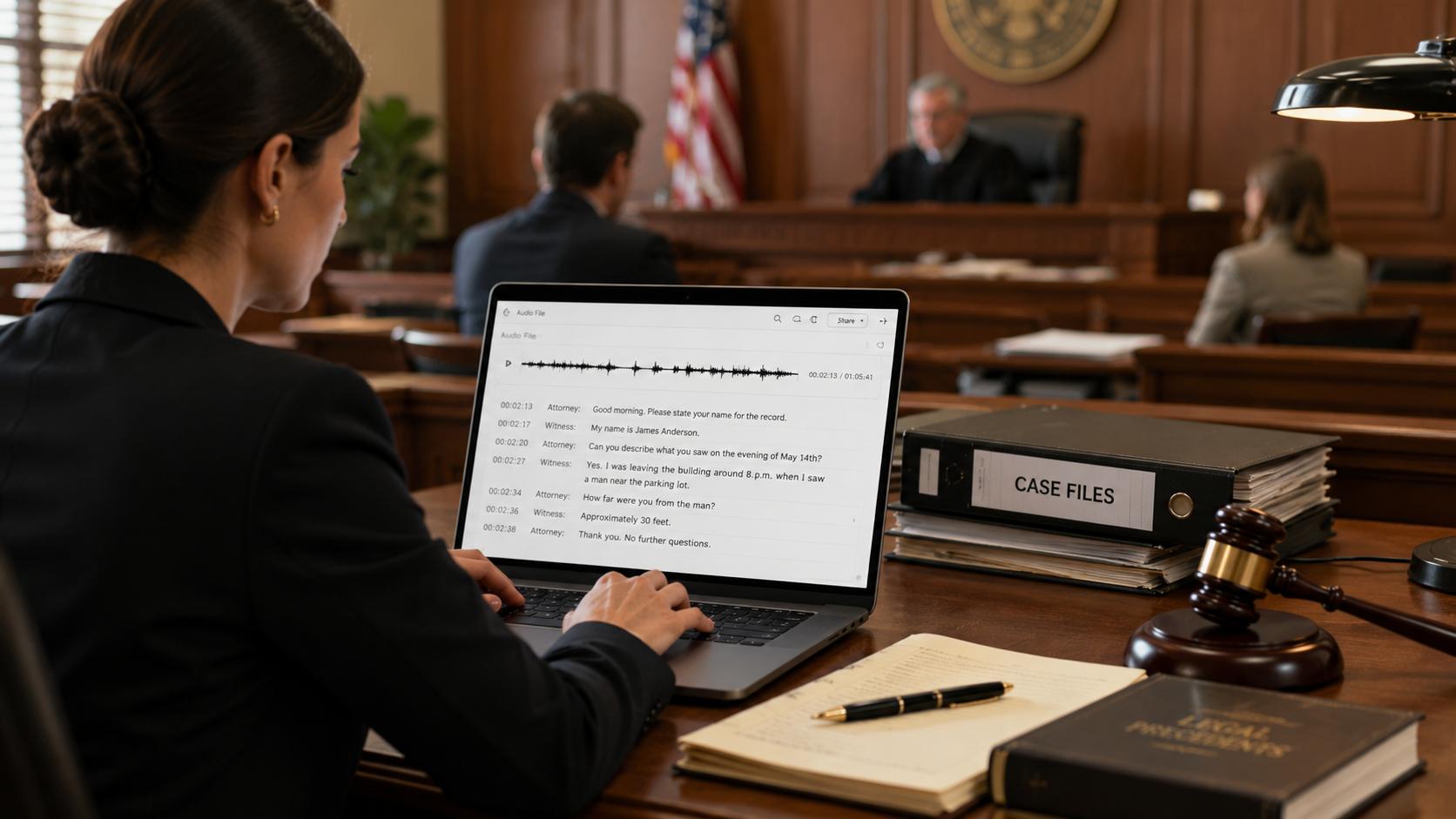
Attorney: Can you state your full name for the record?
Witness: My name is Michael Torres. I am a forensic accountant.
Attorney: On the night of June 15th, did you observe anything unusual?
Witness: Yes, um, I saw the defendant leaving the office carrying a large box around 11 PM.
Scenario: A legal team needs a word-for-word record of a witness deposition to reference during trial preparation and cross-examination.
Legal transcripts almost always use full verbatim, since every pause, correction, and filler word can matter later in a case.
Why this format works: Legal transcripts always use full verbatim because every pause, correction, and filler word can carry weight later in a case or legal filing.
Medical transcription example
Physician (dictating): Patient presents with mild lower back pain, onset approximately two weeks ago. No history of trauma. Recommend physical therapy and follow-up in four weeks.
Scenario: A physician dictates notes immediately after a patient consultation so the record is accurate and ready for other providers to review.
Medical transcripts require precise terminology and edited clarity, since these notes become part of a patient's permanent record and must read clearly for other providers.
Why this format works: Medical transcripts require precise terminology and edited clarity because these notes become part of a permanent patient record that other providers must read and act on.
How to choose the right transcription style
Choosing the right transcription style depends on your purpose, audience, and the level of detail you need. Here are a few key factors to consider:
-
Consider the purpose: Use verbatim transcription for legal, medical, or research recordings, while clean or edited transcription is better for meetings, podcasts, and business content.
-
Balance accuracy and readability: If every spoken word matters, choose verbatim. For smoother, easier-to-read transcripts, use intelligent verbatim or edited transcription.
-
Match your audience: Researchers and legal professionals often need exact transcripts, whereas clients, readers, and employees typically prefer polished, readable text.
-
Think about editing requirements: Verbatim transcripts require minimal editing, while clean and edited transcripts save time later by producing content that is ready for sharing, publishing, or documentation.
Transcribe audio to text easily with Vmake Labs
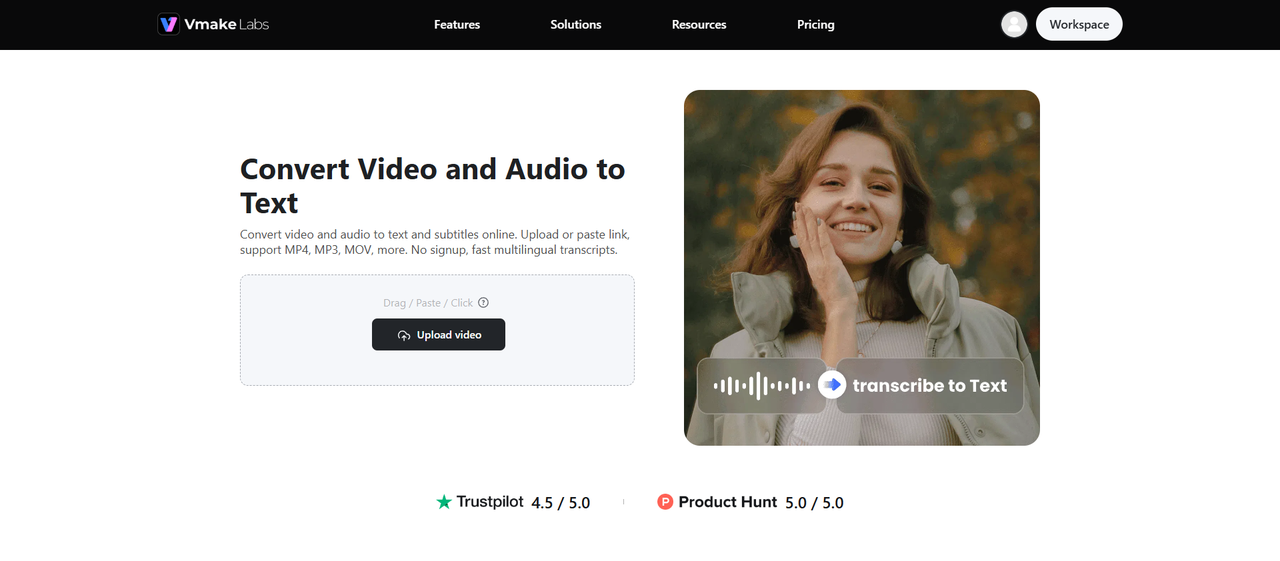
Manually transcribing audio eats up hours you probably don't have. Whether you're working on a client interview, team meeting, or full podcast episode, typing out every word by hand is slow and error-prone. Vmake Labs transcription tool does the heavy lifting for you, turning audio and video into accurate, ready-to-use text in minutes, not hours. Perfect for professionals, students, and content creators who need reliable transcription without the hassle.
Key features of Vmake Labs
-
Broad format & link support: Upload MP4, MP3, WAV, MOV, and other common formats, or simply paste a video URL. Vmake handles diverse file types and sources, making it easy to start transcribing from anywhere.
-
AI-powered transcription & subtitles: Advanced speech recognition generates accurate transcripts alongside perfectly synced SRT subtitles. The engine handles varied accents and speech patterns, producing polished, professional-quality output ready for immediate use.
-
Multilingual transcription: Transcribe content in its original language or translate it into another language entirely. This flexibility helps creators and businesses reach global audiences without hiring separate translators.
-
Automatic timestamps: Every transcript comes with embedded timestamps aligned to the audio. This makes it simple to jump to an exact moment, verify a quote, or sync subtitles precisely.
-
Batch file upload: Upload multiple video or audio files in a single session instead of processing them one by one. This saves time for anyone transcribing large volumes of content.
Steps to transcribe audio to text using Vmake Labs
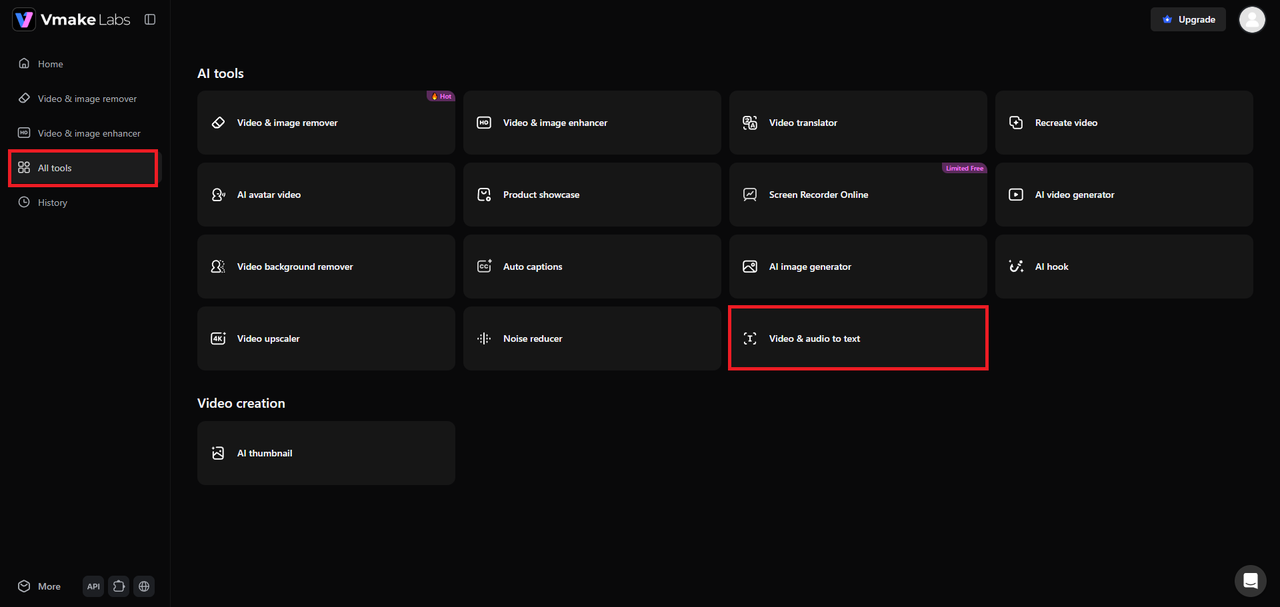
Step 1: Select "Video & audio to text" tool
Log in to your Vmake Labs account, then click "All tools" in the left-hand menu. This opens a new page where you can select the "Video & audio to text" tool to get started.
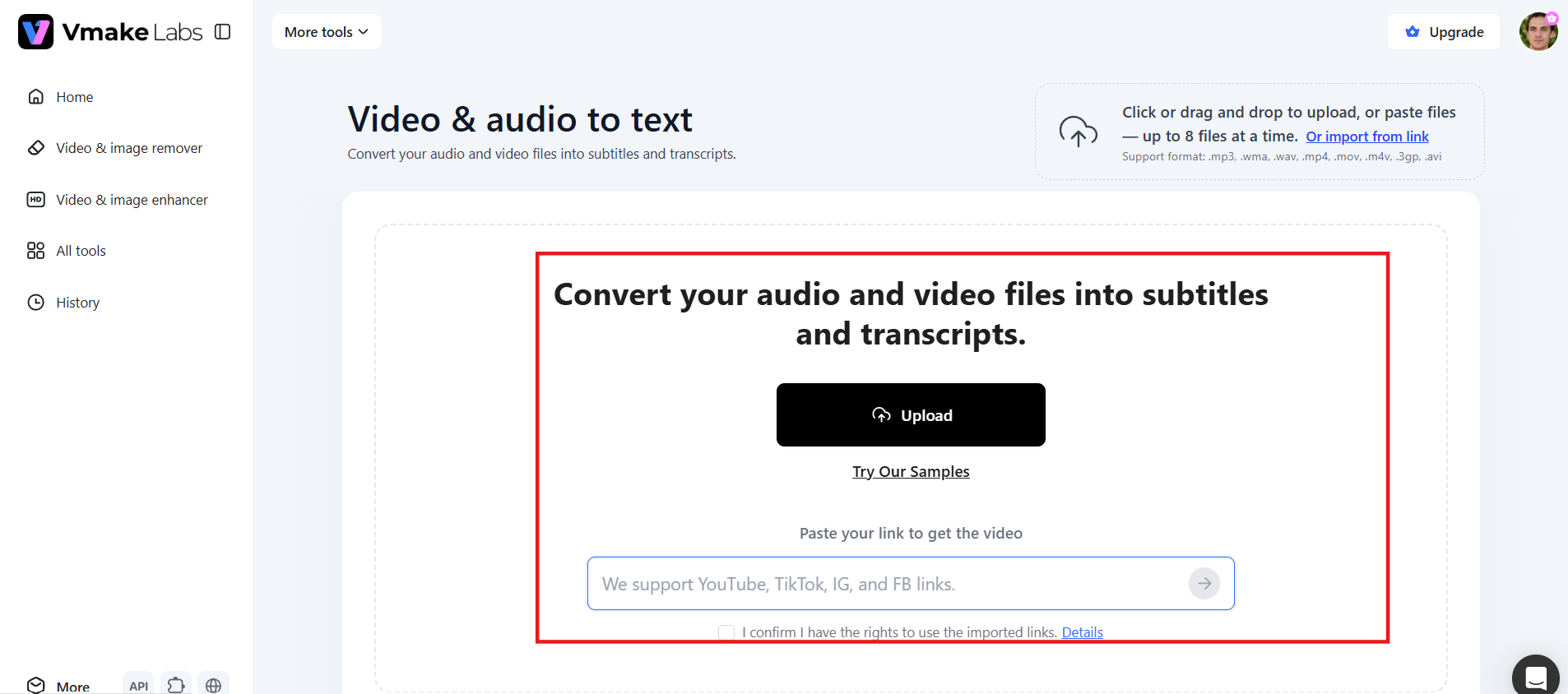
Step 2: Upload your file or paste a link
Upload your video or audio file directly, or paste a web link and let Vmake Labs pull the content automatically. You can upload up to 8 files, at the same time.
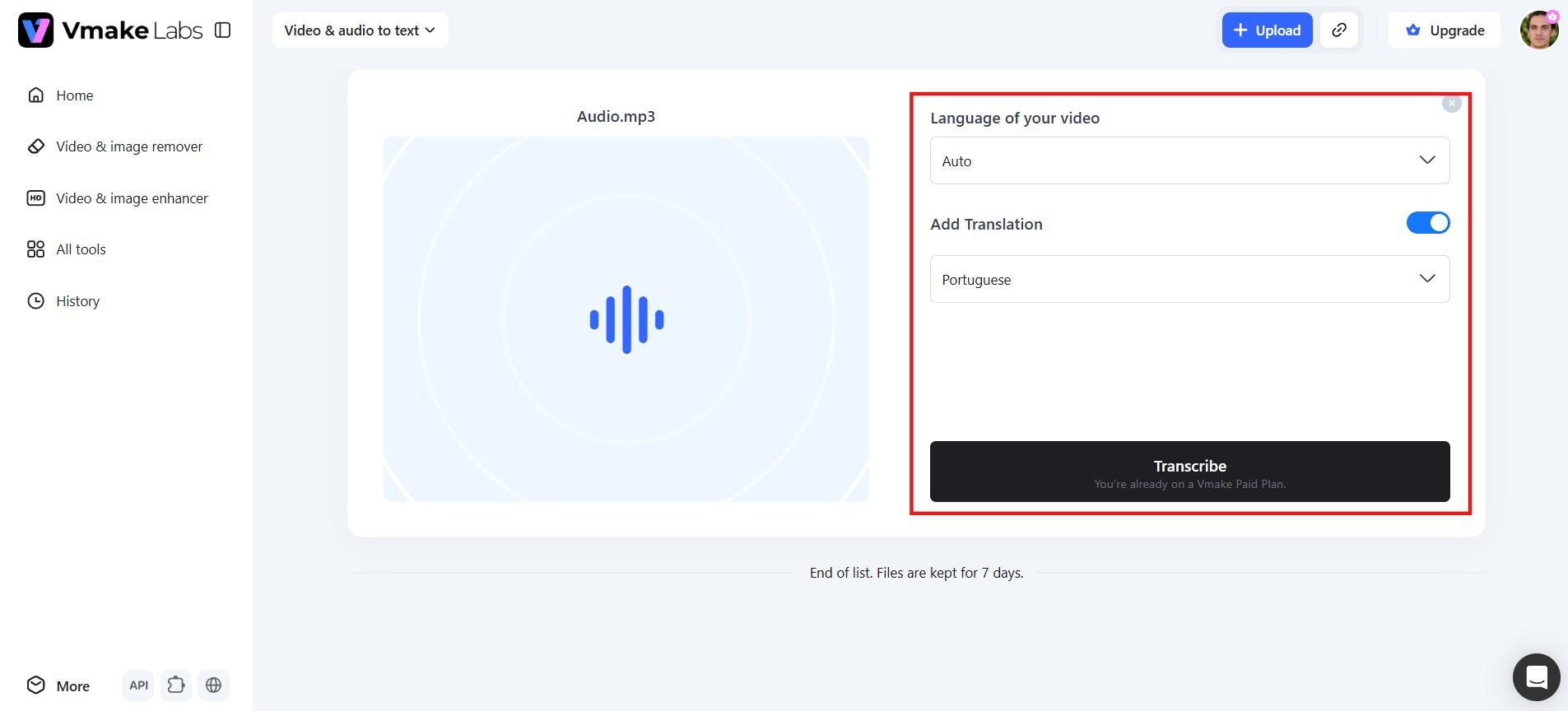
Step 3: Run the transcription
Select the original language of the content (choose "Auto" if unsure or for multiple languages). To get a translated version, turn on "Add Translation" and choose your target language. Click "Transcribe," and your file will process automatically so you can download the finished transcript.
Here is an example of what a finished Vmake Labs transcript looks like after processing a short audio file:
|
Timestamp |
Speaker |
Transcript |
|---|---|---|
|
0:00 |
Host |
Welcome back to the channel. Today we're reviewing the latest productivity tools for remote teams. |
|
0:08 |
Guest |
Thanks for having me. The biggest shift we've seen is teams moving from manual note-taking to AI-generated transcripts. |
|
0:17 |
Host |
Exactly. And that's what we'll walk through today, how to go from raw audio to a clean, structured transcript in minutes. |
|
0:25 |
Guest |
Time savings alone make it worth it. What used to take hours of typing is done before I finished my coffee. |
The output includes accurate timestamps, labelled speakers, and clean readable text, ready to copy, export as TXT, or download as an SRT subtitle file.
Tips to improve AI transcription accuracy
High-quality recordings and careful preparation help AI generate more accurate transcripts. Follow these simple practices to reduce errors and improve overall transcription quality.
-
Use high-quality audio: Clear, high-resolution audio gives any transcription tool the best possible input to work with. Compressed, distorted, or low-bitrate recordings introduce noise that leads to more transcription errors.
-
Reduce background noise: Record in a quiet room whenever possible, since overlapping sounds like traffic, chatter, or music confuse speech recognition engines and often result in missed or misheard words.
-
Speak clearly: Maintain a steady pace and pronounce words clearly. Avoid speaking too quickly or talking over others, as overlapping speech can reduce transcription accuracy.
-
Use quality microphones: A dedicated external microphone captures far more vocal detail than a built-in laptop or phone mic. Better input audio directly translates into fewer transcription errors and cleaner output.
-
Proofread AI output: Even highly accurate AI transcription benefits from a quick human review. Check names, technical terms, and industry jargon closely, since these are the most common sources of AI error.
Common transcription mistakes to avoid
Even accurate transcripts can go wrong in small ways. Knowing these common pitfalls helps you catch and fix them before they matter.
-
Misheard words: Transcription errors are most likely to happen due to words that sound similar, unfamiliar names and industry jargon. A quick proofread will catch most of these before they cause confusion.
-
Missing punctuation: Incorrect or missing punctuation can alter the meaning of a sentence entirely. Be sure to check punctuation carefully during the editing process, especially for transcripts that will be published or used in a formal setting.
-
Incorrect speaker identification: Mixing up who said what undermines the entire value of a transcript, particularly in interviews and meetings. Always double-check speaker labels against the original recording before finalizing.
-
Over-editing: Removing too much context or rephrasing too aggressively can strip away the speaker's actual meaning and tone. Edit for clarity, not for a complete rewrite of their words.
-
Ignoring timestamps: Skipping timestamps makes it far harder to verify a specific moment later or sync subtitles accurately. Always keep timestamps intact, even in a heavily edited transcript.
Conclusion
Understanding different transcription formats changes how you work with audio and video content. Verbatim captures everything for legal and research precision, intelligent verbatim makes interviews and lectures readable without losing the speaker's voice, and edited transcription turns spoken content into polished, publication-ready text. Knowing which format to use and seeing real examples of each, makes it far easier to produce transcripts that actually serve their purpose.
Once you understand which style fits your project, the transcription itself becomes the straightforward part. Whether you're documenting meetings, publishing podcasts, or creating accessible videos, AI tools like Vmake Labs generate accurate, timestamped transcripts in minutes so you spend less time typing and more time using what you've captured.
FAQs
How do I transcribe audio to text for free?
Vmake Labs offers a free trial that lets you transcribe audio or video without any upfront cost. Simply upload your file or paste a link, and the tool generates an accurate text transcript within minutes, no manual typing required.
What is the difference between verbatim and clean verbatim transcription?
Verbatim transcriptions capture every word exactly as it was spoken, including filler words, false starts, and stutters. Clean verbatim preserves the speaker's meaning and voice, but eliminates distractions, so the transcript is easier and faster to read.
What is the turnaround time for transcription?
AI-based transcription tools like Vmake Labs typically deliver finished transcripts within minutes of upload. Human transcription services usually take longer, ranging from a few hours to a couple of days depending on file length and provider workload.
How long does it take to transcribe an hour of audio?
A skilled human transcriptionist generally needs three to four hours to transcribe one hour of clear audio manually. AI transcription tools, like Vmake Labs process that same hour of content in just a few minutes, depending on file size and audio quality.
What file formats can a transcript be exported to?
Most transcription tools, including Vmake Labs, let you export finished transcripts as plain text or Word documents. Also support subtitle formats like SRT, which is useful for adding captions directly to video content.

You May Be Interested
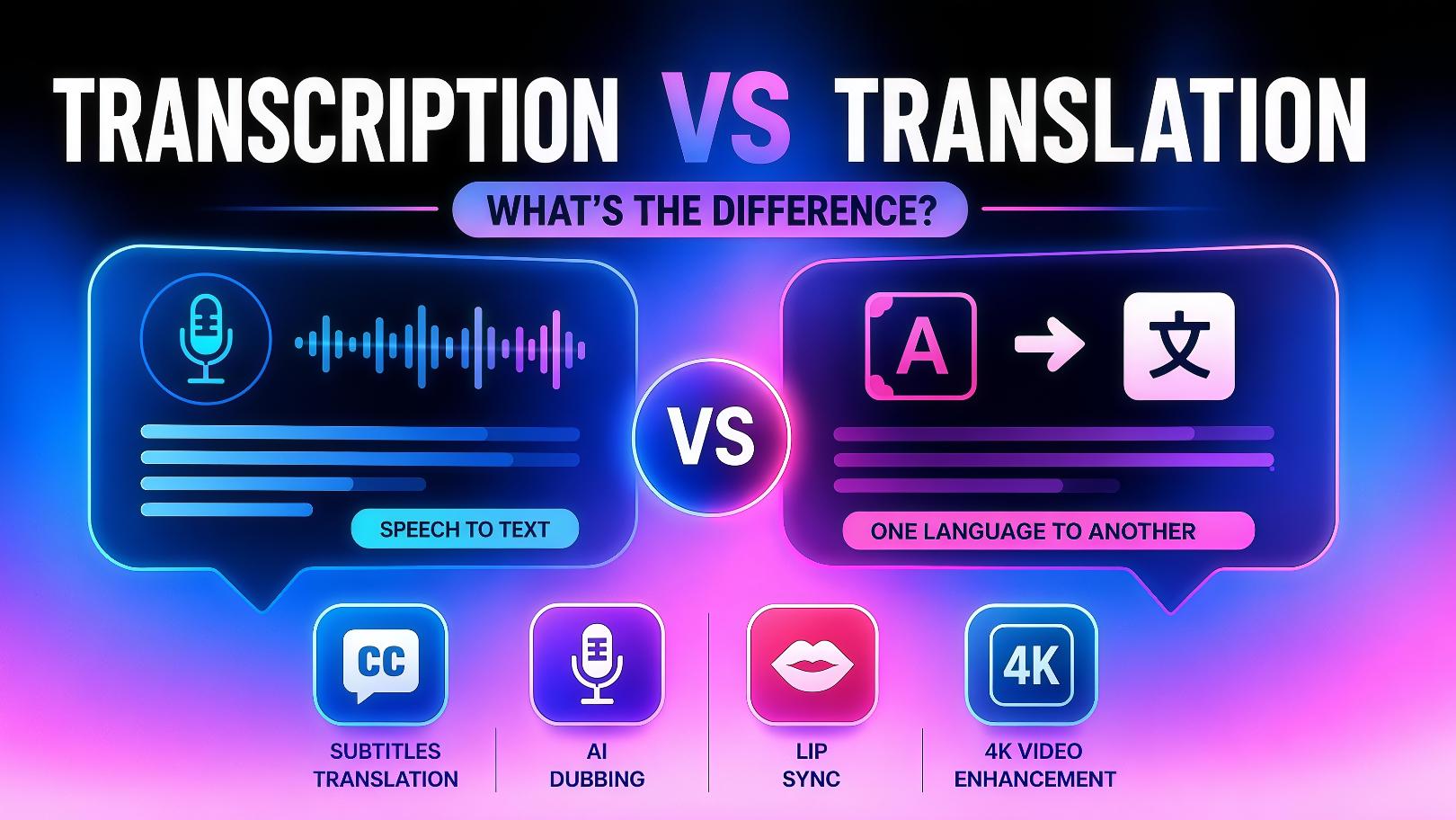
Transcription vs Translation: What's the Difference?
How to Transcribe a Video to Text: Guide to Accurate Transcriptions
Canva Audio to Text Converter: Complete Guide & AI Alternative
ElevenLabs Audio to Text: Complete Guide to AI Alternative