
Seedance 2.0 Guide: How to Maintain Character Consistency Across Multiple Shots
 Ken DawsonFebruary 17, 2026
In the early days of AI video—the "ancient" era of 2024—the biggest obstacle for any serious storyteller was identity drift. You would generate a breathtaking shot of a protagonist, but the moment you moved to Shot 2, their nose would change, their hair would darken, or they would literally morph into a different person every twelve frames. This "hallucination effect" relegated AI video to abstract dreamscapes rather than coherent narrative filmmaking.
As we move through 2026, Seedance 2.0 has fundamentally shifted the paradigm with its "Reference-First" architecture. We are no longer pleading with a black box to remember a face; we are directing a digital actor with a persistent biological profile. However, even with the most advanced models, maintaining 100% consistency across complex narrative arcs—where lighting, costume, and camera angles change—still requires a strategic, professional workflow.
This guide breaks down the "Anchor & Master" technique: using Seedance 2.0 to lock in the character’s DNA and leveraging the Vmake ecosystem to ensure facial fidelity remains broadcast-quality in every single frame.
Summary: Seedance 2.0 & Vmake: Character Consistency Master Workflow
| Stage | Key Tool / Feature | Strategic Action (The "Anchor & Master" Method) | Problem Solved |
| 1. Preparation | Canonical Character Sheet | Create a multi-angle collage (Front, Profile, 3/4 View) with neutral lighting and high-contrast features. | Prevents model confusion and provides a 3D structural "Source of Truth." |
| 2. Initialization | @Character Tagging | Assign the reference image as @Character1 to create a global pointer in the DiT latent space. | Eliminates "identity drift" by linking every prompt to a persistent data object. |
| 3. Structural Lock | Seed Management | Generate a 4-second "DNA Check" and lock the Seed Number in the metadata. | Ensures the underlying geometric noise pattern remains stable across shots. |
| 4. Context Control | Multimodal Slots (1-9) | Assign slots 1-3 for Face, 4-5 for Costume (e.g., @Ref4), and 6-7 for Lighting/Style. | Stops "Prompt Leakage" where characters randomly change outfits or lighting. |
| 5. Continuity | Keyframe Injection | Manually re-upload the @Character1 reference into the "Start Frame" of every new scene. | Counteracts "Attention Fatigue" in long-form or multi-shot narratives. |
| 6. Post-Production | Vmake AI Video Enhancer | Run the raw output through Vmake for temporal feature mapping and flicker reduction. | Fixes "smearing" and glitches caused by fast motion or complex physics. |
| 7. Final Polish | 4K Texture-Lock | Use Vmake to upscale 1080p to 4K, forcing micro-detail sharpening. | Locks in skin pores and hair flow, preventing the AI from "hiding" flaws behind blur. |
Part 1: The Seedance 2.0 "Reference-First" Architecture
Unlike legacy "Text-to-Video" models that hallucinate a character based on vague adjectives like "brave explorer" or "woman with blue eyes," Seedance 2.0 utilizes a Dual-Branch Diffusion Transformer (DiT). This architecture separates the identity data from the motion data. It treats your character as a persistent data object—a "digital asset"—rather than a temporary cloud of pixels generated on the fly.
1.1 The Importance of the "Canonical" Character Sheet
Before you even hit "Generate" in Seedance 2.0, you need a Source of Truth. This is a high-resolution image or a collage that defines the physical parameters of your character. To achieve pro-level results, follow these rules:
-
The 3-Angle Rule: Your reference image shouldn't just be a pretty headshot. Ideally, use a collage showing the character's front view, profile (side), and a three-quarter view. This gives the DiT model a 3D understanding of the character’s bone structure.
-
Neutral Lighting & Expression: Avoid using reference images with extreme "Chiaroscuro" shadows or dramatic grimaces. It is exponentially easier for Seedance to add cinematic lighting to a neutral face than it is to "strip away" baked-in shadows to see what the character actually looks like.
-
High Contrast Features: If your character has distinct markers—a specific scar, a unique earring, or a streak of white hair—ensure these are clearly visible in the reference.
1.2 Tagging with Frame-Level Precision
In Seedance 2.0, you don't just upload a photo; you initialize a variable. By tagging your reference as @Character1, you are creating a global pointer in the model’s latent space. When you write your prompt, you must explicitly reference this tag in every shot to maintain the "memory link."
-
Shot 1: @Character1 walking through a neon-drenched Tokyo alley, low-angle tracking shot.
-
Shot 2: Extreme close-up of @Character1’s eyes reflecting the neon lights, sweating, 4k cinematic.
Without the @ tag, the model reverts to its base training data, causing the character to "drift" toward a generic average.
Part 2: Step-by-Step Workflow for Character Locking
Maintaining a protagonist across a two-minute short film requires more than just a good prompt. You need a technical "Lock-In" strategy.
Step 1: The "Seed" Generation & DNA Locking
Start with a simple 4-second "identity check" clip. If the character looks exactly as intended, look at the metadata and Lock the Seed Number. In Seedance 2.0, the Seed acts as the mathematical "DNA" of the noise pattern. Reusing this seed (or a variation of it) across different shot descriptions helps maintain the underlying geometric structure of the character’s face.
Step 2: Utilizing the Multimodal Reference System
One of the most powerful features of Seedance 2.0 is its support for up to 9 concurrent image references. Pro creators use these slots to create a "Context Bridge":
- Slots 1-3: Permanent Face/Identity References (The "Biological" anchor).
- Slots 4-5: Outfit/Costume References (e.g., a specific distressed leather jacket).
- Slots 6-7: Style/Lighting References (A color palette or a specific film stock look).
Step 3: Managing "Multi-Shot" Fatigue
When using Seedance 2.0’s native multi-shot feature, the model can occasionally suffer from "attention fatigue" by Shot 4 or 5, where the character starts to soften. To combat this, use Keyframe Injection. Manually upload your @Character1 reference into the "Start Frame" of every new scene. This "reminds" the AI of the intended identity right at the beginning of the diffusion process for that specific clip.
Part 3: When AI Fails – The Vmake Post-Production Safety Net
Even with perfect prompting, generative AI is prone to "glitching" during high-intensity motion. If your character does a backflip or runs through a forest, the motion blur can cause the facial features to "smear." This is where the Vmake ecosystem becomes the "Editor-in-Chief" of your production.
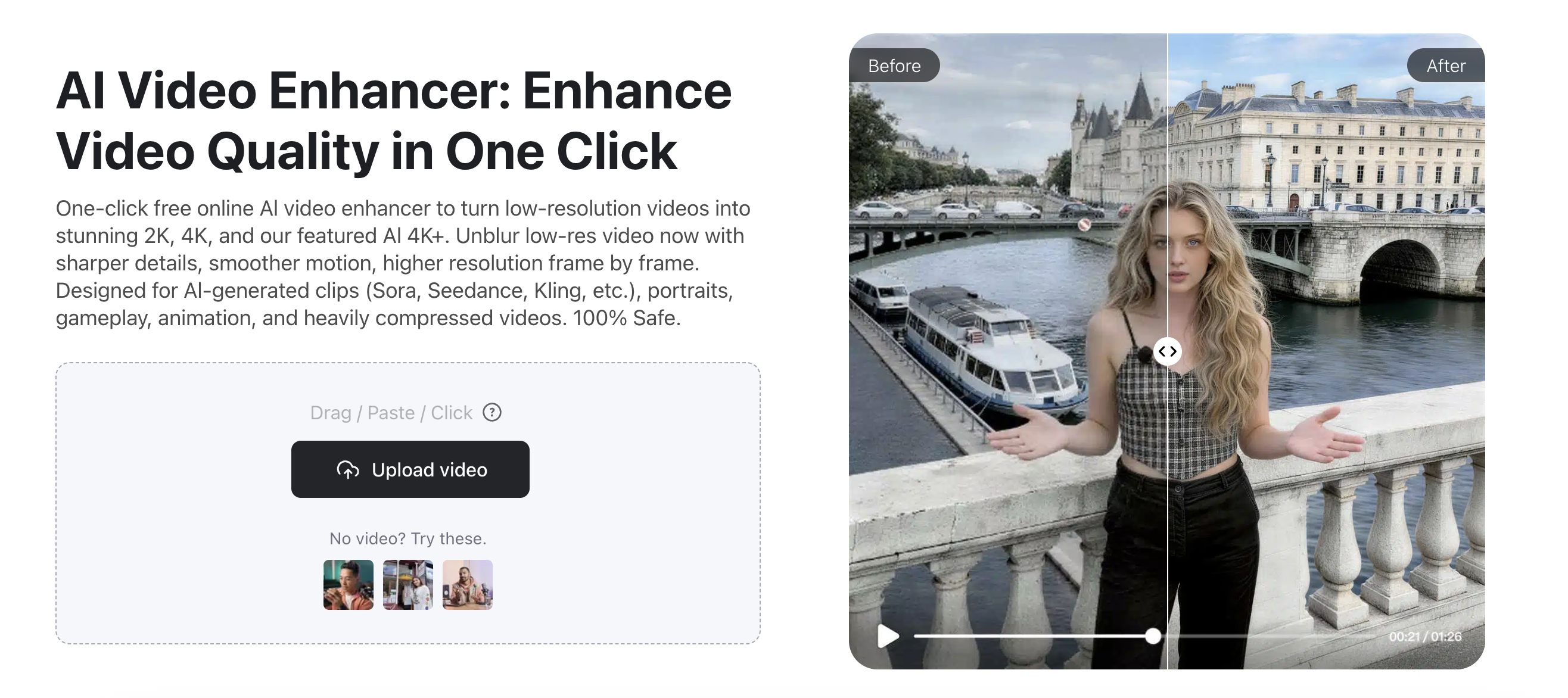
Vmake Video Enhancer: Restoring the Likeness
The Vmake AI Video Enhancer is specifically tuned for the nuances of AI-generated video. It doesn't just apply a sharpening filter; it uses a specialized reconstruction algorithm that:
1.
Identifies the "True" Identity: It scans the entire clip to find the frames where the character’s face is most clear and aligned with your @Character1 reference.
2.
Temporal Feature Mapping: It maps that high-fidelity data onto the blurry or "drifting" frames.
3. Flicker Reduction: It smooths out the "shimmering" effect often seen in AI hair and skin, ensuring a consistent texture throughout the shot.
Part 4: Advanced Techniques for Professional Creators
4.1 The "Face-Lock" Camera Movement
To maximize consistency, use Camera Tracking prompts. Phrases like orbital tracking around @Character1 or tight follow shot on @Character1 force the AI to keep the face as the primary focal point. This provides the diffusion model with more "pixel real estate" to render the face, leading to much higher identity retention than wide shots.
4.2 Upscaling to 4K for "Texture-Lock"
Consistency isn't just about the shape of the nose; it's about skin texture and micro-details. When you upscale a 1080p Seedance generation to 4K using Vmake, you are effectively "freezing" the textures. In higher resolutions, the AI's "lazy" habits (like blurring the eyes) are exposed, forcing the enhancer to sharpen the specific features that make your character unique.
Part 5: FAQ - Troubleshooting Consistency
Q: My character's clothes keep changing between shots. How do I fix this?
A: This is "prompt leakage." If you say "@Character1 is running," the AI might give them a tracksuit. You must be specific: @Character1 is running in the same black tuxedo defined in @Ref4. Always anchor the clothing to a specific reference slot.
Q: Can I maintain consistency for two characters in the same shot?
A: Yes, but it's the "Boss Level" of AI video. Tag them as @Character_A and @Character_B. To prevent their identities from merging (the "Amalgamation" glitch), avoid prompts where they touch or overlap too closely. Current 2026 models still struggle with entangled character geometry.
Q: Does Vmake work for stylized or 3D characters?
A: Absolutely. Vmake’s AI Enhancer is style-agnostic. Whether your Seedance output is a hyper-realistic human, a Pixar-style 3D avatar, or an anime character, the enhancer recognizes the stylistic patterns and sharpens the edges accordingly without forcing them into a "real human" look.
Conclusion: Storytelling Without Limits
The era of "dream-like" inconsistency is over. In 2026, the fluidity of your characters is no longer a technical limitation—it's a creative choice. By mastering the tagging and multi-reference system of Seedance 2.0, you build a stable foundation for your cinematic universe. By integrating Vmake into your final post-production pipeline, you ensure that foundation is polished, high-definition, and indistinguishable from traditional Hollywood cinematography.
Don't let your characters lose their way. Take your latest Seedance 2.0 project and run it through Vmake AI Video Enhancer today to see how a professional finish can bring your digital actors to life in stunning, consistent 4K.

You May Be Interested

(Updated!) Seedance 2.0: What's New & How to Use It
(2026) How to Create 4K Cinematic AI Videos: Seedance 2.0
Mastering Seedance 2.0: 10 Advanced Prompts for Multi-Shot AI Video

Seedance 2.0 vs Sora 2: Which AI Video Generator Wins in 2026?
