How to Make Coloring Manga Using Nano Banana Pro in Vmake AI Clips
 Ken Dawson2025-11-28 18:37
If you’ve ever wanted to turn simple images into PHENOMENAL multi-panel coloring manga, the latest update in the Vmake app is going to be your new favorite tool.
The new AI Clips feature now integrates Nano Banana Pro, giving you the power to generate stunning manga-style layouts—colored, stylized, and neatly arranged—in just a few taps. No Photoshop. No drawing skills. And yes—you can start for free.
What Makes This Update Special?
Traditional manga coloring or multi-panel layout design can take hours: masking, outlining, arranging frames, adding tones, picking colors…
Vmake removes all that complexity.
With Nano Banana Pro built into AI Clips, you get:
-
Automatic multi-panel layouts
Upload one or several photos → Vmake instantly restructures them into manga-style grids.
-
Beautiful AI coloring
Turn any image into colored manga with crisp lines, clean shading, and anime-style depth.
-
Manga-grade lineart conversion
Nano Banana Pro converts your images into manga outlines before coloring—keeping textures sharp and expressive.
-
Multiple styles in one tap
Choose from vibrant anime, pastel romance, dark action, sketch-ink, and more.
And everything is optimized for creators who want fast, eye-catching results.
How to Create Coloring Manga in Vmake (It’s extremely simple)
Step 1 — Open the Vmake app
Make sure you’re updated to the latest version with AI Clips enabled.
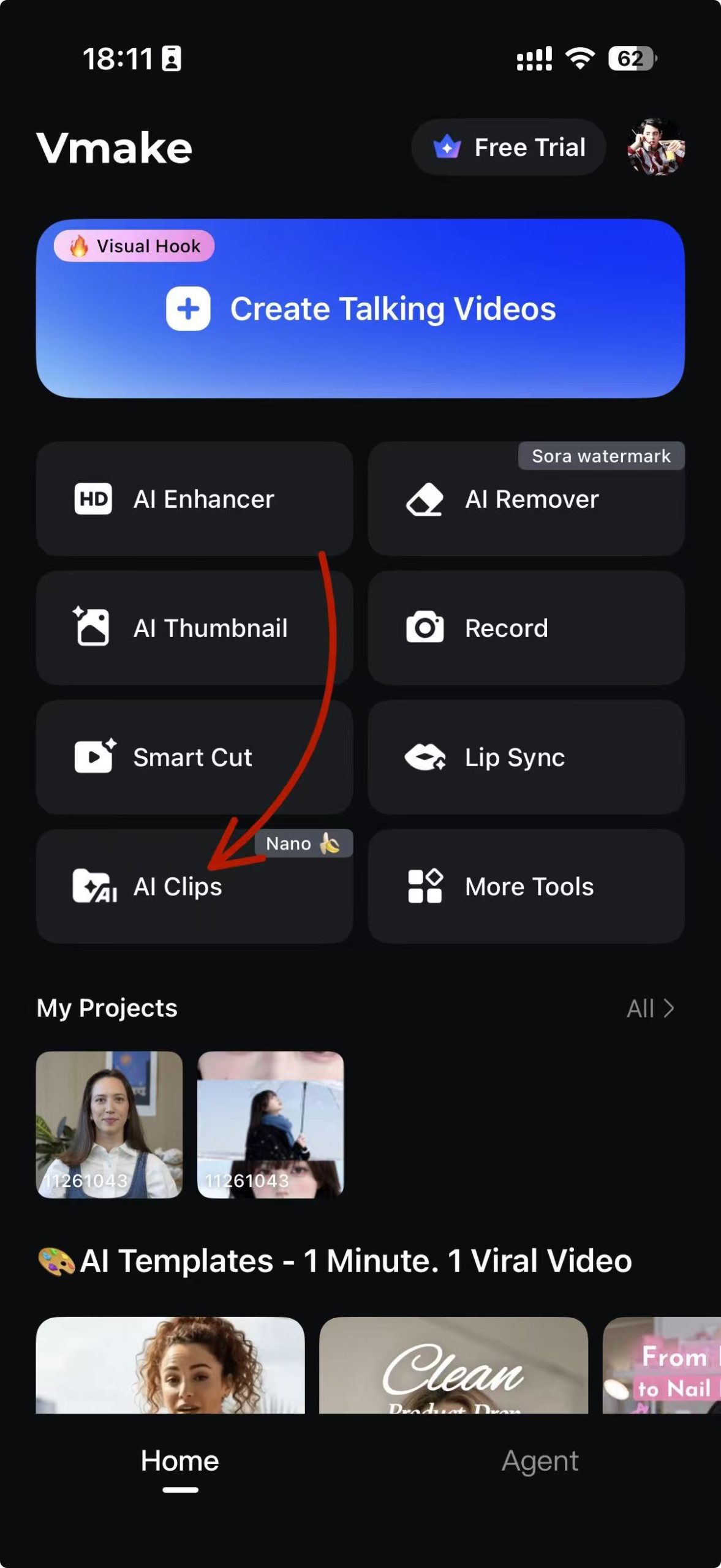
Step 2 — Select “AI Clips → Image → Manga / Thanksgiving”
You’ll notice that we’ve included two preset manga templates for you to start with. One is a Thanksgiving-themed coloring manga, and the other is a classic black-and-white style. If you’re not sure where to begin, you can simply use the Thanksgiving template as it is—though you’re free to edit the prompt inside whenever you want.
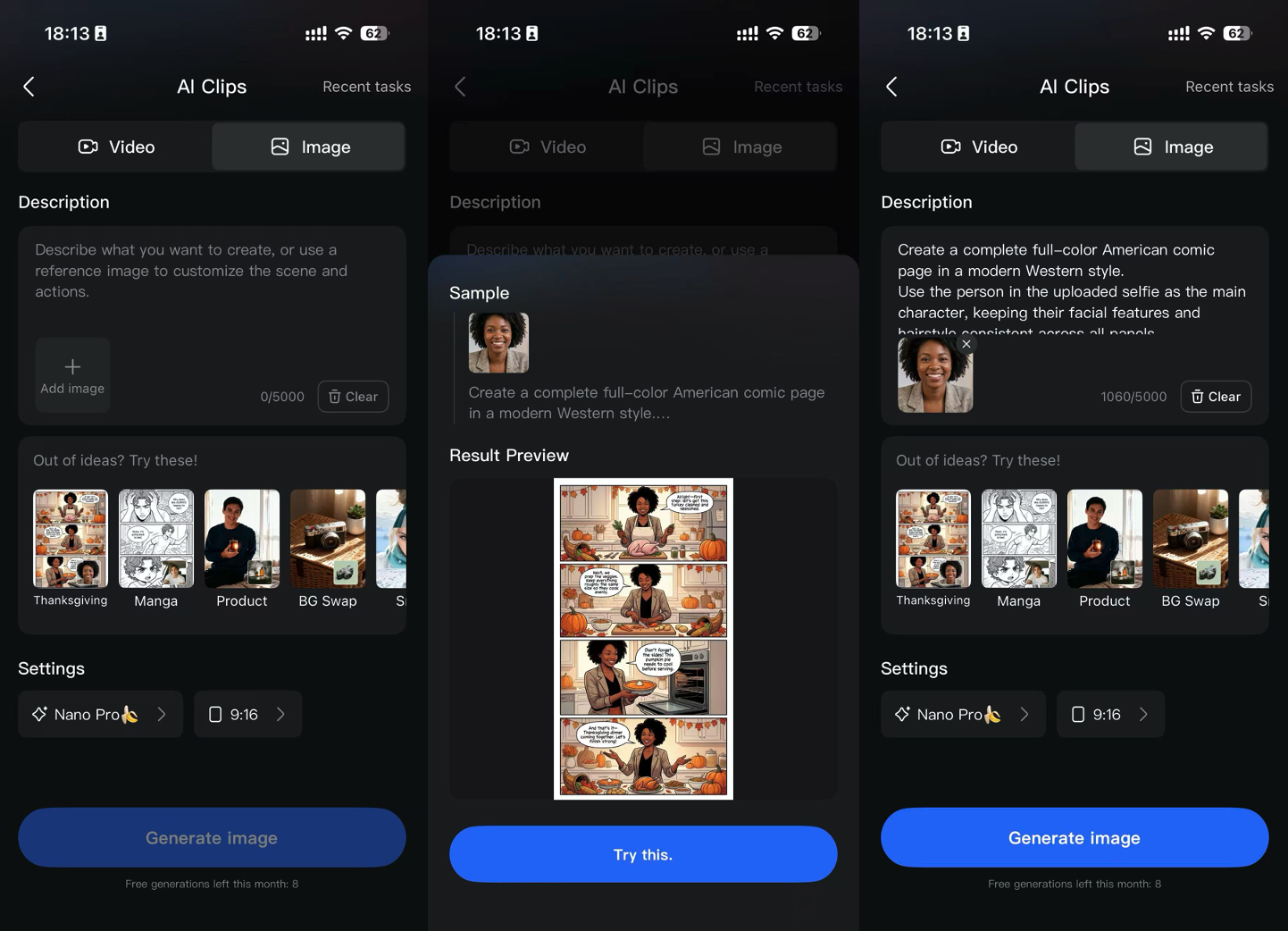
Step 3 — Create Your Manga in Seconds
Once you’re happy with your prompt and the images you’ve uploaded, you can start generating. After a brief moment of processing, your manga will be ready. It’s really that simple.
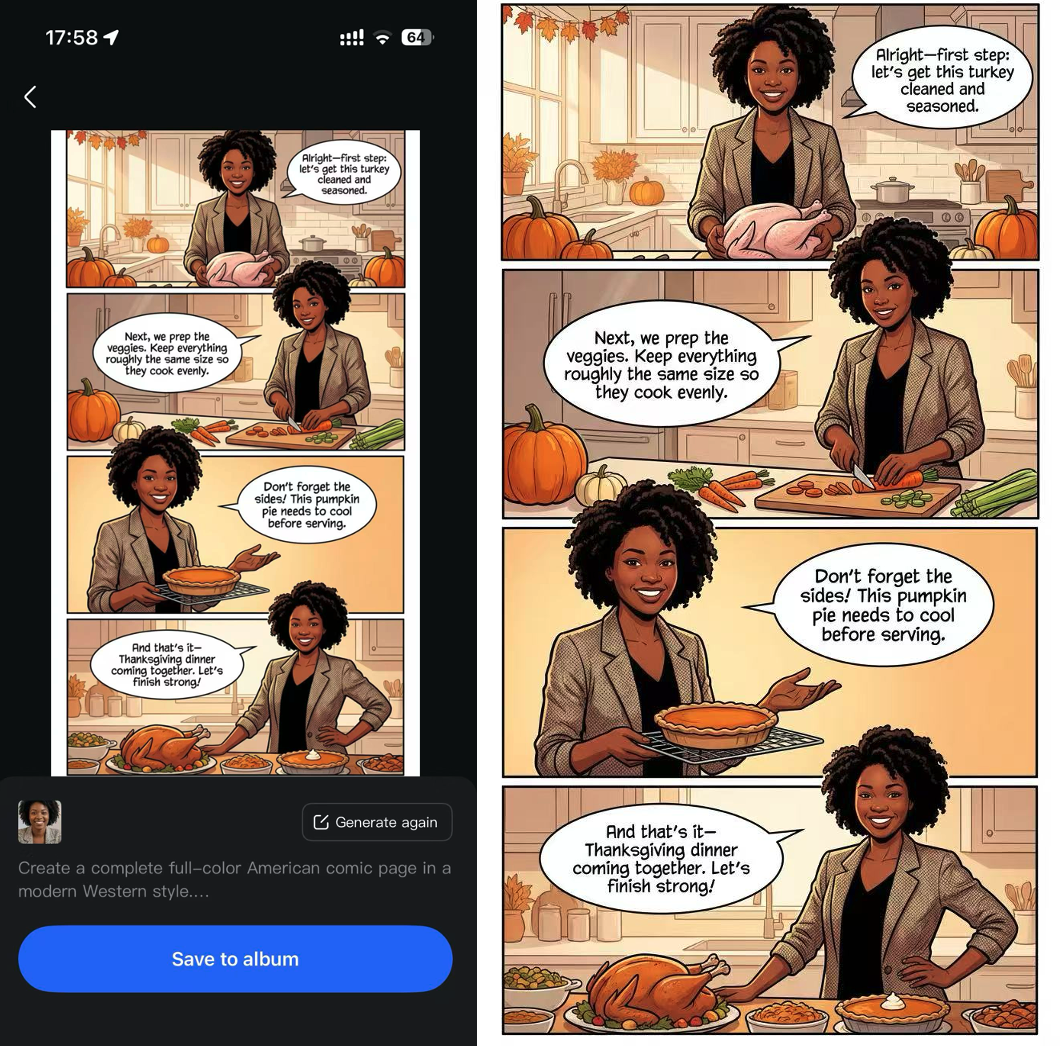
Step 4— Save & export for free
No watermark. No complicated settings. Just download and use.
Why Creators Love It
✔️ Zero learning curve
Anyone can make manga-style art—even if you’ve never edited before.
✔️ Multi-panel layouts done automatically
Horizontal, vertical, 2-panel, 3-panel, 4-panel, comic-strip style…
AI Clips decides the best layout for your images.
✔️ Nano Banana Pro = crisp quality
The outlines, shading, and coloring look clean and professional.
✔️ Totally free to start
You can generate unlimited manga images before deciding to upgrade.
✔️ Perfect for social media
TikTok, Instagram, X, Pinterest—manga content has insane engagement.
Creative Ideas to Try
-
Turn selfies into romantic shōjo-style manga
-
Create dramatic shōnen fight-scene coloring from normal photos
-
Make a pet manga comic strip
-
Turn your product into a manga-style promo layout
-
Use multi-panel manga as thumbnails or story posts
-
Create an entire “mini manga” for fun or branding
The possibilities are wide open.
Start Creating Your Own Coloring Manga Today
Vmake’s new AI Clips + Nano Banana Pro upgrade makes manga creation accessible to everyone: fast, easy, and free. Open Vmake, try the new AI Clips, and turn your images into PHENOMENAL multi-panel coloring manga in seconds.
Vmake Video Watermark Remover
You May Be Interested
Seedance 2.0: What's New & How to Use It
123APPS Watermark Remover Review (2026): Pros, Cons, and Pricing
5 Best Valentine's Day Video Ideas for eCommerce in 2026
How to Create a YouTube Thumbnail? Create YouTube Thumbnails Using AI