1080i vs 1080p: Which Full HD Is Better? Complete Guide
 Vmake Labs TeamMay 31, 2026
The issue about 1080i vs. 1080p is quite actual for our modern life full of entertainment and videography. Despite the fact that both these formats use the same High Definition, they show the movements on the screen absolutely differently. The picture shown in the 1080p format seems to be smoother when some fast actions occur. Meanwhile, 1080i still appears across older cable broadcasts and traditional satellite television networks today.
Large modern displays often expose interlacing blur problems much more clearly during playback. Tools like Vmake AI help upscale older 1080i footage into cleaner progressive video with sharper overall visual quality.
Introduction: Understanding 1080i vs 1080p Full HD
Understanding 1080i vs 1080p starts with one simple fact. Both formats use a 1920 × 1080 resolution. Same pixel count. Different display method.
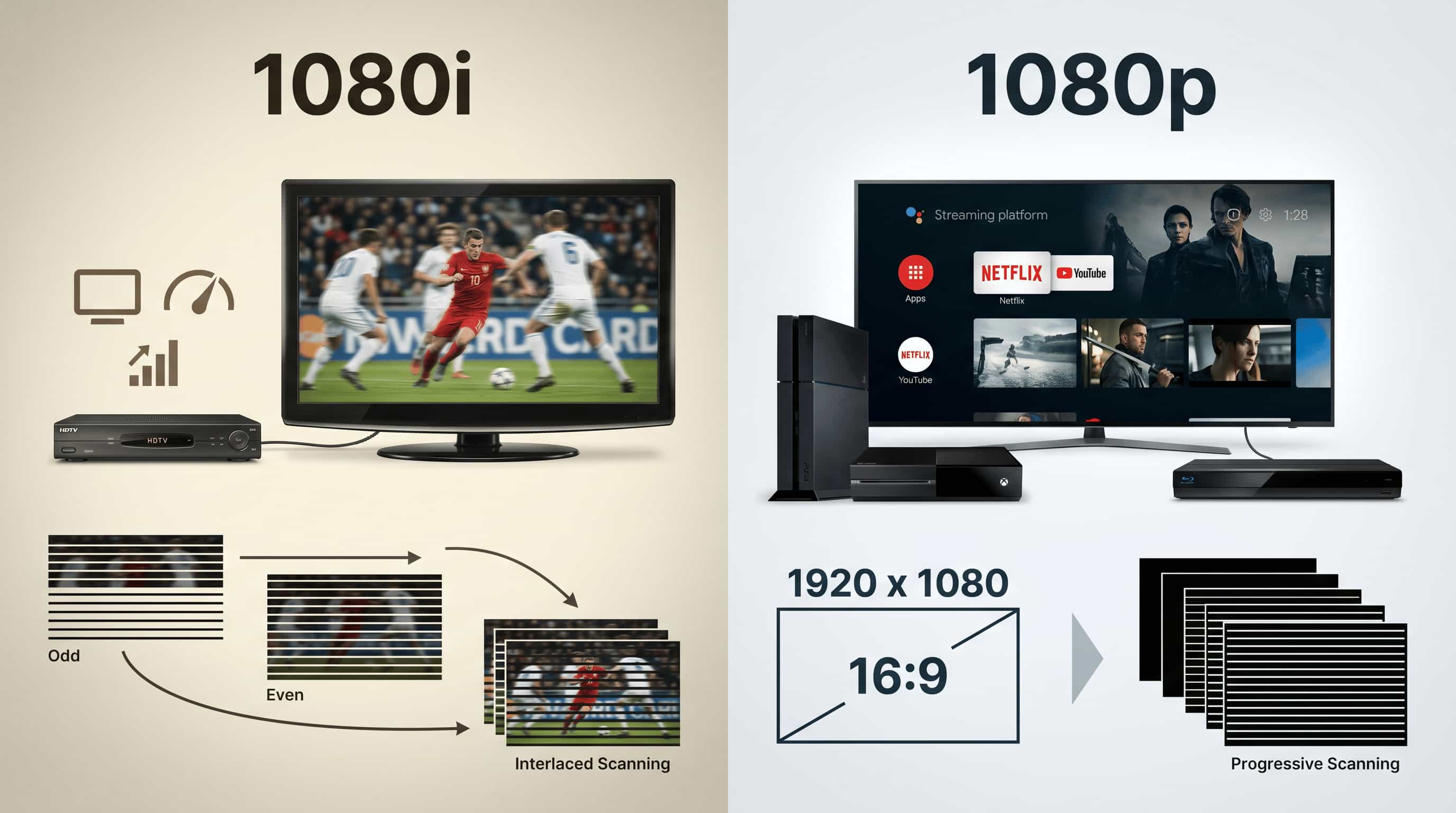
1080i uses interlaced scanning. Half the image appears first, then the remaining lines appear immediately after. Older TVs handled this approach pretty well because bandwidth was expensive back then.
1080p works differently. Every frame appears all at once. The image stays sharper, especially during motion-heavy scenes.
This is where the HD 1080p vs 1080i difference becomes noticeable. On static scenes, many people barely see a gap. Add movement and things change quickly.
What is 1080i
1080i is a Full HD video format that uses interlaced scanning. Each frame gets split into two separate fields. One shows odd lines. The other fills in the even lines right after. It helped broadcasters save bandwidth for years. That's the main reason it survived so long.
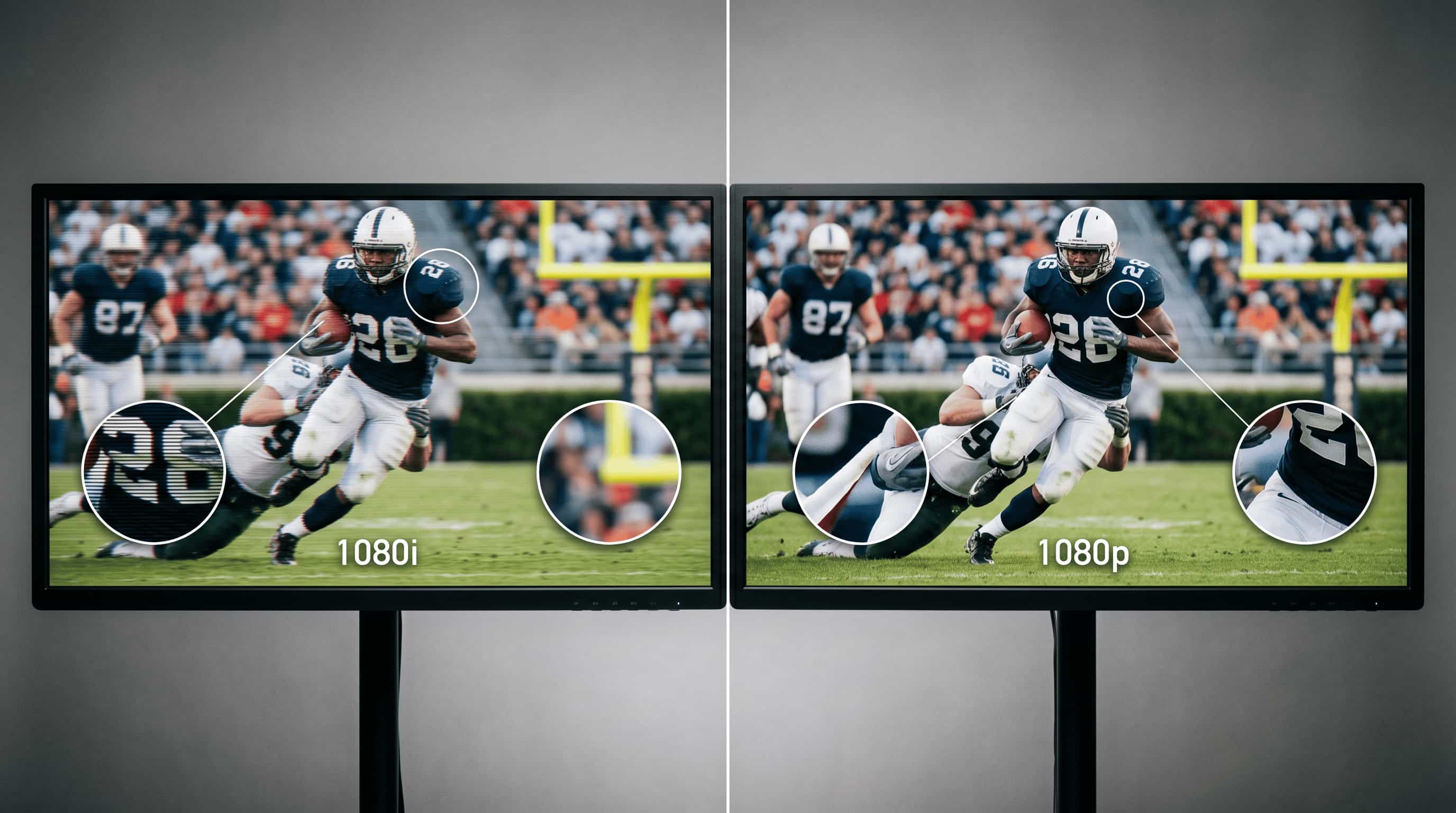
Still, fast motion can expose its weaknesses. Sports broadcasts sometimes look slightly jagged or blurry on modern displays, especially larger TVs.
Examples:
-
Cable TV sports broadcasts
-
Satellite news channels
-
Live TV events on older systems
-
Legacy HDTV set-top boxes
What is 1080p
1080p uses progressive scanning instead. Every frame appears in a single pass, which gives you cleaner edges and steadier motion. Most modern content relies on it now. Streaming platforms especially.
Gaming also benefits from progressive video because input feels more responsive. Interlaced formats tend to introduce extra processing delays. Small difference sometimes. Huge annoyance during competitive games.
Examples:
-
Netflix and YouTube streaming
-
Blu-ray movie playback
-
PlayStation and Xbox gaming
-
Modern smart TVs and monitors
Key differences between 1080i and 1080p resolution
The 1080i vs 1080p comparison gets interesting once you look beyond resolution numbers. On paper, both formats seem identical. Real-world performance tells a different story.
1080p simply handles motion better. That's the short version.
1080i still works fine for slower content like news broadcasts or studio shows. But once scenes get chaotic, interlacing artifacts become hard to ignore. This is the part where many spec sheets conveniently skip.
|
Feature |
1080i |
1080p |
|---|---|---|
|
Resolution |
1920 × 1080 pixels |
1920 × 1080 pixels |
|
Scan Type |
Interlaced scan |
Progressive scan |
|
Image Display Method |
Displays alternating lines in two passes |
Displays all lines in a single pass |
|
Picture Sharpness |
Less sharp during fast motion |
Sharper and cleaner overall |
|
Motion Handling |
Can show motion blur or flicker |
Smoother motion with less blur |
|
Video Quality |
Good for broadcasting TV |
Better for gaming, streaming, and modern content |
|
Refresh Experience |
Slightly less fluid in action scenes |
More fluid and stable visuals |
|
Compatibility with Hardware |
Older Televisions and Broadcasting Systems |
Modern Televisions, Monitors, Consoles, and Streaming Devices |
|
Gaming Performance |
Not suited for gaming |
Suitable for gaming and other fast-paced content |
|
Preferred Application |
Cable Television and Older HDTV Broadcasts |
Streaming, Blu-ray, Gaming, and Daily Use |
1080i HD vs 1080p HD: Image quality comparison
The 1080i HD vs 1080p HD difference becomes obvious once motion enters the picture. Static shots can look nearly identical. Action scenes expose everything.
|
Feature |
1080p (Progressive) |
1080i (Interlaced) |
|---|---|---|
|
Frame display |
Full frame displayed at once |
Frame split into two fields (odd/even lines) |
|
Sharpness |
Higher perceived sharpness in motion |
Lower sharpness during motion due to field merging |
|
Motion handling |
Smooth, consistent motion |
Possible flicker and combing artifacts |
|
Motion blur |
Reduced blur in fast scenes |
More visible blur in fast movement |
|
Artifacts |
No interlacing artifacts |
Can show combing/jagged edges |
|
Display compatibility |
Native support on modern TVs/monitors |
Requires deinterlacing on modern displays |
Full HD 1080i vs 1080p on TV Broadcasting
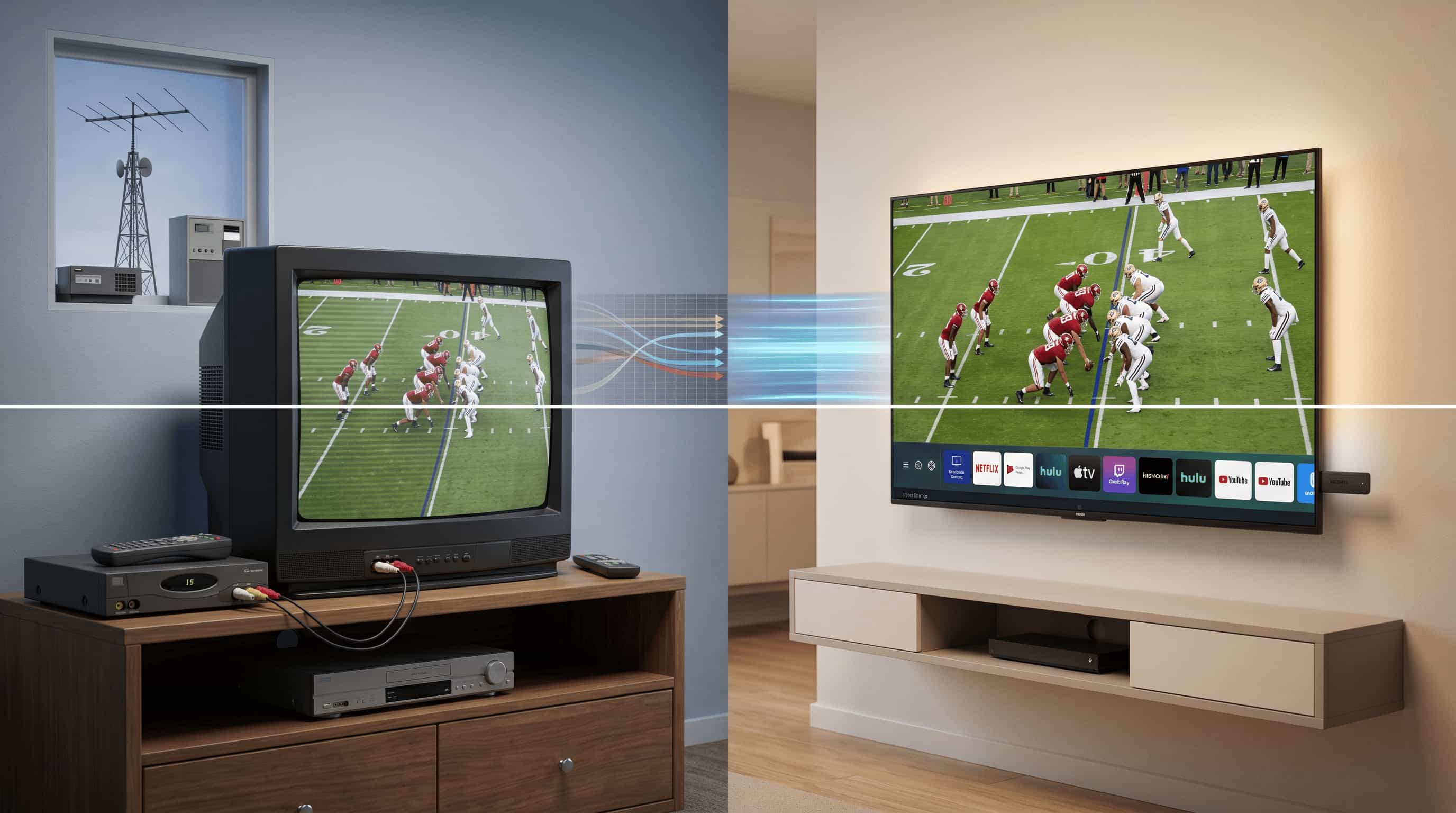
The full HD 1080i vs 1080p discussion still matters in broadcasting because TV networks don't upgrade overnight. Infrastructure changes slowly. Expensively slow.
Some broadcasters still prefer 1080i for practical reasons. Others have already shifted toward progressive formats for cleaner playback.
1080i in Traditional Broadcasting
1080i became the standard for many cable and satellite systems years ago. It balanced HD quality with lower transmission demands, which mattered a lot when bandwidth costs were tighter.
Many live TV systems still rely on it today. Especially older regional networks.
-
Common in cable and satellite TV
-
Efficient for live broadcast transmission
-
Uses less bandwidth
-
Suitable for legacy TV systems
The downside? Modern TVs must deinterlace the signal first. Some displays handle that process better than others.
1080p in Modern Broadcasting
1080p fits modern digital platforms much better. Streaming services pushed this shift hard because progressive video looks cleaner on flat-panel displays.
And viewers noticed.
-
Increasingly used in digital TV platforms
-
Provides clearer and sharper picture quality
-
Better compatibility with smart TVs
-
Preferred for on-demand content and streaming integration
Not every broadcaster supports native 1080p transmission yet, though. Some channels are still upscale lower-quality feeds behind the scenes.
HD 1080p vs 1080i for Streaming and Gaming
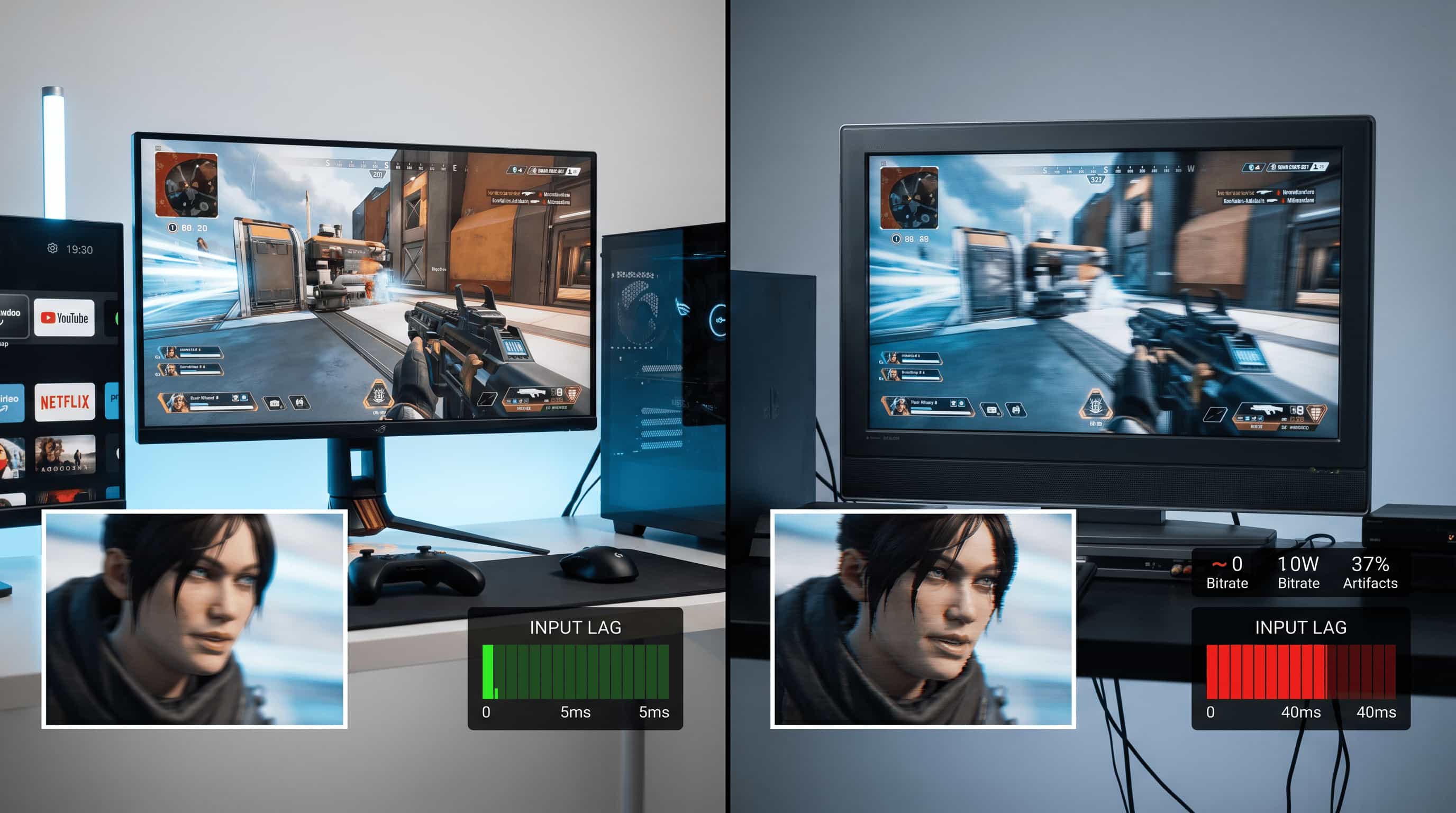
The HD 1080p vs 1080i difference becomes impossible to ignore during gaming or streaming. Fast movement exposes weak formats immediately.
1080p wins here pretty comfortably.
1080p for Streaming and Gaming
Most streaming platforms already default to 1080p because progressive video looks cleaner and reacts faster on modern hardware.
You feel the difference during gameplay too. Lower input lag matters.
-
Standard for platforms like YouTube and Netflix
-
Smooth playback with higher visual clarity
-
Lower input lag for gaming
-
Better compatibility with modern devices
1080p isn't perfect, though. Poor internet speeds can still compress the image heavily during streaming.
1080i for Streaming and Gaming
1080i struggles with modern gaming setups. Motion artifacts and processing delays make the experience feel older almost instantly.
Some legacy broadcasts still use it. That's about it.
-
Rarely used in streaming platforms
-
Can show motion artifacts in fast scenes
-
Higher input lag makes it unsuitable for gaming
-
Mainly found in older broadcast-based systems
Honestly, most gamers stopped caring about 1080i years ago.
How Vmake upscales 1080i videos to 1080p HD quality
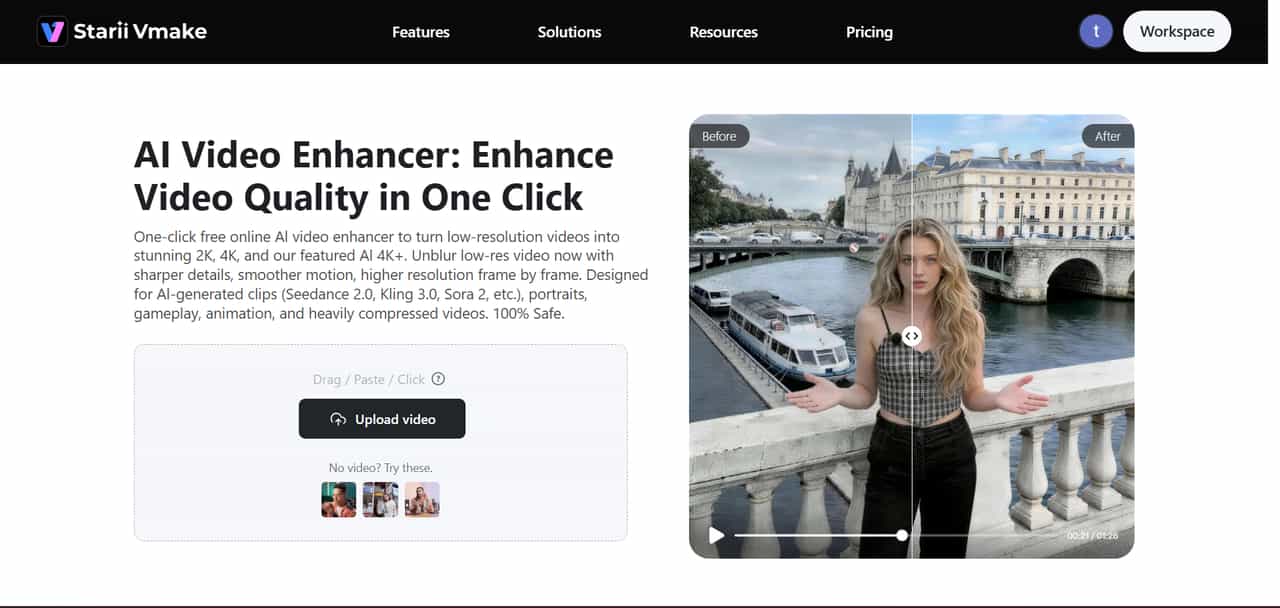
Vmake improves older interlaced footage by converting it into progressive video (1080i to 1080p). The software reduces visible scan lines, sharpens details, and smooths motion that originally looked uneven.
Some AI enhancers oversharpen everything. That's annoying. Vmake AI video enhancers usually keeps things more natural-looking, although difficult footage with heavy noise can still produce strange textures occasionally.
Key features of Vmake AI video upscaling
-
Frame enhancement: Sharpens edges and restores missing detail frame by frame. Older footage often benefits the most from this feature.
-
Noise reduction: Cleans up grain, compression artifacts, and messy digital noise without completely flattening the image. Some fine texture may soften slightly afterward.
-
Resolution improvement: Improves the quality of low-resolution interlaced video and produces high-quality 1080p HD video suitable for modern screen mediums.
-
Motion stabilization: Reduces motion instability while playing video content, especially useful for hand-held video cameras.
Step-by-step guide: 1080i to 1080p with Vmake
Converting 1080i to 1080p footage doesn't take long. Most people won't even touch advanced controls.
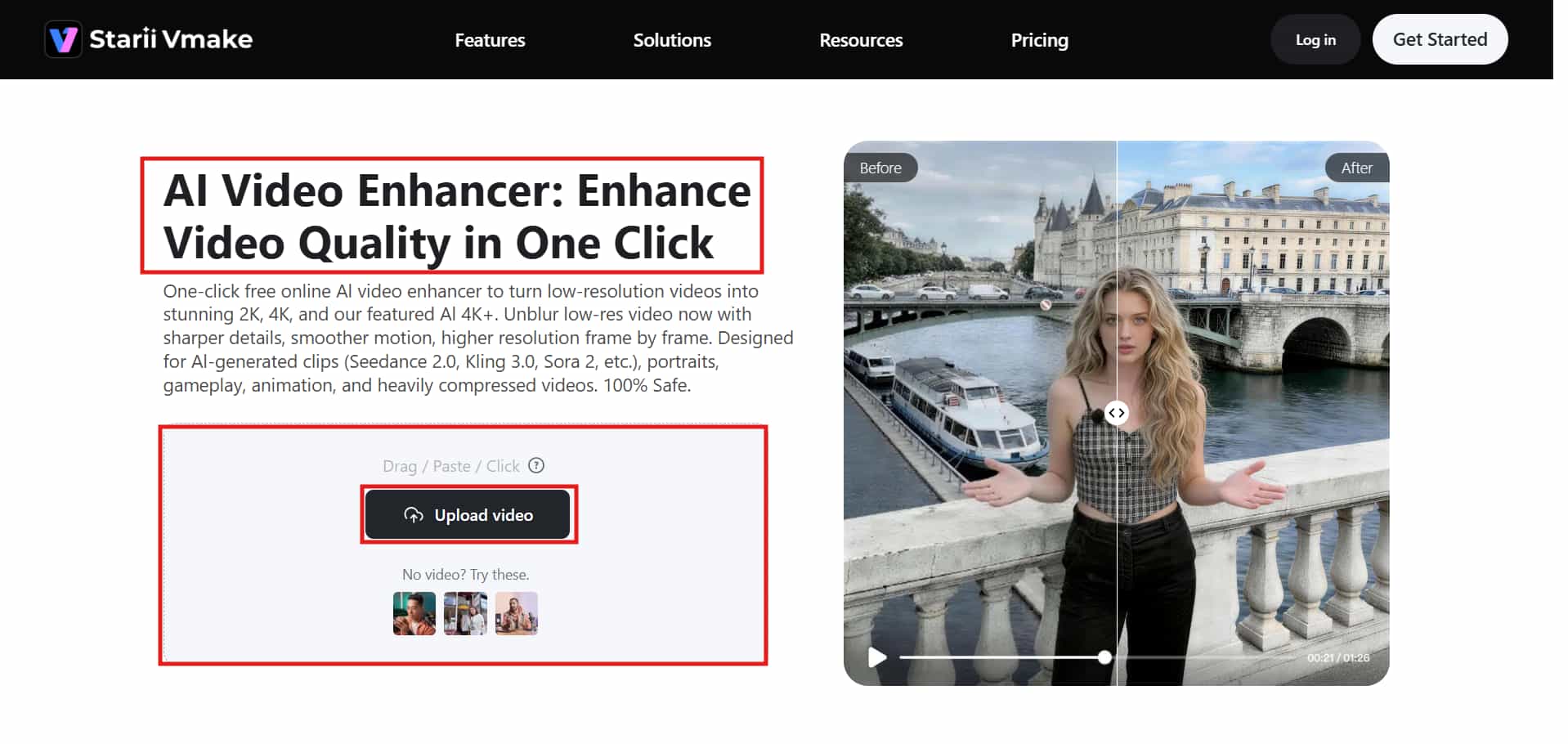
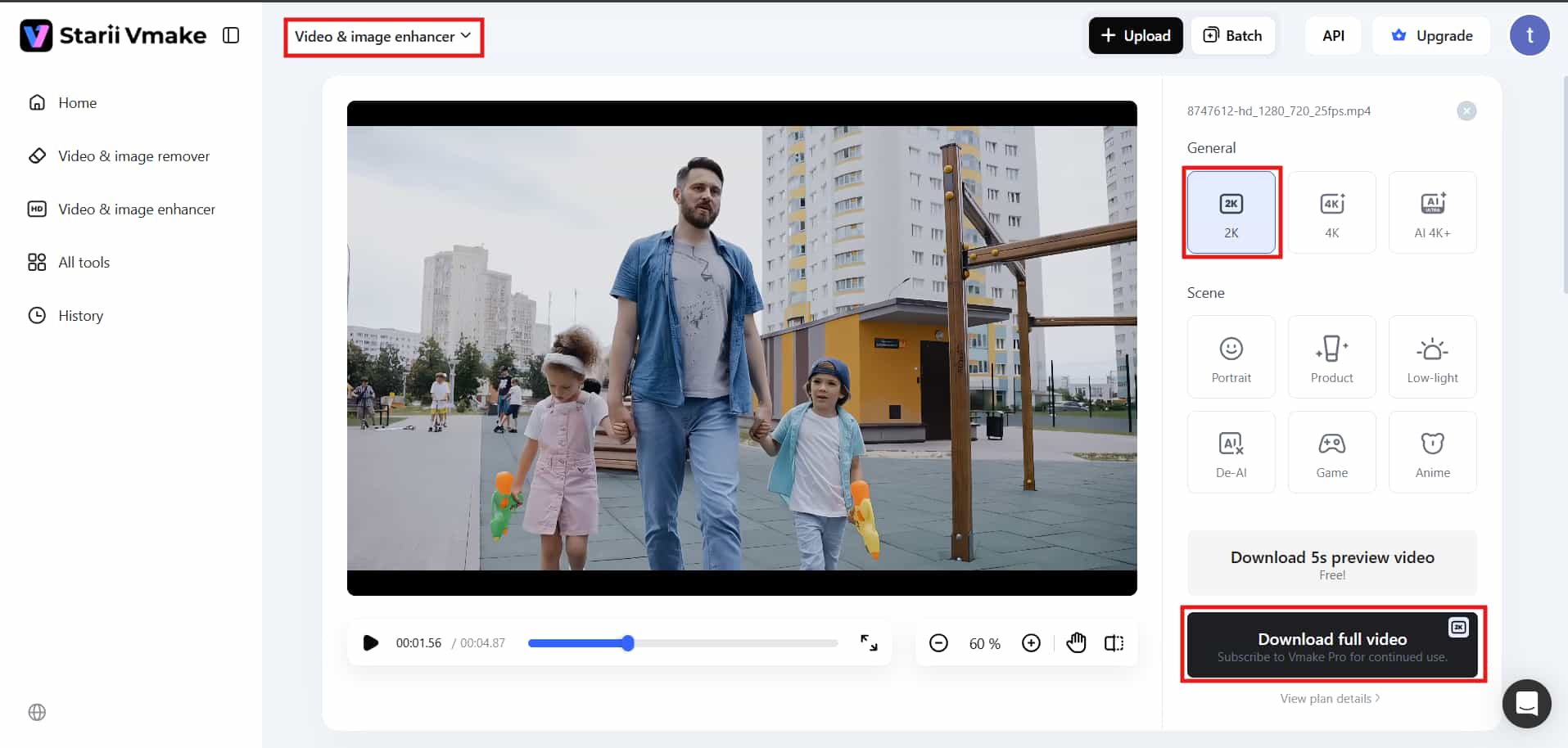
Step 1: Upload and start processing
Upload your 1080i video file into Vmake. The software detects interlaced frames automatically and begins converting them into progressive video.
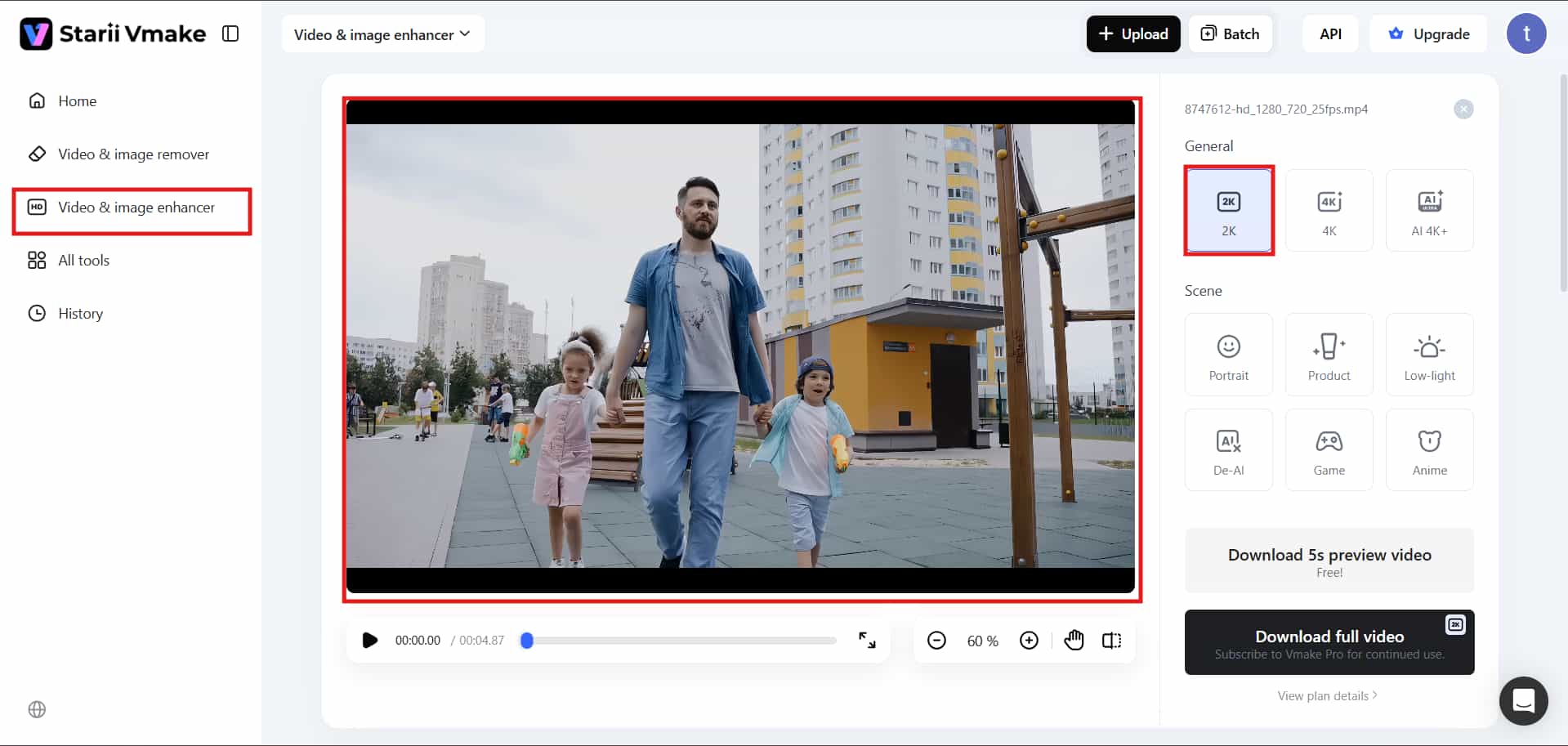
Step 2: Customize settings
Adjust sharpness, motion smoothing, or noise reduction settings before exporting. Honestly, default settings work fine most of the time.
Step 3: Download
Export the upgraded 1080p video with improved clarity and smoother playback for modern displays. Some older footage still keeps traces of blur afterward.
That's usually tied to the original recording quality more than the conversion itself.
Conclusion
The 1080i vs 1080p comparison really comes down to how you watch content now.
1080i still works for traditional broadcasting and older TV systems. It isn't useless. Far from it. But modern screens expose their flaws much more aggressively than older CRT displays ever did.
1080p delivers sharper visuals, smoother motion, and better gaming performance almost across the board. Streaming platforms, consoles, Blu-ray players — they've all moved in that direction for a reason.
If you've got older interlaced footage sitting around, tools like Vmake can clean things up surprisingly well. Not perfectly every time. But enough to make old videos feel usable again on newer screens.
And honestly, once you've watched clean progressive video for a while, going back to interlaced footage feels a little strange.
FAQ's
Why is 1080p better than 1080i in Full HD?
When comparing 1080i vs 1080p, the latter is preferred because it produces clear images due to full frames captured in a single shot. 1080p reduces motion blur, improves sharpness, and provides better streaming experience for gaming and other forms of entertainment.
Where is 1080i vs 1080p used on real devices?
In HD 1080p vs 1080i usage, 1080i is mostly found in cable and satellite TV systems. 1080p is widely used in smart TVs, gaming consoles, Blu-ray players, and streaming services like Netflix and YouTube for better visual quality.
How does 1080i vs 1080p affect motion smoothness?
1080p refreshes intact frames instantly, eliminating flickering. 1080i blends alternating lines, causing visible blur during fast motion, which creators frequently fix by using Vmake's video enhancement tools to stabilize footage.
Can 1080i vs 1080p be converted easily?
Yes, software makes deinterlacing straightforward. Advanced AI platforms like Vmake can intelligently reconstruct the missing line data to smoothly upscale interlaced video into a clean progressive format, provided the original footage isn't heavily corrupted.
Why do TVs still use 1080i vs 1080p formats?
TVs in full HD broadcast 1080i format since their infrastructure is based on it. Changing something like that requires time, financial investments, and some patience, which not every company can afford or even bear.

You May Be Interested

How to Convert 480p Video to 1080p (Best Upscaling Methods)
[Updated!] How to Upscale Anime Video to 4K Online
How to Upscale Videos: Guide to Higher Resolution and Sharper Details
What is 480p Resolution and How to Enhance 480p Quality
1080p vs 1440p: Which Resolution Is Better for You?
1080p vs 4K: Pros, Cons, and Which One to Choose