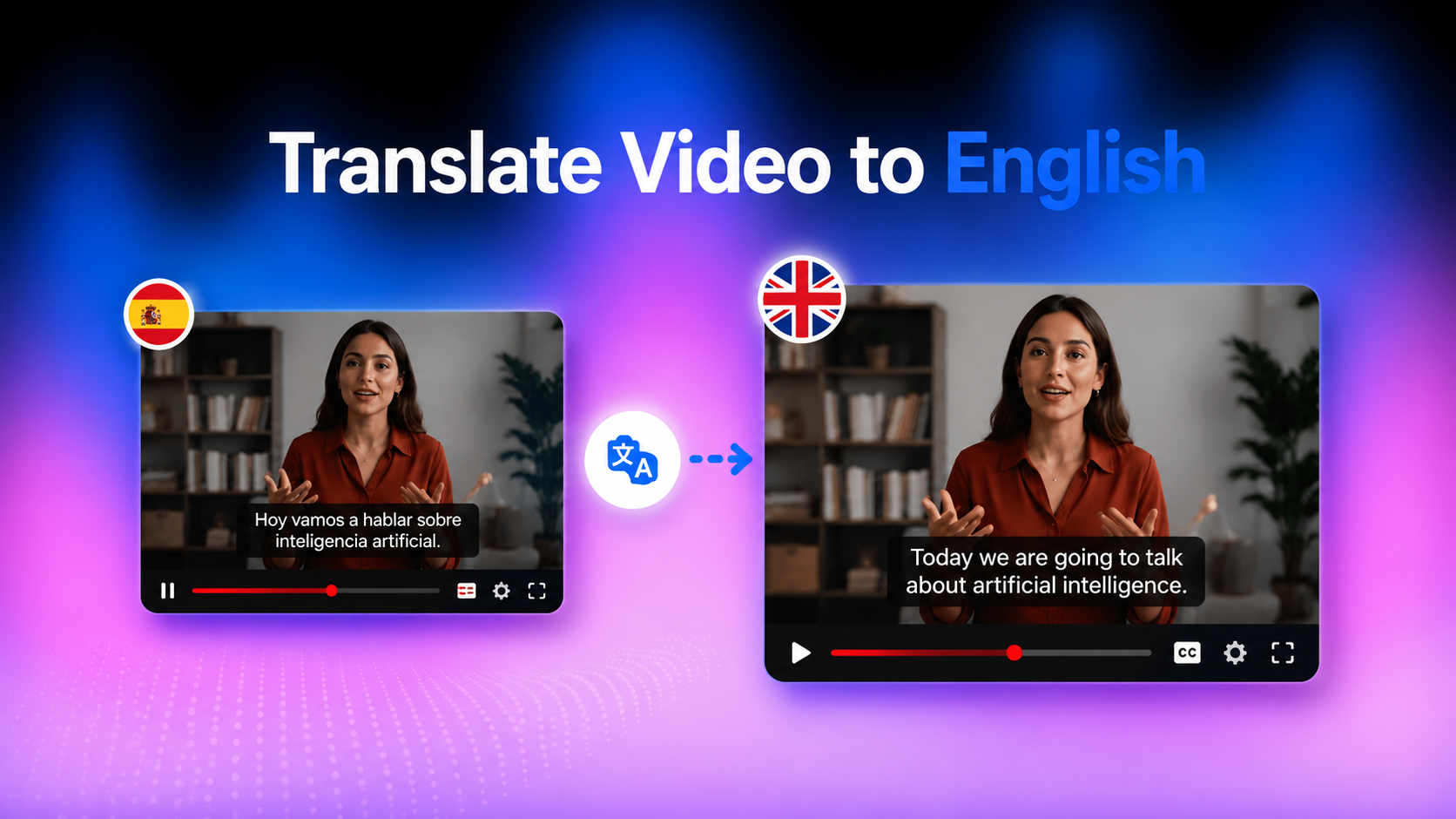
How to Translate Video to English Subtitles Using AI: Complete Step-by-Step Guide
Want to translate the video to English subtitles? Learn how AI creates accurate subtitles, translated audio, and lip-synced videos, then localize your content faster with Vmake Labs Video Translator.

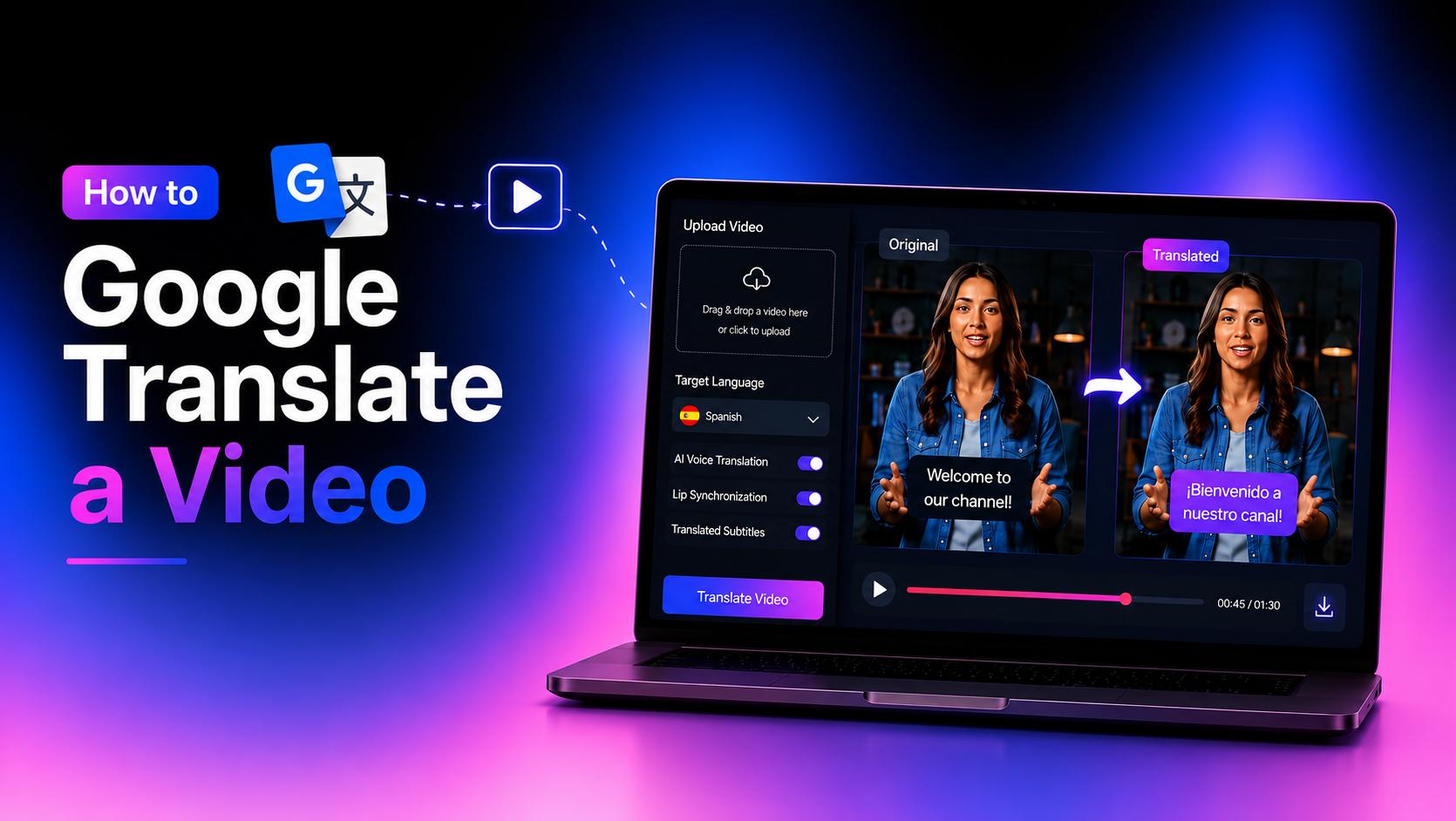
Translating videos into English subtitles helps you reach more viewers without recreating your content. Whether you're localizing YouTube videos, tutorials, or marketing campaigns, AI makes the process much faster. This guide explains how to translate a video into English subtitles and create multilingual videos using Vmake Labs Video Translator.
Why People Need to Translate a Video into English Subtitles?
Video content is consumed worldwide, but language often limits how far it can travel. Translating a video into English subtitles makes your content easier to understand without changing the original audio. Whether you're publishing YouTube videos, product demonstrations, online courses, or social media clips, English subtitles help more viewers follow your message and engage with your content.
Benefits of translating videos into English subtitles
There is considerably more to offering English text pathways than just resolving linguistic ambiguity. It significantly increases your operational metrics through a variety of channels:
-
Reach International Audiences: Instantly unlock viewer segments in North America, Europe, and global business hubs without shooting entirely new video assets.
-
Repurpose Existing Videos: Breathe new life into older marketing campaigns or educational assets by opening them up to entirely new regional markets.
-
Support Multilingual Marketing: Boost your video SEO. Search engines crawl digital text tracks, meaning translated subtitles help your international video assets rank for global search queries.
How to Translate a Video to English Subtitles with Vmake Labs
Creating English subtitles manually can take hours, especially if you need to transcribe the video, translate the text, and adjust subtitle timing yourself. AI simplifies this process by combining a built-in video transcript generator, subtitle translation, dubbing, and lip synchronization into a single workflow. Instead of moving between multiple tools, you can translate your video and prepare it for publishing in just a few steps.
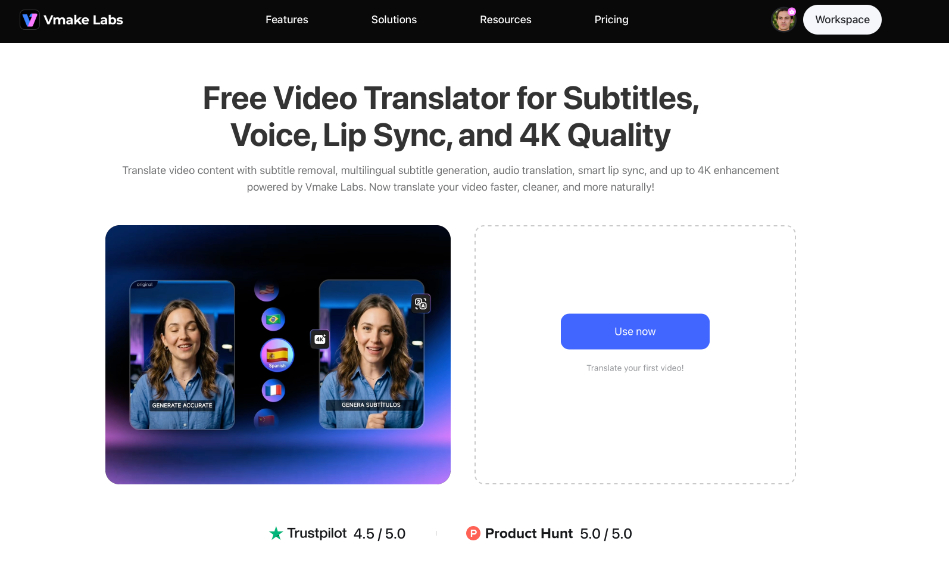
Step 1: Upload your video and choose English as the output language
Open Vmake Labs Video Translator and upload your video from your device. Once the upload is complete, choose English as the target language. The tool supports popular video formats such as MP4, MOV, M4V, 3GP, and AVI, making it easy to work with most video files.
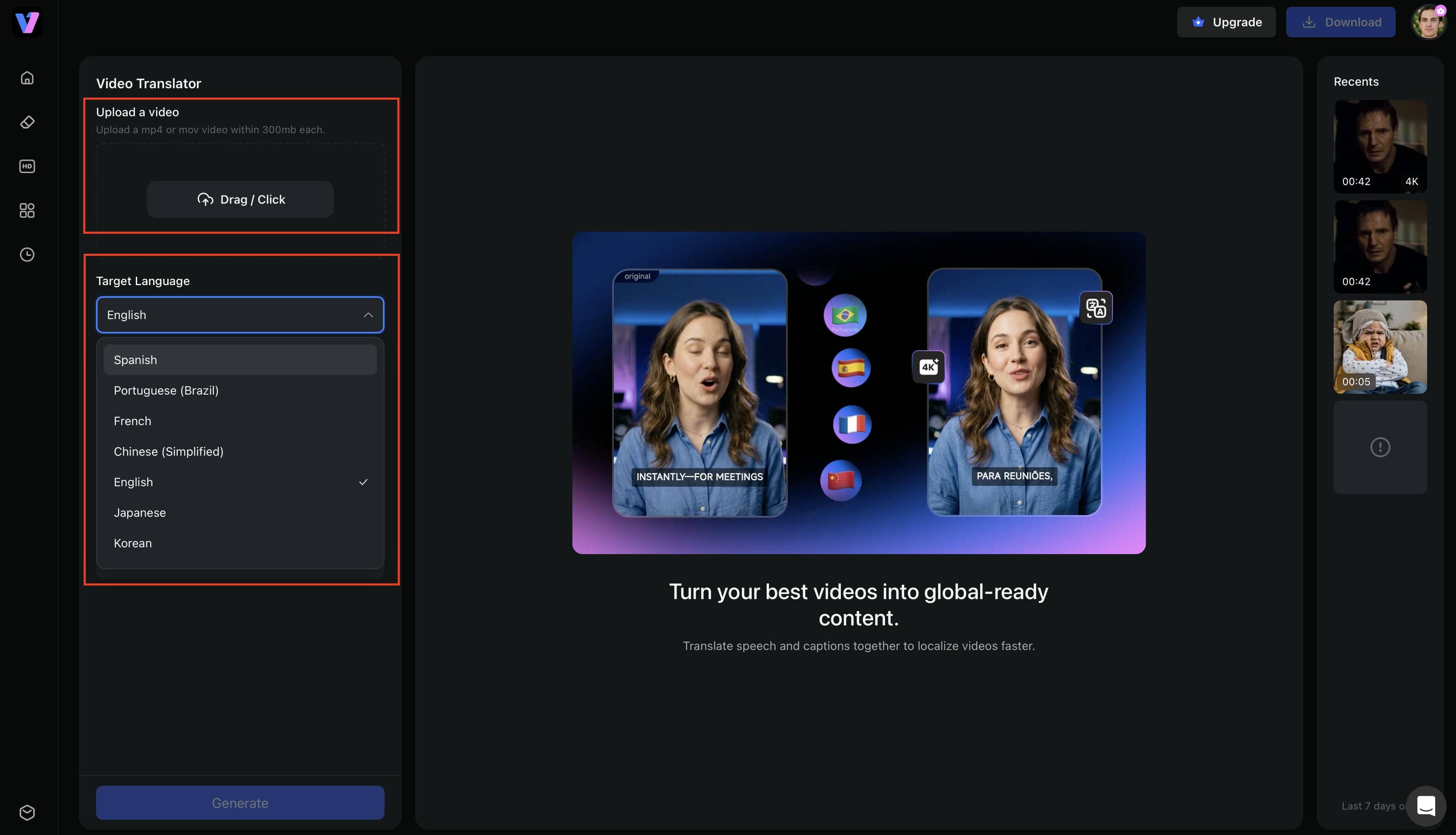
Step 2: Select your translation settings
Choose the features you want to include in the translated video. You can generate English subtitles, translate the audio with voice translation, enable lip synchronization, adjust the voice tone, or remove existing subtitles before creating new ones.
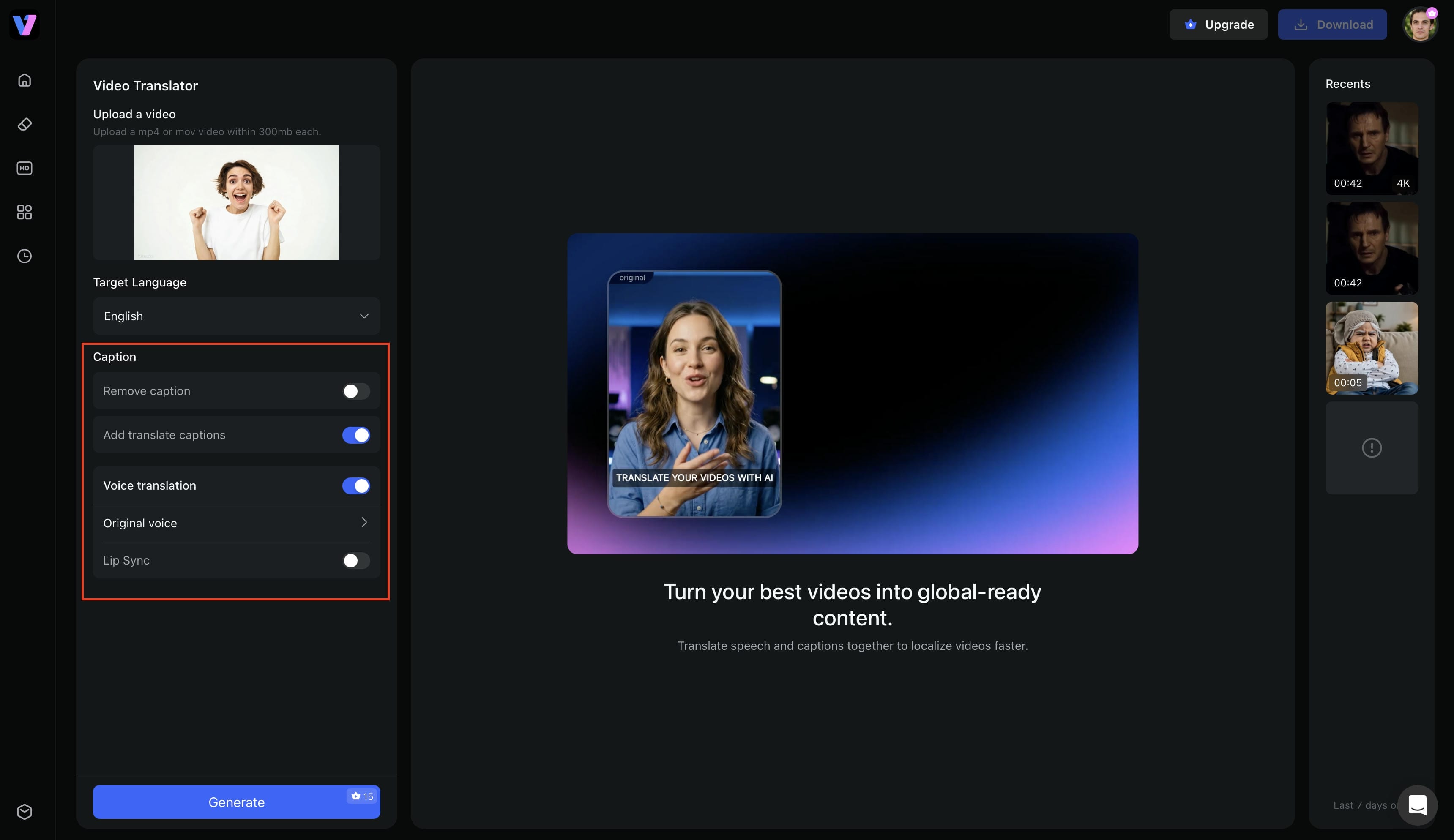
Step 3: Generate and export the translated video
To start processing, click Generate. After the translation is finished, check the results to make sure the audio and subtitles live up to your expectations. Depending on the settings activated during processing, you can then send your movie with lip synchronisation, English subtitles, AI-generated dubbing, and up to 4K video enhancement.
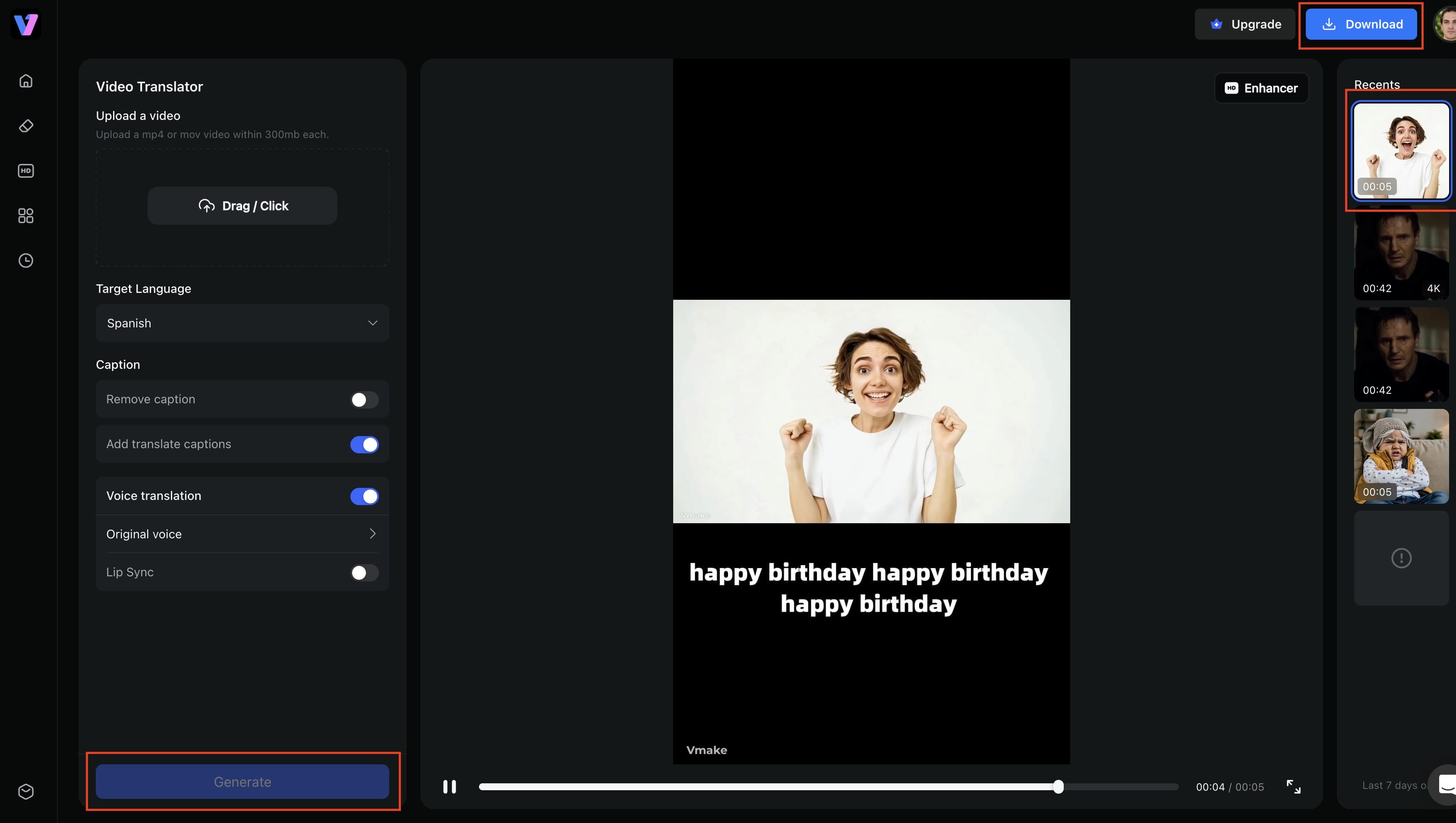
Key features of Vmake Labs Video Translator
Beyond translating subtitles, Vmake Labs provides several features that simplify multilingual video creation.
-
Complete video translation workflow: Translate subtitles, generate AI dubbing, synchronize lip movements, and export your video without switching between different tools.
-
Flexible subtitle management: Remove existing subtitles, create new English subtitles, or translate subtitles into another language while maintaining accurate timing.
-
AI audio translation and dubbing: Generate natural-sounding English voiceovers with multiple voice options, helping viewers enjoy content without relying solely on subtitles.
-
Intelligent lip synchronization: Match the translated speech with the speaker's lip movements for a more natural viewing experience.
-
Up to 4K video enhancement: Improve video clarity during export, so your translated videos look sharp across YouTube, social media, and marketing platforms.
-
Modular AI workflow: Turn on only the features you need, giving you more control over processing time and project requirements.
Manual Translation vs. AI Translation
Understanding how traditional manual workflows compare to automated cloud engines helps you choose the right approach for your production timeline.
|
Feature |
Manual Translation |
AI Translation (Vmake Labs) |
|---|---|---|
|
Speed |
Highly time-consuming; often takes hours or days |
Fully completed and rendered in just minutes |
|
Cost |
Higher costs due to professional translators, voice actors, and manual editing |
More cost-effective by automating subtitles, dubbing, and lip synchronization in a single workflow |
|
Accuracy |
Extremely high, but heavily dependent on human translators |
High base accuracy, with quick manual review recommended |
|
Subtitle Creation |
Manual transcription and timestamp typing required |
Fully automatic transcription and time-code alignment |
|
Audio Translation |
Requires a completely separate audio recording setup |
Fully included via automated voice cloning and dubbing |
|
Lip Synchronization |
Completely unavailable or requires manual VFX editing |
Automated AI-powered physical lip and mouth alignment |
|
Best Suited For |
Large-budget cinematic films and precise legal text |
Fast, scalable multilingual content creation and marketing |
When to use human translation vs. AI translation
The best approach depends on your project requirements, budget, and turnaround time. Human translation is ideal when precision and cultural nuance are essential, while AI translation is better suited for producing English subtitles and multilingual videos quickly and efficiently.
When to use human translation
Human translation is the best choice for legal, medical, financial, or highly technical videos where every word must be translated accurately. It is also suitable for feature films, documentaries, or premium productions that require careful localization and detailed quality review before release.
When to use AI translation
AI translation is ideal for YouTube videos, tutorials, product demonstrations, online courses, marketing campaigns, and social media content that needs English subtitles in a short time. If you regularly localize videos for global audiences, AI tools like Vmake Labs can automatically generate English subtitles, translate audio, synchronize lip movements, and prepare videos for publishing in a single workflow.
When to Translate Videos to English Subtitles
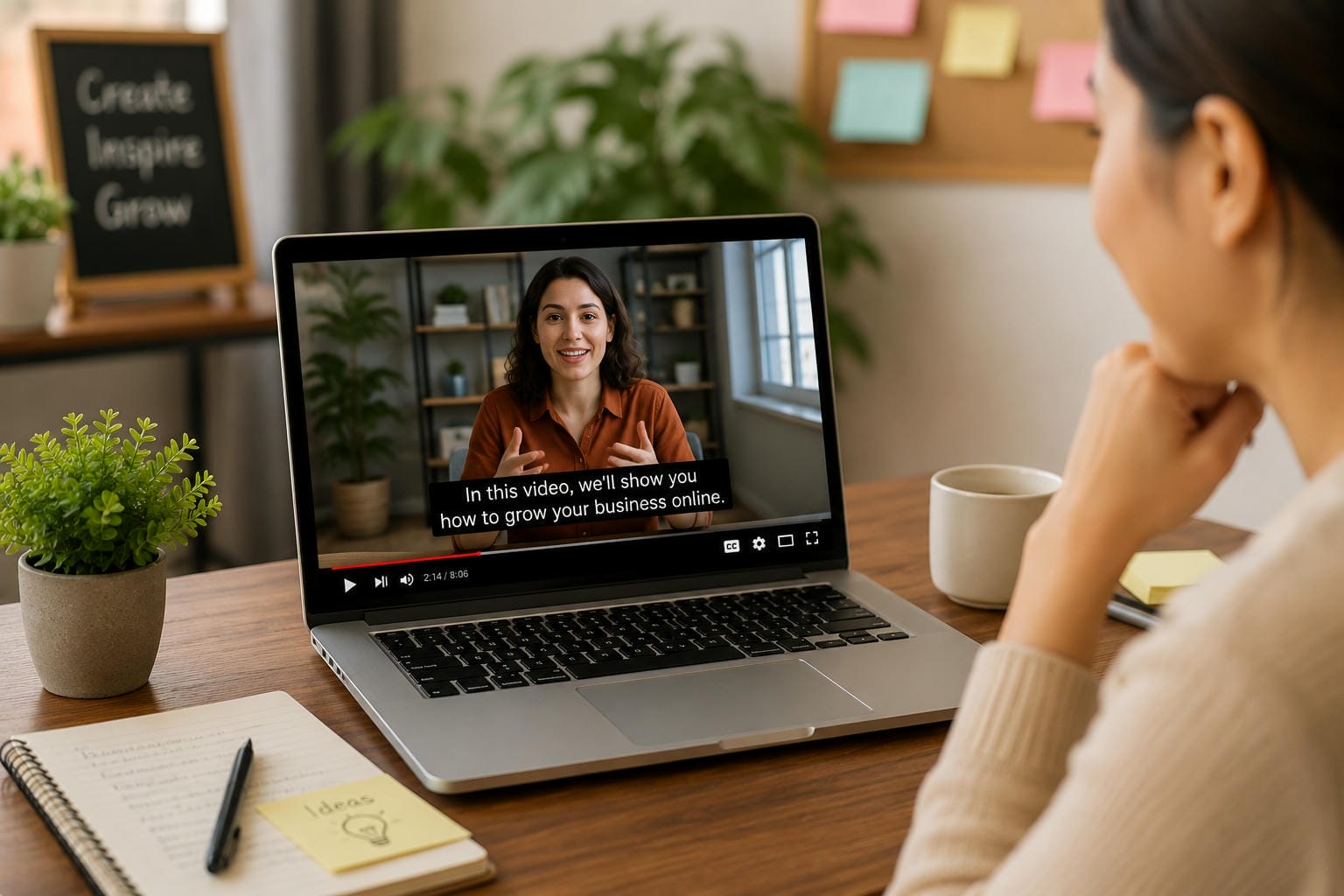
When you want people who don't speak the original language to understand your material, English subtitles come in handy. Additionally, they increase accessibility and facilitate the consumption of films on various devices, regardless of whether the sound is turned on or off.
-
YouTube videos: Adding English subtitles makes YouTube videos accessible to a wider audience and helps international viewers follow your content. They're especially useful for educational channels, vlogs, reviews, and how-to videos that attract viewers from different countries.
-
E-commerce product videos: Product demos, customer endorsements, and promotional videos are easier to understand when they have English subtitles. Without having to redo the entire film, this allows businesses to interact with potential customers in different areas and successfully communicate product features.
-
Podcasts and interviews: Podcasts and interviews often contain long conversations that can be difficult for non-native speakers to follow. English subtitles improve comprehension and allow viewers to engage with the discussion even in noisy environments or when watching without audio.
-
Tutorials and online courses: Subtitles are very helpful for educational video, especially when describing software workflows or technical concepts. English subtitles make training materials more accessible to a wider audience and make it easier for learners to follow each step.
-
Marketing and social media videos: On social media sites like Facebook, LinkedIn, Instagram, and TikTok, short-form videos are often viewed on mute. Adding English subtitles guarantees that your message is understood right away and facilitates the repurposing of campaigns for global audiences without the need to create brand-new videos.
Tips for Accurate English Video Subtitles
Even the best AI translation tools benefit from good source material. Spending a few minutes preparing and reviewing your video can improve subtitle accuracy and create a better viewing experience for your audience.
-
Upload videos with clear audio: AI can more easily identify dialogue when there is little background noise and clear speech. Whenever possible, avoid overlapping speakers, as this can degrade the clarity of the subtitles.
-
Select the correct source language: Prior to beginning the translation, always confirm the original language of the video. Inaccurate subtitles and needless modifications can result from selecting the incorrect source language.
-
Review translated subtitles before exporting: Although AI produces very accurate results, it's still important to make sure names, technical words, and phrases unique to a given industry are understood.
-
Remove old subtitles if necessary: If your video already contains subtitles, replacing or removing them before adding English subtitles helps prevent duplicate captions and keeps the video easier to follow.
-
Enable lip synchronization for speaking videos: If you're translating videos with presenters, interviews, or tutorials, lip synchronization creates a more natural viewing experience by matching the translated speech with the speaker's mouth movements.
Conclusion
One of the easiest ways to increase the accessibility of your material and expand its audience is to translate videos into English subtitles. AI has made the process quicker and more effective by automating subtitle development, translation, and even dubbing, but manual subtitle translation is still a possibility. Selecting the appropriate approach can save a significant amount of time when localising YouTube videos, product demos, tutorials, or marketing campaigns. Vmake Labs Video Translator offers lip synchronisation, customisable subtitle management, and translated audio in a single, efficient workflow.
FAQs
How can I translate a video to English subtitles for free?
Although they frequently have drawbacks like manual editing, watermarks, or usage restrictions, a number of free applications can translate films into English subtitles. By creating subtitles, translating them, and exporting the video in a single workflow, Vmake Labs Video Translator simplifies the process if you frequently translate movies or require more than just subtitles.
Can I translate YouTube videos to English subtitles?
Yes. If a YouTube video has captions, you can either use YouTube's subtitle option or download the subtitle file and use another application to translate it into English. An AI video translator can manage both English subtitles and translated audio throughout the same editing process if you're translating your own YouTube videos.
Can AI auto-translate video to English subtitles?
Sure. In just a few minutes, contemporary AI systems can automatically recognise speech, produce subtitles, and translate them into English. Before exporting, you can change and check the subtitles on many platforms. Additional capabilities like lip synchronisation and AI dubbing can also be accessible, depending on the tool you use.
Can I translate Spanish videos into English subtitles?
Of course. English-speaking viewers can more easily comprehend videos by using AI translation techniques to translate Spanish speech into English subtitles. Using a video translation program that handles both subtitle and audio translation might minimise the amount of manual editing needed if your project additionally calls for English voiceovers or multilingual versions for several platforms.
Which video formats does Vmake Labs support?
Common video formats supported by Vmake Labs Video Translator include MP4, MOV, M4V, 3GP, and AVI. Depending on the parameters you allow, videos can be uploaded, translated into several languages, and exported with features like lip synchronisation, AI dubbing, and translated subtitles.
Can I translate both subtitles and audio?
Indeed. While some software produces translated audio, others just translate subtitle text. It's beneficial to utilise a platform that supports both aspects simultaneously if your objective is to produce a completely localised movie. Vmake Labs Video Translator makes it simpler to create multilingual videos without using separate programs by enabling you to translate audio and subtitles in the same workflow.

You May Be Interested
How to Translate a Video Online for Free in 3 Simple Steps (2026 Guide)
How to Translate YouTube Videos to Any Language: 4 Easy Methods in 2026