
Best Subtitle Translation Tools in 2026
Compare the best subtitle translation tools in 2026. We tested AI subtitle translators for SRT files, language support, and pricing. Find the right tool for YouTube, courses, or marketing videos.

Reaching global audiences means localizing your video content. But translating subtitles manually for every video is slow, expensive, and error‑prone. In 2026, AI‑powered subtitle translation tools can convert SRT files into dozens of languages in minutes – but not all tools deliver the same accuracy.
We tested the leading platforms on translation quality, language support, format compatibility, and real‑world workflows. Below, you’ll find the best subtitle translation tools for YouTube creators, course makers, and marketing teams – along with a clear guide to choosing the right one for your needs.
What Is a Subtitle Translation Tool?
So what exactly is a subtitle translation tool? It’s software that turns subtitle text from one language into another – automatically. You skip the manual work. Just upload a file, and the AI subtitle translator takes over. Your timestamps stay right where they belong. The formatting doesn’t get scrambled. What you get is a translated subtitle file you can drop straight into your video.
How subtitle translation works
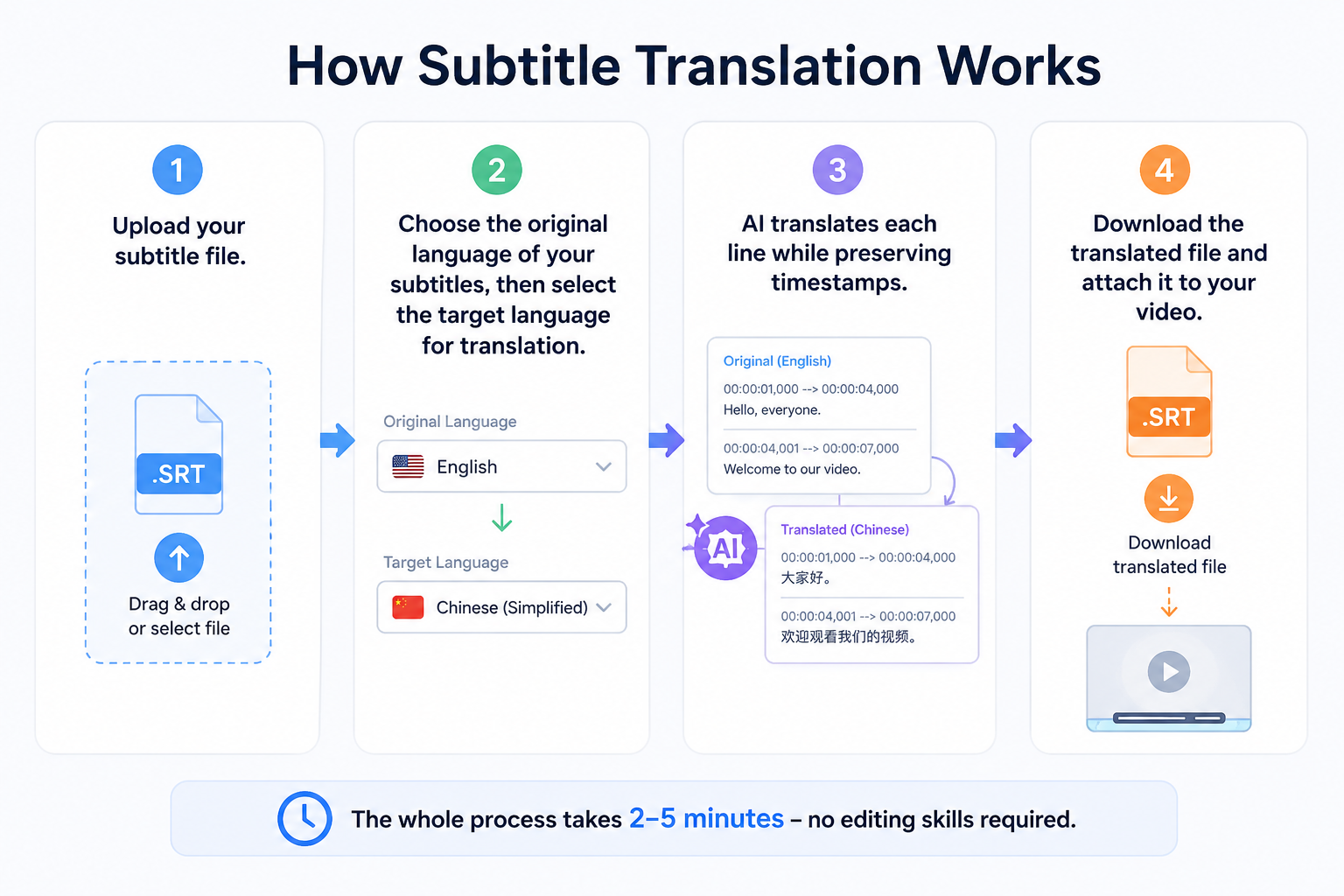
Most tools follow the same simple workflow:
-
Upload your subtitle file.
-
Choose the original language of your subtitles, then select the target language for translation.
-
AI translates each line while preserving timestamps.
-
Download the translated file and attach it to your video.
The whole process takes 2–5 minutes – no editing skills required.
AI Subtitle Translation vs Manual Translation
|
AI Translation |
Manual Translation |
|
|
Speed |
Minutes |
Hours or days |
|
Cost per hour of video |
$0–$5 (free tiers available) |
$30–$100+ |
|
Accuracy |
85–95% (needs review) |
99%+ |
|
Best for |
High volume, tight budgets |
Legal/medical, creative nuance |
AI translation has limits. Most creators still prefer it as it’s faster and cheaper than manual work. The trick is picking a tool that gives you clean results without hours of cleanup.
Who Uses Subtitle Translation Tools?
Subtitle translation tools save time and open up global audiences. That’s the main reason creators and businesses use them.
YouTube creators: Language barriers slow down channel growth. Instead of reshooting or remaking videos, creators turn to an AI subtitle translator – they translate subtitles once and reach viewers in dozens of countries overnight.
E‑learning companies: Online course providers want students anywhere to follow along. A solid subtitle translator helps localize video lessons while keeping technical terms accurate and consistent.
Marketing teams: Brands running video ads on social media adapt their messaging for different regions. The right subtitle translation platform lets them localize subtitle files for Facebook, Instagram, and TikTok campaigns in minutes – no extra editing.
Podcasters: Many podcasters repurpose audio episodes as video clips for YouTube or Instagram. A subtitle translation tool handles both transcription and translation – no manual typing required.
How We Evaluated the Best Subtitle Translation Tools
We tested each tool using the same 5‑minute English SRT file translated into other languages. Our goal was to find the best platforms for real creators – not just the ones with the flashiest demos. Here’s what we looked at.
Translation accuracy
We checked for grammar errors, missing lines, and timing shifts. A good AI subtitle translator keeps context and handles idioms naturally. Tools that preserved meaning scored highest.
Supported languages
We counted languages and dialects across every platform. 50+ is good for most creators; 80+ is excellent for global teams. But more isn’t always better – accuracy per language matters just as much.
Subtitle editing features
The best subtitle translation workflow lets you fix mistakes without starting over. We prioritized tools with inline editing, spell check, and easy timestamp adjustments.
File format support
SRT is mandatory – every tool needs it. VTT and ASS matter for advanced styling or web use. If you work with professional subtitles, don’t skip this check.
Pricing and free plans
A good tool should let you test before you buy. We compared free-tier limits, watermark policies, and paid plan value – because the right fit also needs to fit your budget.
Best Subtitle Translation Tools Compared
We tested five leading platforms side by side, and the table below gives you a quick snapshot to use to find the right tool for your specific workflow.
Quick Comparison Table
|
Tool |
Best For |
Languages |
Formats |
Pricing (starts at) |
Free Plan |
|
Vmake |
Video + subtitle workflow |
50+ |
SRT, VTT |
$9.99/mo (Plus) |
Yes (20 credits/day, watermark) |
|
VEED |
YouTube creators |
50+ (Pro plan) |
SRT, VTT |
$12/mo (Creator) – translation needs Pro ($24/mo) |
Yes (watermarked) |
|
Happy Scribe |
High accuracy |
120+ |
SRT, VTT, STL, XML, FCPXML, EDL |
$8.50/mo (Basic annual) |
10‑min trial only |
|
Kapwing |
Quick social clips |
60+ languages |
SRT, VTT |
$16/mo (Pro annual) |
Yes (4‑min export, watermark) |
|
Maestra |
Team collaboration |
125+ |
SRT, VTT, CAP, TXT |
$23/mo (Lite annual) or $12/60 min pay‑as‑you‑go |
No (trial only) |
Note: Pricing and language counts are based on publicly available information as of 2026. Always check the latest plans – some tools offer discounts for annual billing.
Vmake
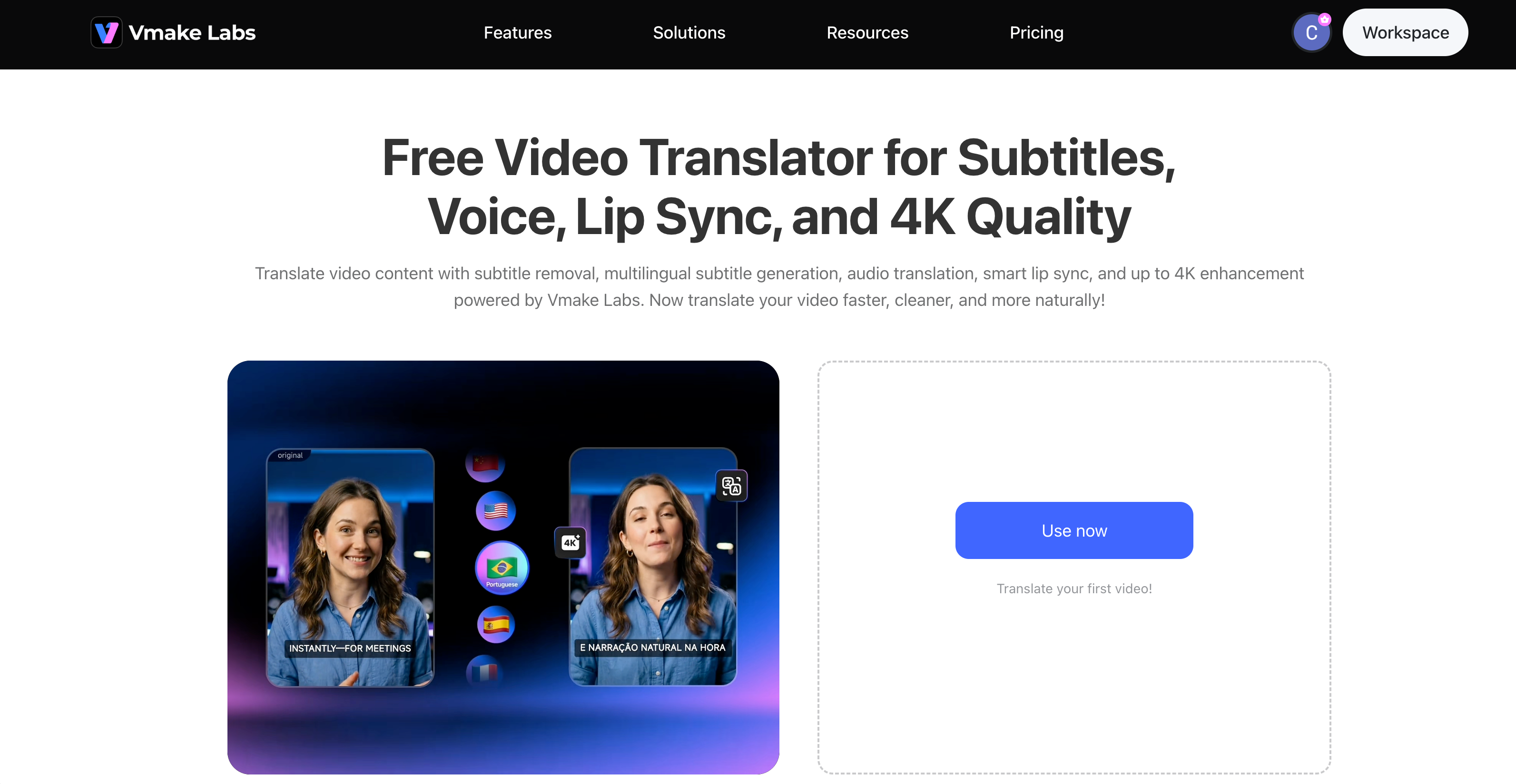
Vmake AI video translator is more than a subtitle translator – it’s a complete video localization platform. Instead of just converting SRT files, it translates on‑screen text and embeds subtitles directly into your video. That makes it a great fit for marketers and creators who want to translate subtitles and localize the whole asset in one pass.
Key Features:
-
The tool has a built‑in video translator so it translates both subtitle files and on‑screen text from your video.
-
It preserves SRT timestamps and formatting so you get no broken timing or misaligned captions.
-
It supports batch translation for multiple files, which is great for channels publishing several videos per week.
-
It offers AI dubbing support so you can generate voiced translations alongside subtitles.
-
It includes auto‑caption generation, so it creates subtitles from scratch with claimed accuracy up to 99.9%.
-
There is no watermark on paid plans, so your exports stay clean and professional.
Best For: Video creators who want to translate subtitles AND localize the video itself (e.g., AI dubbing or subtitle overlay) without jumping between tools.
How to Translate Subtitles with Vmake:
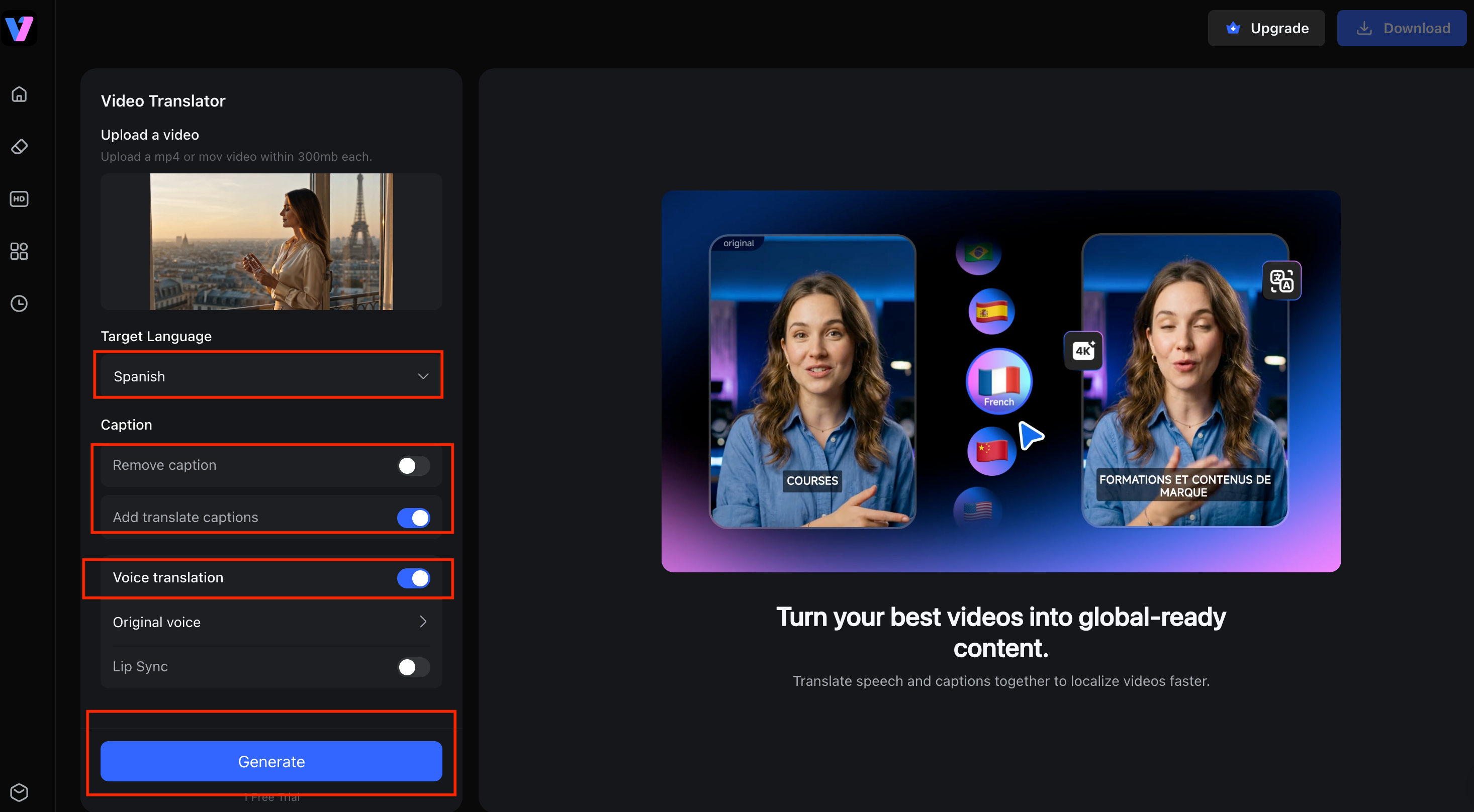
Step 1: Upload a Video to Vmake AI Video Translator
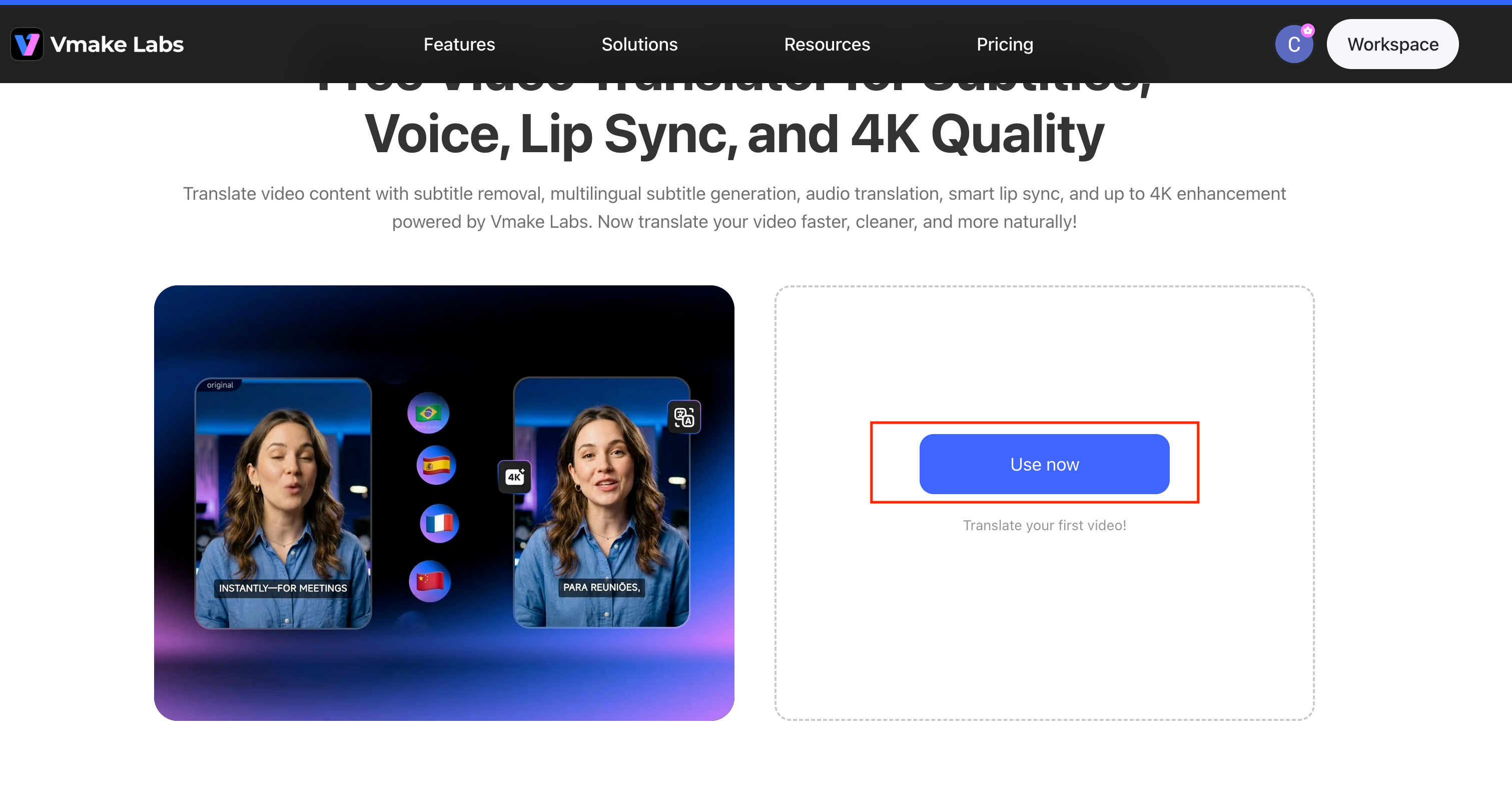
Open the Vmake AI Video Translator tool and click “Use now” to enter the main interface. Upload your video by clicking the upload area or dragging and dropping your file (supports MP4 or MOV, under 300MB) into the designated section.
Step 2: Configure Translation Settings
Select your Target Language from the dropdown menu (e.g., Spanish). Under the Caption section, choose whether to "Remove caption" or "Add translate captions". In the Voice translation section, select either "Original voice" or "Lip Sync" for audio translation.
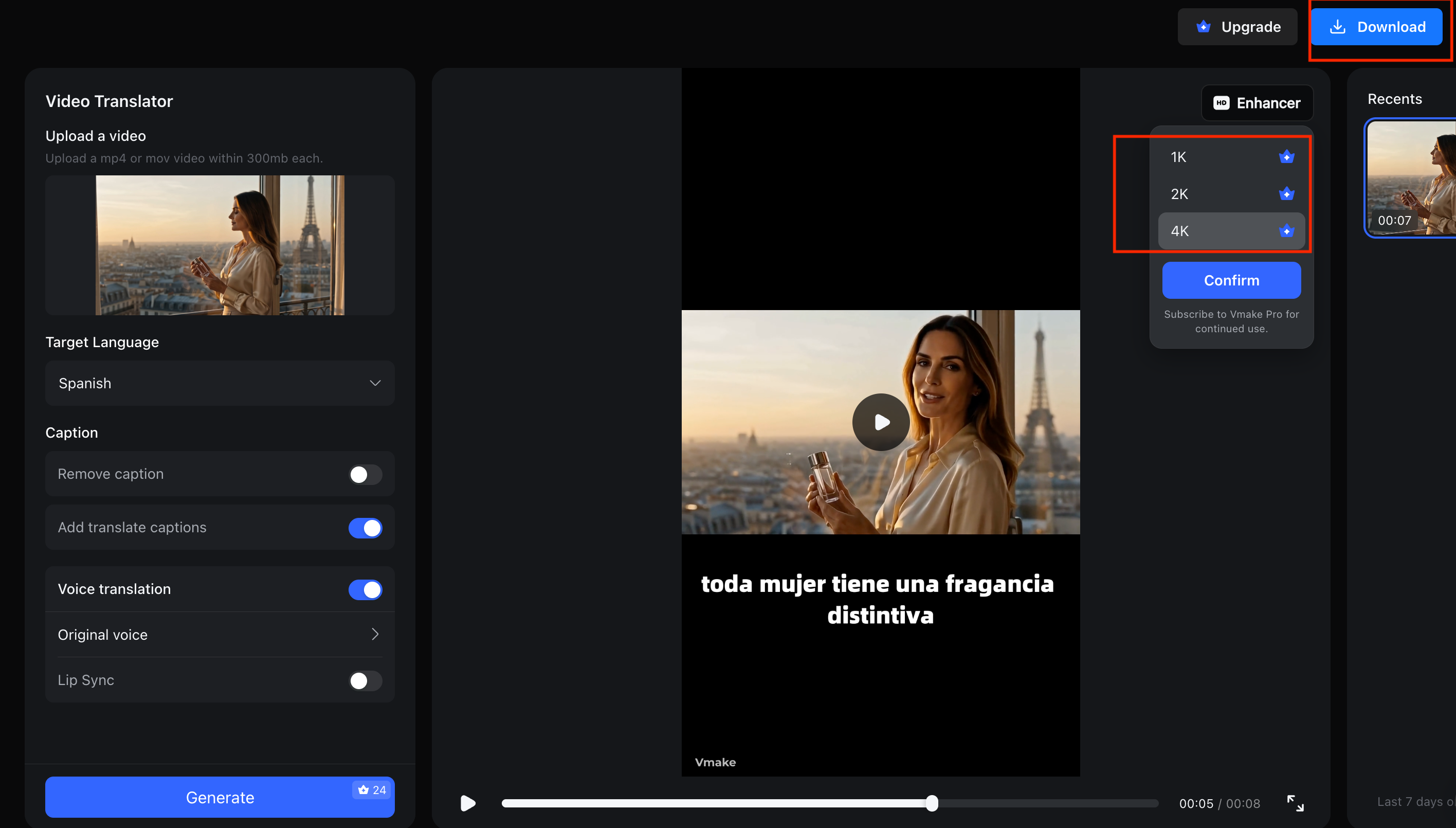
Step 3: Generate and Export
Click the “Generate” button to start processing. Once the video translation is complete, the system will display a preview with the translated subtitles (e.g., "toda mujer tiene una fragancia distintiva"). After confirming the result, click “Download”.
Pricing and accuracy:
Vmake offers a free tier with 20 credits per day. It also provides multiple subscription options to choose from based on your requirements, including Plus at $9.99 per month and Pro at $29.99 per month. The platform's auto-captions accuracy is rated up to 99.9%.
VEED
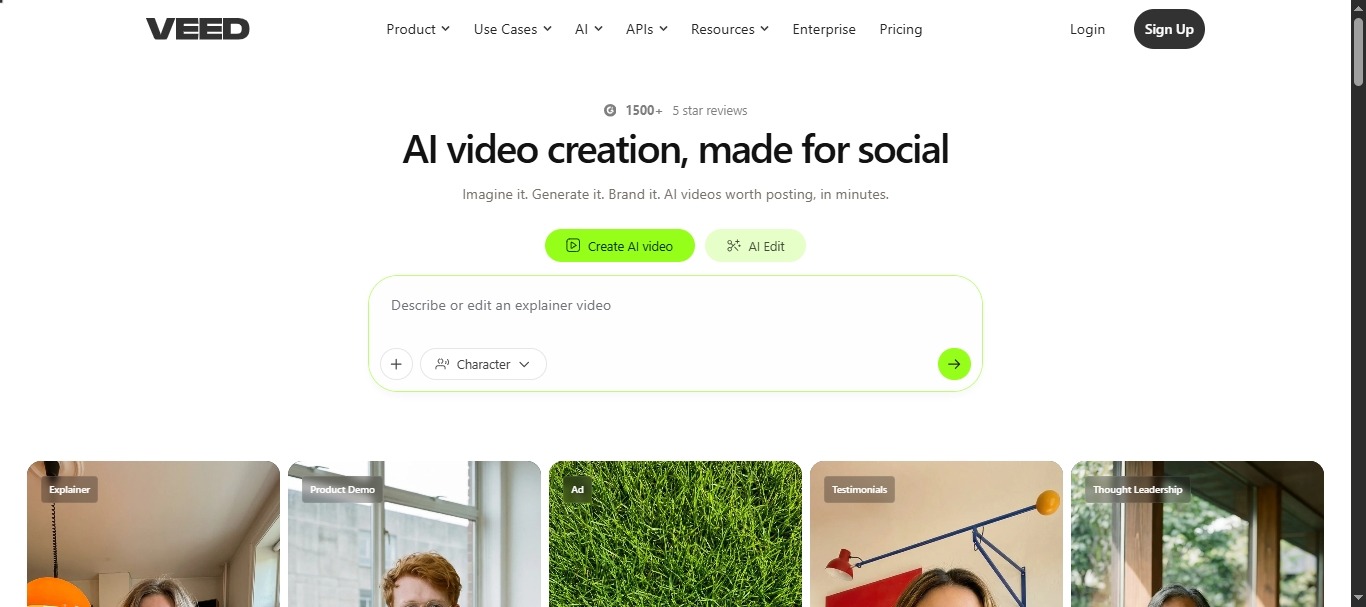
VEED is a browser‑based subtitle translator popular among YouTube creators. Its drag-and-drop interface and template library make it easy to translate subtitles quickly – but full translation capabilities require the Pro plan.
Key Features:
-
Drag‑and‑drop SRT translation comes with the Pro plan ($24/mo or $288/yr). Not available on lower tiers.
-
The online subtitle editor lets you preview edits instantly. What you change shows up right away.
-
Exporting straight to YouTube is a one‑click deal. No extra steps, no jumping through hoops.
Best For:
This one works best for YouTube creators. You get fast, template‑driven subtitle translation – as long as you don’t mind paying for the Pro plan.
Limitations:
-
Free-tier exports include a watermark and limited minutes.
-
The tool has 85–95% accuracy for English, but accuracy can drop for non‑English content.
-
Export speeds and stability may depend on video length and complexity.
HappyScribe
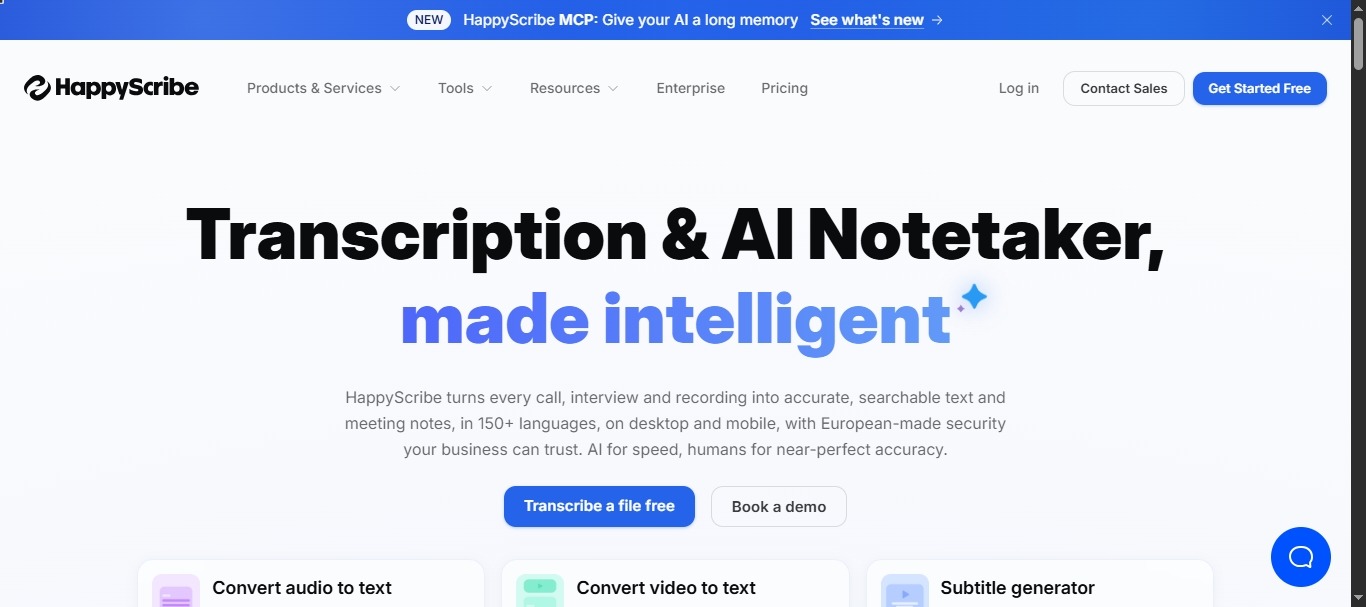
Happy Scribe is widely considered one of the most accurate AI subtitle translator tools on the market. It’s trusted by documentary makers and journalists who can’t afford to miss a word.
Key Features:
-
The tool offers an 85–99% accuracy guarantee across 120+ languages.
-
The language coverage hits 120+, putting it near the top of what’s available for subtitle translation.
-
You get waveform and timestamp controls, which make fine‑tuning your subtitles a lot easier.
Best For:
Documentary makers, journalists, and course creators who need high accuracy across many languages.
Limitations:
-
There is no permanent free plan – only a 10‑minute trial is available.
-
Cost scales with volume: the Basic plan starts at $8.50/mo (annual) for 1,440 minutes per year, and higher usage requires more expensive tiers.
-
Exports include SRT, VTT, STL, XML, FCPXML, and EDL, but some advanced styling may require manual tweaks.
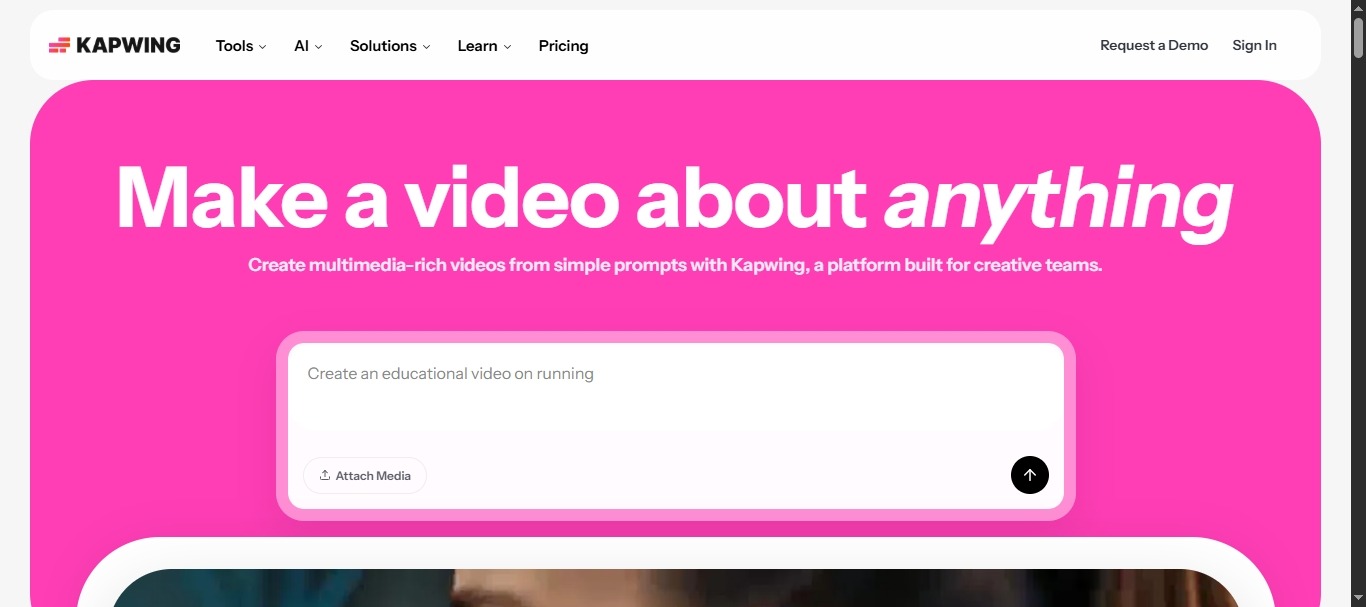
Kapwing
Kapwing is a browser‑based subtitle translator popular for short social clips. It’s fast and easy to use, but its translation quality for non‑English content can be inconsistent.
Key Features:
-
The tool has a smart subtitle translator for SRT that works well for English, though accuracy may drop for other languages.
-
You've got auto‑sync on the video preview – tweak something and it updates immediately.
-
You get styling that works well on TikTok, Reels, and Shorts – which is to say, it's made for social.
Best For:
This one's best for social media managers who need to put out quick English clips – mostly for TikTok or Reels.
Limitations:
-
Free-tier exports are limited to 4 minutes and include watermarks.
-
For non‑English languages, you should expect to spend more time on manual corrections.
-
Very long videos (30+ minutes) may encounter processing failures.
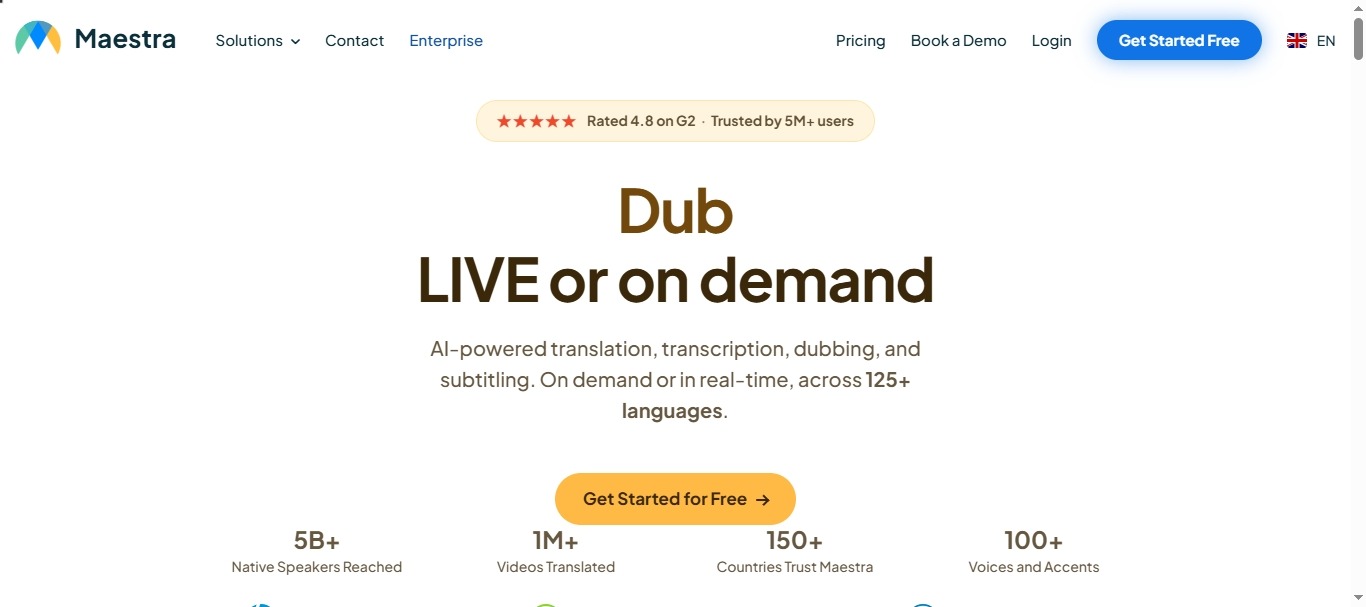
Maestra
Maestra is an enterprise‑grade AI subtitle translator built for teams. It supports more languages than almost any competitor and includes collaboration features that scale.
Key Features:
-
The tool supports 125+ languages and covers rare dialects that most tools miss.
-
It includes team collaboration and glossary features for consistent terminology across projects.
-
It offers AI dubbing and voice cloning that support up to 29 languages for complete localization.
Best For:
Marketing teams and agencies handling multilingual campaigns across many regions – especially when consistent terminology and team workflows are required.
Limitations:
-
There is no permanent free plan; only a trial is offered.
-
You can pay as you go – $12 for 60 minutes. Or pick a subscription: $23/mo (Lite annual) for 180 minutes per month; Premium goes up to $79 (Premium annual) for 900 minutes per month.
-
Glossaries, team roles – those advanced features only come with the higher‑tier plans.
Which Subtitle Translation Tool Is Best for Different Use Cases?
Not every tool fits every job. Here’s how to pick the right platform based on your content type.
Best for YouTube Creators: VEED’s Pro plan offers fast, template‑based subtitles. Vmake is a strong alternative if you also need video enhancement or watermark removal.
Best for Online Courses: Happy Scribe provides high accuracy (85‑99%) for technical terms. Whereas Maestra works well for team‑based course localization with glossary support.
Best for Marketing Videos: Vmake combines subtitle translation with video upscaling and watermark removal – ideal for ad localization. Maestra’s API is useful for high‑volume campaigns.
Best for Podcasts and Interviews: Happy Scribe transcribes first with speaker detection, then translates subtitles into 120+ languages. Kapwing is faster for short clips, though accuracy for non‑English may be lower.
Best Free Subtitle Translator: Vmake’s free tier offers 20 credits daily with exports up to 720p. Kapwing’s free tier has no time limit but adds a watermark and caps exports at 4 minutes.
|
Use Case |
Vmake AI |
VEED (Pro) |
Happy Scribe |
Kapwing |
Maestra |
|
YouTube Creators |
⚠️ (Alternative – video & watermark needs) |
✅ (Best Fit) |
— |
— |
— |
|
Online Courses |
— |
— |
✅ (Best Fit) |
— |
✅ (Team Focus) |
|
Marketing Videos |
✅ (Best Fit) |
— |
— |
— |
✅ (High-Volume) |
|
Podcasts & Interviews |
— |
— |
✅ (Best Fit) |
⚠️ (Short Clips) |
— |
|
Best Free Option |
✅ (20 daily credits) |
— |
— |
⚠️ (4-min limit) |
— |
How to Choose the Right Subtitle Translation Tool
Finding the best subtitle translator for your workflow isn’t complicated – you just need to ask the right questions. Here’s what to consider before you commit.
Consider Your Subtitle Format
Start with your file type. Most tools handle SRT just fine, but if you work with VTT or ASS (for advanced styling or web captions), not every AI subtitle translator supports them. Check format compatibility first – it will save you from redoing work later.
Check Language Availability
Think about the languages your audience really uses. A worldwide brand may want 80-plus. But if you're a YouTuber focusing on two or three markets, 50-plus is fine. Honestly, I'd take good translations in five languages over bad ones in fifty any day.
Look for Built‑In Video Translation
Ask yourself: what do you actually need – just subtitle translation, or full video localization? Tools like Vmake do both: they translate subtitles and also upscale video, remove watermarks, and even handle AI dubbing. That kind of all‑in‑one setup? It cuts your editing time in half, no joke.
Compare Editing Features
Once the AI does its job, you’ll likely need to make small tweaks – fixing a misheard word or adjusting a timestamp. A good subtitle translation tool lets you edit inline without re‑exporting the whole file. Test the editing interface before you buy; a poorly designed interface adds unnecessary time to every revision.
Test Translation Accuracy
Finally, run a real test. Upload a short clip (1–2 minutes) with idioms or cultural references. See whether the AI preserves meaning and handles idiomatic language naturally. Most platforms offer free trials – use them. The best subtitle translator for you is the one that makes you say “good enough to publish” after minimal cleanup.
AI Subtitle Translation vs AI Dubbing
Not sure whether to translate subtitles or dub your video? Both methods help you reach viewers in other countries, but they work best in different situations. Here’s a quick breakdown.
Comparison table of AI Subtitle Translation vs AI Dubbing
|
Aspect |
|
Dubbing |
|
Cost |
|
Medium‑high |
|
Speed |
|
Slower |
|
Best for |
Tutorials, interviews |
Ads, storytelling |
Benefits of Subtitle Translation
-
Works well for tight budgets and fast turnarounds. You don’t need a big production budget or weeks of lead time.
-
Keeps the original voice and emotion. That’s why it shines for interviews, documentaries, and tutorials.
-
Essential for accessibility. Viewers with hearing impairments rely on subtitles – even in their own language.
Benefits of AI Dubbing
-
It removes the need to read, keeping eyes on the action.
-
Good for children’s content or fast‑paced ads where reading subtitles might distract or be too difficult.
When to Use Both Together
You don't have to pick between AI subtitle translation and an AI dubbing tool. You can use both. Educational videos, for example, often use subtitles to help with understanding and dubbing to pull viewers into the scene. A bunch of tools – Vmake included – handle both. So you can offer translated subtitles and, if you want, add dubbing to the same project.
Testing both approaches on your content will clarify which serves your audience better – or whether a combination is the right answer.
FAQ
What is the best subtitle translation tool?
There’s no single best. For YouTube creators, VEED’s Pro plan is user‑friendly. For teams that need video + subtitle translation together, Vmake AI is a strong choice. For maximum language coverage (120+), Happy Scribe and Maestra lead. Test free trials to see what fits.
Can AI translate subtitles automatically?
Yes. Upload an SRT file, select a language, and AI will translate line by line while preserving timestamps. Tools like Vmake claim 99.9% accuracy for captions – but always review for cultural nuance before publishing.
How do I translate SRT subtitles?
Use a tool like Vmake, VEED (Pro plan required), or Happy Scribe. Upload the SRT, choose your target language, generate, and download the translated file. Then attach it to your video in any editor.
Is there a free subtitle translator?
Yes, you’ll find several options with free access. Vmake gives you 20 credits every day and exports up to 720p, though the free tier does include a watermark. Kapwing also offers a free plan, but exports are capped at 4 minutes and come with watermarks as well.
Which subtitle translator supports the most languages?
Happy Scribe leads with support for over 120 languages, while Maestra covers 125+. That’s more than most creators will ever need. Vmake focuses on 50+ common languages, which is plenty for reaching major markets without overwhelming you with options.
What’s the difference between subtitle translation and dubbing?
Subtitle translation adds on‑screen text while keeping the original audio track intact – it’s cheaper and faster to produce. Dubbing, on the other hand, replaces the original voice with a translated recording, which feels more immersive for storytelling.

You May Be Interested
BlipCut AI Video Translator Review 2026: Pricing, Features, Pros, Cons & Alternatives
Best AI Video Translator Tools in 2026: Compare Features, Accuracy & Pricing
HeyGen Video Translator Review 2026: Features, Pricing, Pros, Cons & Alternatives

Google Gemini|Copy Paste This Simple Prompts to Create “Hug my younger self ” Photos
