HD vs 4K Resolution: The Ultimate Guide to Video Clarity
 Ken DawsonMay 23, 2026
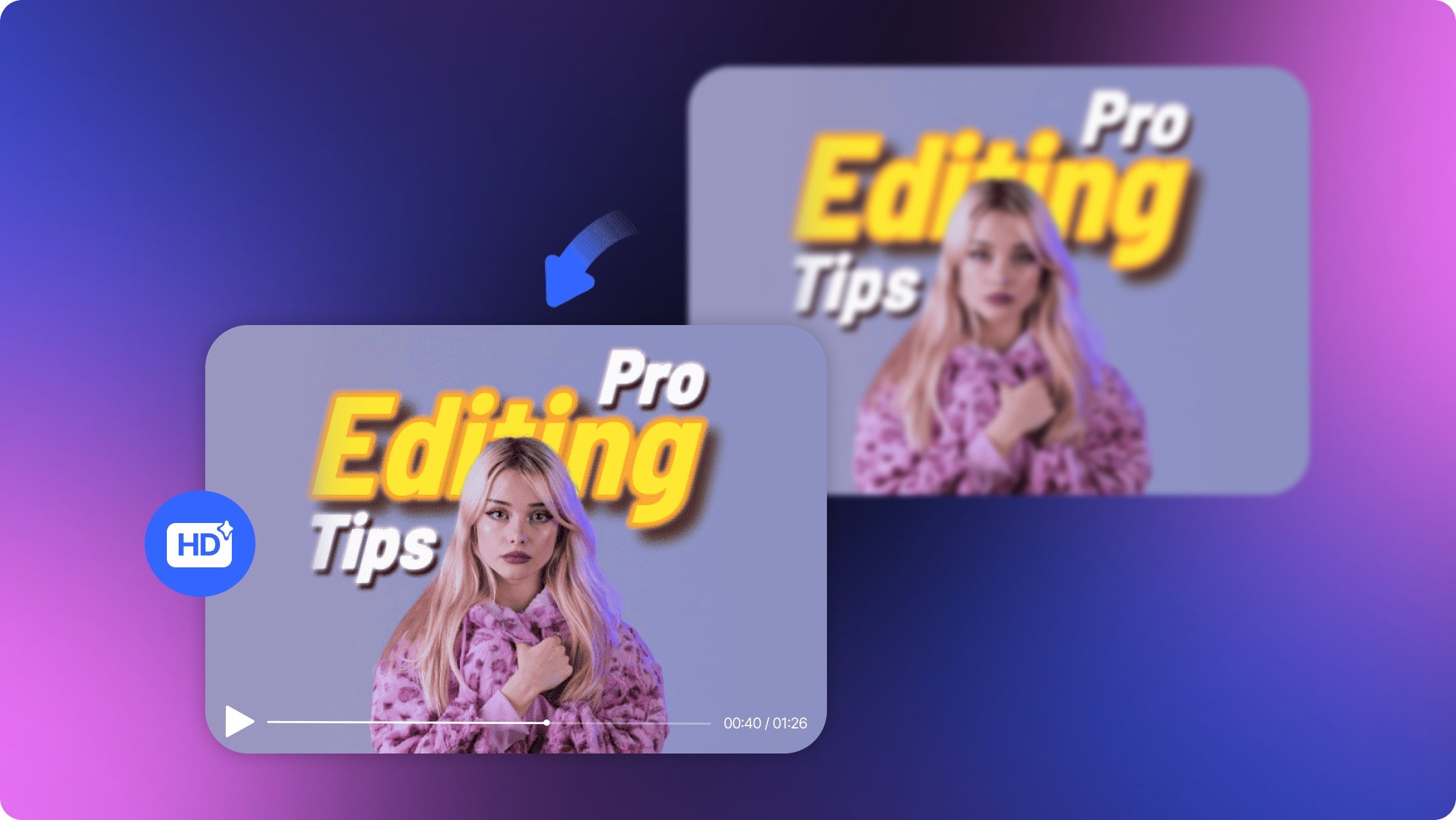
Post-production workflows demand immense time and precision. Exporting a finalized sequence only to observe severe visual degradation on a larger monitor remains an industry-wide frustration. Standard HD exports physically lack the pixel density required for modern high-resolution displays. Using AI to upscale your original video is the best way to get clear details back. The Vmake AI Video Enhancer solves this specific rendering gap.
Decoding the Specs: HD vs 4K Definitions
TV marketing often hides the real technical facts. Brands mix up different terms just to sell new screens, making it hard to know what is real. Establishing exact definitions is the only way to accurately evaluate the HD vs 4k debate for professional video production.
-
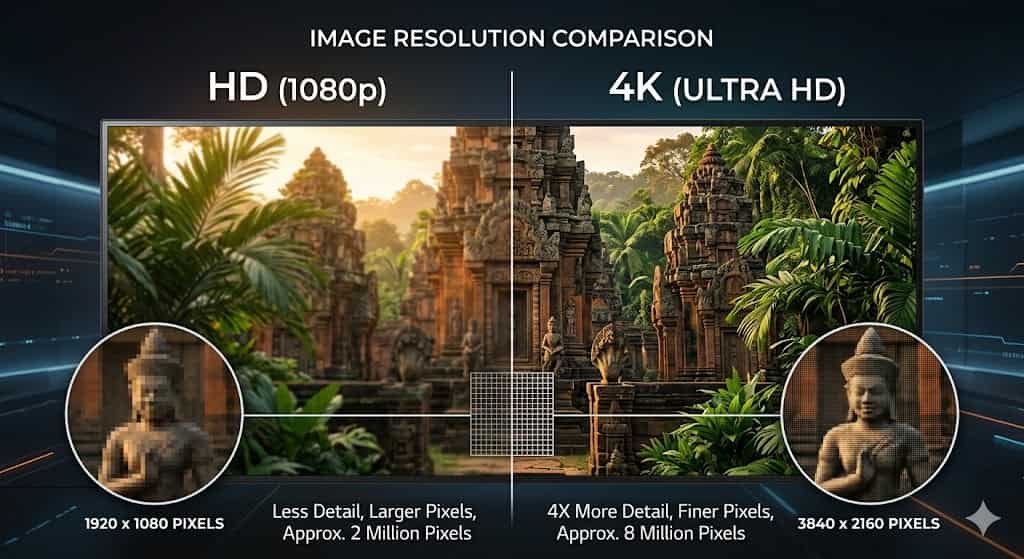
Definition of HD (High Definition / 1080p): This format operates at a strict standard resolution of 1920 by 1080 pixels. It creates a digital canvas exactly 1,920 pixels wide and 1,080 pixels tall. For ten years, this was the main standard for web video and TV. The file sizes remain manageable. Processing demands won't destroy a standard laptop.
-
Definition of 4K (Ultra HD / UHD): 4K is a massive jump in how much data you see. Retailers heavily brand this standard as Ultra HD or UHD. This format utilizes a specific layout of 3840 by 2160 pixels. It expands the digital grid to cover large screens without stretching the color blocks.
-
Explanation of the baseline difference: The math shows more than just a small bump in quality. 4K contains exactly four times the total pixel count of standard HD. You get roughly 8.3 million pixels packed into a single 4K frame, whereas standard HD only holds about 2 million. This immense data gap explains why your 1080p footage looks incredibly soft when played on a modern display panel. It just lacks the data needed to fill the screen.
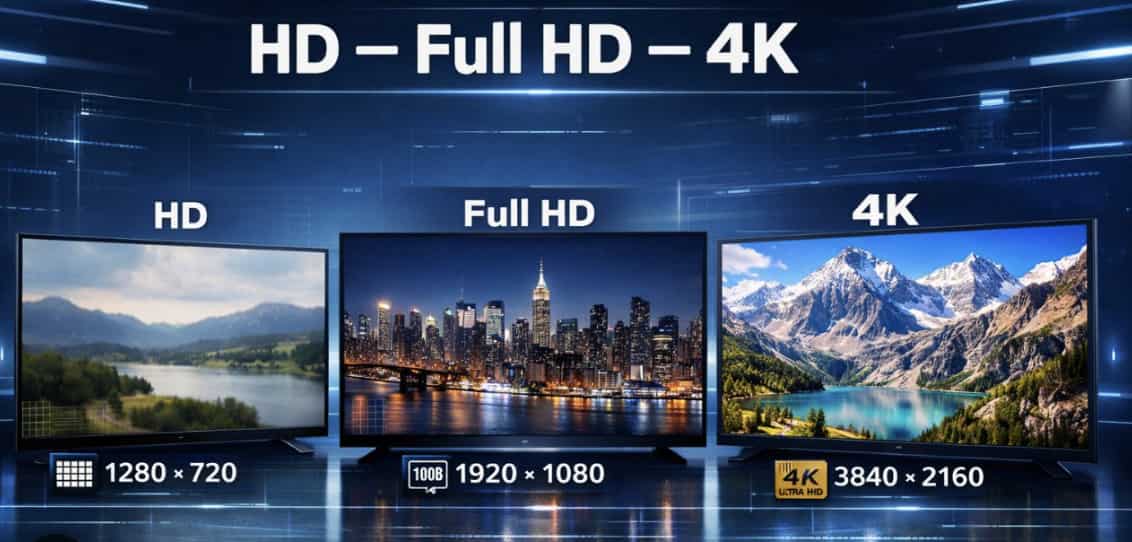
The Resolution Chart: Technical Comparison of Modern Display Standards
|
Resolution Standard |
Common Name |
Pixel Dimensions |
Total Pixel Count |
Aspect Ratio |
|---|---|---|---|---|
|
Standard HD |
720p |
1280 x 720 |
~0.9 Million |
16:09 |
|
Full HD (FHD) |
1080p |
1920 x 1080 |
~2.0 Million |
16:09 |
|
4K Ultra HD (UHD) |
4K / 2160p |
3840 x 2160 |
~8.3 Million |
16:09 |
HD vs 4K: Compatible Devices and Best Application Scenarios
Shooting every single project in the highest possible resolution is a common amateur mistake. Recording too much data wastes time and fills up your hard drives fast. You must know when to use HD to keep your editing workflow fast.
-
When to Use HD: This resolution is absolutely ideal for mobile streaming. When audiences consume media on cellular networks with limited signal strength, forcing an 8.3 million pixel video stream causes endless buffering. Standard HD thrives in unstable network environments where bandwidth remains strictly limited. It works perfectly for lightweight YouTube uploads. If you receive severely outdated legacy footage from a client, you might even need to run it through a 480p to 1080p upscaler just to establish a baseline HD standard before attempting further edits.
-
When to Use 4K: Commercial production requires it. Global brands expect UHD deliverables as a minimum baseline. Big home theater screens will quickly show the flaws in standard 1080p video. This makes 4K a must for living room TVs. You also need it for future-proofing archival footage. Documentaries shot today will be viewed on much sharper screens a decade from now.
-
Device Compatibility: True 4K playback demands highly specific hardware prerequisites. You need a compatible 4K monitor or television panel. You must have an updated discrete graphics processing unit (GPU) to decode complex frames without severe playback stuttering. High-speed internet is a hard requirement. If a viewer relies on a slow connection, content delivery networks will automatically downscale that data-heavy 4k resolution vs HD file straight back to 720p anyway.
Does Screen Size Affect the Difference Between HD and 4K?
Absolutely. Screen dimensions dictate the entire concept of visual fidelity.
The core metric here is Pixels Per Inch (PPI). PPI calculates exactly how visual data spreads across physical panel dimensions. Consider a standard 1080p video file. On a mobile device, those two million pixels are tightly compressed into a five-inch physical space. The resulting image looks incredibly sharp. Your eyes will struggle to see any 4k ultra HD vs HD advantage on a small screen.
Transfer that exact same 1080p file to a 65-inch OLED display in a corporate boardroom. Those identical two million pixels now have to stretch over a massive physical surface area. The PPI drops drastically. You instantly notice severe HD blurriness. Contrast edges look entirely fuzzy. Small text becomes illegible. Screen size changes what your eyes can actually notice. Upgrading to true 4K fills those gaps with six million extra pixels. This restores the clean look of the image.
The Pixel Density Dilemma: Why Standard Formats Fall Short
Relying on standard resolution formats forces a constant, frustrating compromise during the editing phase. Fixing one technical bottleneck usually creates another.
-
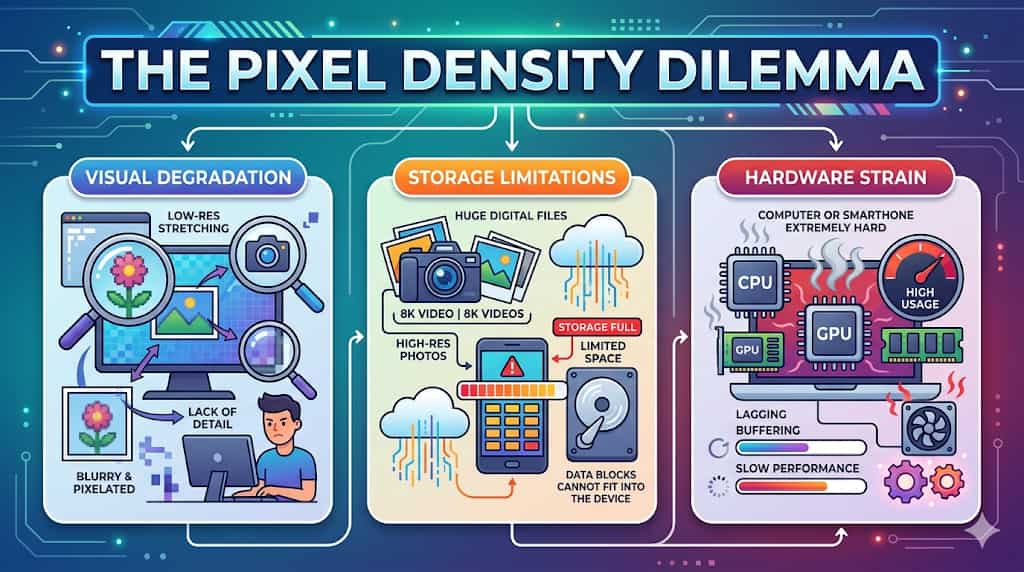
Visual Degradation: Stretching 1080p HD media across large contemporary displays ruins the viewing experience. You get aggressive pixelation and soft edges. Standard tools inside basic video editors do not create new detail. They just make the blurry pixels bigger to fit a larger box. This mathematical stretching process frequently introduces severe banding across color gradients.
-
Storage Limitations: Native 4K files generate massive data footprints. They consume local hard drive capacities at an alarming rate. A single commercial project shot in uncompressed 4K can easily exceed three terabytes of raw data. Continually purchasing high-speed solid-state drives destroys project profitability. You end up managing hard drives instead of editing video.
-
Hardware Strain: Editing 4K video on a normal computer will push your hardware to its breaking point. CPU usage spikes to maximum capacity. Thermal throttling slows down the entire operating system. Your video will constantly lag and drop frames when you press play. While proxy workflows offer a temporary bypass, they require hours of initial background rendering before you can even begin cutting the footage.
Traditional post-production workflows force editors to choose between manageable file sizes and acceptable visual quality. Basic software interpolation fails to reconstruct missing data. You need smart AI tools to fix this data gap. Modern neural networks look at low-quality video and create the missing pixels. Best of all, they do this without melting your computer.
Upgrade Your Footage: Meet the Vmake AI Video Enhancer
The Vmake AI Video Enhancer eliminates the traditional resolution compromise. You can film and edit your video in standard HD to keep your work fast. Then, the AI generates the missing data right before you export. The proprietary rendering engine executes multiple advanced processes simultaneously.

Key AI capabilities
-
AI 4K+ Upscaling: The engine mathematically generates precise visual data to convert standard HD into true 4K resolution without basic pixel-stretching. Instead of merely duplicating existing data, the neural network analyzes the context of the frame.
-
Detail Reconstruction: The system rebuilds core structural elements natively. It identifies human faces within the frame and sharpens complex features like eyelashes and skin texture.
-
Noise Reduction Algorithms: AI effectively strips grain, macroblocking, and compression artifacts from baseline HD source files. If the original footage suffers from severe color degradation, processing the clip through a dedicated color correction upscaler often stabilizes the luminance values before the final render.
-
De-AI Mode: This feature normalizes the final render to maintain a professional, cinematic aesthetic. Many commercial upscalers apply excessive sharpening, resulting in a distinctly artificial, plastic appearance. De-AI mode actively prevents the formation of unnatural halos around high-contrast subjects. It isn't entirely perfect, though.
-
Batch Processing: The tool manages multiple video enhancements simultaneously to optimize large production workflows. Handling hundreds of social media clips manually is a massive waste of human capital. Utilizing our batch video upscaling tool standardizes quality control across massive media campaigns while you focus on actual creative decisions.
Quick Tutorial: Elevating Media Quality via Vmake AI
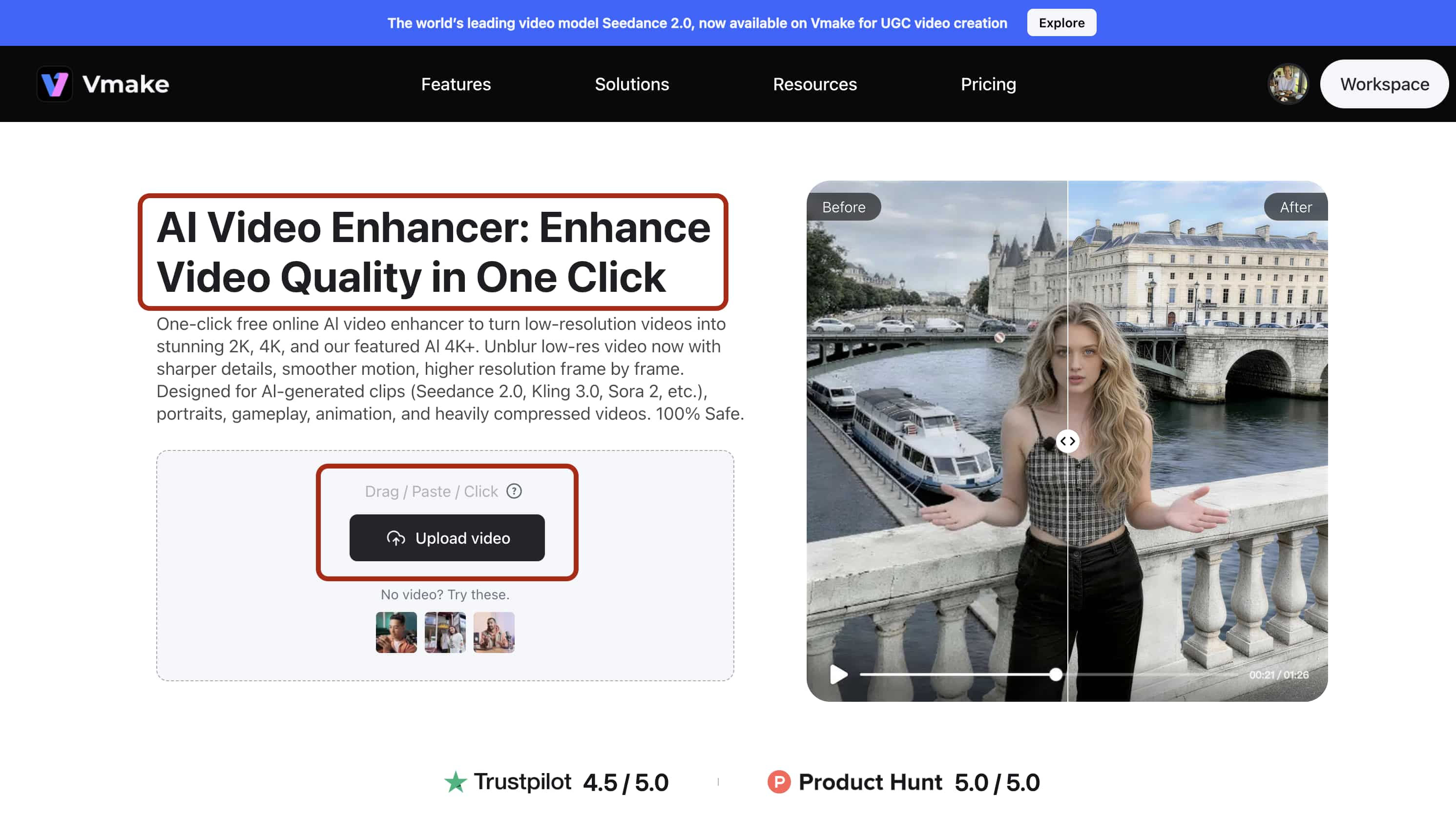
Implementing AI enhancement shouldn't require complex command-line knowledge. The interface is deliberately straightforward and browser-based.
Step 1: Upload: Import the standard HD video file directly into the Vmake AI Video Enhancer workspace. The system accepts standard MP4 and MOV containers.
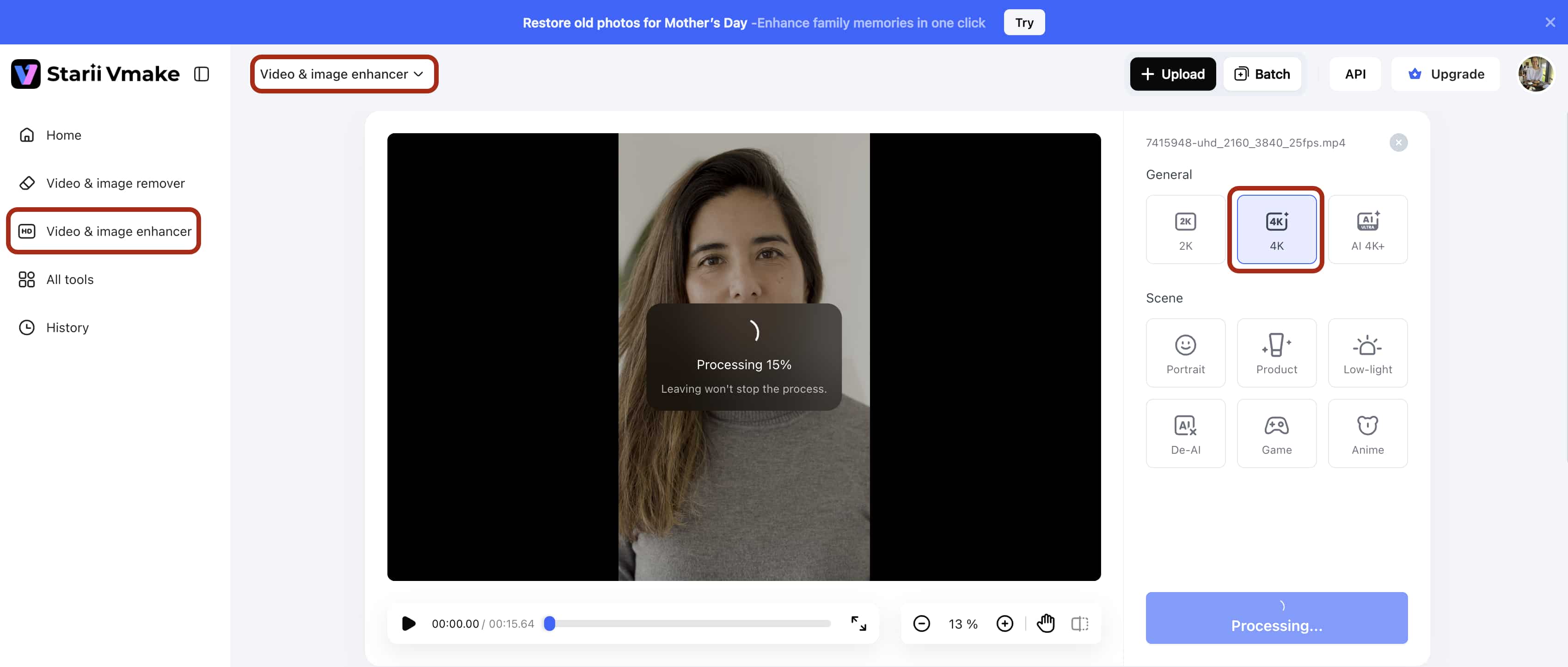
Step 2: Select/Adjust: Assign the target 4K resolution parameter. You must then select the designated enhancement model optimized for your specific footage type, such as standard cinematic or animation.
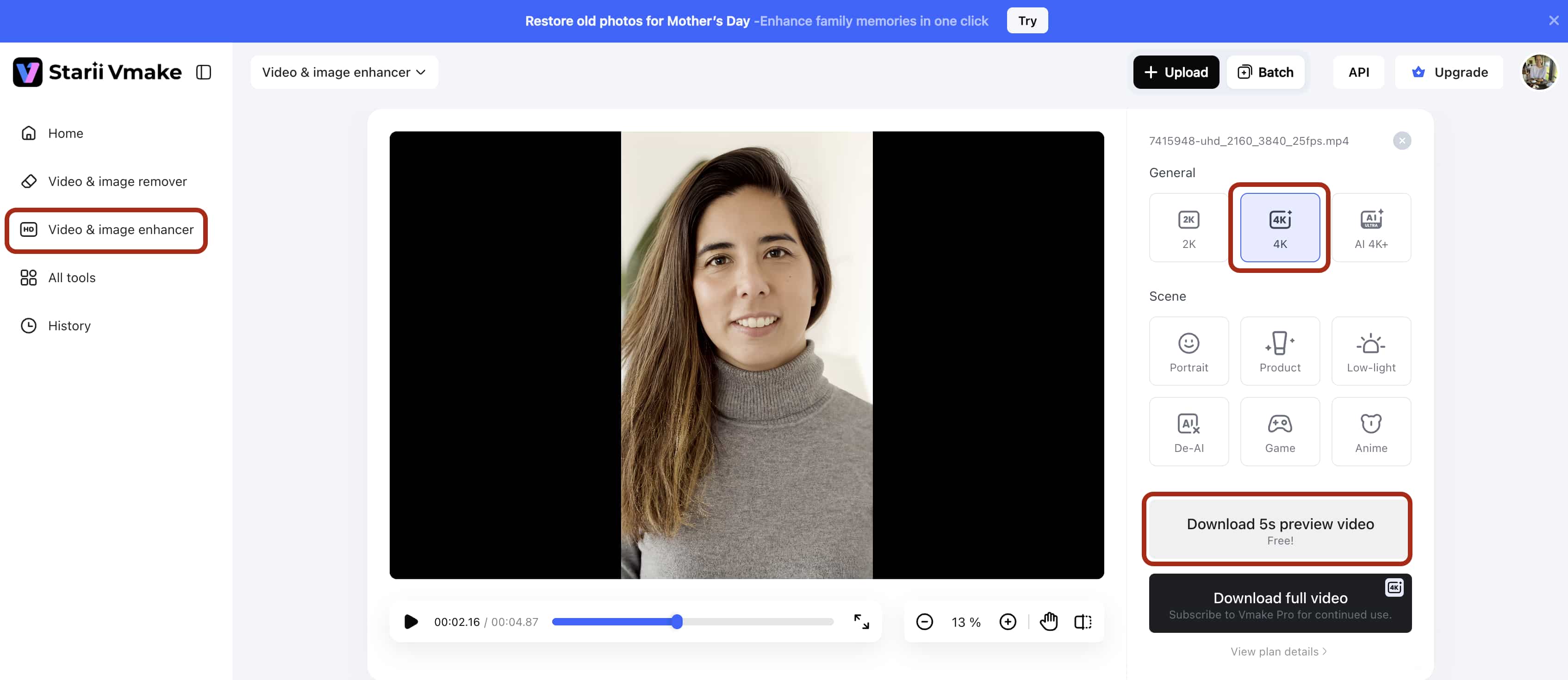
Step 3: Preview: Examine the output frame comparison. You must ensure absolute structural accuracy before committing compute resources to the final export. Pay close attention to high-frequency details like text and facial features.
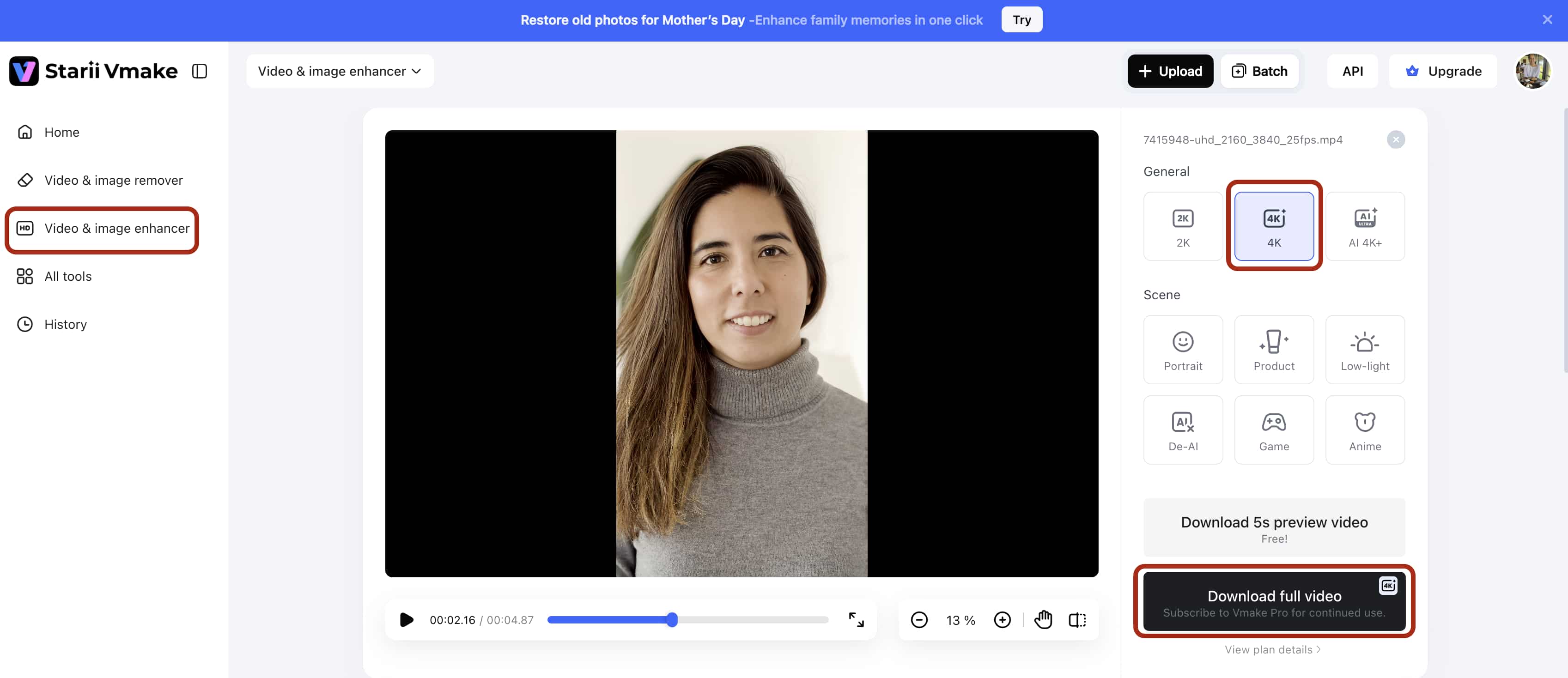
Step 4: Export: Render and download the newly upscaled ultra-high-definition asset to your local storage drive.
Expert Strategies for High-Fidelity Content Creation
Advanced algorithmic tools compensate for many technical limitations. Strict production discipline, however, remains mandatory. Failing to optimize your initial capture methods severely restricts the potential of any software. Providing AI models with the cleanest possible source file yields significantly superior outputs.

-
Shoot 4K, Deliver HD: This strategy is ubiquitous among top-tier commercial creators. Capture your original media in true 4K to provide a massive spatial canvas. You can execute extensive post-production cropping and apply aggressive digital stabilization without degrading the baseline resolution. You then export the final approved project at 1080p HD to conserve server bandwidth and ensure smooth playback across mobile networks.
-
Match Export Bitrates to Resolution: Exporting a 4K file using a 1080p bitrate is a critical operational failure. A 4K container holds four times the visual data. If you starve the export of adequate data rates, the encoding engine compensates by compressing the file heavily. This creates massive macroblocking artifacts, especially during complex scenes involving water or falling debris. You must allocate heavily increased bitrates to support the expanded pixel density.
-
Calculate Viewing Distances: Installing premium 4K panels in environments where they provide zero mathematical benefit burns through corporate budgets fast. Utilize standard HD displays for distant viewing environments. If a monitor is mounted near a retail ceiling, the human eye physically cannot discern the pixel density difference. Reserve true 4K panels strictly for close-proximity monitoring, such as professional grading suites. Understanding the historical context of data density, like what is 480p resolution, proves that resolution only matters relative to the viewer's physical proximity to the screen.
Conclusion
The ongoing debate surrounding full HD vs 4k is largely settled by the hardware limitations of modern display panels. Consumer televisions and professional monitors aggressively demand dense visual data to maintain optical clarity. Filming, storing, and editing every single project in native UHD continues to impose severe financial and hardware penalties on production teams. The physical storage requirements alone are often prohibitive for independent creators.
Generative AI upscaling bridges this critical infrastructure gap. You maintain a highly efficient, low-impact editing workflow while still delivering the heavy, pixel-dense assets that modern platforms demand. The technology continues to evolve rapidly. It's entirely possible that within a few hardware cycles, AI processing will occur natively on the end-user's television, scaling blurry network streams into pristine UHD in real-time. Until that specific hardware becomes ubiquitous across the globe, controlling the final resolution output at the software level remains your primary responsibility.
FAQs
Is 4K resolution visibly better than HD?
Yes. 4K delivers over 8 million pixels compared to HD's 2 million, producing significantly sharper textures and text on modern large displays.
Does streaming 4K require a faster internet connection than HD?
Streaming true 4K media demands approximately 25 Mbps of bandwidth. HD streams comfortably at roughly 5 Mbps, making it superior for limited or unstable networks.
Can Vmake AI upgrade standard HD footage to 4K?
Yes. The Vmake AI Video Enhancer analyzes standard HD pixels and accurately generates new visual data to output a true 4K file. This prevents the severe blurring associated with basic NLE stretching methods.
Are there free alternative ways to convert HD to 4K?
Most free video editing software can stretch an HD file into a 4K container during the final export. However, this basic interpolation simply enlarges existing pixels and ultimately degrades overall visual clarity.
Which format is better for video editing performance, 4k Ultra HD vs HD?
Editing native 1080p HD requires drastically lower computing power, RAM, and storage capacity. Processing native 4K timelines demands high-end graphics cards and significant solid-state drive space to prevent dropped frames.

You May Be Interested
Nano Banana vs Veo 3: A Detailed Head-to-Head Comparison
Native 4K vs Upscaled 4K: Which One to Choose?
[Updated!] How to Upscale Anime Video to 4K Online
Native 4K vs Upscaled 4K: Which One to Choose?

(2026) How to Create 4K Cinematic AI Videos: Seedance 2.0