
Akool Video Translator Review: Features, Pricing & Best Alternatives in 2026
Considering Akool Video Translator? Review its features, pricing, pros, and cons, and compare it with top AI video translation tools such as Vmake, HeyGen, VEED, and HappyScribe.

You finally wrapped a video you're proud of. Then the requests start rolling in. Can we get this in Spanish? What about French? Oh, and the team in Japan needs a version too. Just like that, the fun part is over, and you're staring at voice actors, studio bookings, and a quote that makes you quietly close the tab.
That whole mess is what the Akool video translator says it can clear up. Upload once, get your video speaking a new language, skip the studio entirely. Sounds great on paper. But does it actually hold up in 2026, and is it the right pick for you? Let's get into it.
What Is Akool Video Translator?
Akool is an AI platform that handles both video and images, and translation is one of the features it's best known for. It sits in a crowded market, but it's earned its reputation on lip sync that doesn't look cheap
What Does Akool Video Translator Do?
Feed it a video with one person talking, and it switches the speech into whatever language you choose. Here's the rough flow. It writes out what's said, translates that text, builds a fresh voice track in the new language, then nudges the speaker's lips to match the new words. That last step is the whole difference between something that looks dubbed and something that looks like it was shot that way. Prefer to keep your original audio? It'll just add translated subtitles instead.
Who Is Akool Best For?
It leans toward businesses and bigger teams. Picture a marketing department pushing one campaign into a dozen regions, a course company localizing its lessons, or a brand that also wants AI avatars and face swapping in the same dashboard. If you're a solo creator who needs the odd clip translated now and then, it can feel like a lot of tool for the job.
Key Video Translation Use Cases
People reach for the Akool AI video translator for ads, training videos, product demos, gaming content, and tutorials. Basically anywhere one video has to speak to different languages without you re-shooting it five times. If that sounds like your average week, Akool belongs on the shortlist. Just don't stop at the first tool you bump into. Try it for free now!
Akool Video Translator Features, Pros & Cons
Key Features of Akool Video Translator
The headline number is 155+ languages, which is a wide net by any measure. On top of that you get AI dubbing, subtitles that write themselves, neural lip sync, and a tool that strips out background music so the new voice sits clean in the mix. One small but smart touch: it stretches or trims the timing a little, so the translated audio never feels rushed or weirdly slow. And since translation is only part of the platform, you can jump straight from a finished clip into avatars, voice cloning, or image generation without ever switching apps.
Pros and Cons of Akool Video Translator
| Pros |
Cons |
| Support a huge range of languages for global video localization. |
Credit-based pricing can be difficult to estimate in advance. |
| High-quality AI lip sync that looks natural even in close-up shots. |
Rendered videos can't be edited, so even small mistakes require spending more credits |
| Include a complete AI video toolkit beyond translation, such as avatars and video creation features. |
The free plan adds a watermark and limits exports to 720p. |
| Offers a free Basic plan, making it easy to test before committing to a paid subscription. |
Paid plans are relatively expensive, especially for individual creators and small teams. |
Akool Pricing, Free Plan & Limitations
Plan | Monthly Price | Best For |
Basic (Free) | $0 | Testing, with watermark and 720p |
Pro | ~$30/mo | Solo creators, light use |
Pro Max | ~$119/mo | Higher volume, 4K output |
Studio / Business | ~$500/mo | Teams at scale |
Enterprise | Custom | Large organizations |
Annual billing shaves off about 30%, which takes some sting out of the bigger plans.
Free Trial Options
The free Basic plan never expires, doesn't ask for a card, and tosses in a handful of starter credits to play with. It's enough to translate a short clip and see whether the lip sync actually impresses you. Every so often Akool also runs a limited trial on its Pro Max plan through a promo, which unlocks the watermark-free, higher-res version for a few days.
Paid Plans
Paid plans climb from roughly $30 a month up to $500 for the Studio tier, with custom quotes above that for enterprise. Each step buys you more credits, sharper resolution, and extra storage. The jump from Pro to Pro Max is the one most growing teams end up making, mostly for that 4K output.
Usage Limits and Credits
This is the part to keep an eye on. Everything runs on credits, and a longer video eats more of them, so your monthly cost swings with how much you produce. Quiet months can feel like money left on the table. A busy stretch can chew through your balance before you've hit your stride. Forecasting it takes a little trial and error.
Is Akool Worth the Price?
If you're using the whole suite, avatars and all, the price adds up to fair value. If all you really want is to translate video without doing credit math in your head every week, there are friendlier, simpler options out there. Try it for free now!
Best Akool Alternatives in 2026
Akool is good, but it's far from your only option. Here are five worth a real look before you commit to anything.
Vmake
Key Features
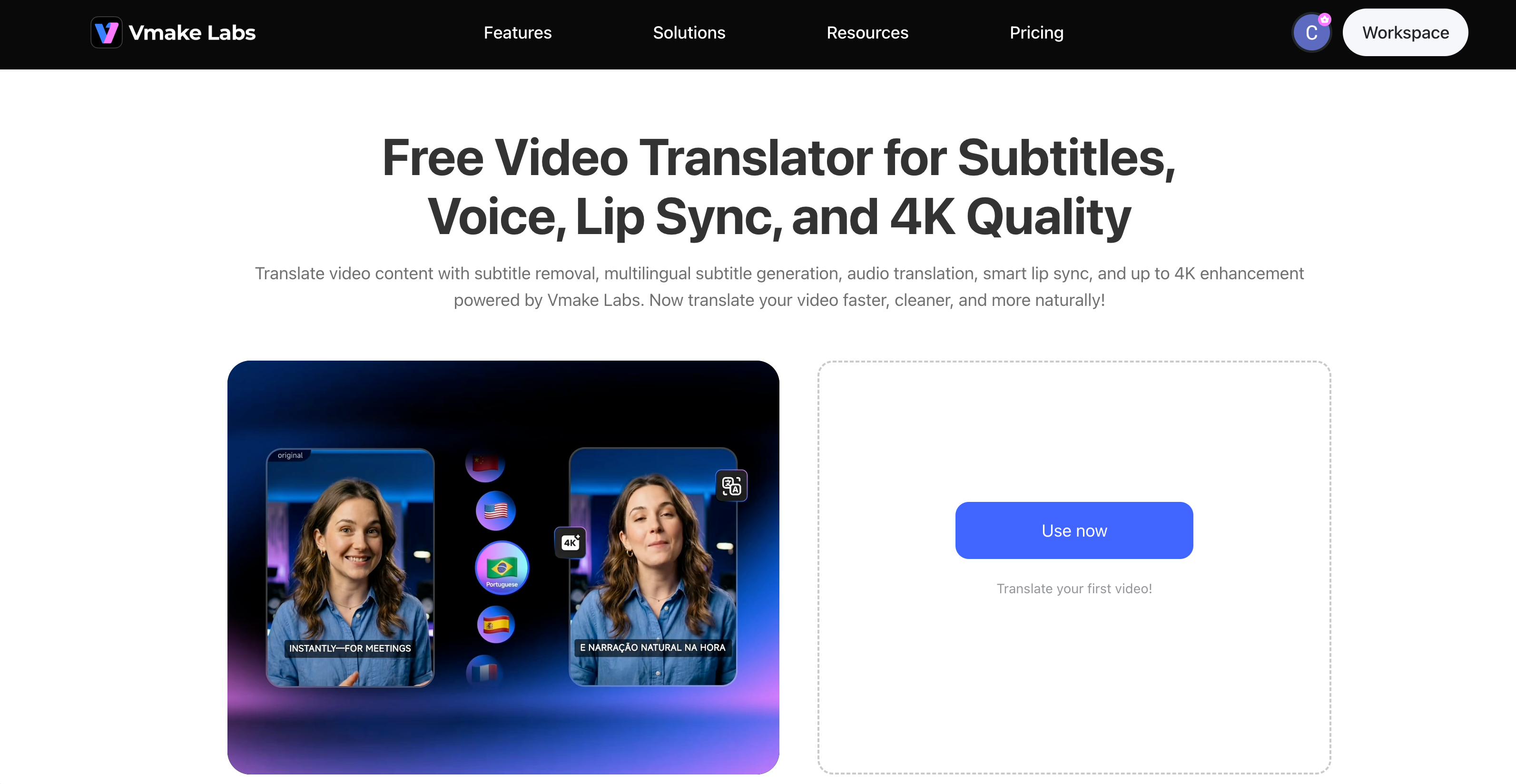
Accurate Video Translation for Multiple Languages:Vmake automatically transcribes and translates spoken content into English and dozens of other languages. This helps creators localize videos quickly without manually creating subtitles or translations.
Natural AI Dubbing Options:In addition to subtitles, Vmake can generate dubbed audio using AI voices. Users can select from different voice styles to create a more natural viewing experience for international audiences.
Smart Lip Sync Technology:The platform includes AI-powered lip sync that aligns translated speech with the speaker's mouth movements. This helps dubbed videos appear more realistic and reduces the mismatch often seen in traditional voiceovers.
Flexible Subtitle Controls:Users can edit generated subtitles, adjust their appearance, or remove existing captions before exporting the final video. This provides greater control over the localization process.
High-Quality 4K Export:Unlike some video translation tools that reduce video quality during processing, Vmake supports exports in up to 4K resolution, making it suitable for professional content, marketing videos, and YouTube publishing.
Use steps:
Start translating your videos now!
Step 1: Upload a Video to Vmake AI Video Translator
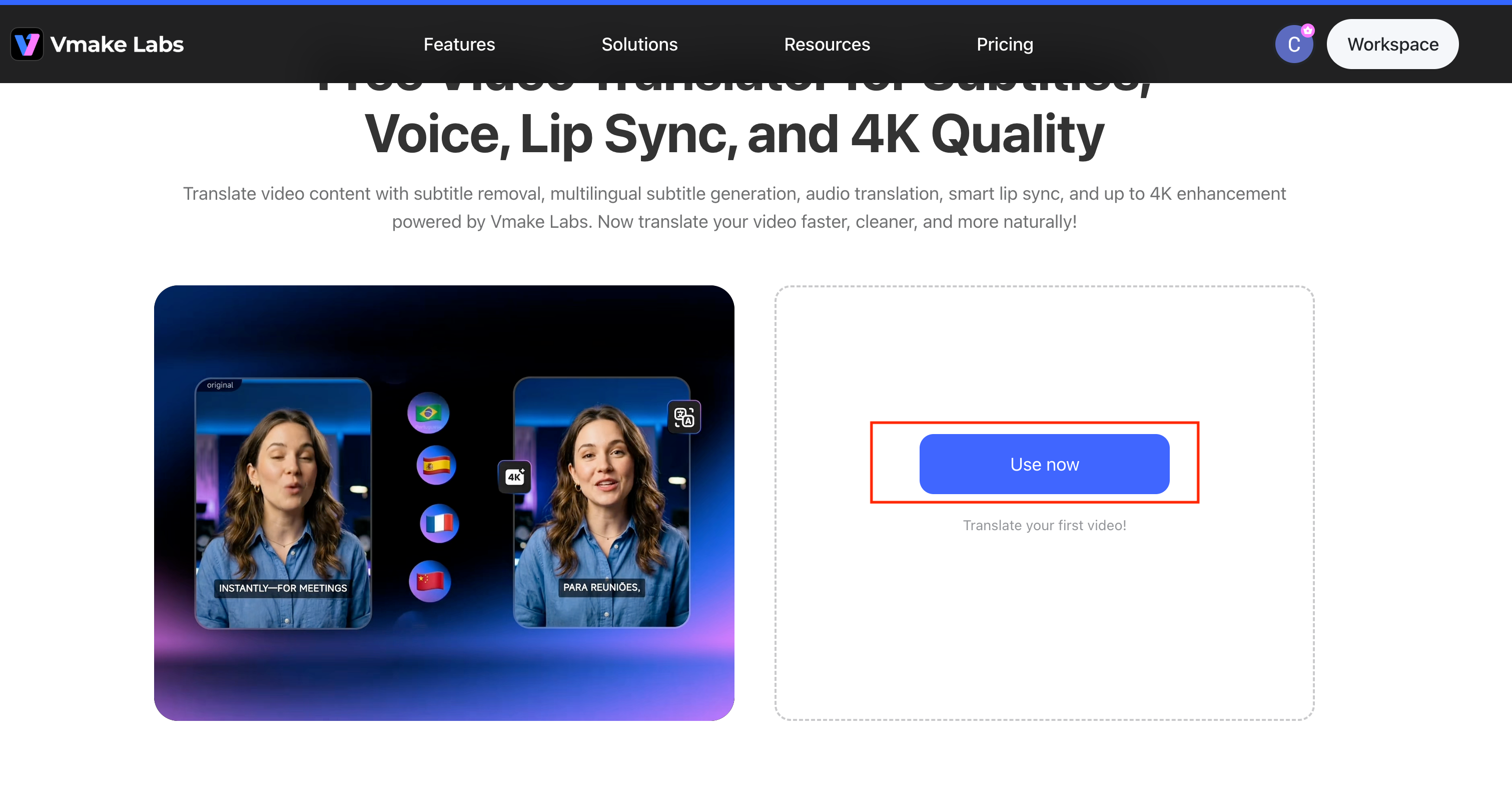
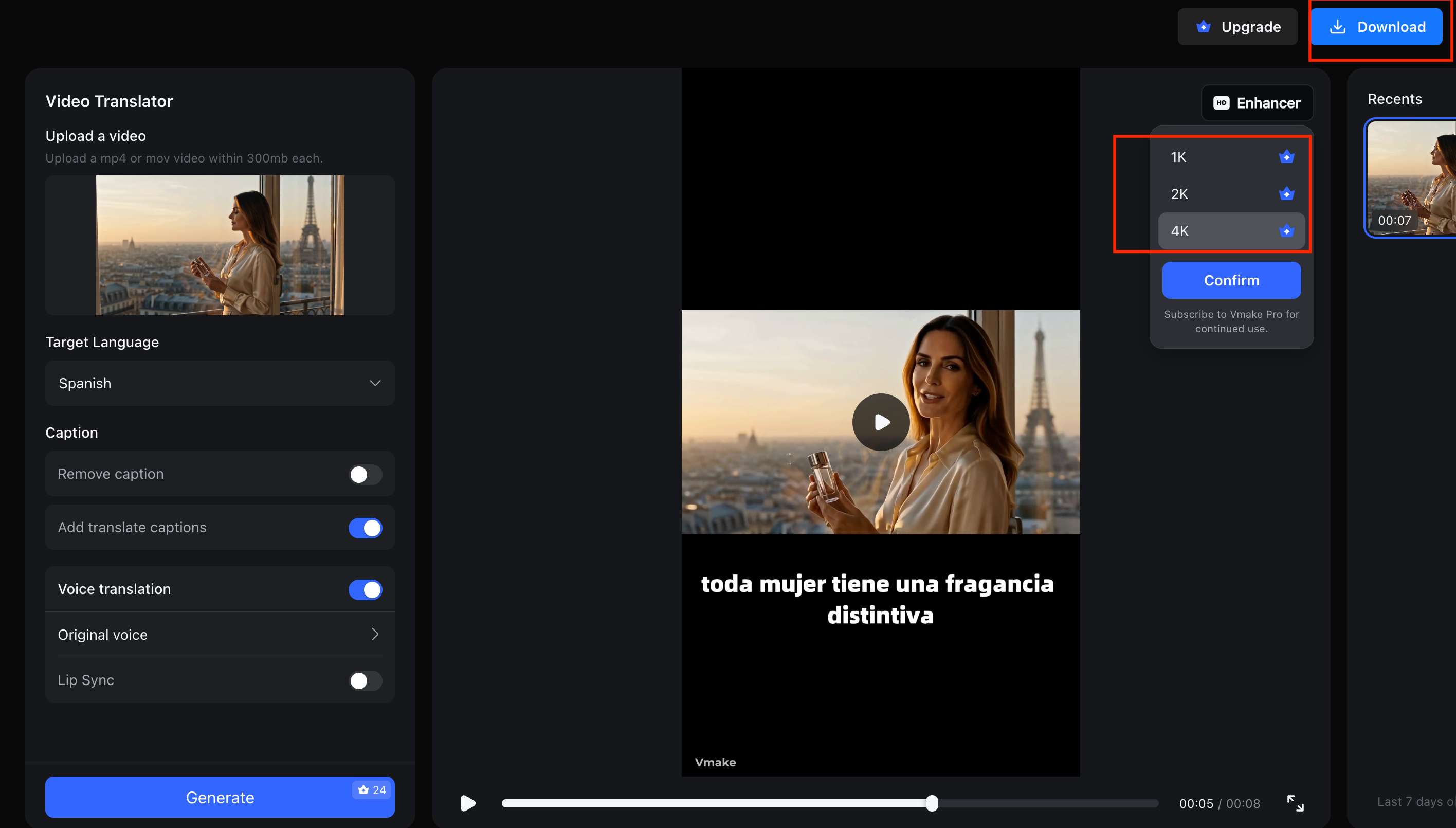
Open the Vmake AI Video Translator tool and click “Use now” to enter the main interface. Upload your video by clicking the upload area or dragging and dropping your file (supports MP4 or MOV, under 300MB) into the designated section.
Step 2: Configure Translation Settings
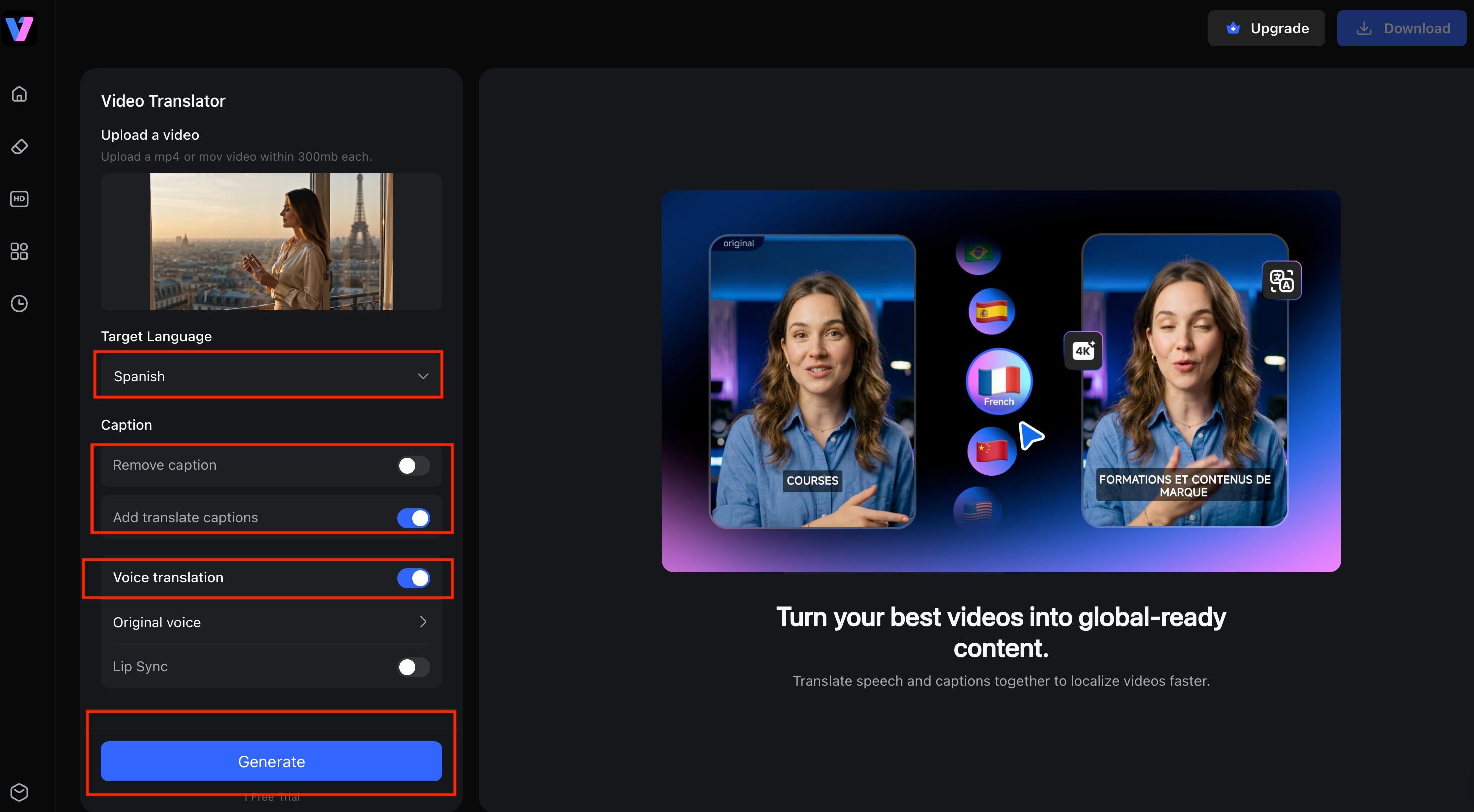
Select your Target Language from the dropdown menu (e.g., Spanish). Under the Caption section, choose whether to "Remove caption" or "Add translate captions". In the Voice translation section, select either "Original voice" or "Lip Sync" for audio translation.
Step 3: Generate and Export
Click the “Generate” button to start processing. Once the video translation is complete, the system will display a preview with the translated subtitles (e.g., "toda mujer tiene una fragancia distintiva"). After confirming the result, click “Download”.
Why choose it over Akool
Vmake was built for normal people, not just enterprise teams with deep pockets. Creators in 120+ countries use it, plenty of them cut costs by up to 90%, and they end up making 5 to 10x more videos than before. There's no credit puzzle hanging over you, and you can clean up shaky footage in the same place you translate it. Try it for free now!
HeyGen
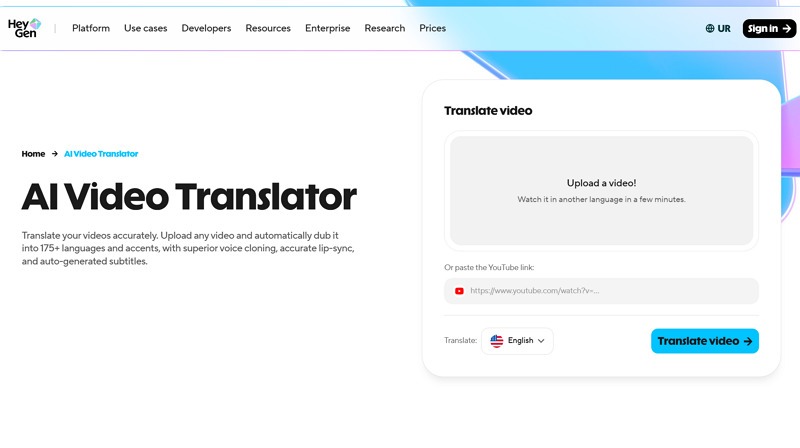
Key Features: HeyGen is best known for its realistic AI avatars and multilingual video localization. Alongside AI video translation, it offers natural-sounding AI dubbing, voice cloning, lip sync, and customizable digital presenters, making it easy to create localized marketing, training, and educational videos without filming multiple versions.
Best For: Businesses, educators, and marketing teams producing spokesperson videos, online courses, or branded content for international audiences.
Limitations: While its avatar technology is among the best in the market, translation costs can increase quickly for larger projects, and many advanced features are reserved for higher-tier subscription plans.
Why Choose It Over Akool: Choose HeyGen if AI avatars and presenter-led videos are a bigger priority than having a broader AI creative suite. It offers a polished workflow for businesses focused on multilingual talking-head content.
VEED
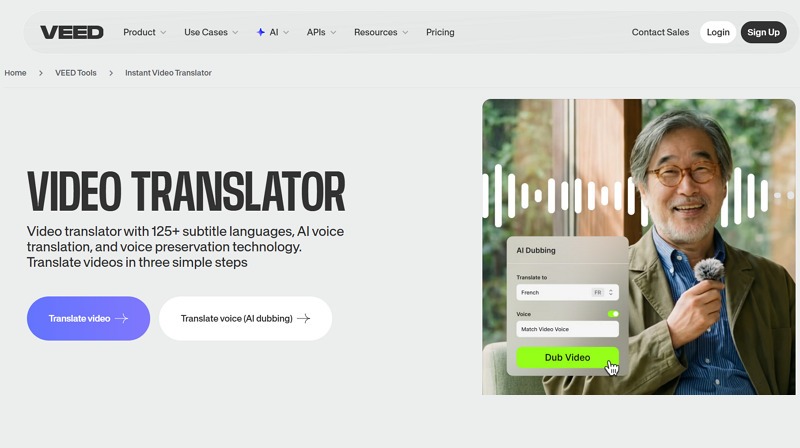
Key Features: VEED combines video editing, subtitle generation, AI translation, dubbing, and screen recording into a browser-based editor. Its intuitive interface makes it easy to edit videos, add captions, and localize content without installing desktop software.
Best For: Content creators, social media marketers, and small businesses producing YouTube videos, TikTok content, tutorials, or promotional clips that require light editing and fast publishing.
Limitations: Although VEED provides convenient translation features, its AI dubbing, lip sync, and localization capabilities are less advanced than dedicated AI video translation platforms designed for large-scale multilingual production.
Why Choose It Over Akool: VEED is a strong choice for users who want an all-in-one online video editor with built-in translation rather than an enterprise-focused AI localization platform.
HappyScribe
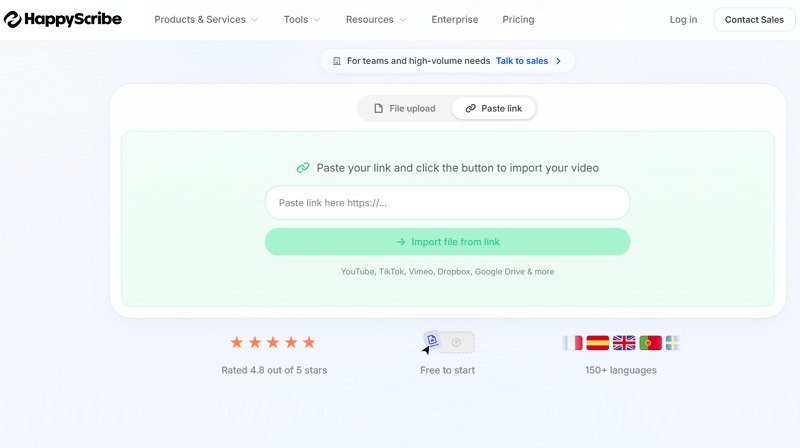
Key Features: HappyScribe specializes in AI transcription, subtitle generation, and multilingual subtitle translation with high accuracy. It supports a wide range of export formats and also offers human review services for users who require professional-level caption quality.
Best For: Journalists, educators, media teams, researchers, and businesses that prioritize accurate subtitles, transcripts, and multilingual documentation over AI-generated dubbing.
Limitations: HappyScribe focuses primarily on transcription and subtitles, offering fewer AI video generation, dubbing, and lip-sync features than dedicated AI video translation platforms.
Why Choose It Over Akool: If your workflow revolves around producing highly accurate subtitles and transcripts rather than fully dubbed multilingual videos, HappyScribe provides a more specialized solution.
Vidnoz
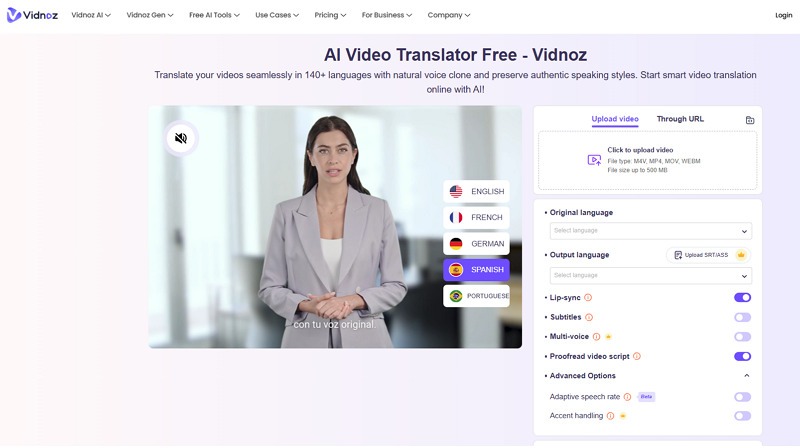
Key Features: Vidnoz offers AI video generation, multilingual translation, AI avatars, text-to-speech, and voice cloning within an easy-to-use platform. Its beginner-friendly interface allows users to quickly create localized videos for marketing, education, and social media.
Best For: Small businesses, educators, freelancers, and creators looking for an affordable AI video platform with translation and avatar capabilities.
Limitations: While Vidnoz delivers good value for everyday content creation, its customization options, avatar quality, and translation accuracy may not match premium enterprise-focused platforms.
Why Choose It Over Akool: Vidnoz is a better fit for users with limited budgets who want a straightforward AI video creation and translation tool without the complexity or pricing of enterprise solutions.
Akool vs Vmake: Which AI Video Translator Is Better?
Factor | Akool | Vmake |
Languages | 155+ | Wide multilingual support |
Lip sync | Very realistic | Yes |
Edit after translate | Limited | Built-in editing and 4K cleanup |
Pricing model | Credits, enterprise-leaning | Simple, free to start |
Ease of use | Moderate | Beginner-friendly |
Translation Accuracy
Both nail clear, single-speaker video without much fuss. The edge Vmake gives you is the chance to check and tidy the result before you hit export, so nothing slips through unnoticed.
AI Dubbing Features
Akool's dubbing feels enterprise-grade and polished. Vmake keeps automatic video dubbing simpler and more approachable, with a few voice options and lip sync that lands right for talking-head videos, demos, and explainers.
Ease of Use
For most people, this is where Vmake pulls ahead. No credit guessing, no sweating over a render you can't undo. You translate, tweak, export, done.
Pricing and Value
Akool's credit system can catch you off guard at the worst time. Vmake costs nothing to start, and the savings on the back end can reach 90% compared to the old studio route. Try it for free now!
Best Choice for Different Users
Big team that also wants avatars and face swap? Akool earns its spot. Creator, online seller, coach, or small business that just needs to translate videos online quickly and cheaply? Vmake is the easy call.
Final Verdict: Is Akool Video Translator Worth It?
What We Like
The 155+ languages, lip sync that genuinely convinces, and having translation, avatars, and image tools all under one roof. For the right team, that's a lot of value behind a single login.
What Could Be Improved
The billing needs to be clearer and easier to predict, you really should be able to edit after a render, and the pricing could be a lot kinder to smaller creators.
Who Should Use Akool
Bigger teams and businesses that will actually lean on the whole creative suite, not just the translator. They'll squeeze the most out of every credit they buy.
Our Recommendation
Akool is a solid AI translator video platform, no argument there. But if you'd rather skip the credit headaches and keep more cash in your pocket, Vmake covers the same ground with a lot less fuss and a gentler price. For most people reading this, that's the smarter place to start. Try it for free now!
FAQ
Is Akool Video Translator free?
There's a free Basic plan, but it stamps a watermark on your video and caps you at 720p. To get clean, higher-res output, you'll need a paid plan.
How many languages does Akool support?
Akool supports 155+ languages for translation, subtitles, and dubbing, which covers just about any audience you're trying to reach.
Does Akool support AI dubbing?
Yes. It generates a translated voice track and moves the speaker's mouth to fit the new language, so the dub looks natural rather than pasted on.
What is the best Akool alternative?
For most creators and small businesses, Vmake is the one to beat. It's easy, it's affordable, and it keeps translation, dubbing, and cleanup in one place.
Is Akool better than HeyGen?
Depends what you're after. HeyGen owns the avatar game, Akool hands you more tools overall, and neither one is what you'd call cheap.
Is Akool better than Vmake?
Akool suits enterprise teams with bigger budgets. Vmake wins if you want to translate video fast, keep things simple, and spend less doing it.
Can Akool translate YouTube videos?
Yep. Upload your video, translate it into the language you need, then download it and it's ready for YouTube or any other platform you post on.

You May Be Interested

123APPS Watermark Remover Review (2026): Pros, Cons, and Pricing

Seedance 2.0 vs Sora 2: Which AI Video Generator Wins in 2026?
Top 20 Captions to Make Your YouTube Shorts Go Viral

Google Gemini|Copy Paste This Simple Prompts to Create “Hug my younger self ” Photos
