
Remove Veo Watermark Free Online
Veo footage is stunning; however, the watermarks aren't. Vmake Labs Veo watermark remover hunts down Google Veo marks across every frame and erases them completely. No login, no limits. Just clean video in seconds.




How to remove Veo watermark in 3 steps
Upload your Veo video
Click the upload area or drag your Veo-generated video onto it. You can also click "Or import from link" to paste a video link and pull the clip in directly.

Select watermark removal
In the Auto tab, click Watermark and the AI automatically detects the Veo generation stamp across every frame. In the Manual tab, use Smart, Brush or Box to mark the watermark area directly on the video for more precise control.
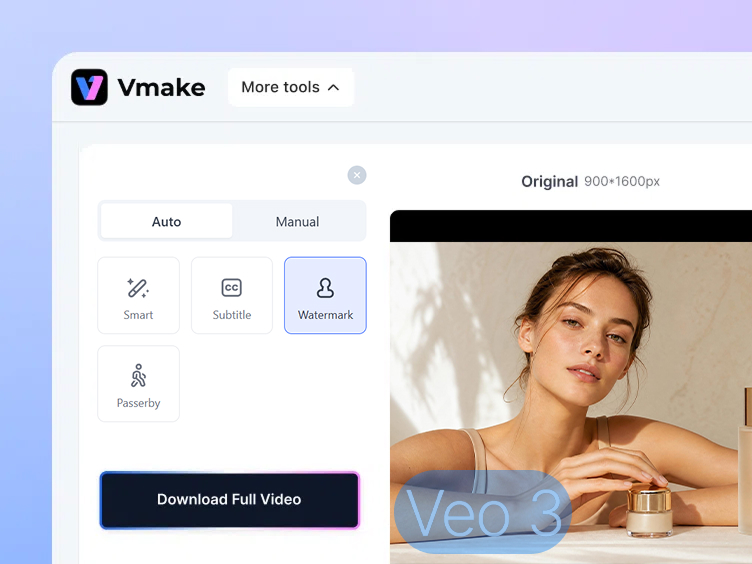
Apply and download
Click Apply and let the AI track and remove the Veo watermark frame by frame, rebuilding the background naturally. Preview the result, then click Download to save your clean video.
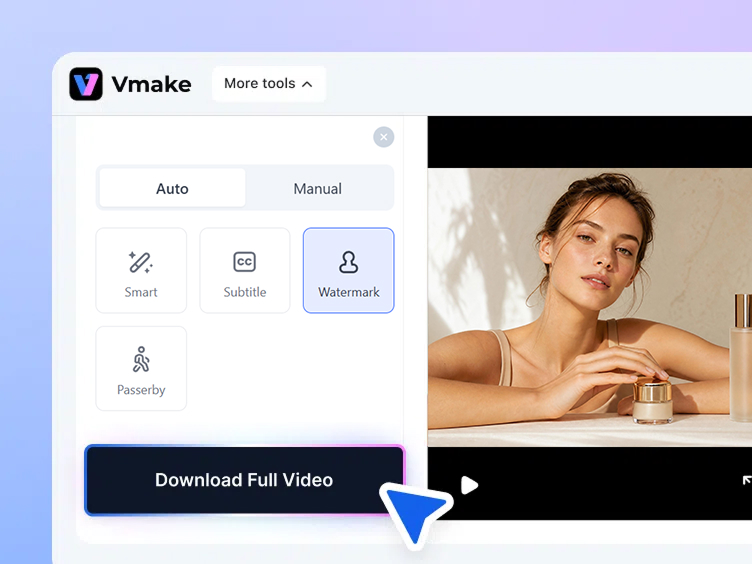
Why creators need to remove Veo watermark


Publish Veo videos professionally
Google Veo generation stamps identify the video as AI-generated output. Removing the Veo watermark before publishing gives your content a polished, professional finish that keeps viewers focused on the video itself.


Deliver clean Veo footage to clients
Client deliverables need to look finished and professional. Vmake Labs veo watermark remover cleans your Veo-generated footage before handover so every file you deliver is stamp-free and ready to use immediately.

Repurpose Veo clips for social media and ads
Veo videos you want to use as social content, product demos or ad creative need to be free of generation marks. Remove veo watermark in seconds and use the clean footage across any channel without the stamp drawing attention away from your message.
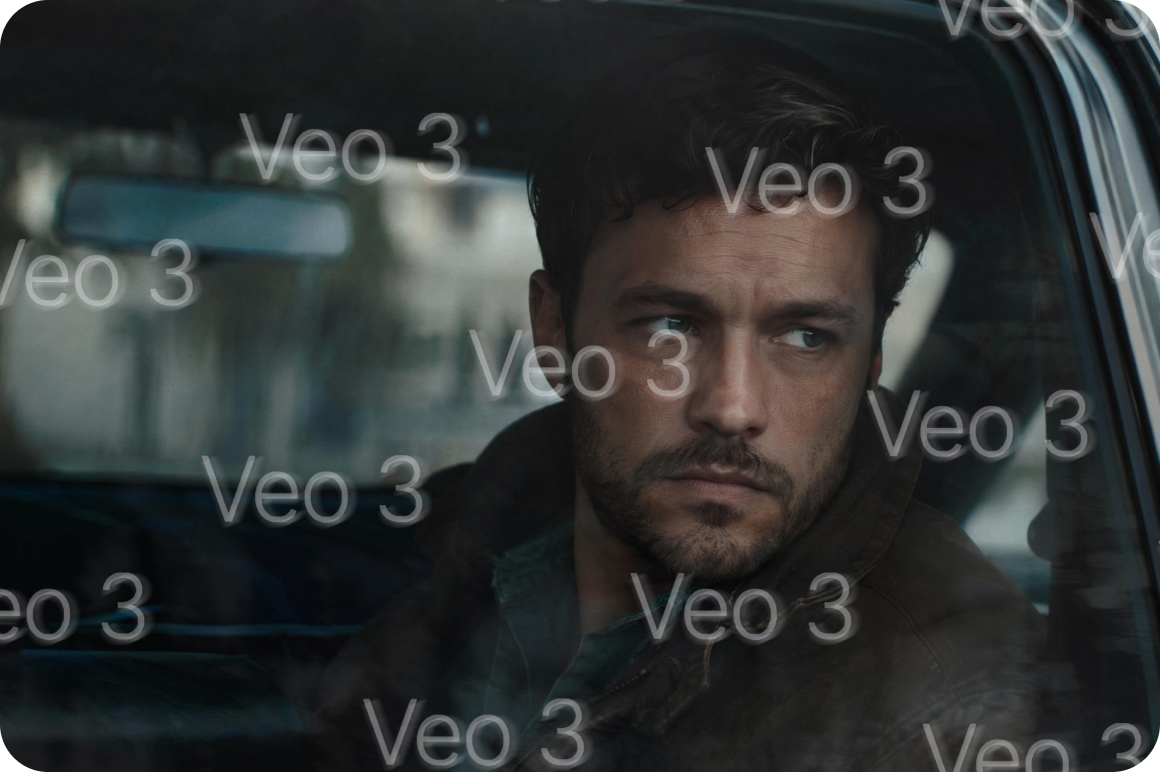

Clean Veo 3 and Veo 3.1 generation stamps
Veo 3 and Veo 3.1 produce high-resolution footage with generation stamps that can include dynamic or animated elements. Vmake Labs tracks these marks frame by frame and erases them consistently with no flickering or artifacts left behind.
Why Vmake Labs Veo watermark remover works better


Built for AI model watermarks
Vmake Labs is purpose-built for watermarks from large AI video models including Google Veo, Veo 3 and Veo 3.1. The detection engine finds and erases generation stamps accurately without requiring manual selection.


Frame by frame tracking
Veo generation stamps can shift and reposition across frames of high-resolution footage. Vmake Labs tracks the stamp throughout the full video timeline and erases it consistently, keeping the background stable and natural from first frame to last.


Natural background reconstruction
Once the Veo watermark is erased, Vmake Labs fills the area with AI-generated pixels matched to surrounding colour, texture and lighting. The result looks as if the generation stamp was never there, at full resolution.

Batch and overlay processing
Process up to 30 Veo videos in one session. Stack watermark removal with other cleanup functions in the same pass, for example removing captions alongside the generation stamp simultaneously.
Who uses Vmake to remove Veo watermark
AI video creators
Creators who generate video with Google Veo, Veo 3 and Veo 3.1 use Vmake Labs to remove Veo watermark before publishing content to social media or client platforms. The batch mode cleans up to 30 videos at once.

Marketing and production teams
Marketing teams using Veo-generated footage in ads, product demos and campaign content use Vmake Labs to ensure every clip is watermark-free before it goes live. Clean footage performs better and looks more professional across every ad platform.

Content agencies
Agencies producing AI-generated video at scale use Vmake Labs as a standard step in their Veo post-production workflow. Batch processing and multi-function overlay support mean veo watermark remover fits into tight production timelines without slowing the pipeline.

FAQ about Vmake Labs Veo Watermark Remover
Can I remove Veo watermarks for free?
Does it work on Veo 3 and Veo 3.1?
Yes. Vmake Labs is built to handle Google Veo generation stamps from all versions including Veo 2, Veo 3 and Veo 3.1. Both static and dynamic generation stamps are supported.
How does Vmake Labs track Veo generation stamps?
Vmake Labs detection engine follows the watermark position frame by frame across the entire video timeline. It erases the Veo stamp consistently in each frame and rebuilds the background naturally with no flickering or artifacts.
Will removal affect video quality?
No. Vmake Labs rebuilds the erased watermark area using AI-generated pixels matched to surrounding colour, texture and motion. Full resolution and original video quality are preserved throughout.
Can I process multiple Veo videos at once?
Yes. Batch upload lets you process up to 30 Veo videos in one session with consistent results across every clip.
Does it work on all Google Veo versions?
Yes. Vmake supports all Google Veo versions from the original Veo through to Veo 3 and Veo 3.1.
Why choose Vmake Labs as your Veo watermark remover
Vmake Labs detection engine is trained specifically on AI model generation watermarks including all Google Veo versions. It finds and removes veo watermarks accurately without manual selection, even on high-resolution Veo 3 and Veo 3.1 footage.

Veo generation stamps can reposition across frames of high-resolution footage. Vmake Labs tracks the stamp through the full video timeline and erases it consistently with no flickering, ghosting or frame inconsistencies in the output.

Process up to 30 Veo videos in one session with one-click batch removal. Ideal for creators, agencies and production teams working with large volumes of Veo-generated footage.
Discover More Features

Video & Image Enhancer

Watermark & Text Remover

Video Upscaler
AI Creative Ads

AI Video Generator

Video Background Remover

Video & Audio to Text

Video Noise Reducer
Ready to remove the Veo watermark from your video?
Upload your Veo video, let the AI track and erase the generation stamp and download a clean result ready to publish anywhere.Free to start. No account required. No watermarks on exports.
What our users say
I generate a lot of footage with Google Veo and the watermarks always needed cleaning before anything went live. Vmake Labs removes them perfectly across every frame. The background reconstruction is impressive even on high-resolution Veo 3 footage.
We use Veo-generated clips in our campaign videos and needed a reliable way to remove veo watermark before assets went to ad platforms. Vmake Labs delivers consistently clean results. Batch mode handles our full campaign library in one session.
I did not want to regenerate older Veo videos just to get watermark-free exports. Vmake Labs lets me clean the whole library in one batch. Results are clean and the reconstruction holds up well on the complex Veo 3 footage.
Veo 3 footage looks great but the generation stamp always needed removing before posting. Vmake Labs handles it cleanly in seconds. Very intuitive tool, no manual frame work required.
For this price you will not find better AI tools for removing Veo watermarks. Processing is fast and results are good to excellent across different Veo versions.
Very intuitive workflow. I uploaded a Veo 3.1 video and downloaded a clean watermark-free result in minutes. No complicated steps, no manual selection. Exactly what I needed.