
Mike Upchurch is an Emmy Award-winning writer and filmmaker with an extensive career in television and film, including work with Hollywood star Tom Cruise. His writing credits include HBO's The Chris Rock Show, for which he won a Primetime Emmy Award for Outstanding Writing in 1999, and Mr. Show with Bob and David.
Beyond his work on major television productions, Mike also created POWERLOAFING, an independent workplace comedy series from the early 2000s.
Produced during the early days of online video entertainment, the show brought together an offbeat cast of characters, absurd workplace situations, and the distinctive humor of the era. One episode, Insecurity Officer, was filmed in November 2005 in Los Angeles. The production featured comedians Tom Sharpe and Josh Fadem, whose performances became part of the show's original charm.
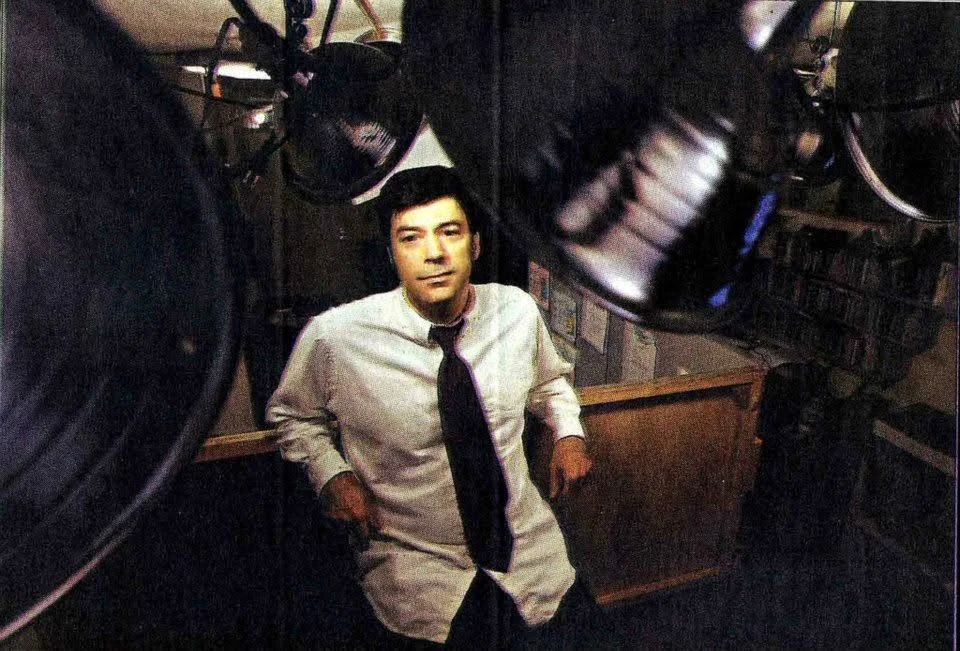
After years out of circulation, Mike began revisiting the series and sharing restored episodes, behind-the-scenes stories, and production memories through Mike Upchurch Laboratories on Patreon. But bringing those episodes back meant confronting a familiar problem: footage that looked perfectly acceptable when it was recorded doesn't always hold up on today's displays.
To give POWERLOAFING a fresh presentation while preserving its original character, Mike needed a way to enhance the footage without losing what made it feel like a production from the early 2000s. That's where Vmake Labs came in.
Restoring Old Footage Is About More Than Sharper Images
Videos recorded in the early 2000s were made for a very different viewing experience. Standard-definition footage was common, displays were smaller, and video files were often heavily compressed to accommodate the technology of the time.
When those recordings are played on today's high-resolution screens, their limitations become more noticeable. Faces may look soft. Background textures can lose definition. Compression artifacts and visible noise can distract from the scene. And simply stretching a standard-definition video to 4K doesn't solve the problem. It increases the number of pixels, but it doesn't automatically recover the visual detail needed to make the footage look clearer.
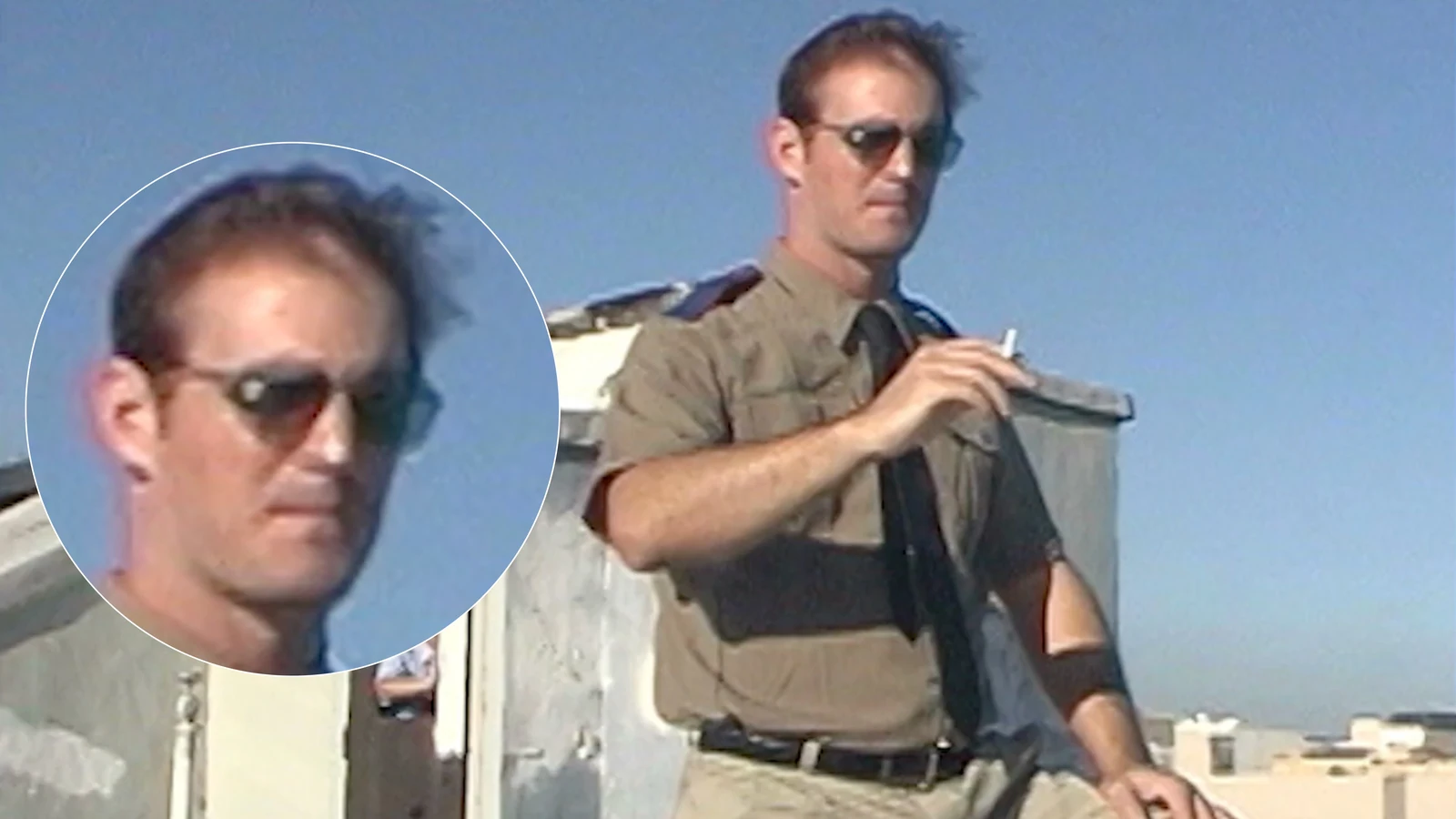
For filmmakers working with older material, there's another important consideration: a good restoration should improve the footage without erasing its original character. Older recordings have their own visual identity, shaped by the cameras, lighting, locations, and production techniques used at the time. Overprocessing can make faces look artificial, flatten textures, or give footage an appearance that feels disconnected from the original production.
The challenge is finding the right balance between improving picture quality and preserving the feel of the source material. For POWERLOAFING, that meant making the series more enjoyable to watch in 4K while keeping its early-2000s identity intact.
How Vmake Labs Helped Restore POWERLOAFING in 4K
To restore the series, Mike used Vmake Labs AI Video Enhancer as his primary tool for enhancing the original standard-definition episodes and upscaling them to 4K. In his Patreon post about Insecurity Officer, Mike specifically identifies Vmake Labs as the main tool behind the episode's video enhancement.
The goal wasn't to turn POWERLOAFING into something completely different. It was to make the original footage clearer and better suited to modern viewing. Vmake Labs AI Video Enhancer uses AI-powered processing to improve video resolution, reduce visible noise and compression artifacts, and enhance the definition of details within a frame. For older footage like POWERLOAFING, these capabilities can make a meaningful difference in several areas.
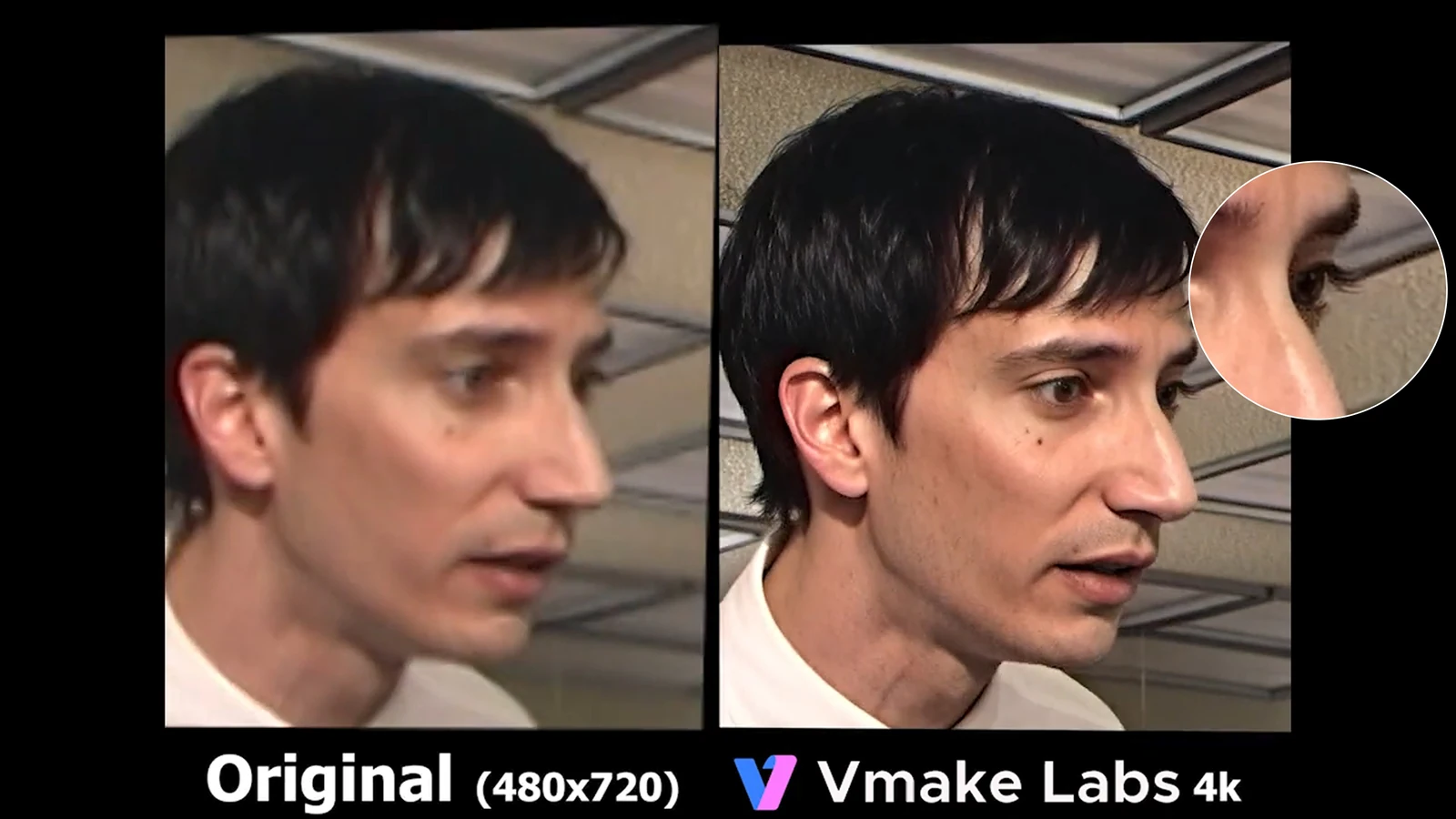
1. Clearer Faces and Fine Details
Low-resolution footage often struggles to preserve subtle details, especially in faces, hair, clothing, and smaller objects. AI video enhancement can help improve the definition of these elements, making characters and scenes easier to see without requiring the footage to be reshot. In a character-driven comedy like POWERLOAFING, clearer facial details can help bring renewed attention to the performances and expressions that carry the humor.
2. More Defined Backgrounds and Textures
Production environments are an important part of a show's visual identity. From office furniture to props and set details, the backgrounds in POWERLOAFING help establish its workplace setting. Enhancing older footage can bring greater definition to these elements, allowing viewers to better appreciate details that may have been difficult to distinguish in the original recordings.
3. Less Visible Noise and Compression Damage
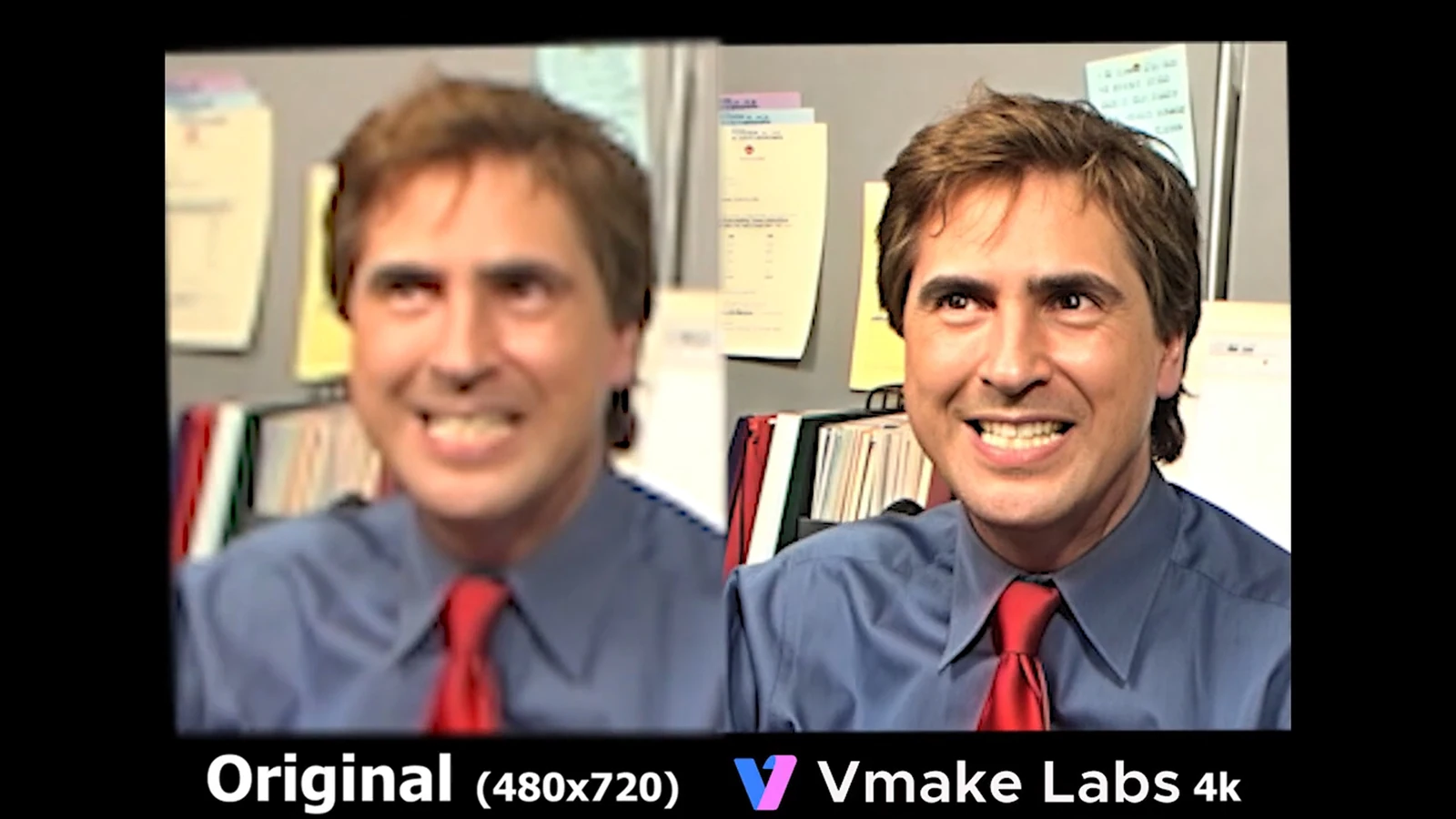
Older digital recordings frequently contain visible noise, compression artifacts, and other imperfections introduced during recording, storage, or distribution. Vmake Labs can reduce these distractions while improving overall image clarity. The result is a cleaner viewing experience that keeps the focus on the story rather than the limitations of the original video file.
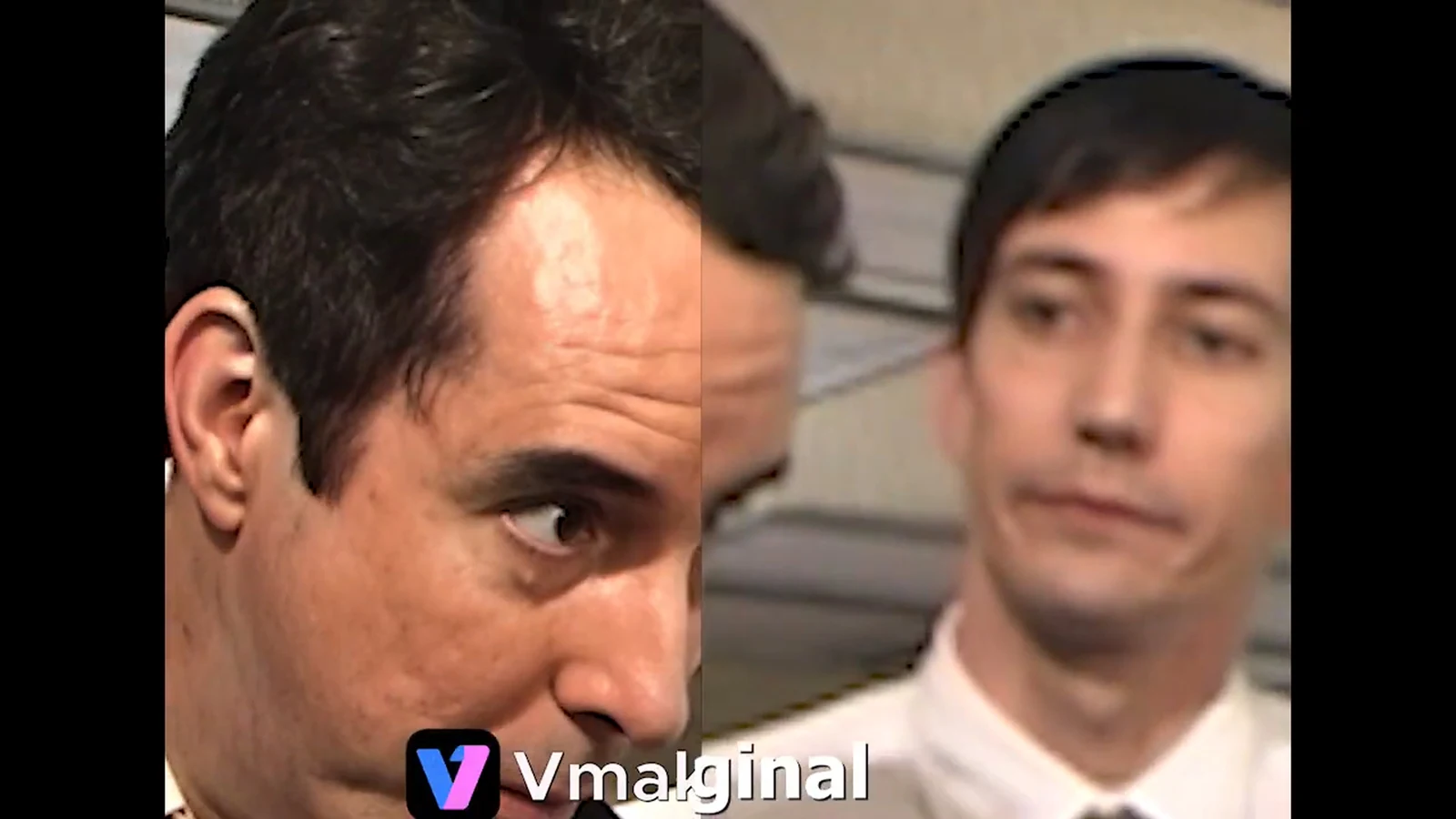
4. Upscaling Standard Definition to 4K
One of the most significant parts of Mike's restoration project was bringing the original standard-definition episodes up to 4K. Upscaling gives the footage a higher-resolution output suitable for modern displays. Combined with detail enhancement and noise reduction, it can help older material look more refined at larger viewing sizes.
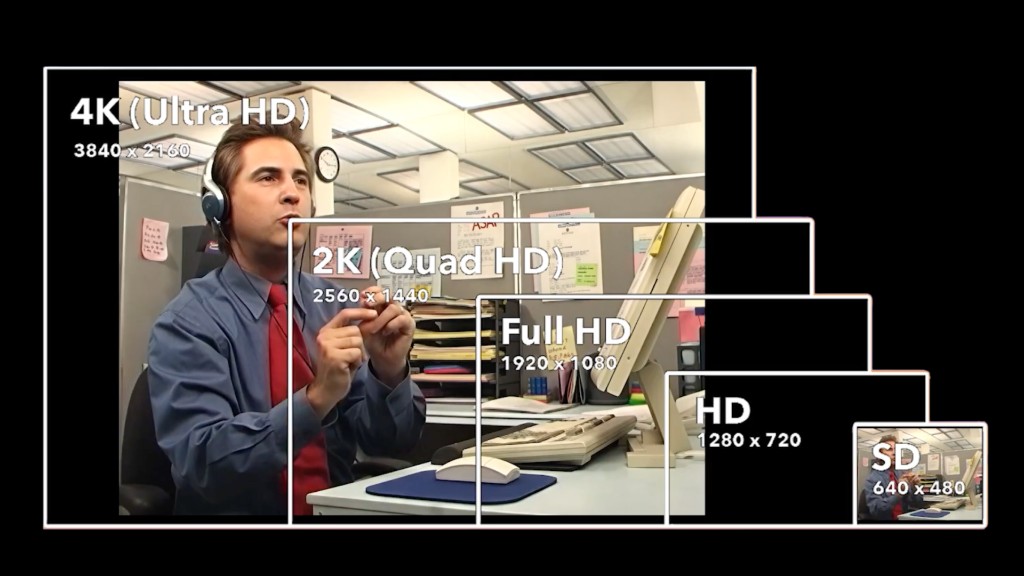
Importantly, upscaling doesn't turn an old recording into newly shot native 4K footage. The outcome still depends on the quality of the source material. But as POWERLOAFING demonstrates, AI-powered restoration can help filmmakers get more from footage they already have.
Professional Video Restoration, Proven in a Real Project
When an experienced filmmaker revisits a project from decades ago, the goal is rarely just to make the image sharper. The footage represents creative decisions, performances, locations, and moments that can't simply be recreated. That's what makes Mike Upchurch's POWERLOAFING restoration such a meaningful example.
With a career that includes Emmy-winning television writing and independent filmmaking, Mike understands the importance of preserving a production's original character. His decision to use Vmake Labs as the primary enhancement tool for POWERLOAFING shows how AI video restoration can fit into a real professional creative workflow.
Rather than requiring every frame to be rebuilt manually, AI-powered enhancement gives filmmakers another way to revisit existing material and prepare it for today's audiences. For independent creators, archivists, and video editors, that opens up new possibilities. A project that was once limited by its original recording quality can be revisited. Older episodes can be made more watchable. Footage that has spent years in an archive can find a new audience.
And in Mike's case, the restored POWERLOAFING episodes offer viewers another opportunity to experience a series originally created more than 20 years ago.
You Don't Have to Be a Filmmaker to Restore Your Videos
Mike used Vmake Labs to restore a television series. But you don't need a filmmaking background, expensive editing software, or years of post-production experience to improve your own footage. The same AI video enhancement technology is available to anyone with a video they'd like to make clearer.
Maybe you have an old family recording that looks blurry on your current screen. Maybe you filmed an important event years ago and want to improve its quality. Or perhaps you're a content creator looking to refresh older videos for a new audience. Whatever the project, Vmake Labs makes video enhancement straightforward.
How to Enhance Your Video with Vmake Labs
Step 1: Upload Your Video
Visit Vmake Labs AI Video Enhancer and upload the video you'd like to improve. You can start with an older recording, a low-resolution clip, or footage that needs a little extra clarity.
Step 2: Choose Your Enhancement Settings
Select an enhancement option that suits your footage and the result you're looking for. Vmake Labs offers AI-powered enhancement options for improving clarity, resolution, and overall visual quality.
Step 3: Preview and Download
Generate your enhanced video and review the result. Once you're happy with how it looks, download the improved footage and use it wherever you need.
No complicated editing timeline. No manual frame-by-frame restoration. Just a simpler way to make the most of the videos you already have.
From Old Home Videos to Everyday Content
Not every video worth restoring is part of a television archive. Sometimes, the footage that matters most is sitting on an old hard drive, saved on a phone, or buried in a folder you haven't opened in years. Here are a few ways video enhancement can help bring that footage back into focus.
Bring Old Family Videos Back to Life
Family gatherings, childhood birthdays, weddings, and vacations often exist only as old recordings. Even when the resolution is low or the picture looks soft, those videos capture moments that can't be repeated.
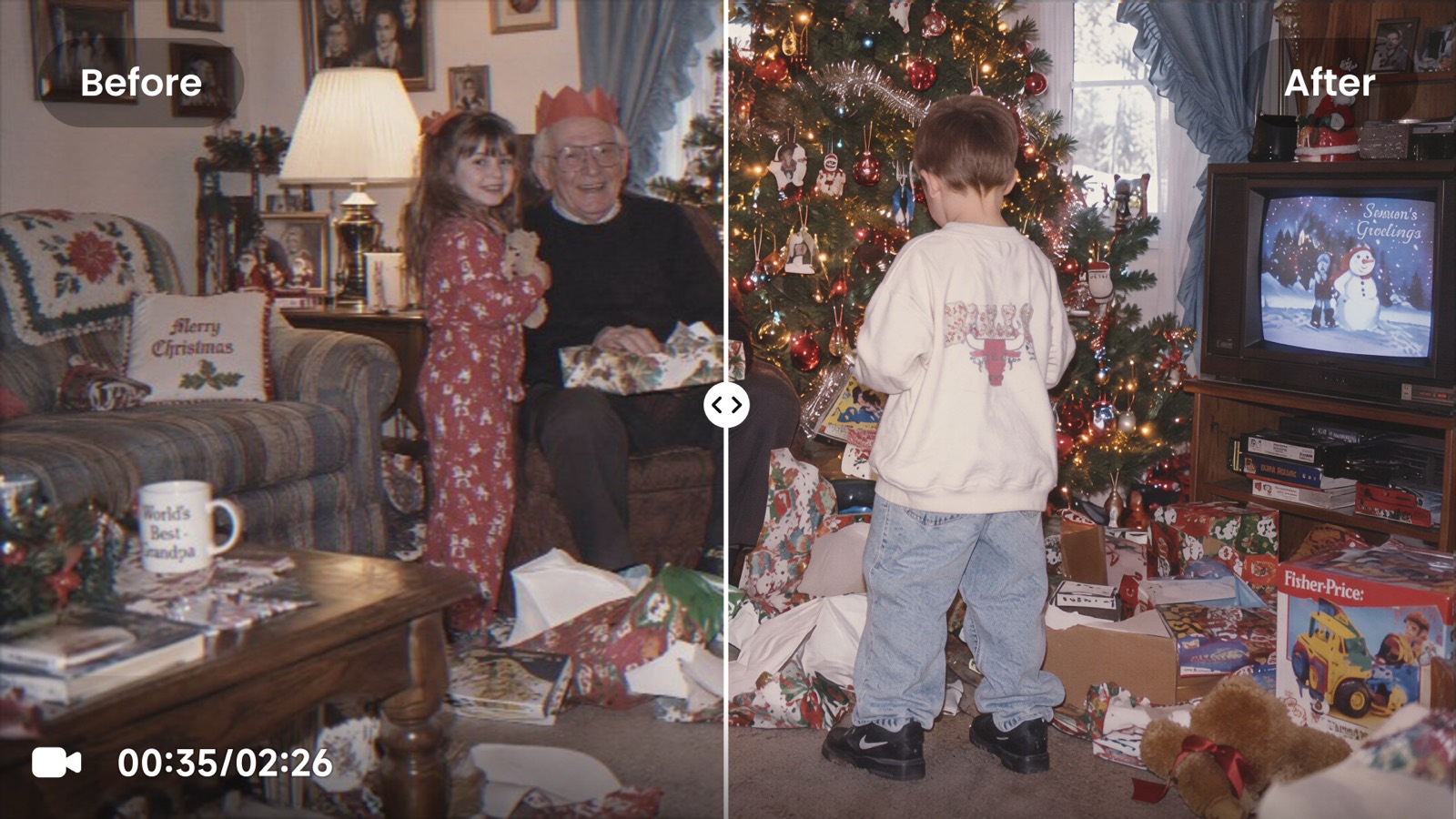
Vmake Labs can help improve their clarity so you can enjoy them on today's screens and share them with family. Whether you're revisiting a digitized camcorder recording or improving an old phone video, clearer footage can make those memories easier to relive.
Improve Concert and Event Footage
Live events can be difficult to film, especially in low light or from a distance. The result may be footage with visible noise, soft details, or reduced clarity.
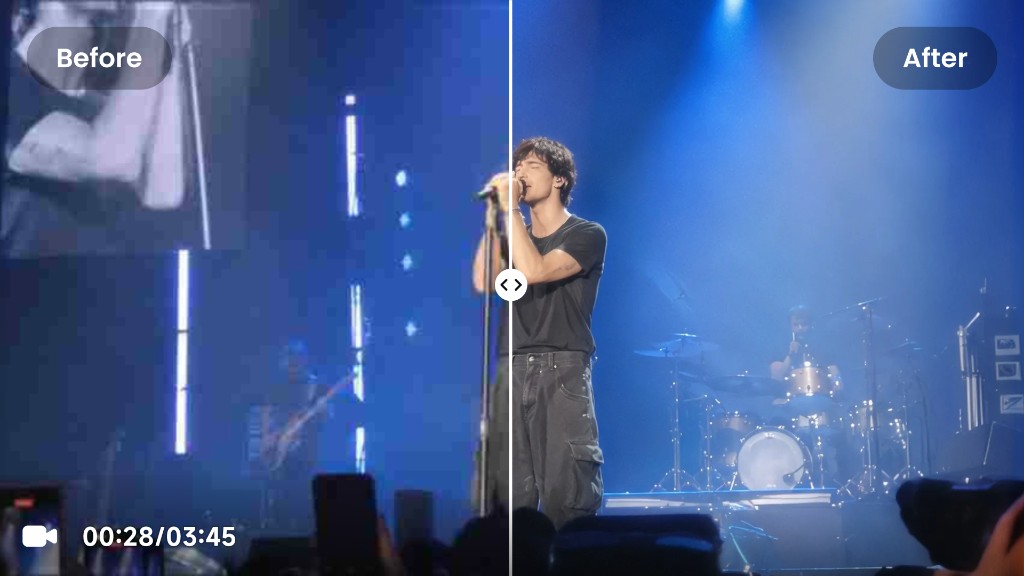
AI video enhancement can help clean up these recordings and improve their presentation, making them more enjoyable to watch or share. From a memorable concert to a graduation ceremony, the moments you captured deserve to look their best.
Refresh Old Videos for Social Media
Content creators often have useful footage that never made it into a finished post. Maybe the resolution was too low, the file was compressed, or the image quality didn't meet their expectations.
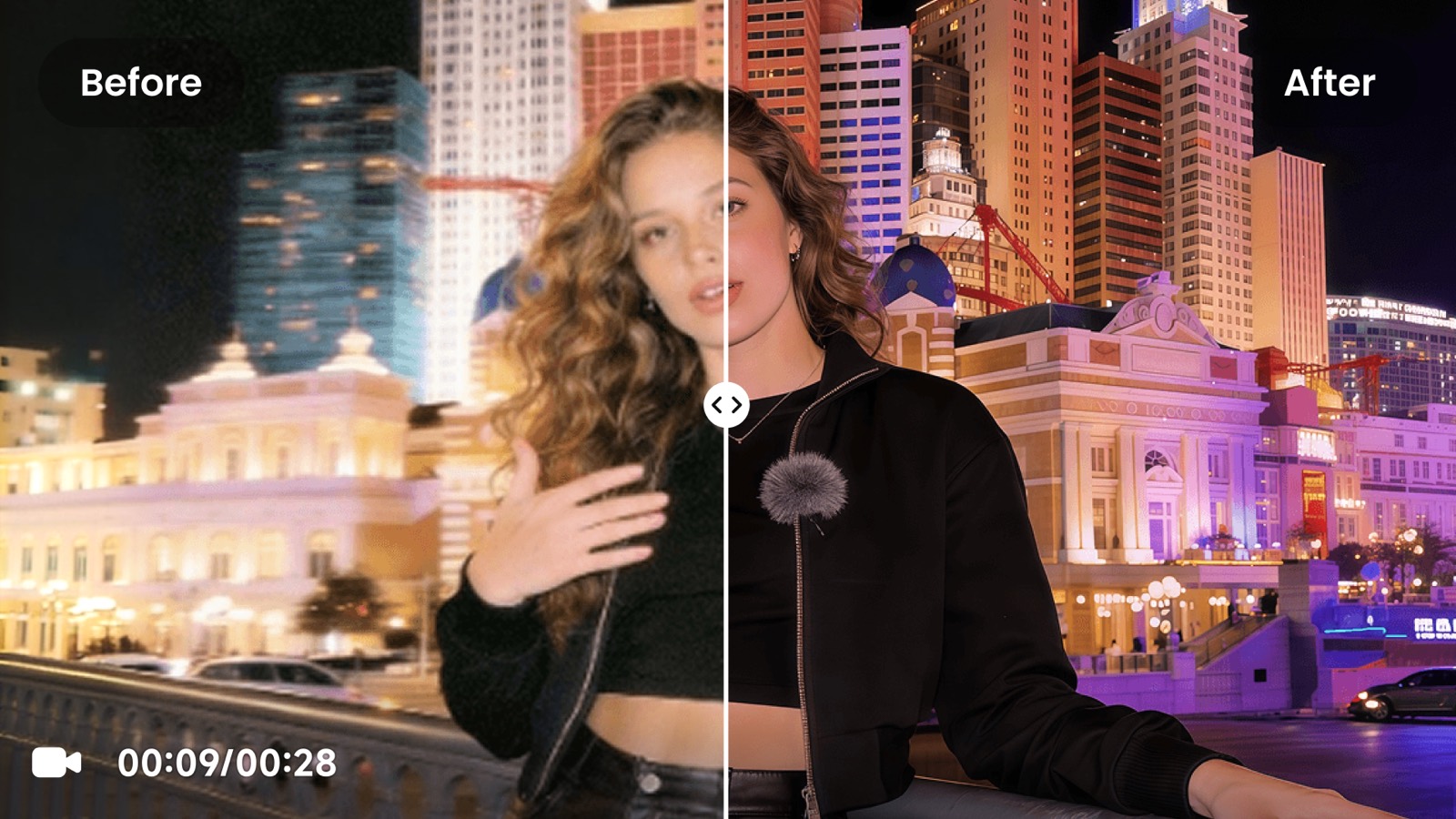
Instead of letting that footage go unused, creators can enhance it and give it another opportunity to reach an audience. Vmake Labs can help improve existing clips for social media, portfolios, and other creative projects.
Make Product Videos Look More Professional
For small businesses and online sellers, video quality can influence how clearly customers see a product. Soft footage may hide important details, while heavy compression can make textures and finishes difficult to appreciate.
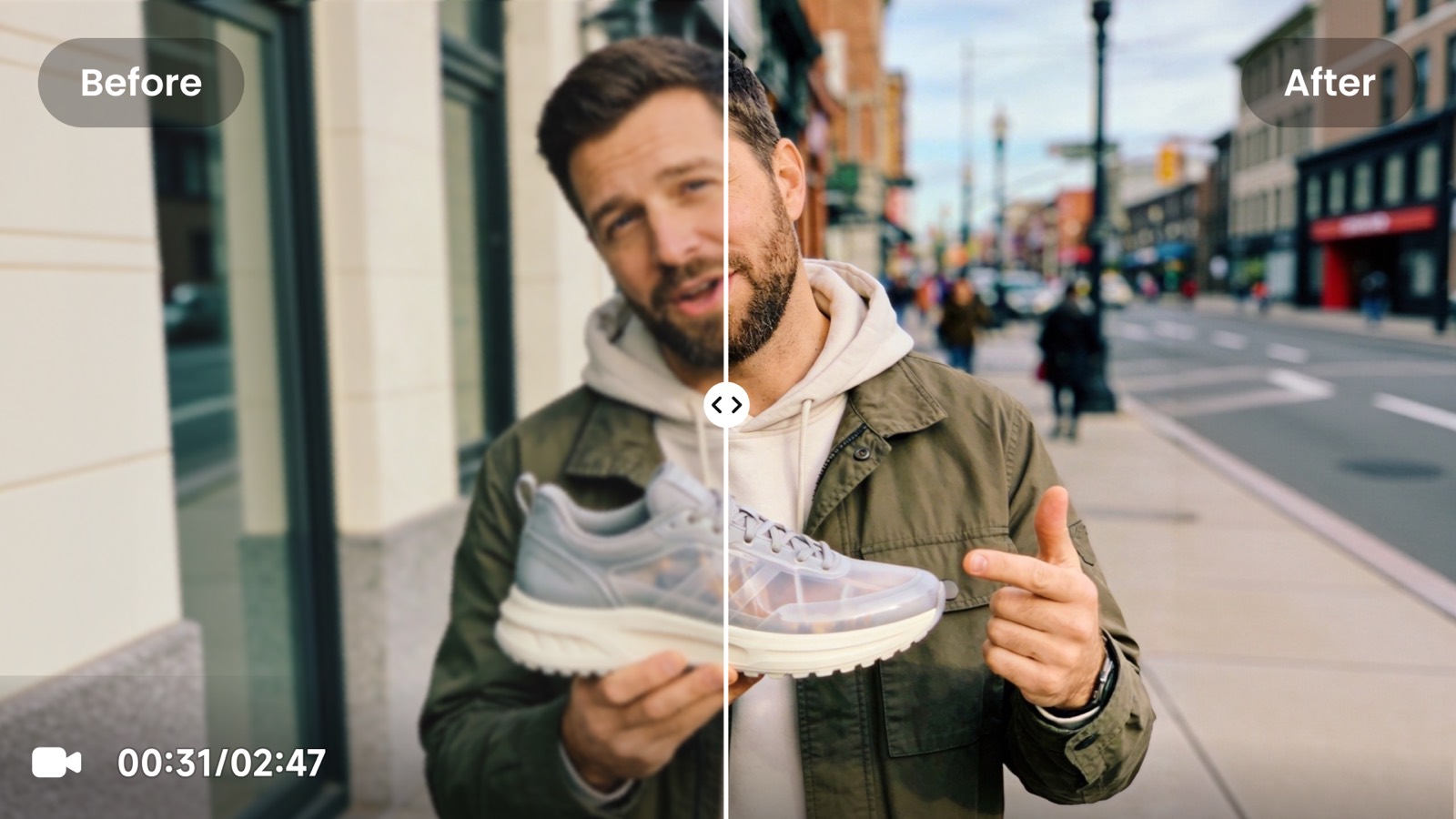
Enhancing product videos can help improve visual clarity, making details easier to see in online stores, product showcases, and social media content. And because Vmake Labs works with existing footage, businesses don't necessarily need to organize a new shoot just to improve the presentation of a video.
Trusted by Professionals. Made for Everyone.
More than 20 years after POWERLOAFING was filmed, Mike Upchurch is bringing his original series to audiences in 4K with the help of Vmake Labs. His restoration project is a reminder that great footage doesn't have to stay limited by the technology available when it was first recorded. With the right tools, old recordings can become clearer, more enjoyable to watch, and ready to share again.
And while Mike's project comes from a professional filmmaking background, the technology he used isn't reserved for industry professionals. It's available to anyone who wants to get more out of their videos.
Whether you're restoring a creative project, revisiting family memories, or improving content for your business, Vmake Labs helps you bring out more from the footage you already have. If an Emmy-winning filmmaker can use Vmake Labs to give a 20-year-old series a second life, imagine what you could do with your own videos.