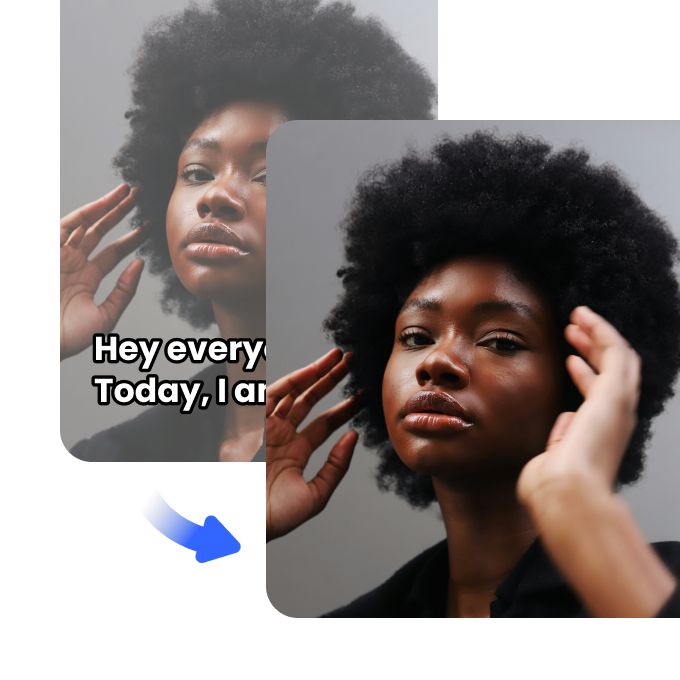





Erase Text from Videos Instantly

Remove unwanted text, captions, or watermarks from videos with AI-powered precision. Our smart tool ensures fast, high-quality results—no editing skills needed.
Drag / Paste / Click
No Video? Try one of demo videos:
Erase Text from Videos Instantly 0
Erase Text from Videos Instantly 1
Erase Text from Videos Instantly 2
Erase Text from Videos Instantly

How to remove background from a video?

Step1

Upload a video file

Select a video file under 200MB and in the appropriate format. It might take a few seconds of waiting time to upload your video.
Step2

Detect and select

The AI video background remover will automatically detect the main subject of the video and remove the rest.
Step3

Refine and export video

Once the background has been removed from the video, choose the proper video format resolution and background type to download.

How does smart text removal work?

AI-Powered Smart Text Removal

Remove unwanted text from videos effortlessly with our AI-driven smart text removal video tool. Upload your file, and our advanced algorithm will automatically detect and erase text, subtitles, or watermarks while maintaining video quality. Works with MP4, MOV, AVI, and other common formats for seamless editing.

AI-Powered Smart Text Removal

High-Quality Output with No Traces

Our smart text remover ensures professional-grade results by intelligently blending the removed areas for a natural finish. Whether you’re erasing timestamps, subtitles, or watermarks, our tool preserves your video's clarity and quality, delivering smooth, text-free visuals without noticeable distortions.
High-Quality Output with No Traces

No Software Needed – 100% Online

Skip the hassle of installing software—our online smart text removal video tool works in your browser with no downloads required. Upload up to three videos at once, preview the results instantly, and download clean, text-free videos with ease. Try it for free—no signup needed for basic use.
No Software Needed – 100% Online

FAQ

How do you remove text from someone else's video?

To remove text from someone else's video, upload the video to Vmake’s AI tool. It will automatically detect and erase the unwanted text without affecting the video’s overall quality. This is ideal for repurposing content on social media platforms.

Is it possible to extract text from video?

Yes, you can extract text from a video using Optical Character Recognition (OCR) software. Vmake specializes in removing text, but extraction would require different tools. Extraction is useful for editing or reusing content across platforms.

How to remove unwanted text from video?

To remove unwanted text from a video, upload it to Vmake's tool, and our AI will automatically detect and erase the text. This ensures a smooth viewing experience, especially on platforms like YouTube, Instagram, or TikTok.

Can AI remove text from a video?

Yes, AI can effectively remove text from a video. Vmake’s AI-powered tool automatically detects and eliminates unwanted text, making your video appear clean and professional for use on various platforms like YouTube and TikTok.

Are there any smart text removal tools I can use for videos?

Yes, Vmake offers a smart AI-powered tool for text removal from videos. It efficiently detects and removes unwanted text, saving you time and effort. Perfect for enhancing content for YouTube, TikTok, or other social media platforms.