




Pika Watermark Remover

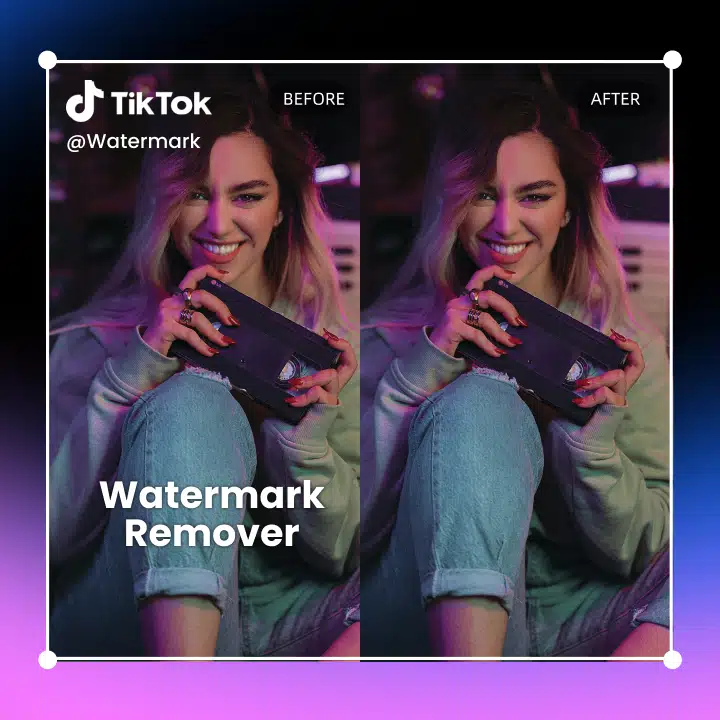
Remove watermarks from Pika videos online with Vmake Watermark Remover. AI-powered, fast processing, no blur, no quality loss. Upload and clean videos in seconds.
Drag / Paste / Click
Pika Watermark Remover

How to remove logos and watermarks from Pika videos

Step1

Upload your Pika-generated video

Open Vmake Video Watermark Remover and upload the video created with Pika that contains a visible watermark.
Step2

Run AI watermark removal

Let Vmake’s AI automatically detect the Pika watermark, or manually select the watermark area if needed. The tool removes the watermark while preserving motion, textures, and overall video quality.
Step3

Preview and export

Preview the cleaned result to ensure everything looks natural, then export your watermark-free video—ready to reuse, edit, or share across platforms.
How to remove logos and watermarks from Pika videos

Reliable AI Watermark Removal Designed for Speed and Precision

Remove annoying watermarks from downloaded video

Remove annoying watermarks from downloaded video

  • Remove watermarks from Gemini, Pika, Sora, TikTok, Instagram, YouTube, and more—so you can repurpose clips while keeping your content clean, professional, and on-brand.
  • Achieve up to 98.7% accuracy when removing watermarks from videos across platforms and models such as Gemini, Sora, TikTok, YouTube, Instagram, and more.
  • Ideal for content creators, editors, and social media managers who want their visuals to stay clean, professional, and ready for reposting across platforms.
Try it Now
Remove outdated logos, timestamps, or subtitles from video

Remove outdated logos, timestamps, or subtitles from video

  • Remove logos, captions, and timestamps to keep footage fresh and professional.
  • Vmake removes unwanted text, logos, and timestamps to modernize content without reshooting.
  • Ideal for marketing teams, UGC curators, and content repurposers refreshing legacy assets.
Try it Now
Remove watermark from dozens of videos at once

Remove watermark from dozens of videos at once

  • Batch-remove watermarks, timestamps, and on-screen overlays to simplify large-scale editing across multiple SKUs, influencer content, and UGC libraries.
  • Remove watermarks, timestamps, and overlays in bulk to speed up large-scale editing workflows across product videos, influencer videos, and UGC collections.
  • Save hours of manual work while keeping assets polished, consistent, and ready for use—perfect for teams, sellers, and agencies.
Try it Now

Why Choose Vmake Pika Watermark Remover

Unmatched compatibility

Vmake’s video watermark remover is built for all experience levels, supporting MP4, MOV, AVI and more in any resolution. With a 98.7% success rate across major formats, it delivers reliable, professional results no matter your device or video source.

Unmatched compatibility

Your workflow revolution

Removing watermarks elevates professionalism and credibility, with creators seeing a 35% boost in perceived quality and up to 2× more engagement — while businesses gain stronger brand consistency, higher content reusability, and fewer legal risks.
Your workflow revolution

Enhanced professionalism

With an intuitive interface, Vmake delivers 100% automated watermark removal up to 5× faster than manual editing, saving hours in post-production. All uploads are encrypted, auto-deleted after completion, and unlike 31% of free tools, never retained — ensuring your content stays yours.
Enhanced professionalism

Watermark-Free Creativity, Worldwide

FAQ about Pika Video Watermark Remover

How does a video watermark remover work?

The AI Video Watermark Remover analyzes a video’s visual elements to intelligently detect watermarks—including those generated by Pika. It then removes the watermark while preserving the video’s original quality, using advanced pixel reconstruction and context-aware blending to seamlessly restore the area where the Pika watermark previously appeared.

Can I remove watermarks from any type of videos?

Yes, Vmake's video watermark remover can handle various video formats, including popular ones like MP4, AVI, MOV, and more. Whether it's a high-definition video or a standard-resolution clip, the remover efficiently removes watermarks from videos of different formats.

How can I remove watermarks from videos for free?

Vmake video watermark remover automatically removes your watermarks and allows you to download 5-second videos free of charge. No sign-up/credit cards required.

Can I remove watermarks from transparent or semi-transparent overlays?

Yes, advanced video watermark removal tools can effectively remove transparent or semi-transparent watermarks from videos. The AI-powered algorithms can intelligently detect and eliminate these types of watermarks, providing you with clean and professionally edited videos.

How can I remove a logo from a video?

You can easily remove a logo from a video using Vmake’s AI Watermark Remover. Just upload your video, highlight the logo or watermark area, and Vmake’s AI will intelligently erase it without affecting the surrounding visuals. It works on logos from TikTok, YouTube, Instagram, and more — no editing experience needed.

How do I remove subtitles from a video?

To remove burnt-in or embedded subtitles from a video, use Vmake’s AI Subtitle Remover. This tool detects and removes hardcoded text, even from complex backgrounds, allowing you to repurpose the video for new platforms or audiences. It’s ideal for cleaning up old clips or rebranding content.

Can I remove text from a video?

Yes — with Vmake, you can remove unwanted text from any video, including timestamps, usernames, captions, and overlays. Simply upload the video, mark the area with text, and Vmake’s AI will cleanly erase it. This is perfect for refreshing UGC content, editing promo videos, or hiding outdated elements.